Evoworks Evo80 vs GravaStar Mercury K1Modding vs Portability
Choose the Evoworks Evo80 for deep customization and a premium typing experience, or the GravaStar Mercury K1 for a significantly lighter and more portable build.


Which one should you get?
Get the
Evoworks Evo80
Modding
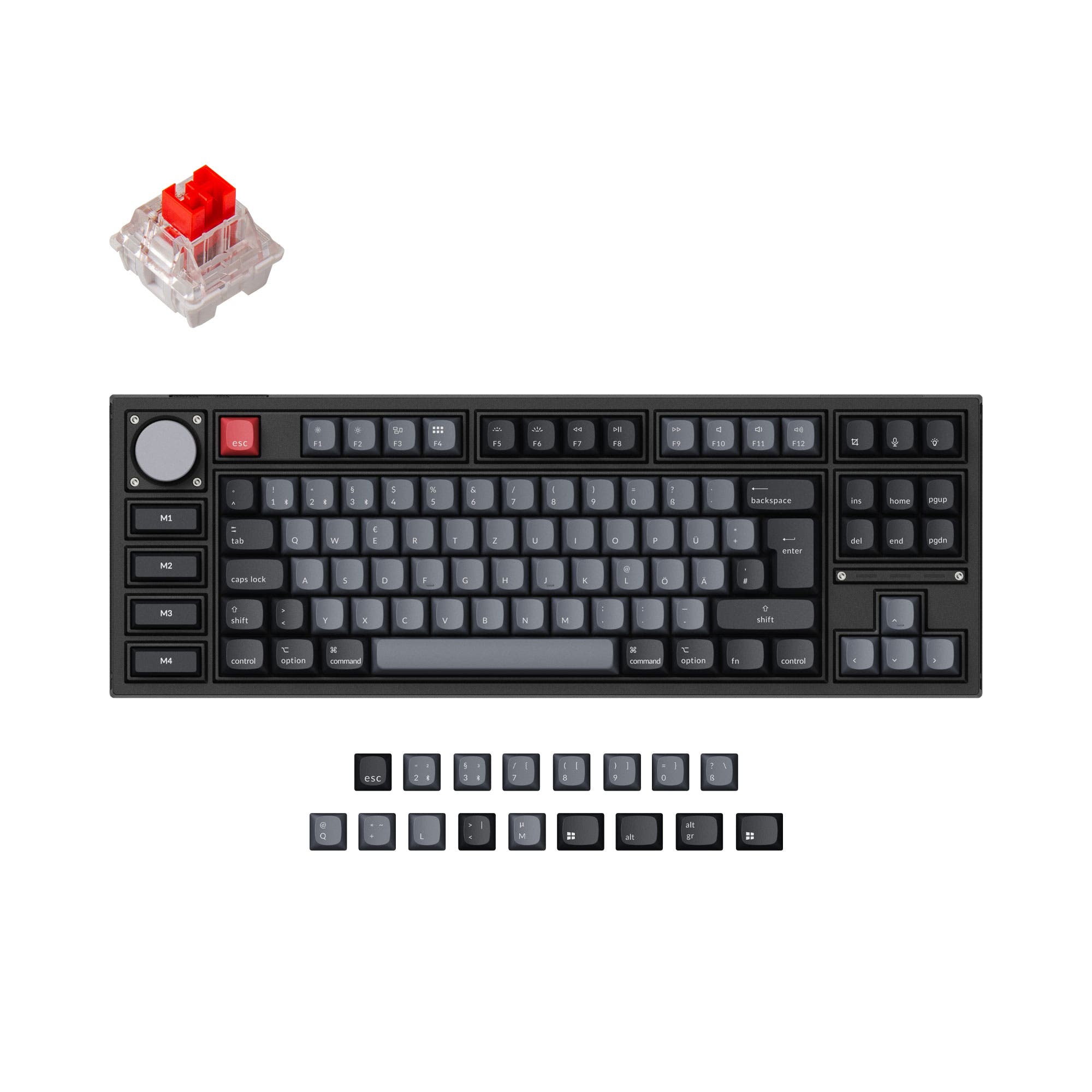
- Extensive modding kit includes five layers of Poron foam, cotton bottom foam, and multiple plate options.
- Fully programmable with VIA software for key remapping and macros.
- Features a 1000Hz polling rate in both wired and 2.4GHz wireless modes.
- Very heavy at 1870g, making it less portable.
- The TKL layout is larger than a 75% board, using more desk space.
- Complex assembly and modding potential may overwhelm beginners.
Get the
GravaStar Mercury K1
Portability
- Significantly lighter at 1080g, enhancing portability.
- Compact 75% layout saves desk space while retaining most keys.
- Features a gasket mount structure and a POM plate for a tuned typing feel.
- Lacks confirmed software for programmability like VIA or QMK.
- No specified polling rate for gaming performance is provided.
- The vendor page lists it as sold out, indicating potential availability issues.
Select the Evoworks Evo80 if you value a premium, moddable typing project, software programmability, and confirmed high-performance gaming specs. Opt for the GravaStar Mercury K1 if your main need is a sleek, lightweight wireless keyboard for a clean desk setup and easy transport, and you are willing to forgo advanced customization software. The Evo80 is a toolkit, the K1 is a streamlined tool.
The differences that matter
Skip the 40-row spec sheet. These are the specs that change how each board feels, sounds, and fits your desk.
Evoworks Evo80
GravaStar Mercury K1
Layout size
80%
75%
Case material
Aluminum, Copper
Aluminum
Mount style
Plate Mount
Gasket Mount
Weight
1,870 g
1,080 g
VIA
Yes
No
- Evoworks Evo80
- GravaStar Mercury K1
- Performance
- 7766
- Build quality
- 8067
- Productivity
- 8367
- Customizability
- 8264
- Portability
- 8792
- Connection: Bluetooth, 2.4 GHz, Wired
- Hot-swappable
- Battery: 8,000 mAh
- Switch options: Linear
What will you mostly use it for?
The Evoworks Evo80 is the clear choice for users who prioritize gaming performance, programming efficiency, and deep hardware or software customization. It wins in modding and content creation due to its extensive kit and programmability. The GravaStar Mercury K1 takes the lead only for travel, thanks to its substantially lower weight. For general office use, both keyboards are equally capable with their shared wireless features and battery life.
Pick the Evoworks Evo80
- The Evo80 specifies a 1000Hz polling rate in both wired and 2.4GHz modes.
- It includes N-key rollover for simultaneous key presses.
- The vendor description confirms a 1000Hz polling rate for low-latency gaming.
What owners say
Ratings and quotes collected from verified store reviews, including the critical ones.
Evoworks Evo80
58 owner reviews
“This is a great keyboard! It looks amazing, and it sounds incredible. I made it my main work keyboard so I could experience typing on it as much as possible.”
“I should have looked in the VIA supported keyboards list. The marketing said VIA compatible, but it's not "supported". You have to manually import a bare-bones JSON file that lacks tons of features that other VIA keyboards have. This keyboard is nicely built…”
GravaStar Mercury K1
No owner reviews collected yet.
Evoworks Evo80 vs GravaStar Mercury K1 specs
Every tracked spec, side by side. Rows marked with a dot differ between the boards.
9 of 22 specs differ
Evoworks Evo80
GravaStar Mercury K1
Switch options
Hot-swappable
Mount style
Sound dampening
Layout size
Layout standard
Ergonomics
Display
Connection
Max polling rate
Battery
USB-C
Case material
Plate material
Keycaps
Weight
Dimensions
Backlight
VIA
N-key rollover
Mac & Windows
Released
Compare prices
Live prices from the stores we track, cheapest in-stock offer first.
Lowest price across stores, Amazon excluded.




Prices in USD are converted to your currency and can change at any time. KeebFinder may earn a commission when you buy through these links, at no extra cost to you.
Evoworks Evo80 vs GravaStar Mercury K1: your questions
The Evoworks Evo80 has a specified advantage for gaming. Its product listing confirms a 1000Hz polling rate in both wired and 2.4GHz modes, which can provide lower latency. The Mercury K1's product description does not specify a polling rate.
The vendor description for the GravaStar Mercury K1 does not mention software like VIA or QMK support for remapping. It mentions a driver download but does not specify its capabilities. The Evoworks Evo80 explicitly supports VIA for full programmability.
The Evoworks Evo80 weighs 1870 grams, while the GravaStar Mercury K1 weighs 1080 grams. This makes the Evo80 approximately 790 grams (or over 1.7 pounds) heavier, which is a significant difference for portability.
Both are listed as pre-built, which typically includes switches and keycaps. The Evo80 vendor description confirms it comes with switches, spares, and dye-sub PBT keycaps. The Mercury K1 is listed as a pre-built option with custom Kailh linear switches.
Both keyboards feature an 8000mAh battery, which should offer extensive usage between charges. The Evo80 uses two 4000mAh batteries, while the K1 uses a single 8000mAh cell. Actual battery life will depend on usage patterns and RGB settings.
The Evoworks Evo80 is far more customizable. It is offered as a DIY kit, includes multiple foam layers, offers a choice of plate materials (FR4 or Polypropylene), and supports VIA software. The Mercury K1 is a pre-built board with hot-swap sockets but lacks the same depth of modding accessories or confirmed software support.
The Evoworks Evo80 is a Tenkeyless (TKL or 80%) layout, which has a full row of function keys and navigation cluster with spacing between sections. The GravaStar Mercury K1 is a 75% layout, which condenses the function row and navigation keys into a more compact block to save space.
Yes, the Evoworks Evo80 includes screw-in stabilizers, which are generally considered more stable and rattle-free than clip-in stabilizers. The stabilizer type for the GravaStar Mercury K1 is not specified in the provided information.
Yes. The Evoworks Evo80 lists Mac support and even includes a Mac add-on kit in the box. The GravaStar Mercury K1 also lists Mac/Win support in its features.
The Evoworks Evo80 specifies south-facing RGB LEDs in its features. South-facing LEDs prevent interference with Cherry-profile keycaps. The LED orientation for the GravaStar Mercury K1 is not detailed in the provided specifications.
The Evoworks Evo80 supports multiple mount styles including gasket mount, top mount, and plate mount. The GravaStar Mercury K1 uses a gasket mount structure, according to its vendor description.
Not sold on either?




Still torn?
Answer a few quick questions and the keyboard finder ranks 2,000+ boards by how you will actually use yours.