Feker Alice98 vs Keychron Q13 ProPlastic Value vs Metal Premium
Choose the Feker Alice98 for a budget-conscious entry into the Alice layout, or the Keychron Q13 Pro for a premium, long-term investment in materials and firmware support.


Which one should you get?
Get the
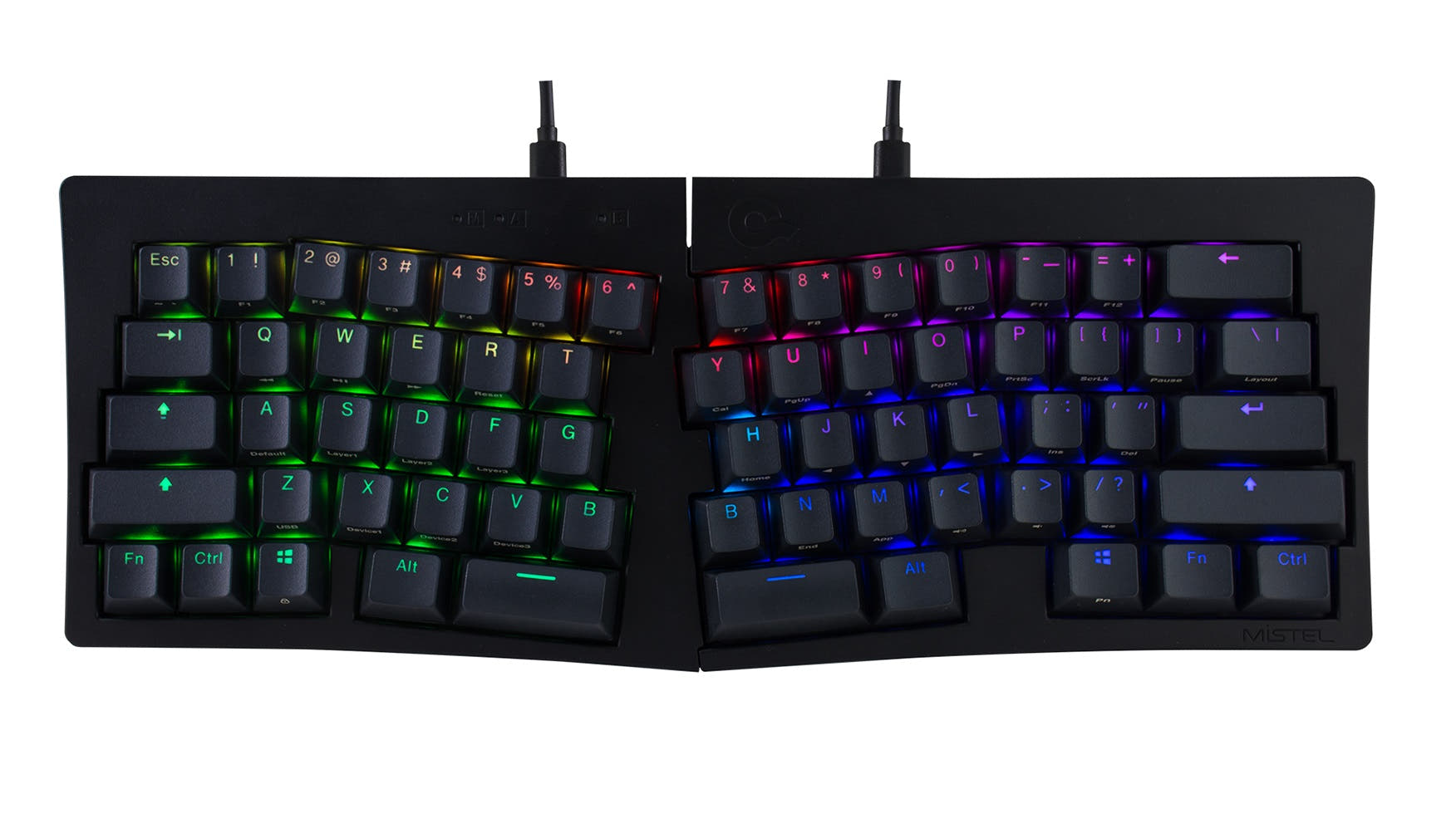
Feker Alice98
Plastic Value
- Includes a small screen for displaying system information or custom graphics.
- Larger 8000mAh battery with vendor-mentioned fast charging support.
- Lower price point for accessing the Alice layout and gasket mount features.
- Case is constructed from ABS plastic, not metal.
- Lacks explicit mention of high polling rate or QMK firmware support.
- No ISO layout option is mentioned in its specifications.
Get the
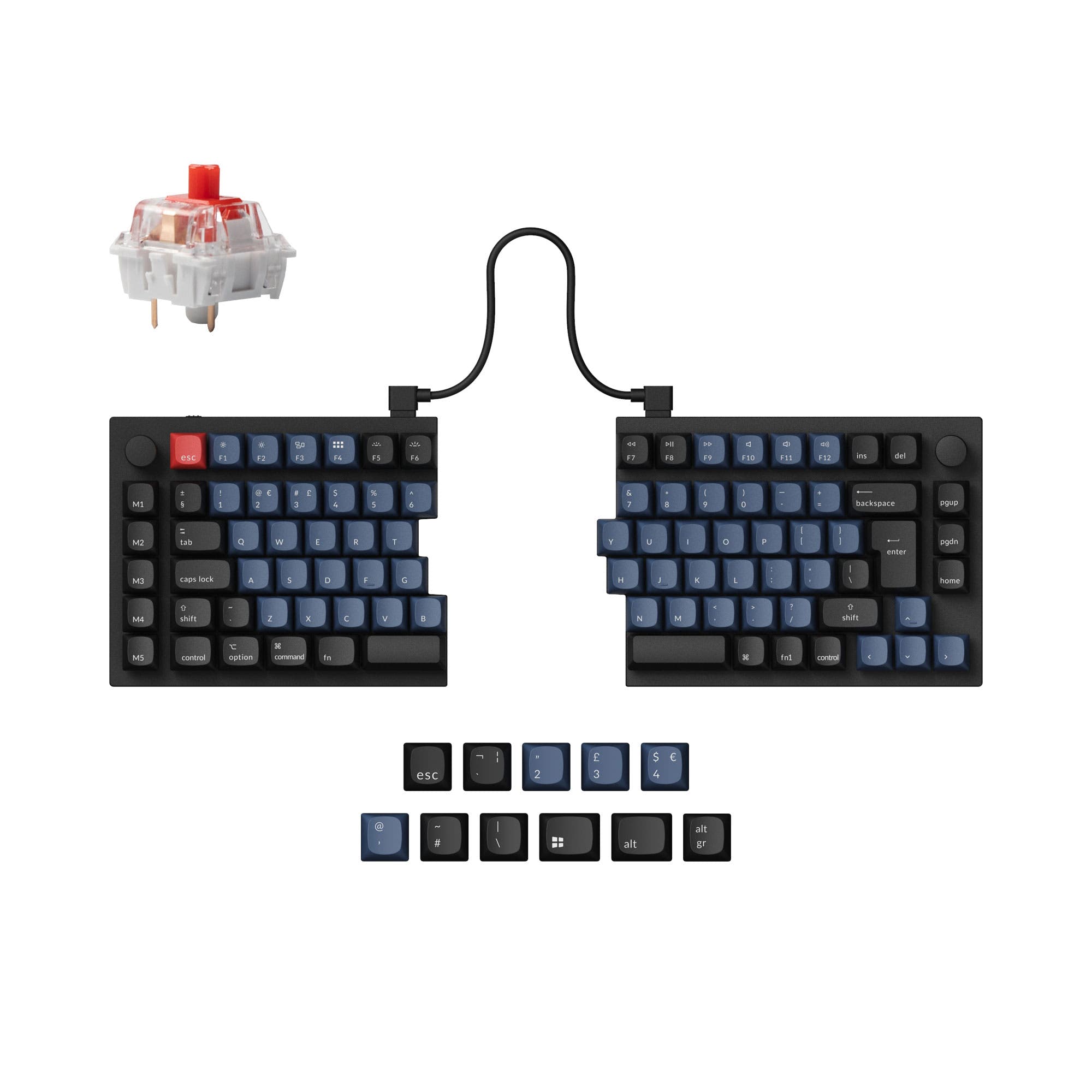
Keychron Q13 Pro
Metal Premium
- Full CNC-machined 6063 aluminum case for premium durability and feel.
- Native support for QMK and VIA firmware for extensive programmability.
- Specifies a 1000 Hz polling rate in wired mode for responsive performance.
- Substantially heavier at 2392g, reducing portability.
- Smaller 4000mAh battery compared to the Feker.
- Higher price point, positioning it as a premium investment.
Your budget and priorities for materials define this choice. The Feker Alice98 delivers remarkable value, packing an Alice layout, extensive foam, a screen, and a huge battery into a plastic chassis at a lower cost. The Keychron Q13 Pro justifies its higher price with an aluminum unibody, superior programmability via QMK, and a refined typing experience from its double-gasket design. For a first Alice board or a feature-rich daily driver, choose the Feker. For a endgame-quality build where premium feel and customization are paramount, invest in the Keychron.
The differences that matter
Skip the 40-row spec sheet. These are the specs that change how each board feels, sounds, and fits your desk.
Feker Alice98
Keychron Q13 Pro
Layout size
98%
96%
Connection
Bluetooth, 2.4 GHz, Wired
Bluetooth, Wired
Battery
8,000 mAh
4,000 mAh
Case material
ABS, Plastic
Aluminum
Display
Yes
None
- Feker Alice98
- Keychron Q13 Pro
- Performance
- 6782
- Build quality
- 7589
- Productivity
- 97100
- Customizability
- 9096
- Portability
- 6557
- Hot-swappable
- Ergonomics: Alice
- Switch options: Clicky, Linear, Tactile
- Mount style: Gasket Mount
- Knob
- VIA
What will you mostly use it for?
The Keychron Q13 Pro is the stronger choice for performance-centric and customization-focused tasks like gaming and programming, thanks to its confirmed high polling rate and QMK support. The Feker Alice98 wins for portability and offers unique features like a screen for content creators. For general office use, both are equally capable, making the decision one of budget versus material preference.
Pick the Keychron Q13 Pro
- The Keychron Q13 Pro lists a 1000 Hz wired polling rate, which the Feker's specifications do not mention.
- Its full CNC aluminum case provides a more solid, stable base during intense use.
- The manufacturer states its ARM Cortex-M4 chip minimizes latency for competitive gaming.
What owners say
Ratings and quotes collected from verified store reviews, including the critical ones.
Feker Alice98
No owner reviews collected yet.
Keychron Q13 Pro
12 owner reviews
“I was looking for a good ergonomic, programmable, mechanical keyboard and this is it. It would be nice to have a proper case to carry it.”
“So, me,being dumb, didn't pay too much attention to the iso vs not iso (?) layout. The enter key doesn't bother me much, but left shift.... Being smoll is an issue. I did rekey the additional key to be L-shift, but it's too... Janky? For my mucked up brain…”
Feker Alice98 vs Keychron Q13 Pro specs
Every tracked spec, side by side. Rows marked with a dot differ between the boards.
10 of 26 specs differ
Feker Alice98
Keychron Q13 Pro
Switch options
Hot-swappable
Mount style
Sound dampening
Screw-in stabilizers
Layout size
Layout standard
Ergonomics
Knob
Display
Connection
Max polling rate
Battery
USB-C
Case material
Plate material
Keycaps
Weight
Dimensions
Typing angle
Backlight
QMK
VIA
N-key rollover
Mac & Windows
Released
Compare prices
Live prices from the stores we track, cheapest in-stock offer first.
Lowest price across stores, Amazon excluded.




Prices in USD are converted to your currency and can change at any time. KeebFinder may earn a commission when you buy through these links, at no extra cost to you.
Feker Alice98 vs Keychron Q13 Pro: your questions
The Keychron Q13 Pro has a superior build quality in terms of materials, as it features a full CNC-machined aluminum case. The Feker Alice98 uses an ABS plastic case, which is common in its price tier but less premium than metal.
Yes, the Feker Alice98 supports tri-mode connectivity. According to its specifications and vendor page, it can connect via Bluetooth, a 2.4 GHz wireless dongle, and a wired USB-C connection.
Yes, the Keychron Q13 Pro has native support for both QMK and VIA firmware. This allows for deep customization of key mappings, layers, and macros directly through those open-source platforms.
The Feker Alice98 has a larger 8000mAh battery, while the Keychron Q13 Pro has a 4000mAh battery. The Keychron vendor lists lab test results of up to 300 hours with backlighting off, but real-world usage will vary for both.
Yes, both keyboards are hot-swappable and compatible with standard 3-pin and 5-pin MX-style switches. The Keychron product description explicitly mentions compatibility with Cherry, Gateron, and Kailh switches.
The Keychron Q13 Pro is significantly heavier, weighing 2392g. The Feker Alice98 weighs 1799g. The Keychron's aluminum construction is the primary reason for this weight difference.
Both are available as fully assembled units with keycaps and switches. The Keychron Q13 Pro also explicitly offers a barebone kit version that does not include keycaps or switches, which is ideal for custom builders.
The main advantages of the Feker Alice98 are its lower cost, integrated screen, larger 8000mAh battery, and inclusion of a 2.4 GHz dongle. It provides a high-feature entry point into the Alice layout.
According to Keychron's specifications, the Q13 Pro has a polling rate of 1000 Hz in wired mode and 90 Hz in wireless mode. This information is not provided for the Feker Alice98.
Yes, both keyboards come with PBT keycaps. The Keychron Q13 Pro uses its proprietary KSA profile double-shot PBT keycaps, while the Feker Alice98's keycap profile is not specified beyond the material.
Both keyboards are listed as supporting Mac and Windows systems. The Keychron vendor description emphasizes built-in Mac compatibility, including a system toggle and extra macOS keycaps.
Yes, the Feker Alice98 includes a knob. The vendor description mentions it has an RGB ring around the knob, and it is listed in the specifications as a feature.
Not sold on either?






Still torn?
Answer a few quick questions and the keyboard finder ranks 2,000+ boards by how you will actually use yours.