Keychron Q13 Pro vs Q14 ProStandard vs Southpaw Numpad
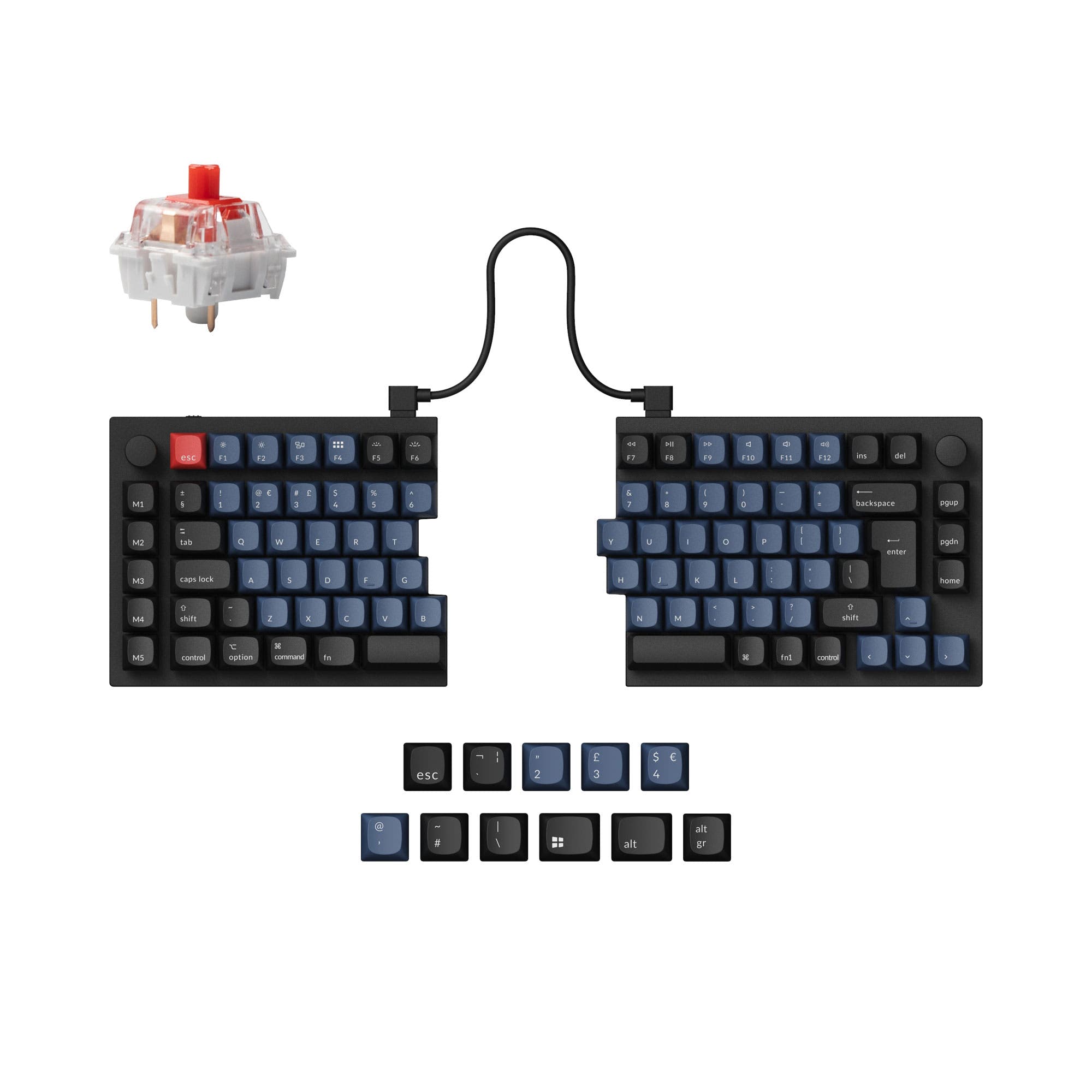
Choose the Q14 Pro for a left-side numpad to free up mouse space, or the Q13 Pro for a more traditional Alice layout.


Which one should you get?
Get the
Keychron Q13 Pro
Standard
- Traditional right-side numpad layout may suit existing muscle memory.
- CNC machined aluminum case with a double-gasket design for sound dampening.
- Includes KSA profile double-shot PBT keycaps in the assembled version.
- Right-side numpad can crowd mouse space on a desk.
- Very heavy at 2392g, not intended for portability.
- Uses a non-standard KSA keycap profile which some users find too high.
Get the
Keychron Q14 Pro
Southpaw Numpad
- Left-handed southpaw numpad frees up right-side space for a mouse.
- Enables simultaneous use of numpad and mouse for certain workflows.
- Same premium CNC aluminum construction and double-gasket mount as Q13 Pro.
- Southpaw layout requires retraining muscle memory for the numpad.
- Equally heavy at 2395g and large footprint.
- Some user reviews note a desire for additional dedicated keys like Page Up/Down.
Select the Keychron Q14 Pro if you want to keep your mouse closer or use the numpad with your left hand. Opt for the Keychron Q13 Pro if you prefer a standard numpad location and have no issues with mouse placement. Beyond the numpad's position, these are the same keyboard in terms of build, features, and typing experience.
The differences that matter
Skip the 40-row spec sheet. These are the specs that change how each board feels, sounds, and fits your desk.
Keychron Q13 Pro
Keychron Q14 Pro
Ergonomics
Alice
Southpaw, Alice
Mount style
Gasket Mount
Gasket Mount, Plate Mount
Weight
2,392 g
2,395 g
Media keys
No
Yes
Dimensions
32 x 157 x 447 mm
34 x 157 x 445 mm
- Keychron Q13 Pro
- Keychron Q14 Pro
- Performance
- 8282
- Build quality
- 8889
- Productivity
- 100100
- Customizability
- 9698
- Portability
- 5756
- Layout size: 96%
- Connection: Bluetooth, Wired
- Hot-swappable
- Battery: 4,000 mAh
- Max polling rate: 1,000 Hz
- Case material: Aluminum
What will you mostly use it for?
The Q14 Pro's southpaw design gives it a clear edge for office work, programming, and content creation where separating numpad and mouse tasks is beneficial. For gaming and modding, the keyboards are functionally identical. Neither is suitable for travel due to their shared substantial weight and size. The decision consistently hinges on whether a left-side numpad improves your specific workflow.
It's a tie
- Both offer a 1000 Hz wired polling rate for low latency.
- Both feature N-key rollover and hot-swappable switches for customization.
- The shared Alice layout provides ergonomic benefits for long sessions.
What owners say
Ratings and quotes collected from verified store reviews, including the critical ones.
Keychron Q13 Pro
12 owner reviews
“I was looking for a good ergonomic, programmable, mechanical keyboard and this is it. It would be nice to have a proper case to carry it.”
“So, me,being dumb, didn't pay too much attention to the iso vs not iso (?) layout. The enter key doesn't bother me much, but left shift.... Being smoll is an issue. I did rekey the additional key to be L-shift, but it's too... Janky? For my mucked up brain…”
Keychron Q14 Pro
6 owner reviews
“This is my second Alice layout keyboard and is my daily driver. The ergonomics are great, and the build is solid. The south paw layout is exactly what I've been looking for in a keyboard. There are lots of customization options but the prebuilt straight out…”
Keychron Q13 Pro vs Q14 Pro specs
Every tracked spec, side by side. Rows marked with a dot differ between the boards.
5 of 27 specs differ
Keychron Q13 Pro
Keychron Q14 Pro
Switch options
Hot-swappable
Mount style
Sound dampening
Screw-in stabilizers
Layout size
Layout standard
Ergonomics
Knob
Display
Media keys
Connection
Max polling rate
Battery
USB-C
Case material
Plate material
Keycaps
Weight
Dimensions
Typing angle
Backlight
QMK
VIA
N-key rollover
Mac & Windows
Released
Compare prices
Live prices from the stores we track, cheapest in-stock offer first.
Lowest price across stores, Amazon excluded.



Prices in USD are converted to your currency and can change at any time. KeebFinder may earn a commission when you buy through these links, at no extra cost to you.
Keychron Q13 Pro vs Q14 Pro: your questions
The only significant difference is the numpad placement. The Q13 Pro has a standard numpad on the right, while the Q14 Pro has a southpaw numpad on the left side of its Alice layout. All other specs, including the aluminum case, gasket mount, and wireless connectivity, are identical.
No. Keychron's product description states the southpaw design is also beneficial for right-handed users as it leaves more room for the mouse on the right side. It allows for using the mouse and numpad simultaneously, which can be convenient for data entry or certain creative workflows.
Yes. Both keyboards support Bluetooth 5.1 wireless connectivity for up to three devices, as well as a USB-C wired connection. The manufacturer lists a polling rate of 90 Hz in wireless mode and 1000 Hz in wired mode.
Yes. Both the Q13 Pro and Q14 Pro feature hot-swappable sockets that are compatible with most 3-pin and 5-pin MX-style mechanical switches, such as Gateron, Cherry MX, and Kailh. No soldering is required.
Yes. Both models fully support open-source QMK firmware and the VIA configurator for advanced key remapping, macro creation, and layer programming. Keychron also offers its Launcher web app for customization.
The fully assembled versions of both keyboards come with KSA (Keychron Spherical-Angle) profile double-shot PBT keycaps. The manufacturer describes them as non-shine-through and includes an additional set of modifier keycaps for both macOS and Windows.
Both keyboards are very heavy, which contributes to their stable, premium feel. The Q13 Pro weighs 2392 grams and the Q14 Pro weighs 2395 grams for the fully assembled versions. This makes them unsuitable for frequent travel.
Both keyboards have a 4000mAh rechargeable battery. According to Keychron, with the RGB backlight off, battery life can last up to 300 hours in Bluetooth mode. With RGB on at the lowest brightness, it can last up to 100 hours.
Yes. Both the Q13 Pro and Q14 Pro are available in configurations that include a knob. The vendor listings show 'Fully Assembled Knob' and 'Barebone Knob' as purchase options.
Both keyboards use a gasket mount design. Keychron specifically describes it as a 'double-gasket design' with silicone pads between the top and bottom cases to reduce acoustic resonance and improve typing sound and feel.
Both keyboards use PCB-mounted screw-in stabilizers, which are generally considered more secure and less prone to rattling than clip-in stabilizers. The product descriptions state you can customize them with your own stabilizers.
Not sold on either?



![[In Stock] CK Alice Ergonomics Wired Mechanical Keyboard Kit](https://cdn.shopify.com/s/files/1/0549/0262/0278/files/2022_11_03_22_24_IMG_3858.jpg?v=1753167729&width=3840&quality=75)
Still torn?
Answer a few quick questions and the keyboard finder ranks 2,000+ boards by how you will actually use yours.