Gamakay GK75 vs TK75PRORGB vs Aluminum Build
Choose the GK75 for vibrant RGB and portability, or the TK75PRO for a premium aluminum frame and knob.
KeebFinder may earn a commission when you buy through these links, at no extra cost to you.


Which one should you get?
Get the
Gamakay GK75
RGB
Build quality in the bottom 30% of 75% boards under $100.
- Full RGB lighting with a transparent high-brightness PC case for dramatic illumination.
- PBT double-shot pudding keycaps enhance light diffusion and durability.
- Includes silicone interlayer padding for optimized acoustics and stability.
Get the
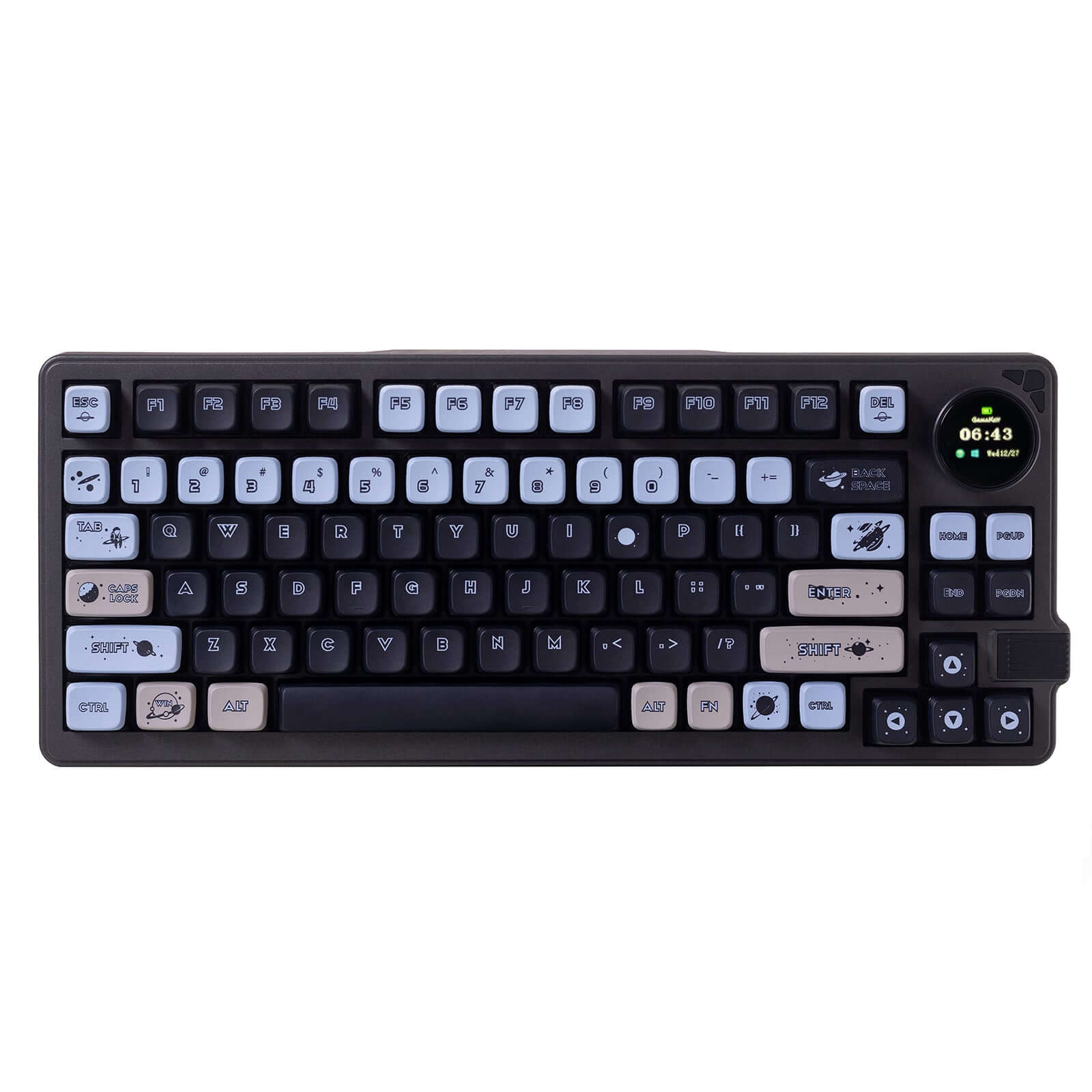
Gamakay TK75PRO
Aluminum Build
Build quality in the top 25% of 75% boards under $100.
- Full aluminum alloy case provides a sturdy and premium feel.
- Includes a brushed silver metal knob for convenient adjustments.
- Comes as a DIY kit or barebones, giving full freedom to choose switches and keycaps.
The Gamakay GK75 is the better pick if you want an affordable, RGB-laden keyboard that is ready to use out of the box and easy to bring along. The Gamakay TK75PRO is ideal if you plan to build your own board from a metal chassis and want a knob for on-the-fly adjustments. Given that the TK75PRO is sold out and costs more, the GK75 is the more immediately accessible option.
The differences that matter
Skip the 40-row spec sheet. These are the specs that change how each board feels, sounds, and fits your desk.
Gamakay GK75
Gamakay TK75PRO
Battery
3,750 mAh
4,000 mAh
A larger battery means fewer cables during the day
Case material
Plastic
Aluminum
Knob
No
Yes
Plate material
Plastic
Polycarbonate
Keycaps
PBT
ABS, PBT
- Gamakay GK75
- Gamakay TK75PRO
- Performance
- 6152
- Build quality
- 5775
- Productivity
- 6559
- Customizability
- 5861
- Portability
- 7976
- Layout size: 75%
- Connection: Bluetooth, 2.4 GHz, Wired
- Hot-swappable
- Mount style: Gasket Mount
What will you mostly use it for?
The GK75 wins in gaming and travel due to its RGB lighting, transparent chassis, and lighter weight. The TK75PRO takes office, modding, and content creation thanks to its aluminum build, knob, and barebones availability. Both keyboards tie for programming because they share the same layout, gasket mount, and hot-swap flexibility. Overall, the GK75 is the choice for portability and visual flair, while the TK75PRO appeals to users who prioritize build quality and functional extras.
Pick the Gamakay GK75
- Features full RGB lighting with a transparent chassis for immersive effects.
- Vendor description specifically markets it as a gaming keyboard with Gateron Yellow Switch 2.0.
- Lighter plastic construction provides easier portability for LAN events.
Gamakay GK75 vs TK75PRO specs
Every tracked spec, side by side. Rows marked with a dot differ between the boards.
8 of 19 specs differ
Gamakay GK75
Gamakay TK75PRO
Switch options
Hot-swappable
Mount style
Layout size
Layout standard
Ergonomics
Knob
Display
Connection
Battery
USB-C
Case material
Plate material
Keycaps
Weight
Dimensions
Backlight
Mac & Windows
Released
Compare prices
Live prices from the stores we track, cheapest in-stock offer first.
Prices in USD are converted to your currency and can change at any time. KeebFinder may earn a commission when you buy through these links, at no extra cost to you.
Lowest price across stores, Amazon excluded.


Gamakay GK75 vs TK75PRO: your questions
The Gamakay GK75 has full RGB lighting with a transparent high-brightness PC case and pudding keycaps that are designed to let light shine through. The Gamakay TK75PRO does not feature RGB lighting according to its specifications, so the GK75 is the clear choice for those who want customizable lighting effects.
Yes, both the GK75 and TK75PRO support hot-swappable switches. The GK75 uses built-in hot-swappable sockets on the PCB that accept 3 or 5 pin switches, while the TK75PRO is described as having KTT pre-lube Hyacinth linear switches that can be swapped due to its hot-swappable design. This makes it easy to customize the feel of either keyboard without soldering.
The Gamakay TK75PRO is more suited for custom builds because it is sold as a DIY kit or barebones option, meaning you can pick your own switches and keycaps. It also has a full aluminum case and a polycarbonate plate, which provide a premium foundation for modding. The GK75 is pre-built with switches and keycaps, though it does have a hot-swappable PCB for future changes.
Yes, both keyboards support triple-mode connectivity including Bluetooth, 2.4 GHz wireless, and wired USB-C connections. The GK75 vendor description mentions support for wired, USB, and Bluetooth, while the TK75PRO specification also lists TYPE-C Bluetooth and 2.4G wireless. This makes both suitable for use without cables.
The GK75 uses a high-brightness PC plastic case and a PC positioning plate, making it lighter and transparent. The TK75PRO uses a full aluminum alloy case and a polycarbonate plate, which adds weight but provides a more solid and premium feel. This material difference is one of the key factors separating the two keyboards.
The Gamakay TK75PRO includes a brushed silver metal knob for volume or other functions, while the GK75 does not have a knob. If you frequently adjust audio or use a knob for productivity tasks, the TK75PRO's built-in knob is a significant advantage.
The TK75PRO has a slightly larger battery at 4000mAh compared to the GK75's 3750mAh battery. While the difference is modest, the TK75PRO may offer longer wireless runtime, especially if its lack of RGB reduces power draw. Both batteries are large enough for extended wireless use.
Yes, both keyboards are compatible with Mac and Windows. The GK75 vendor description notes an automatic Mac/Win system recognition feature that saves settings for each platform. The TK75PRO is also described as compatible with both Windows and Mac operating systems for seamless device switching.
The GK75 uses transparent KSA pudding keycaps made from double-shot PBT, which are durable and allow backlight to shine through. The TK75PRO specifications list keycap material as both PBT and ABS, and it uses Cherry Profile keycaps, which creates some uncertainty about what is included, especially since it can be bought as a barebones kit.
The GK75 is more portable because its plastic case makes it lighter at 1700g compared to the TK75PRO's heavier aluminum construction. Both have a similar 75% layout size, and the GK75's higher portability score of 80.1/100 reflects its advantage for travel. The transparent case also adds style for showing off in different environments.
Not sold on either?




Still torn?
Answer a few quick questions and the keyboard finder ranks 2,000+ boards by how you will actually use yours.