Gamakay TK75 V2 vs TK75HE V2Silent vs Hall Effect
Choose the TK75 V2 for silent typing and a gasket-mount feel, or the TK75HE V2 for ultra-fast hall-effect performance and esports-ready features.


Which one should you get?
Get the
Gamakay TK75 V2
Silent
- Silent mechanical switches (Phoenix/Pegasus) provide tactile feedback without audible noise, suitable for quiet environments.
- Gasket-mount structure absorbs keystroke vibration for a softer typing feel.
- 4000mAh battery supports extended wireless use, and the vendor notes it is 'optimized for long wireless sessions.'
- Heavier than the TK75HE V2 at approximately 1100 g, making it less travel-friendly.
- Standard mechanical hot-swap sockets limit switch choices to MX-style mechanical switches; hall-effect switches cannot be used.
- No adjustable actuation or rapid trigger features, which are important for competitive gaming.
Get the
Gamakay TK75HE V2
Hall Effect
- Hall-effect magnetic switches with ultra-low 0.06 ms latency and 8000 Hz polling for near-instant input response.
- Adjustable actuation from 0.005 mm to 3.7 mm, plus Rapid Trigger and SOCD for advanced FPS control.
- Hot-swappable with most magnetic switches on the market, per the vendor, giving modders flexibility.
- Top-mount structure may transmit more keystroke vibration to the case compared to a gasket mount.
- Silent operation relies on Phoenix V3 magnetic silent switches, but the default Mercury V3 switches may not be as quiet as the TK75 V2's dedicated silent mechanical switches.
- The vendor warns against using third-party chargers, which may add inconvenience during charging.
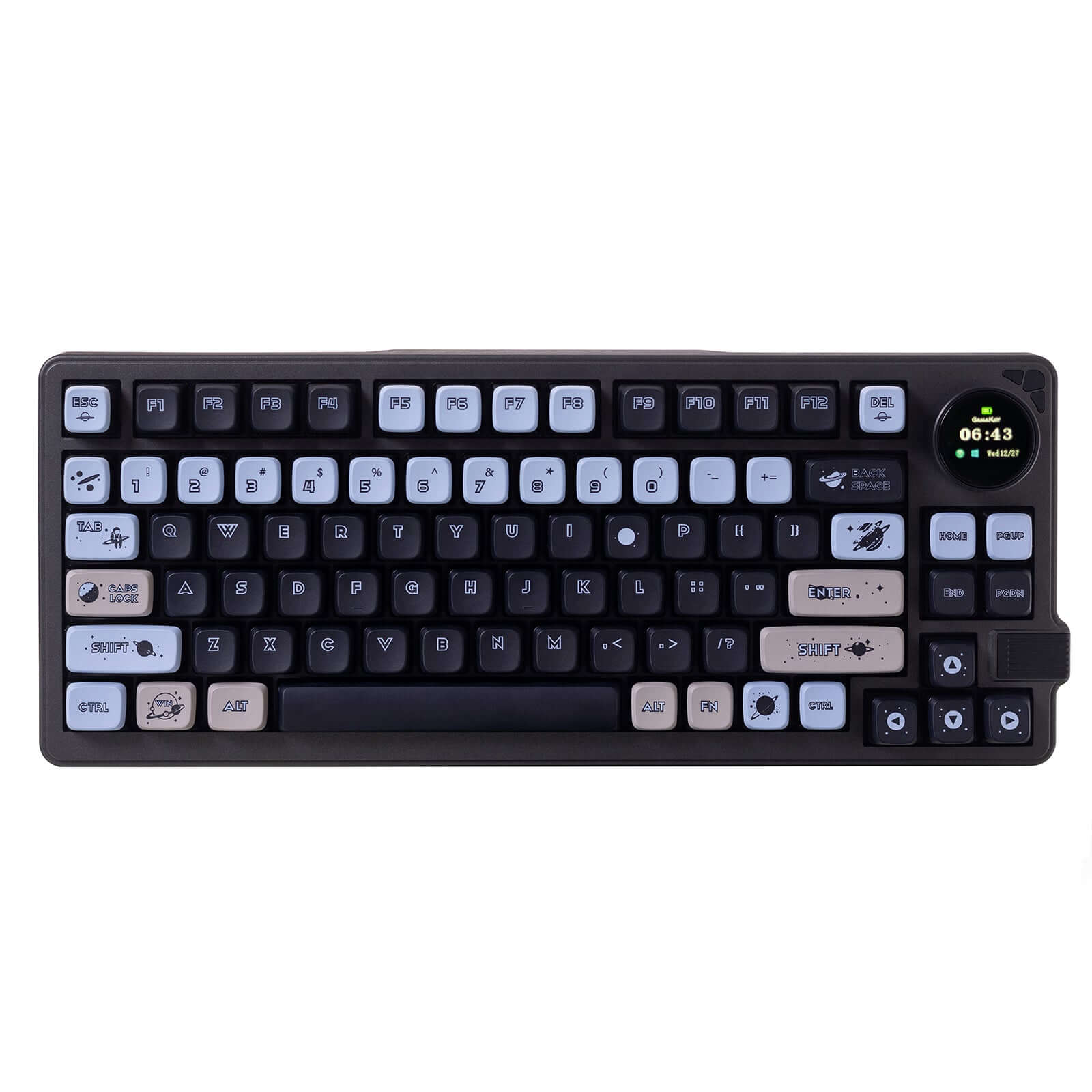
If your priority is a quiet, comfortable typing experience for office or late-night work, the Gamakay TK75 V2 with its gasket mount and silent mechanical switches is the better choice. If you need every millisecond of speed for competitive gaming, the TK75HE V2's hall-effect switches, 8000 Hz polling, and rapid-trigger features are unmatched in this comparison. Both are well-built 75% keyboards with PBT keycaps and TFT screens, so your final decision rests on whether silent acoustics or ultra-low latency matters more.
The differences that matter
Skip the 40-row spec sheet. These are the specs that change how each board feels, sounds, and fits your desk.
Gamakay TK75 V2
Gamakay TK75HE V2
Hall effect (magnetic)
No
Yes
Rapid trigger
No
Yes
Connection
Bluetooth, 2.4 GHz, Wired
Wired, Wireless
Switch options
Silent
Magnetic
Mount style
Gasket Mount
Top Mount
- Gamakay TK75 V2
- Gamakay TK75HE V2
- Performance
- 6699
- Build quality
- 7663
- Productivity
- 8083
- Customizability
- 7373
- Portability
- 7579
- Layout size: 75%
- Hot-swappable
- Battery: 4,000 mAh
- Case material: ABS
- Knob
- Display: TFT
What will you mostly use it for?
Gaming heavily favors the TK75HE V2 thanks to its hall-effect switches, 8000 Hz polling, and competitive features like SOCD and Rapid Trigger. Office work leans toward the TK75 V2 because its silent mechanical switches and gasket-mount construction keep noise low. For programming and content creation, the two are tied as both offer the same layout, PBT keycaps, and TFT knob utility. Travel goes to the TK75HE V2 as it is notably lighter. Modding enthusiasts will prefer the TK75HE V2 for its broad switch compatibility and software configurability.
Pick the Gamakay TK75HE V2
- Hall-effect magnetic switches provide 0.06 ms latency and 8000 Hz polling for near-instant response.
- Features like SOCD, Rapid Trigger, and Dynamic Keystroke (DKS) are designed for competitive FPS titles.
- Adjustable actuation from 0.005 mm to 3.7 mm lets you fine-tune sensitivity for different game genres.
- The TK75HE V2 vendor description calls it 'gamer-certified for esports dominance.'
Gamakay TK75 V2 vs TK75HE V2 specs
Every tracked spec, side by side. Rows marked with a dot differ between the boards.
10 of 25 specs differ
Gamakay TK75 V2
Gamakay TK75HE V2
Switch options
Hall effect (magnetic)
Rapid trigger
Hot-swappable
Mount style
Sound dampening
Screw-in stabilizers
Layout size
Layout standard
Ergonomics
Knob
Display
Connection
Max polling rate
Battery
USB-C
Case material
Plate material
Keycaps
Weight
Dimensions
Backlight
N-key rollover
Mac & Windows
Released
Compare prices
Live prices from the stores we track, cheapest in-stock offer first.
Lowest price across stores, Amazon excluded.


Prices in USD are converted to your currency and can change at any time. KeebFinder may earn a commission when you buy through these links, at no extra cost to you.
Gamakay TK75 V2 vs TK75HE V2: your questions
The TK75 V2 scores higher in build quality due to its gasket-mount construction, screw-in stabilizers, and sound dampening layers, which reduce vibration and noise. The TK75HE V2 uses a top-mount design and does not mention the same level of dampening, though both have an ABS case and aluminum plate.
Yes, the TK75HE V2 can be used in an office thanks to its tri-mode connectivity (Bluetooth, 2.4G, wired) and PBT keycaps. However, its hall-effect switches lack the mechanical tactile bump of the TK75 V2, and the top-mount structure may produce more keystroke noise if you type heavily.
Yes, the TK75 V2 uses standard mechanical hot-swap sockets, so you can replace the silent mechanical switches with other MX-style mechanical switches without soldering. The TK75HE V2's hot-swap sockets only accept magnetic switches, making them incompatible with mechanical switches.
The provided inputs do not specify console compatibility for the TK75HE V2. Its wired USB-C connection and 2.4G wireless mode may work on PC and Mac, but you should check the manual or manufacturer support for console use.
Both keyboards have a 4000mAh battery according to the specifications. The TK75 V2's vendor mentions 'optimized power efficiency,' but the TK75HE V2 does not provide specific battery life estimates. In practice, battery life depends on usage, but the capacity is the same rated.
No, the TK75 V2 uses fixed-actuation silent mechanical switches. The TK75HE V2 offers adjustable actuation from 0.005 mm to 3.7 mm, letting you set the sensitivity for each key, making it more suitable for users who want customized typing or gaming response.
The TK75HE V2 is available in ANSI (US), ISO-DE (German), and ISO-UK (British) layouts. It supports multi-layout keycap sets from the factory, whereas the TK75 V2 is only listed as ANSI standard. ISO users should choose the TK75HE V2 for native support.
Yes, both the Gamakay TK75 V2 and TK75HE V2 include a TFT screen and a knob for additional controls. The provided inputs do not detail what the screen displays or whether it supports custom images, but both offer this feature for extra functionality.
The TK75HE V2 is designed for FPS games with SOCD cleaning for instant counter-strafing, Rapid Trigger for quick re-presses, and 0.06 ms latency. The TK75 V2 lacks these features, so for Valorant, CS2, or similar competitive shooters, the TK75HE V2 is the clear choice.
The metadata for the TK75 V2 does not list Mac/Win support, but its tri-mode connectivity and standard USB-C interface are likely to work with macOS. The TK75HE V2 explicitly lists 'Seamless Mac/Windows support' in its vendor description, so Mac users may prefer the TK75HE V2 for guaranteed compatibility.
Gasket mount (used on the TK75 V2) uses soft gaskets between the plate and case to absorb vibration and create a flexier, quieter typing feel. Top mount (used on the TK75HE V2) secures the plate to the top of the case, resulting in a stiffer, more uniform feel that can transmit more keystroke noise.
Yes, the TK75 V2 supports wired USB-C connectivity in addition to Bluetooth and 2.4G wireless. Plugging it in via USB-C provides a stable connection and may offer up to 8000 Hz polling as noted in its vendor page, though the metadata lists 8000 Hz for the TK75HE V2 specifically.
Not sold on either?




Still torn?
Answer a few quick questions and the keyboard finder ranks 2,000+ boards by how you will actually use yours.