Jamesdonkey S2 vs Keychron K5 QMK V2
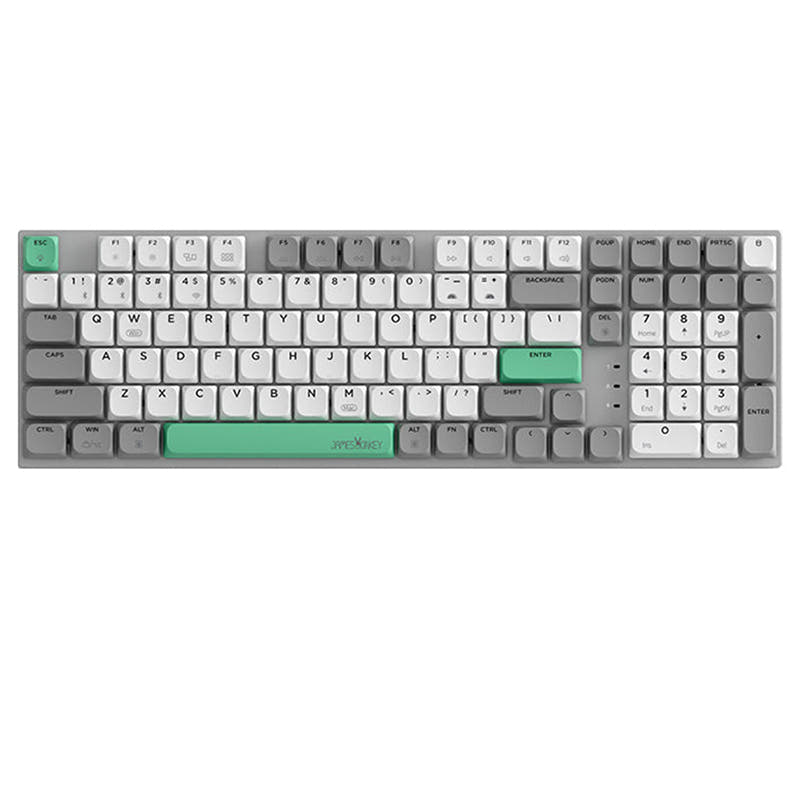
Choose the Keychron K5 QMK V2 for extensive firmware customization and switch swapping, or the Jamesdonkey S2 for a more compact layout with a dedicated 2.4GHz receiver.

Which one should you get?
Get the
Jamesdonkey S2
Battery
- Compact 96% layout with 101 keys saves space while retaining most functions.
- Includes a 2.4GHz wireless mode alongside Bluetooth and wired connectivity.
- Larger 3000mAh battery capacity for potentially longer wireless use.
- Not hot-swappable, limiting easy switch customization.
- Only available with Gateron Brown tactile switches, no linear or clicky options.
- Lacks advanced programmability features like QMK or VIA support.
Get the
Keychron K5 QMK V2
Hot-swappable
- Offers extensive customization via QMK and VIA open-source firmware.
- Available in a hot-swappable version for tool-free switch changes.
- Provides a choice of switch types: linear, tactile, or clicky.
- Lacks a 2.4GHz wireless mode, relying solely on Bluetooth and wired connections.
- Smaller 2000mAh battery compared to the Jamesdonkey S2.
- Uses ABS keycaps which may develop shine over time faster than PBT.
Your priority should guide this choice. If you want a keyboard you can deeply modify with firmware, macros, and different switches, the Keychron K5 QMK V2 is the clear platform. If you prefer a more straightforward, compact keyboard with a dedicated 2.4GHz dongle and a larger battery, and do not plan on modding, the Jamesdonkey S2 is a solid option. Consider the layout size difference, as the Keychron's full 100% layout includes a numpad the 96% Jamesdonkey does not.
The differences that matter
Skip the 40-row spec sheet. These are the specs that change how each board feels, sounds, and fits your desk.
Jamesdonkey S2
Keychron K5 QMK V2
Layout size
96%
100%
Connection
Bluetooth, 2.4 GHz, Wired
Bluetooth, Wired
Hot-swappable
No
Yes
Battery
3,000 mAh
2,000 mAh
Case material
Aluminum
ABS, Aluminum
- Jamesdonkey S2
- Keychron K5 QMK V2
- Performance
- 5282
- Build quality
- 5579
- Productivity
- 6080
- Customizability
- 4689
- Portability
- 4854
- Low profile
What will you mostly use it for?
The Keychron K5 QMK V2 is the more versatile choice for users who value customization, whether for gaming latency, programming macros, or acoustic modding. It wins in most categories except Travel, where the Jamesdonkey S2's slightly smaller 96% footprint and larger battery give it an edge. For standard office use, both keyboards are equally capable with their wireless connectivity and low-profile designs.
Pick the Keychron K5 QMK V2
- The Keychron K5 V2 lists a 1000 Hz polling rate in wired mode, which can reduce latency.
- Its vendor description mentions N-Key Rollover is supported in both wireless and wired modes.
- It offers a choice of linear, tactile, or clicky switches to match gaming preferences.
What owners say
Ratings and quotes collected from verified store reviews, including the critical ones.
Jamesdonkey S2
No owner reviews collected yet.
Keychron K5 QMK V2
8 owner reviews
“Genuinely happy with the keyboard. Had a low-profile one from another brand that has been used for 12+ years, and it degraded over time. This K5 feels very good. Still have to get used to the distance between the "primary," arrows, and numpad blocks, but…”
“Got this keyboard so I could keep my K5 Pro at work and this one at home. Both are the RGB version with brown switches, the K5v2 is quieter than the Pro and just as good to use. It also reports battery state over Bluetooth, which is a nice QoL improvement…”
Jamesdonkey S2 vs Keychron K5 QMK V2 specs
Every tracked spec, side by side. Rows marked with a dot differ between the boards.
16 of 23 specs differ
Jamesdonkey S2
Keychron K5 QMK V2
Switch options
Hot-swappable
Mount style
Low profile
Sound dampening
Layout size
Layout standard
Ergonomics
Display
Media keys
Connection
Max polling rate
Battery
USB-C
Case material
Keycaps
Weight
Backlight
QMK
VIA
N-key rollover
Mac & Windows
Released
Compare prices
Live prices from the stores we track, cheapest in-stock offer first.
Lowest price across stores, Amazon excluded.




Prices in USD are converted to your currency and can change at any time. KeebFinder may earn a commission when you buy through these links, at no extra cost to you.
Jamesdonkey S2 vs Keychron K5 QMK V2: your questions
The Keychron K5 QMK V2 has advantages for gaming. Its specifications list a 1000 Hz polling rate in wired mode, and it supports N-Key Rollover. It also offers a choice of switch types, including linear switches often preferred for gaming.
No, the Jamesdonkey S2 is not hot-swappable. Its vendor product page explicitly states "Hot-swappable: No." Changing switches would require desoldering and soldering, which is a more advanced modification.
Yes. Both keyboards list Mac and Windows support. The Keychron's vendor description further notes it includes keycaps for both operating systems and that its Launcher web app is compatible with macOS, Windows, and Linux.
The Keychron K5 V2 uses open-source QMK and VIA firmware, allowing deep, layer-based key remapping, macro programming, and community-driven customization. The Jamesdonkey S2's vendor description does not mention comparable advanced software features, focusing instead on 17 backlight modes.
The Jamesdonkey S2 has a larger 3000mAh battery compared to the Keychron K5 V2's 2000mAh. The S2's vendor claims up to 450 hours with backlight off, but real-world usage will vary based on connection mode and backlight use.
No. The Keychron K5 V2's case material is listed as a combination of ABS and aluminum. The Jamesdonkey S2, in contrast, is listed with an aluminum alloy case.
No. The Keychron K5 V2 only supports Bluetooth and wired connectivity. It does not have a 2.4GHz wireless mode. For a wireless connection on a PC without Bluetooth, you would need a separate Bluetooth adapter or use it in wired mode.
The Jamesdonkey S2 uses two-color injection-molded low-profile PBT keycaps. The Keychron K5 V2 uses shine-through ABS keycaps. PBT is generally more resistant to wear and shine than ABS.
The Jamesdonkey S2 is more compact due to its 96% layout, which omits some navigation cluster spacing. It is also slightly heavier at 600g, but its smaller footprint may be easier to fit in a bag. Both are low-profile, which aids portability.
The vendor description for the Keychron K5 V2 mentions redesigned stabilizers for less wobble, but does not specify pre-lubrication. The Jamesdonkey S2 vendor description does not provide details about its stabilizers. The Keychron's Milk POM switches are described as pre-lubed.
According to Keychron, the hot-swappable K5 V2 is compatible with Keychron Milk POM switches or Gateron/Keychron low-profile mechanical switches. The vendor explicitly states QMK does not support low-profile optical switches for this model.
Not sold on either?




Still torn?
Answer a few quick questions and the keyboard finder ranks 2,000+ boards by how you will actually use yours.