Keychron C2 Pro vs K10 ProWired 8K vs Wireless Full-Size
Choose the C2 Pro for maximum wired gaming performance, or the K10 Pro for wireless flexibility and broader layout options.

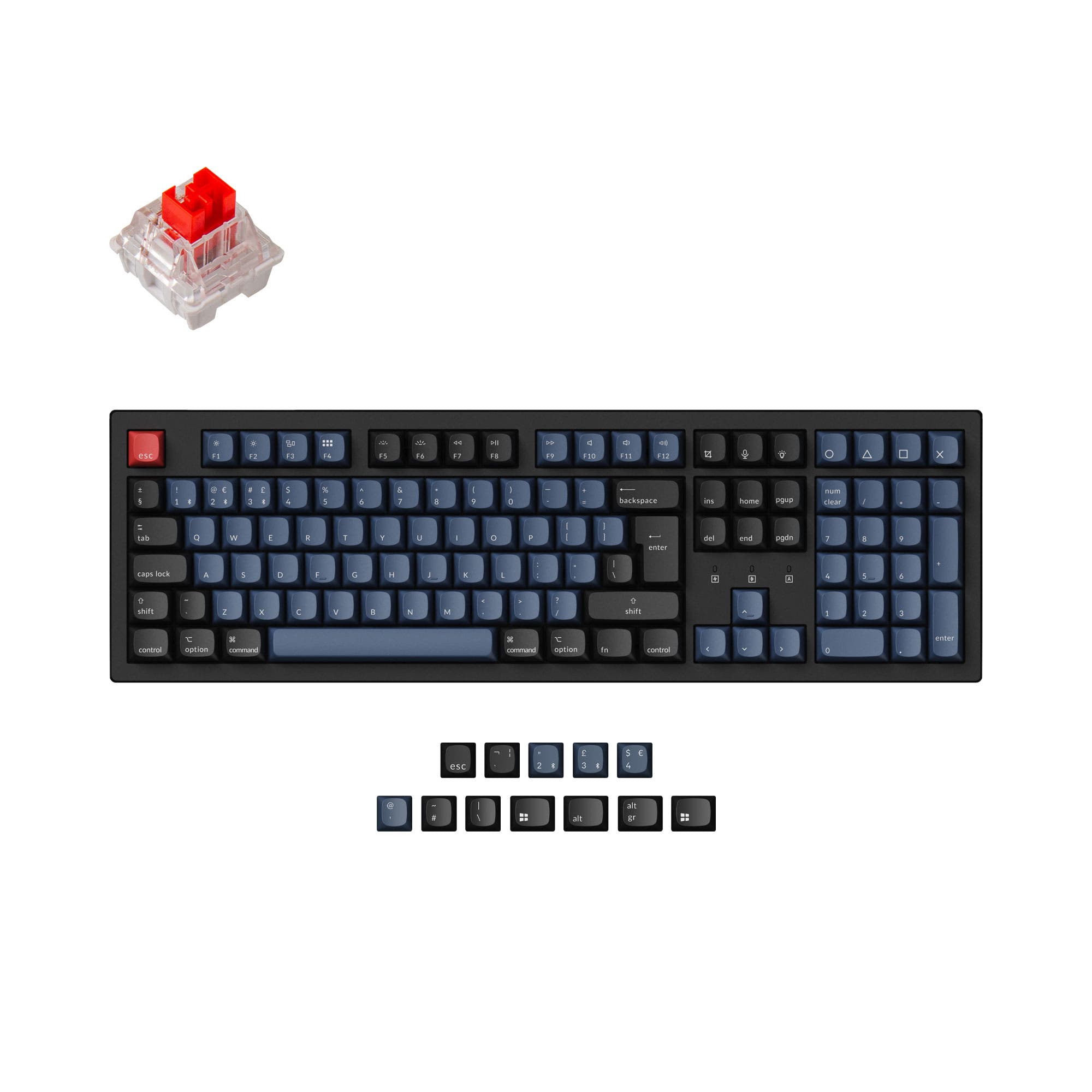
Which one should you get?
Get the
Keychron C2 Pro
Wired 8K
- Adjustable 8000 Hz polling rate for potentially lower input latency.
- Lighter weight (975g) and slimmer profile for easier portability.
- Includes PBT keycaps as standard across all versions.
- Wired-only connectivity limits placement and device switching.
- Only available in ANSI layout, with no ISO options.
- Features a plastic plate, which may feel less rigid than metal.
Get the
Keychron K10 Pro
Wireless Full-Size
- Bluetooth 5.1 wireless connectivity for use with up to 3 devices.
- Extensive support for ISO layouts (UK, DE, FR, ES, SW, etc.).
- Available in a barebone kit for custom builds.
- Heavier (1495g) and thicker, making it less portable.
- Maximum polling rate is 1000 Hz, lower than the C2 Pro's option.
- Some fully assembled versions are not hot-swappable and lack sound foam, requiring careful model selection.
Your primary need dictates the choice. For a stationary, performance-focused gaming desk with the lowest possible latency, the wired Keychron C2 Pro is the better tool. If you value cable-free cleanliness, need to switch between multiple devices, or require a specific international keyboard layout, the wireless Keychron K10 Pro is the more versatile option. Both deliver excellent programmability and a quality typing foundation.
The differences that matter
Skip the 40-row spec sheet. These are the specs that change how each board feels, sounds, and fits your desk.
Keychron C2 Pro
Keychron K10 Pro
Connection
Wired
Bluetooth, Wired
Max polling rate
8,000 Hz
1,000 Hz
Case material
ABS, Plastic
ABS, Plastic, Steel
Mount style
Tray Mount
PCB Mount, Plate Mount, Tray Mount
Weight
975 g
1,495 g
- Keychron C2 Pro
- Keychron K10 Pro
- Performance
- 9081
- Build quality
- 8189
- Productivity
- 9595
- Customizability
- 8896
- Portability
- 4553
- Layout size: 100%
- Hot-swappable
- Switch options: Clicky, Linear, Tactile
- QMK
- VIA
- Sound dampening
What will you mostly use it for?
The C2 Pro wins for dedicated gaming setups and travel due to its high polling rate and lighter build. The K10 Pro is the clear choice for office and multi-device workflows because of its wireless capability and international layout support. For programming and core typing, both are excellent, while modders and content creators may lean towards the K10 Pro for its barebone option and multimedia keys.
Pick the Keychron C2 Pro
- The C2 Pro offers an adjustable 8000 Hz polling rate for lower latency, which the manufacturer states provides faster input registration.
- Its lighter weight of 975g may allow for easier repositioning on a desk.
- The K10 Pro's maximum polling rate is listed as 1000 Hz.
What owners say
Ratings and quotes collected from verified store reviews, including the critical ones.
Keychron C2 Pro
13 owner reviews
“The overall typing experience is smooth and controlled. The beige tones match my desk perfectly, and the sound profile is satisfying without being loud.”
Keychron K10 Pro
14 owner reviews
“it's heavy. feels good. I didn't really look the whole inventory over, I just needed something and took a gamble. not disappointed. gonna need the expensive one now.”
“Saturday night I logged off my Mac. Sunday afternoon I tried logging in but the keyboard would not connect over BT. Finally got it connected via USB-C. But the keys were messed up. F1-F12 were brightness, volume etc. not F1-F12 . All my customizations were…”
Keychron C2 Pro vs K10 Pro specs
Every tracked spec, side by side. Rows marked with a dot differ between the boards.
11 of 26 specs differ
Keychron C2 Pro
Keychron K10 Pro
Switch options
Hot-swappable
Mount style
Sound dampening
Screw-in stabilizers
Layout size
Layout standard
Ergonomics
Display
Media keys
Connection
Max polling rate
Battery
USB-C
Case material
Plate material
Keycaps
Weight
Dimensions
Typing angle
Backlight
QMK
VIA
N-key rollover
Mac & Windows
Released
Compare prices
Live prices from the stores we track, cheapest in-stock offer first.
Lowest price across stores, Amazon excluded.



Prices in USD are converted to your currency and can change at any time. KeebFinder may earn a commission when you buy through these links, at no extra cost to you.
Keychron C2 Pro vs K10 Pro: your questions
The Keychron C2 Pro is designed with competitive gaming in mind. Its standout feature is an adjustable polling rate up to 8000 Hz, which the manufacturer claims provides faster input registration and ultra-low latency. The K10 Pro has a maximum polling rate of 1000 Hz.
Yes, the Keychron K10 Pro offers dual connectivity. It can connect via Bluetooth 5.1 to up to three devices for wireless use, and it also has a USB Type-C port for a reliable wired connection when needed or for charging its 4000mAh battery.
The Keychron C2 Pro comes with OSA profile double-shot PBT keycaps. The K10 Pro listing shows it comes with keycaps made from both ABS and PBT materials, and the vendor description specifies its fully assembled versions include OSA profile double-shot PBT keycaps.
Both keyboards have hot-swappable versions, but you must select the correct model. The C2 Pro vendor page lists a hot-swappable RGB version. For the K10 Pro, the vendor notes that the 'Black - Fully Assembled' version is not hot-swappable, while other variants like the 'Fully Assembled (Hot-Swappable)' and 'Barebone' are.
The Keychron C2 Pro is more portable. It weighs 975g compared to the K10 Pro's 1495g, and its dimensions (20mm height) are slimmer than the K10 Pro (31mm height). The C2 Pro's wired-only design also means you don't need to pack a charging cable specifically for the keyboard.
Yes, both the C2 Pro and K10 Pro support full customization through the open-source QMK firmware and the VIA/Keychron Launcher web app. This allows for extensive key remapping, macro creation, and layer programming without installing dedicated software.
Yes, the Keychron K10 Pro is fully compatible with both macOS and Windows. The vendor description states it includes keycaps for both operating systems and has a system toggle switch to change between them.
A key material difference is the plate. The C2 Pro uses a plastic plate, while the K10 Pro uses a steel plate, which typically provides a more rigid and consistent typing feel. The K10 Pro's case material listing also includes steel in addition to plastic.
Yes, the C2 Pro is built for a comfortable typing experience. It features sound-dampening foam, a silicone bottom pad, screw-in stabilizers, and adjustable typing angles. The included PBT keycaps also resist shine and provide a textured feel.
Both keyboards are described as having sound-absorbing foam and silicone padding. However, for the K10 Pro, it's crucial to check the specific model, as the vendor notes the non-hot-swappable 'Black - Fully Assembled' version does not include the sound-absorbing foam or silicone pad.
Yes, the Keychron K10 Pro is available in a 'Barebone (Hot-Swappable)' kit. This version does not include switches or keycaps, allowing you to install your own preferred components from the start, which is ideal for enthusiasts.
Not sold on either?


Still torn?
Answer a few quick questions and the keyboard finder ranks 2,000+ boards by how you will actually use yours.