AULA F99 vs Keychron K10 ProCompact 96% vs Full-Size Layout
Choose the AULA F99 for a compact, long-battery-life experience or the Keychron K10 Pro for full-size layout and deep QMK/VIA programmability.

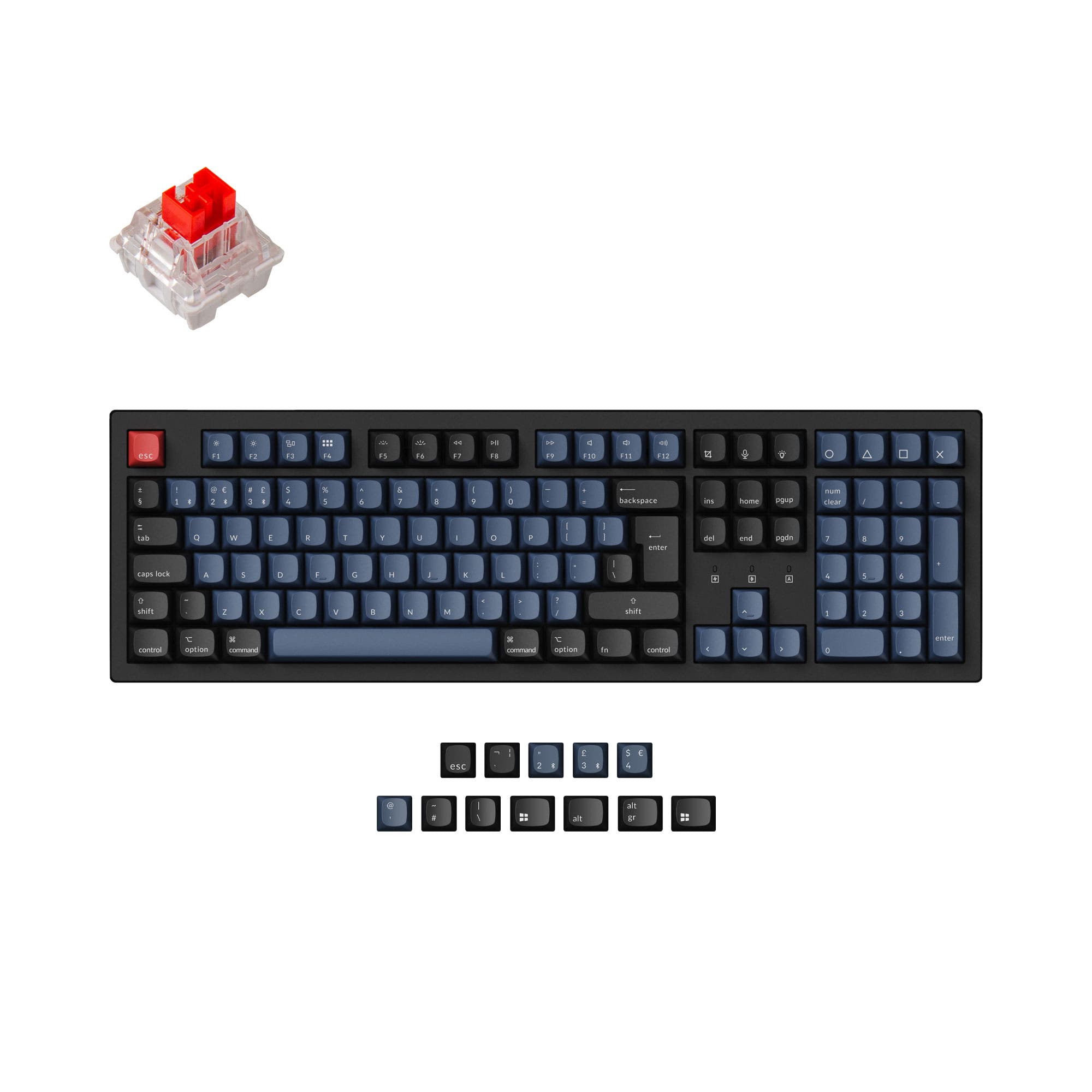
Which one should you get?
Get the
AULA F99
Compact 96%
- Gasket mount structure with a flex-cut PCB for a softer, more damped typing feel.
- Includes a 2.4 GHz wireless connection alongside Bluetooth and wired USB-C.
- Large 8000mAh battery capacity for extended wireless use.
- Only available in an ANSI layout, lacking the ISO options of the K10 Pro.
- Customization software (AULA Driver) is listed as only supporting Windows.
- Uses north-facing RGB LEDs, which can interfere with Cherry-profile keycaps.
Get the
Keychron K10 Pro
Full-Size Layout
- Full 100% layout with a numpad and support for multiple ISO and ANSI standards.
- Professional-grade QMK and VIA firmware support for extensive programmability.
- Available in hot-swappable, pre-built, and barebones (DIY kit) versions.
- Heavier and larger (1495g, 445mm wide) due to its full-size layout and steel plate.
- Smaller 4000mAh battery compared to the AULA F99.
- The vendor description notes that the non-hot-swappable 'Fully Assembled' version lacks sound foam and a silicone pad.
Your primary need dictates the choice. If you require a full-sized keyboard with a numpad, deep programmability for work or coding, and value firmware like QMK/VIA, the Keychron K10 Pro is the more capable tool. If you prioritize a more compact desk footprint, longer wireless battery life, and a 2.4GHz connection for gaming, the AULA F99 offers a compelling package with a popular gasket-mounted design.
The differences that matter
Skip the 40-row spec sheet. These are the specs that change how each board feels, sounds, and fits your desk.
AULA F99
Keychron K10 Pro
Layout size
96%
100%
Rapid trigger
Yes
No
Connection
Bluetooth, 2.4 GHz, Wired
Bluetooth, Wired
Battery
8,000 mAh
4,000 mAh
Case material
ABS, PBT, Plastic
ABS, Plastic, Steel
- AULA F99
- Keychron K10 Pro
- Performance
- 5881
- Build quality
- 5789
- Productivity
- 8795
- Customizability
- 6596
- Portability
- 6253
- Hot-swappable
- Sound dampening
What will you mostly use it for?
The Keychron K10 Pro is the clear choice for office work, programming, and modding due to its full layout, international support, and advanced firmware. The AULA F99 wins for gaming and travel, thanks to its 2.4GHz dongle, rapid trigger, and more compact, lighter design. For content creation, the decision is a toss-up between the F99's space savings and the K10 Pro's macro capabilities.
Pick the AULA F99
- Includes a 2.4 GHz wireless connection for low-latency gaming, which the K10 Pro listing does not mention.
- The vendor page lists a 'Rapid Trigger' feature for gaming responsiveness.
- Its lighter weight (1023g vs 1495g) may be preferable for desk setup adjustments.
What owners say
Ratings and quotes collected from verified store reviews, including the critical ones.
AULA F99
33 owner reviews
“I am really enjoying using AULA f99! UX is 10/10 The only negative thing is the battery indicator, I find it quite confusing therefore I turned it off alltogether.”
“Good product - poor service. The order wasnt filed and the stock ran out. Then for the replacement item to be filled it took way too long for the order to arrive and complete a customer build.”
Keychron K10 Pro
14 owner reviews
“it's heavy. feels good. I didn't really look the whole inventory over, I just needed something and took a gamble. not disappointed. gonna need the expensive one now.”
“Saturday night I logged off my Mac. Sunday afternoon I tried logging in but the keyboard would not connect over BT. Finally got it connected via USB-C. But the keys were messed up. F1-F12 were brightness, volume etc. not F1-F12 . All my customizations were…”
AULA F99 vs Keychron K10 Pro specs
Every tracked spec, side by side. Rows marked with a dot differ between the boards.
17 of 27 specs differ
AULA F99
Keychron K10 Pro
Switch options
Rapid trigger
Hot-swappable
Mount style
Sound dampening
Screw-in stabilizers
Layout size
Layout standard
Ergonomics
Display
Media keys
Connection
Max polling rate
Battery
USB-C
Case material
Plate material
Keycaps
Weight
Dimensions
Typing angle
Backlight
QMK
VIA
N-key rollover
Mac & Windows
Released
Compare prices
Live prices from the stores we track, cheapest in-stock offer first.
Lowest price across stores, Amazon excluded.






Prices in USD are converted to your currency and can change at any time. KeebFinder may earn a commission when you buy through these links, at no extra cost to you.
AULA F99 vs Keychron K10 Pro: your questions
Based on the listed specifications, the AULA F99 has a larger 8000mAh battery, while the Keychron K10 Pro has a 4000mAh battery. This suggests the F99 should last longer on a single charge under similar usage conditions, though actual battery life depends on factors like RGB usage and connection mode.
Yes, the Keychron K10 Pro is listed as having Mac/Win support. The vendor description specifically mentions it includes keycaps for both Windows and macOS, and it has a compatibility toggle for switching between the two operating systems.
Yes. The AULA F99 supports tri-mode connectivity, which includes a 2.4GHz wireless connection alongside Bluetooth and wired USB-C. The 'Inside the Box' list from the vendor confirms it includes a 2.4G receiver.
The Keychron K10 Pro is superior for software customization. It supports the open-source QMK and VIA firmware, which are industry standards for deep key remapping and macro programming. The AULA F99 uses the AULA Driver software, which the vendor notes is only for Windows.
Both keyboards offer hot-swappable versions, but it is not universal for the Keychron K10 Pro. The K10 Pro's vendor page clearly states that its 'Black - Fully Assembled' version is NOT hot-swappable. You must select a hot-swappable or barebone variant. The AULA F99, as described, is hot-swappable.
The AULA F99 uses a gasket mount, where the plate is suspended on rubber or silicone gaskets to dampen sound and vibration for a softer feel. The Keychron K10 Pro uses a tray mount (also called plate mount), where the plate is screwed directly into the case, typically resulting in a firmer typing experience.
The AULA F99 is more portable. It is significantly lighter (1023g vs 1495g) and has a more compact 96% layout that is 391mm wide, compared to the full-size Keychron K10 Pro which is 445mm wide. This makes the F99 easier to fit in a bag and carry.
The Keychron K10 Pro's vendor description states its K Pro switches (excluding clicky ones) are factory pre-lubed. There is no mention of pre-lubing for the AULA F99's switches in the provided information.
Yes. The Keychron K10 Pro is available in a 'Barebone (Hot-Swappable)' version, which does not include switches or keycaps, allowing you to install your own preferred components from the start.
According to its vendor description, the AULA F99 uses five layers of sound-improving materials: sandwich foam, an IXPE switch pad, a PET sound-improving film, bottom foam, and a silicone case pad. This is designed to eliminate echoes and provide a pure typing sound.
The Keychron K10 Pro is the definitive choice if a dedicated number pad is essential. It is a full 100% layout keyboard with a standard numpad. The AULA F99 uses a 96% layout, which integrates the numpad into the main cluster, sacrificing some spacing and dedicated navigation keys to save space.
Not sold on either?


Still torn?
Answer a few quick questions and the keyboard finder ranks 2,000+ boards by how you will actually use yours.