Keychron C2 vs K10 ProWired Budget vs Wireless Pro Full-Size
Choose the K10 Pro for wireless flexibility and advanced customization, or the C2 for a capable, wired keyboard at a lower cost.

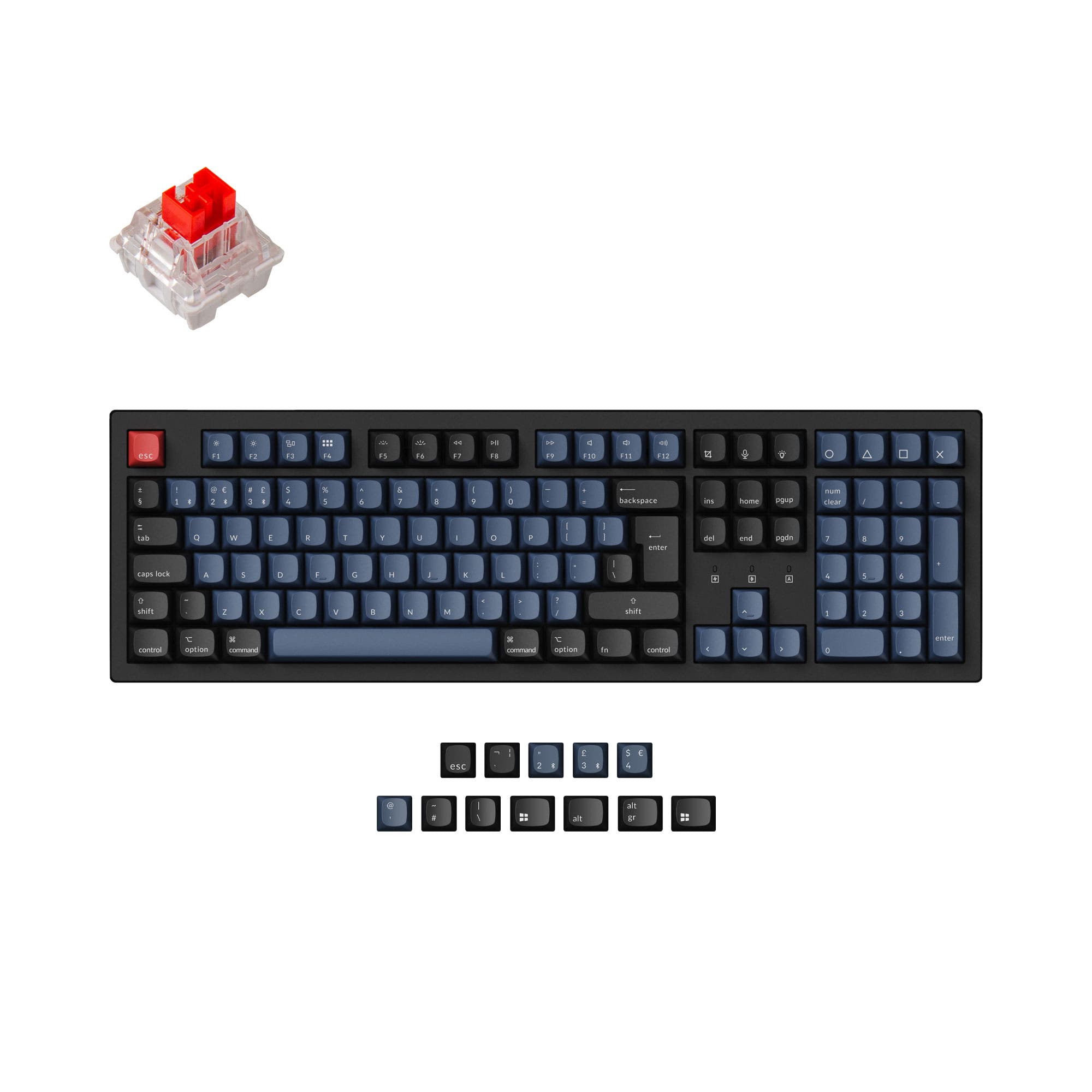
Which one should you get?
Get the
Keychron C2
Wired Budget
- Lower cost entry point into a full-size, hot-swappable mechanical keyboard.
- Simple plug-and-play wired operation with a USB-C connection.
- Includes double-shot ABS keycaps on backlit versions for shine-through legends.
- Wired-only connectivity limits desk setup flexibility and device switching.
- Uses north-facing RGB LEDs, which can interfere with some aftermarket Cherry-profile keycaps.
- Build materials are limited to an ABS case and plate-mount stabilizers on standard versions.
Get the
Keychron K10 Pro
Wireless Pro Full-Size
- Tri-mode connectivity with Bluetooth and wired USB-C for maximum flexibility.
- Native support for QMK and VIA firmware for extensive key remapping and macros.
- Superior build with a steel plate, sound-dampening foam, and silicone pad for acoustics.
- Comes at a higher price point than the C2.
- The non-hot-swappable 'Fully Assembled' version lacks internal foam and silicone.
- Heavier weight (1495g) may reduce portability despite wireless features.
Your budget and need for wireless freedom are the deciding factors. The Keychron K10 Pro is worth the investment if you value cutting cables, programming every key, and having a more refined typing sound out of the box. The Keychron C2 delivers exceptional value for a dedicated, wired setup where basic hot-swap functionality and a full layout are the primary requirements.
The differences that matter
Skip the 40-row spec sheet. These are the specs that change how each board feels, sounds, and fits your desk.
Keychron C2
Keychron K10 Pro
Connection
Wired
Bluetooth, Wired
Case material
ABS, Plastic
ABS, Plastic, Steel
Mount style
Tray Mount
PCB Mount, Plate Mount, Tray Mount
QMK
No
Yes
VIA
No
Yes
- Keychron C2
- Keychron K10 Pro
- Performance
- 6681
- Build quality
- 6389
- Productivity
- 7795
- Customizability
- 7696
- Portability
- 4853
- Layout size: 100%
- Hot-swappable
- Max polling rate: 1,000 Hz
- Switch options: Clicky, Linear, Tactile
What will you mostly use it for?
The Keychron K10 Pro is the clear winner for most advanced use cases, particularly office work, programming, travel, and modding, due to its wireless connectivity, programmability, and premium build features. The C2 remains a competent, cost-effective choice for basic wired use, tying with the K10 Pro specifically for gaming where the core 1000 Hz polling rate is equal. For content creation, the K10 Pro's programmability and wireless design offer tangible benefits.
It's a tie
- Both keyboards offer a 1000 Hz polling rate for responsive input.
- Both support N-key rollover, though it's explicitly listed only for the K10 Pro.
- The K10 Pro's wired mode offers identical latency, while the C2 is wired-only.
What owners say
Ratings and quotes collected from verified store reviews, including the critical ones.
Keychron C2
214 owner reviews
“really liking this keyboard. the only problem is the "screen capture" key isn't working and i cant find a way to program it .... well at list an simple one :)”
Keychron K10 Pro
14 owner reviews
“it's heavy. feels good. I didn't really look the whole inventory over, I just needed something and took a gamble. not disappointed. gonna need the expensive one now.”
“Saturday night I logged off my Mac. Sunday afternoon I tried logging in but the keyboard would not connect over BT. Finally got it connected via USB-C. But the keys were messed up. F1-F12 were brightness, volume etc. not F1-F12 . All my customizations were…”
Keychron C2 vs K10 Pro specs
Every tracked spec, side by side. Rows marked with a dot differ between the boards.
12 of 26 specs differ
Keychron C2
Keychron K10 Pro
Switch options
Hot-swappable
Mount style
Sound dampening
Screw-in stabilizers
Layout size
Layout standard
Ergonomics
Display
Media keys
Connection
Max polling rate
Battery
USB-C
Case material
Plate material
Keycaps
Weight
Dimensions
Typing angle
Backlight
QMK
VIA
N-key rollover
Mac & Windows
Released
Compare prices
Live prices from the stores we track, cheapest in-stock offer first.
Lowest price across stores, Amazon excluded.



Prices in USD are converted to your currency and can change at any time. KeebFinder may earn a commission when you buy through these links, at no extra cost to you.
Keychron C2 vs K10 Pro: your questions
No, the Keychron C2 is a wired-only mechanical keyboard. It connects via a USB Type-C cable, as confirmed in its product specifications and description.
Yes, the Keychron K10 Pro is fully compatible with both macOS and Windows. The listing states it includes keycaps for both operating systems, and a physical switch allows you to change between OS modes.
Both keyboards offer hot-swappable versions, but it is a specific option you must select at purchase. The vendor description for the K10 Pro notes that its 'Black - Fully Assembled' version is not hot-swappable, so buyers must check their selected model.
The Keychron K10 Pro is better suited for quiet office environments. Its product description explicitly mentions added sound-absorbing foam and a thick silicone dampening pad, which are features not listed for the C2.
The Keychron C2 does not support advanced reprogramming software like QMK or VIA. Its customization is limited to the hot-swapping of switches and the use of its built-in RGB lighting effects.
The C2 uses north-facing LEDs (LED on top of the switch), while the K10 Pro uses south-facing LEDs (LED on the bottom). South-facing LEDs, as on the K10 Pro, prevent interference with the sculpted rows of Cherry-profile keycaps, a common issue with north-facing designs.
The K10 Pro does not include a wrist rest in the box. However, the vendor page shows a compatible silicone palm rest as a frequently bought-together add-on item.
The Keychron K10 Pro comes with OSA-profile double-shot PBT keycaps, which are more resistant to oil and shine than the ABS keycaps on the C2. The C2's backlit versions use double-shot ABS for shine-through legends.
According to the K10 Pro description, you can fine-tune the RGB hue, saturation, brightness, and effect speed. This is likely managed through its programmability features or built-in shortcuts, going beyond the preset modes of the C2.
The Keychron K10 Pro is equipped with a 4000mAh battery. While the exact battery life in hours depends on usage and backlight settings, this is a substantial capacity for a wireless mechanical keyboard.
Yes, the hot-swappable versions of both the C2 and K10 Pro support standard 3-pin and 5-pin MX-style switches, including Cherry, Gateron, and Kailh, as stated in their respective product descriptions.
Not sold on either?


![[In Stock] EK8870 100% Full Size Wireless Computer Keyboard & Mouse Combo](https://cdn.shopify.com/s/files/1/0549/0262/0278/files/51bed95f989b2270790ebc059a3d34e6.jpg?v=1746693763&width=3840&quality=75)

Still torn?
Answer a few quick questions and the keyboard finder ranks 2,000+ boards by how you will actually use yours.