Keychron C3 HE vs K10 ProWired Magnetic vs Wireless
Choose the C3 HE for its magnetic Hall effect switches with Rapid Trigger and analog input, or pick the K10 Pro if you need wireless Bluetooth connectivity with QMK and VIA support.

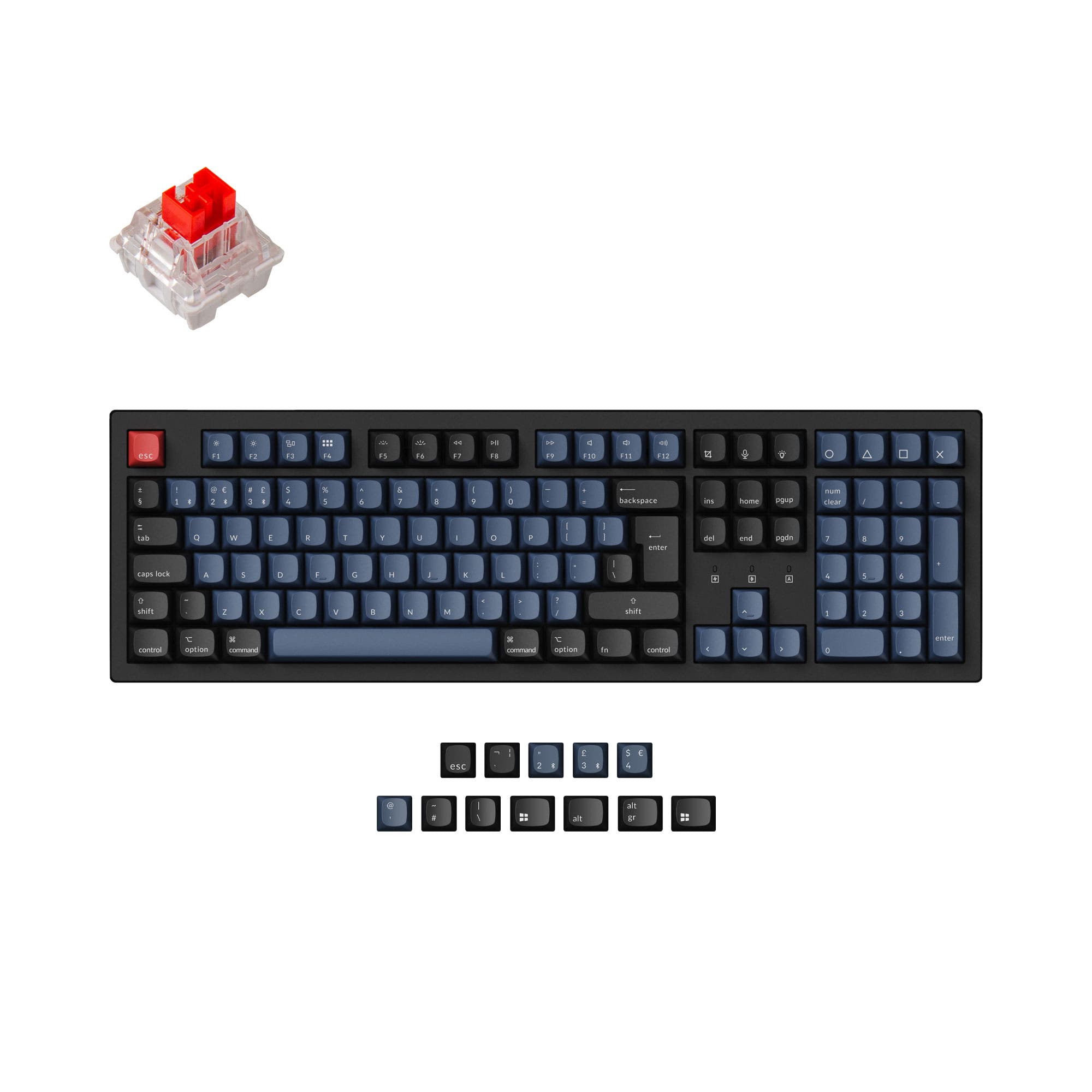
Which one should you get?
Get the
Keychron C3 HE
Wired Magnetic
- Magnetic Hall effect switches with 0.1 to 3.35 mm adjustable actuation for precise control.
- Advanced gaming features like Dynamic Rapid Trigger, Snap Click, and Dynamic Keystrokes (DKS).
- Analog Mode enables variable input similar to a game controller for racing and flight sims.
- Wired-only connectivity limits setup flexibility and portability compared to wireless options.
- Compatible exclusively with Keychron Ultra-fast Lime Magnetic Switch, restricting switch choice.
- No built-in battery means it must always be connected to a power source via USB-C.
Get the
Keychron K10 Pro
Wireless
- Bluetooth 5.1 wireless connectivity supports up to 3 devices for seamless multitasking.
- Large 4000mAh battery provides extended usage between charges.
- Available in both hot-swappable and barebone versions offering maximum customization flexibility.
- Tray mount and plate mount design may feel less premium compared to gasket mount alternatives.
- Enter key on ISO layout may not suit all users, and stabilizers on non-hot-swappable versions are plate-mounted.
- Some user reviews mention issues with VIA profile reset and difficulty importing custom configurations.
Choose the Keychron C3 HE if you prioritize gaming performance and want cutting-edge features like adjustable actuation, dynamic rapid trigger, and analog input. Pick the Keychron K10 Pro if you need wireless Bluetooth connectivity for office or travel, plus a larger modding ecosystem with standard MX switches and a barebone option. Both keyboards excel in different areas, so your choice hinges on whether low-latency gaming features or versatile wireless connectivity matters more to you.
The differences that matter
Skip the 40-row spec sheet. These are the specs that change how each board feels, sounds, and fits your desk.
Keychron C3 HE
Keychron K10 Pro
Hall effect (magnetic)
Yes
No
Rapid trigger
Yes
No
Connection
Wired
Bluetooth, Wired
Case material
Plastic
ABS, Plastic, Steel
Mount style
Gasket Mount
PCB Mount, Plate Mount, Tray Mount
- Keychron C3 HE
- Keychron K10 Pro
- Performance
- 8881
- Build quality
- 8389
- Productivity
- 9595
- Customizability
- 9296
- Portability
- 4553
- Layout size: 100%
- Hot-swappable
- Max polling rate: 1,000 Hz
- Switch options: Clicky, Linear, Tactile
- QMK
- VIA
What will you mostly use it for?
For gaming, the C3 HE wins due to its magnetic Hall effect technology, dynamic rapid trigger, and analog input features. The K10 Pro takes the lead for office and travel thanks to its Bluetooth wireless connectivity and large battery. Programming and content creation are ties, as both offer a full number pad and powerful QMK/VIA customization. The K10 Pro edges ahead for modding because of its broader MX switch ecosystem, barebone option, and south-facing RGB LEDs.
Pick the Keychron C3 HE
- Magnetic Hall effect switches with adjustable actuation from 0.1 to 3.35 mm for precise control.
- Dynamic Rapid Trigger and Snap Click features designed for competitive FPS games like Valorant.
- Analog Mode provides game controller-like variable input for racing and sports simulations.
- 1000 Hz polling rate and wired connection ensure low latency.
What owners say
Ratings and quotes collected from verified store reviews, including the critical ones.
Keychron C3 HE
No owner reviews collected yet.
Keychron K10 Pro
14 owner reviews
“it's heavy. feels good. I didn't really look the whole inventory over, I just needed something and took a gamble. not disappointed. gonna need the expensive one now.”
“Saturday night I logged off my Mac. Sunday afternoon I tried logging in but the keyboard would not connect over BT. Finally got it connected via USB-C. But the keys were messed up. F1-F12 were brightness, volume etc. not F1-F12 . All my customizations were…”
Keychron C3 HE vs K10 Pro specs
Every tracked spec, side by side. Rows marked with a dot differ between the boards.
12 of 28 specs differ
Keychron C3 HE
Keychron K10 Pro
Switch options
Hall effect (magnetic)
Rapid trigger
Hot-swappable
Mount style
Sound dampening
Screw-in stabilizers
Layout size
Layout standard
Ergonomics
Display
Media keys
Connection
Max polling rate
Battery
USB-C
Case material
Plate material
Keycaps
Weight
Dimensions
Typing angle
Backlight
QMK
VIA
N-key rollover
Mac & Windows
Released
Compare prices
Live prices from the stores we track, cheapest in-stock offer first.
Lowest price across stores, Amazon excluded.



Prices in USD are converted to your currency and can change at any time. KeebFinder may earn a commission when you buy through these links, at no extra cost to you.
Keychron C3 HE vs K10 Pro: your questions
No, the Keychron C3 HE is a wired-only keyboard that connects via USB-C. It does not feature Bluetooth or any wireless connectivity, so it must remain plugged into your computer at all times.
No, the Keychron K10 Pro does not support Hall effect or magnetic switches. It uses standard MX-style mechanical switches. The C3 HE is the one with Keychron Ultra-fast Lime Magnetic Switches and adjustable actuation technology.
The C3 HE has north-facing RGB LEDs with sidelight bars on both sides, while the K10 Pro offers south-facing RGB LEDs. The K10 Pro's south-facing design is less likely to interfere with aftermarket Cherry-profile keycaps, while the C3 HE's sidelight provides additional ambient glow.
Yes, both keyboards support QMK firmware and the Keychron Launcher web app, allowing you to remap keys, create macros, and adjust lighting. The C3 HE also supports features like Dynamic Keystrokes (DKS) for multi-action keys.
The C3 HE is generally better for gaming due to its magnetic Hall effect switches with adjustable actuation (0.1 to 3.35 mm), Dynamic Rapid Trigger, Snap Click, and Analog Mode. These features provide faster response and more precise control in competitive titles.
Yes, the K10 Pro is fully compatible with macOS and Windows. It includes keycaps for both systems and has a toggle on the top to switch between Mac and Windows layouts, making it easy to use with Apple computers.
The C3 HE comes with Cherry Profile double-shot PBT keycaps. PBT material is known for its durability and oil resistance, while the Cherry profile provides a sculpted shape that reduces typing fatigue.
Yes, the K10 Pro has a 4000mAh battery. According to user reports, battery life ranges from 70 to 240 hours depending on backlight settings. It can be used wirelessly via Bluetooth or while plugged in via USB-C.
Both keyboards feature screw-in PCB stabilizers for reduced wobble on large keys like space bar and enter. However, the C3 HE's stabilizers are plate-mounted according to the specs, while the K10 Pro's stabilizers are PCB-mounted on hot-swappable versions.
The K10 Pro is generally easier to mod because it offers hot-swappable and barebone versions, allowing you to choose your own switches and keycaps. The C3 HE is only compatible with its proprietary magnetic switches, but supports standard 3-pin and 5-pin MX switches if you swap the PCB.
Not sold on either?





Still torn?
Answer a few quick questions and the keyboard finder ranks 2,000+ boards by how you will actually use yours.