Keychron vs Keychron V3
Aluminum or QMK and VIA?
Choose Keychron for its aluminum case, or Keychron V3 for QMK and VIA customization, PBT keycaps, and its defined 80% layout.
Prices checked Nov 21, 2026. KeebFinder may earn a commission when you buy through these links, at no extra cost to you.
Keychron

QMK
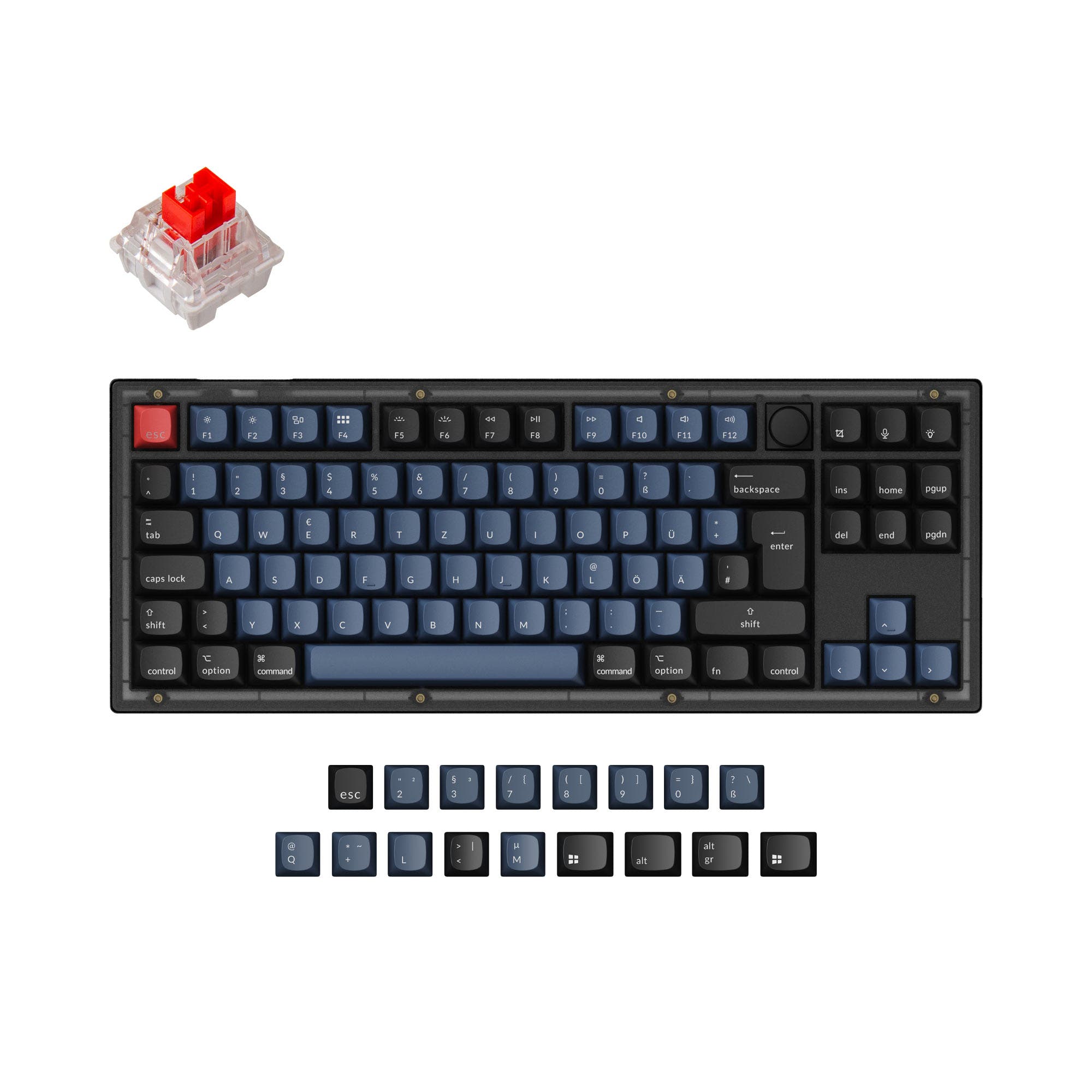
Which one should you get?
Get the
Keychron
If you want
- Aluminum case.
Rules this board out
- Missing ISO-ES, ISO-SW. The other board is sold in those layouts.
Get the
Keychron V3
QMK
Build quality in the top 5% of 80% boards under $100.
If you want
- QMK and VIA support for remapping, macros, and knob customization.
- Double-shot PBT keycaps, with Mac and Windows keycaps included in the fully assembled version.
- South-facing RGB lighting and screw-in stabilizers.
Rules this board out
- South-facing LEDs. Shine-through legends stay dark, and some sculpted keycaps can clip the LED.
Bottom line
Choose the Keychron if an aluminum case is your priority. Choose the V3 if you want its specified 80% layout, PBT keycaps, and QMK and VIA customization features. If you need ISO-ES or ISO-SW, the Keychron listing does not offer those layouts, while the V3 lists both.
The differences that matter
- Case material
Aluminum
ABS, Plastic
- QMK
No
Yes
The deep option when you want to remap every key - VIA
No
Yes
GUI remapping without compiling firmware - Sound dampening
No
Yes
- Layout standard
ANSI, ISO, ISO-DE, ISO-FR, ISO-UK
ANSI, ISO, ISO-DE, ISO-ES, ISO-FR, ISO-SW, ISO-UK, JIS
ISO and JIS exist so regional layouts fit
KeebFinder scores
How we score- Keychron
- Keychron V3
- Performance
- 4691
- Build quality
- 6688
- Productivity
- 4798
- Customizability
- 6998
- Portability
- 4257
What they share
- Hot-swappable
- Knob
What will you mostly use it for?
For gaming, pick the Keychron V3
- The V3 lists a 1000 Hz polling rate and a wired connection.
- Its 80% layout is explicitly identified, while the other listing does not specify a layout size.
Keychron vs Keychron V3 specs
22 of 26 specs differ
 |  | |
| Keychron$98 | Keychron V3$54 | |
|---|---|---|
| Typing & switches | ||
| Switch options (differs) | Not specified | Clicky, Linear, Tactile |
| Hot-swappable | Yes | Yes |
| Mount style (differs) | Not specified | Gasket Mount, Plate Mount, Tray Mount |
| Sound dampening (differs) | No | Yes |
| Screw-in stabilizers (differs) | No | Yes |
| Layout | ||
| Layout size (differs) | Not specified | 80% |
| Layout standard (differs) | ANSI, ISO, ISO-DE, ISO-FR, ISO-UK | ANSI, ISO, ISO-DE, ISO-ES, ISO-FR, ISO-SW, ISO-UK, JIS |
| Ergonomics | Standard | Standard |
| Knob | Yes | Yes |
| Display | None | None |
| Media keys (differs) | No | Yes |
| Connectivity & battery | ||
| Connection (differs) | Not specified | Wired |
| Max polling rate (differs) | Not specified | 8,000 Hz |
| USB-C (differs) | No | Yes |
| Build & materials | ||
| Case material (differs) | Aluminum | ABS, Plastic |
| Plate material (differs) | Not specified | Polycarbonate, Steel |
| Keycaps (differs) | Not specified | ABS, PBT |
| Weight (differs) | Not specified | 1,360 g |
| Dimensions (differs) | Not specified | 19 x 141 x 367 mm |
| Typing angle (differs) | Not specified | 4° |
| Backlight (differs) | White | RGB, south-facing |
| Firmware & software | ||
| QMK (differs) | No | Yes |
| VIA (differs) | No | Yes |
| N-key rollover (differs) | No | Yes |
| Mac & Windows (differs) | No | Yes |
| Extras | ||
| Released (differs) | 2026 | 2022 |
Compare prices
Prices in USD are converted to your currency and can change at any time. KeebFinder may earn a commission when you buy through these links, at no extra cost to you.
Lowest price across stores, Amazon excluded.
- Lowest price now
- $54
- Lowest in range
- $54Aug 22 at Keychron V3
- Highest in range
- $105Aug 22 at Keychron
Price in USD
- Check on Amazon
AmazonGlobal
Check price


- Check on Amazon
AmazonGlobal
Check price - Extra 5% off


ISO layouts by store
Keychron
- Go to Input Gear
Input Gear
ISO-DE, ISO-UK, ISO-FR
Out of stockShips to you
Keychron V3
- Go to Keychron
Keychron
ISO-DE, ISO-UK, ISO-FR, ISO-ES, ISO-SW
In stockShips to you - Go to Keychron (DE)
Keychron (DE)
ISO-DE, ISO-UK, ISO-FR, ISO-ES, ISO-SW
In stockDoes not ship to you


