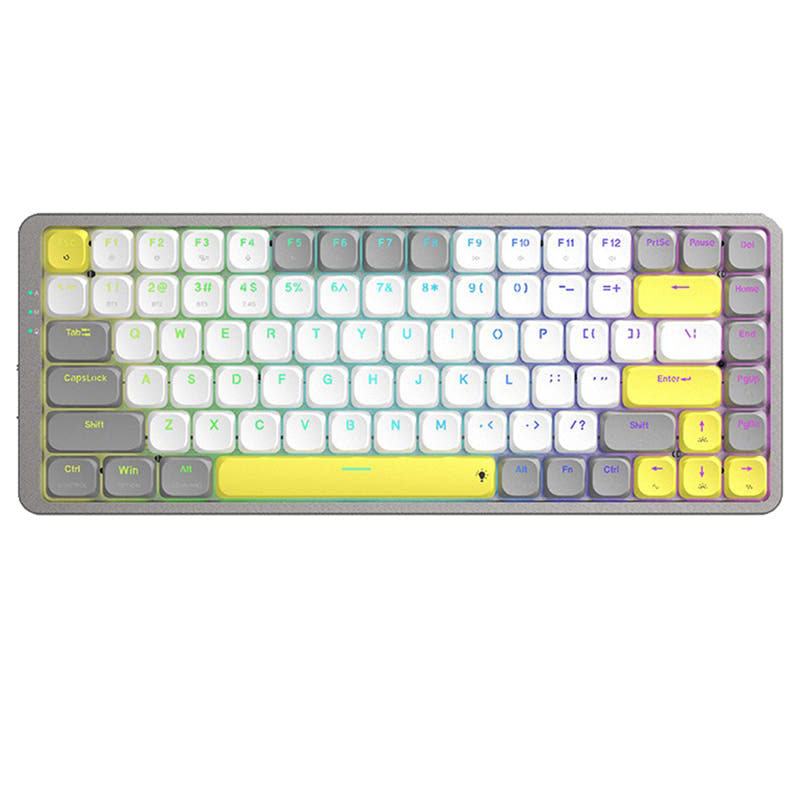
Not sure which keyboard to choose? Try the Keyboard Finder now!

Compare Keychron J1 vs K15 Max Differences Side by Side

This comparison is for buyers deciding between two low-profile 75% wireless mechanical keyboards from Keychron: the J1 and the K15 Max. Both share core specs like 1000 Hz polling rate, 2000mAh battery, QMK/VIA support, and hot-swap options. The decision is hard because they cater to different ergonomic preferences: the J1 uses a standard ANSI layout while the K15 Max features a split Alice layout designed to reduce wrist strain. The K15 Max also boasts a higher review score and a more premium aluminum frame, whereas the J1 is more affordable and simpler in design. The choice ultimately depends on whether you prioritize conventional typing or ergonomic innovation.

82
Keychron J1 QMK Wireless Mechanical Keyboard
89
Keychron K15 Max (Alice Layout) QMK Wireless Custom Mechanical Keyboard

Select a keyboard to compare

2.8 (8)
4.1 (14)
  • Released in 2025
  • Offers Normal ergonomics
  • Weighs about 661 g
  • Sized at 23 x 327 x 144 mm
  • Made with a ABS case
  • Offers Yes, Rgb, White, North-face, Rgb North-face, White North-face RGB lighting
  • Released in 2024
  • Offers Alice ergonomics
  • Provides dedicated media keys
  • Uses a PCB Mount mounting style
  • Weighs about 700 g
  • Sized at 29 x 370 x 143 mm
  • Made with a ABS, Aluminum case
  • Offers Yes, Rgb, White RGB lighting
Scores
  • Performance: 81.5
  • Build Quality: 70.9
  • Productivity: 89
  • Customizability: 86.4
  • Portability: 80.2
Scores
  • Performance: 80.9
  • Build Quality: 79.9
  • Productivity: 92.8
  • Customizability: 89.2
  • Portability: 79.4
Name
Keychron J1
Name
Keychron K15 Max
Release year
2025
Release year
2024
Switch Options
Linear, Tactile, Clicky
Switch Options
Linear, Tactile, Clicky
Profile
Low Profile
Profile
Low Profile
Hot Swappable
 
Hot Swappable
 
Layout Size
75%
Layout Size
75%
Layout Standard
ANSI
Layout Standard
ANSI
Layout Ergonomics
Normal
Layout Ergonomics
Alice
Knob Support
 
Knob Support
 
Display Support
 
Display Support
 
Mac/Win Support
 
Mac/Win Support
 
Multi-Media Keys
 
Multi-Media Keys
 
USB-C
 
USB-C
 
USB passthrough
 
USB passthrough
 
Connection
Bluetooth, 2.4 GHz, Wired, Wireless
Connection
Bluetooth, 2.4 GHz, Wired, Wireless
Polling Rate
1000 Hz
Polling Rate
1000 Hz
Battery capacity
2000 mAh
Battery capacity
2000 mAh
Hall Effect Support
 
Hall Effect Support
 
QMK Support
 
QMK Support
 
VIA Support
 
VIA Support
 
VIAL Support
 
VIAL Support
 
N-Key Rollover
 
N-Key Rollover
 
Rapid Trigger
 
Rapid Trigger
 
Mount Style
-
Mount Style
PCB Mount
Screw in Stabilizers
 
Screw in Stabilizers
 
Sound Dampening
 
Sound Dampening
 
Backlight
 
Rgb, White, North-face
Backlight
 
Rgb, White
Case Colors
Case Colors
Case Material
ABS
Case Material
ABS, Aluminum
Keycaps Material
PBT
Keycaps Material
PBT
Dimensions
23 x 327 x 144 mm
Dimensions
29 x 370 x 143 mm
Weight
661g
Weight
700g
*Something incorrect or missing? Please
let me know
!

Pros and Trade-offs

Choose the Keychron J1 if you prioritize a lighter, more travel-friendly keyboard for gaming on the go, and value the LKP feature and built-in dongle storage. Pick the Keychron K15 Max if you spend long hours typing or coding at a desk and want superior ergonomics, a more premium aluminum build, and dedicated macro keys for enhanced productivity. The K15 Max's higher build quality and user satisfaction make it the better all-around investment for stationary use, despite its higher price and larger footprint.

Keychron J1

  • +Light weight at 661g and compact 327 x 144 mm dimensions for portability.
  • +Built-in receiver compartment for securing the 2.4 GHz dongle.
  • +Last Key Priority (LKP) feature for improved directional change responsiveness in games.
  • +Includes low-profile double-shot PBT keycaps with shine-through option and north-facing RGB.
  • +More affordable price point compared to the K15 Max.

  • Lower build quality score and ABS-only case material (no aluminum) feels less premium.
  • User reviews report Bluetooth dropouts, battery drain issues, and intermittent shut down problems that require resetting.
  • Lower review score of 2.8/5 based on 8 reviews, with complaints about QC (bent units).

Keychron K15 Max

  • +Higher build quality score with a hybrid ABS and aluminum frame for a premium feel.
  • +Alice layout with three adjustable typing angles for ergonomic wrist support.
  • +Higher customizability score and PCB mount design for easier modding.
  • +Redesigned stabilizers for reduced wobble on large keys like spacebar and Enter.
  • +Stronger review score of 4.1/5 from 14 reviews, with users praising build and programmability.

  • Slightly heavier at 700g and longer length (370 mm) makes it less travel-friendly.
  • Non-shine-through keycaps may disappoint users who want RGB legends to glow.
  • Heavier at a higher price point than the J1.
  • Alice layout may not suit users who prefer standard ANSI key placement, as noted in some user reviews.

Which Keyboard Is Better for Your Needs?

The J1 wins for gaming and travel due to its lighter weight, built-in receiver compartment, and the exclusive LKP feature for competitive play. However, the K15 Max dominates in office, programming, modding, and content creation use cases, leveraging its ergonomic Alice layout, aluminum build, dedicated macro keys, and better user ratings for productivity. For pure typing ergonomics and desk-based workflows, the K15 Max is the stronger pick, while the J1 leans toward portability and gaming-specific firmware perks.

GamingKeychron J1
  • The J1 offers Last Key Priority (LKP) for directional changes, mentioned specifically for competitive advantage in games like Valorant.
  • The J1 has a built-in receiver compartment for the 2.4 GHz dongle, reducing risk of loss during transport to LANs or gaming sessions.
  • Both support 1000 Hz polling rate on wired and 2.4 GHz modes, but the J1's added gaming-focused firmware feature gives it an edge.
OfficeKeychron K15 Max
  • The K15 Max's Alice layout is designed to reduce wrist strain, a key ergonomic benefit for long hours of typing.
  • K15 Max has three levels of adjustable typing angle for ergonomic wrist support.
  • The K15 Max features an aluminum frame for a more premium and durable feel, suitable for a desk-bound workhorse.
  • User reviews highlight excellent programmability and extra macro keys (M keys) for workflow efficiency in Excel.
ProgrammingKeychron K15 Max
  • The K15 Max offers fully remappable keys via QMK and Keychron Launcher, with user reports of high productivity gains.
  • The Fn key placement on the K15 Max is praised in user reviews for enabling efficient key combos and reducing mouse dependency.
  • The Alice layout provides a more natural hand position, potentially reducing RSI risk during long coding sessions.
  • User feedback confirms the K15 Max is rock solid and great for code, with a dedicated macro key row for custom shortcuts.
TravelKeychron J1
  • The J1 is slightly lighter at 661g compared to the K15 Max's 700g.
  • The J1 has a built-in 2.4 GHz receiver compartment, ensuring the dongle is less likely to be misplaced during travel.
  • The J1's smaller physical dimensions (327 x 144 mm vs 370 x 143 mm) make it more compact for packing.
  • Both have wireless (Bluetooth and 2.4 GHz) and a 2000mAh battery, but the J1's receiver storage adds convenience.
ModdingKeychron K15 Max
  • The K15 Max has a higher customizability score and uses PCB mount, which is more mod-friendly for stabilizer and case mods.
  • The K15 Max features redesigned stabilizers for less wobble on big keys, a better baseline for further tweaking.
  • The K15 Max's aluminum frame offers a more solid foundation for sound dampening and case modifications.
  • User feedback mentions easy keycap removal and a wide range of compatible keycap sets for the K15 Max.
Content CreationKeychron K15 Max
  • The K15 Max includes row of macro keys (M keys) that can be programmed for video editing shortcuts or creative software commands.
  • The K15 Max has multimedia keys, useful for timeline scrubbing and volume control while editing.
  • Both support QMK/VIA, but the K15 Max's additional front macro keys provide ready-to-use extra inputs without sacrificing standard keys.
  • User reviews highlight ability to remap all keys, including Insert to End, which is practical for timeline navigation.

Frequently Asked Questions (FAQ)


Discover similar products

You might also like similar products in that price range:

86
$67
Keychron K1 Pro QMK/VIA Wireless Custom Mechanical Keyboard ISO Layout Collection
Keychron K1 Pro
80%,
Hotswap,
Wireless,
Wired,
RGB/ White LEDs,
VIA,
QMK,
Alu case,
Tray Mount

83
$94
Keychron K3 QMK Wireless Mechanical Keyboard (ISO Layout) - Version 3
Keychron K3 V3
75%,
Hotswap,
Wireless,
Wired,
RGB/ White LEDs,
VIA,
QMK,
Alu case,
Top Mount

87
$67
Keychron K13 Pro QMK/VIA Wireless Custom Mechanical Keyboard ISO Layout Collection
Keychron K13 Pro
80%,
Hotswap,
Wireless,
Wired,
RGB/ White LEDs,
VIA,
QMK,
Alu case,
Tray Mount

94
$84
Keychron K3 Max QMK/VIA Wireless Custom Mechanical Keyboard ISO Layout Collection
Keychron K3 Max
75%,
Hotswap,
Wireless,
Wired,
RGB/ White LEDs,
VIA,
QMK,
Alu case,
Plate Mount

83
$67
Keychron K9 Pro QMK/VIA Wireless Custom Mechanical Keyboard
Keychron K9 Pro
60%,
Hotswap,
Wireless,
Wired,
RGB/ White LEDs,
VIA,
QMK,
Alu case,
Tray Mount

87
$83
Keychron K3 Pro QMK/VIA Wireless Mechanical Keyboard ISO Layout Collection
Keychron K3 Pro
75%,
Hotswap,
Wireless,
Wired,
RGB/ White LEDs,
VIA,
QMK,
Alu case,
Tray Mount

88
$69
Keychron K5 Pro QMK/VIA Wireless Custom Mechanical Keyboard ISO Layout Collection
Keychron K5 Pro
100%,
Hotswap,
Wireless,
Wired,
RGB/ White LEDs,
VIA,
QMK,
Alu case,
Tray Mount

85
$106
Keychron K1 Max QMK Wireless Custom Mechanical Keyboard ISO Layout Collection
Keychron K1 Max
80%,
Hotswap,
Wireless,
Wired,
RGB/ White LEDs,
VIA,
QMK,
Alu case,
PCB Mount

96
$54
Keychron V3 QMK Custom Mechanical Keyboard ISO Layout Collection
Keychron V3
80%,
Hotswap,
Wired,
RGB/ White LEDs,
Knob,
VIA,
QMK,
Tray Mount

84
$94
Keychron K1 QMK Wireless Mechanical Keyboard (ISO Layout) - Version 6
Keychron K1 V6
80%,
Hotswap,
Wireless,
Wired,
RGB/ White LEDs,
VIA,
QMK,
HE,
Alu case,
Top Mount