Not sure which keyboard to choose? Try the Keyboard Finder now!

Compare Keychron J1 vs K3 Max SE Differences Side by Side

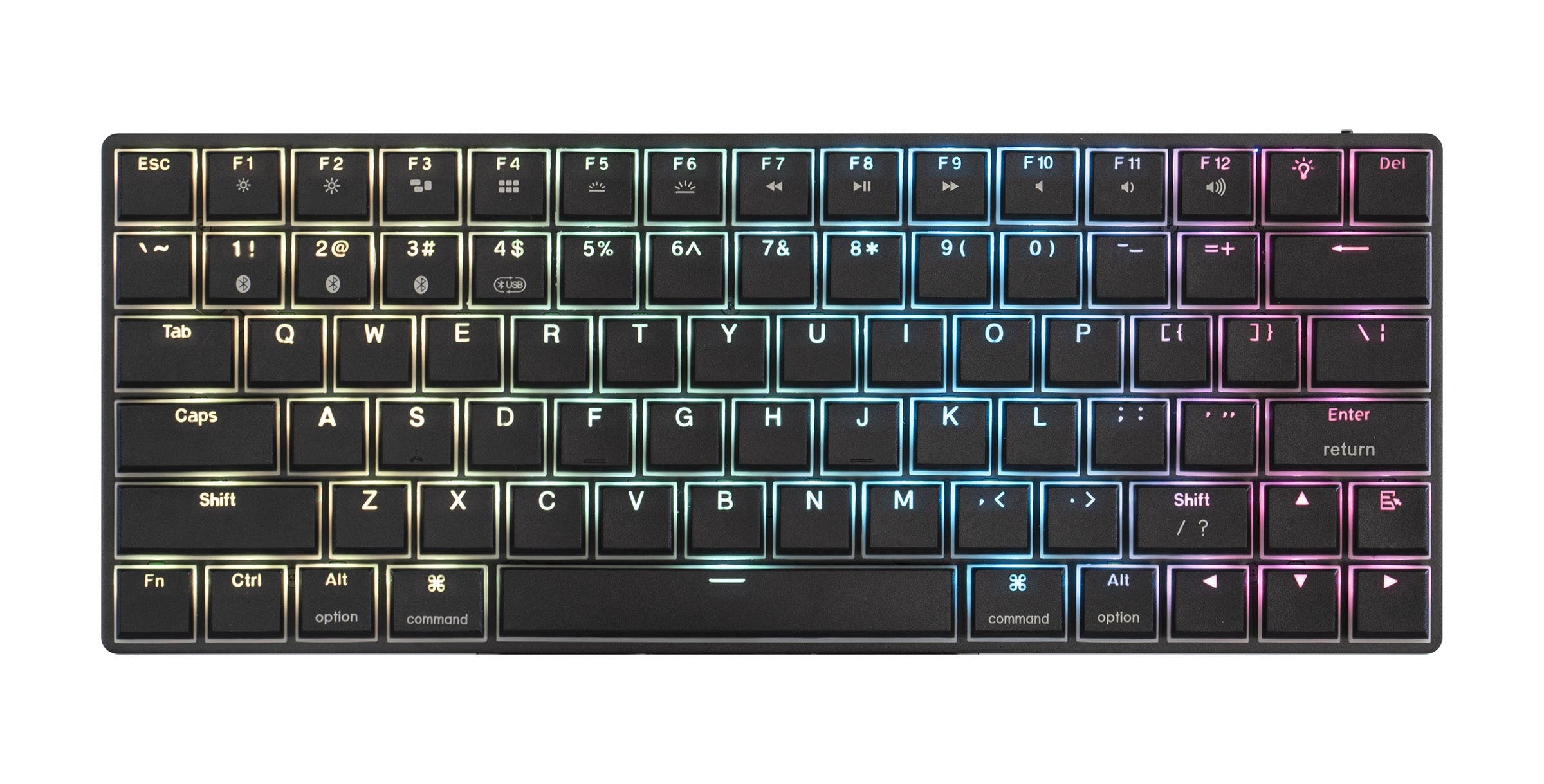
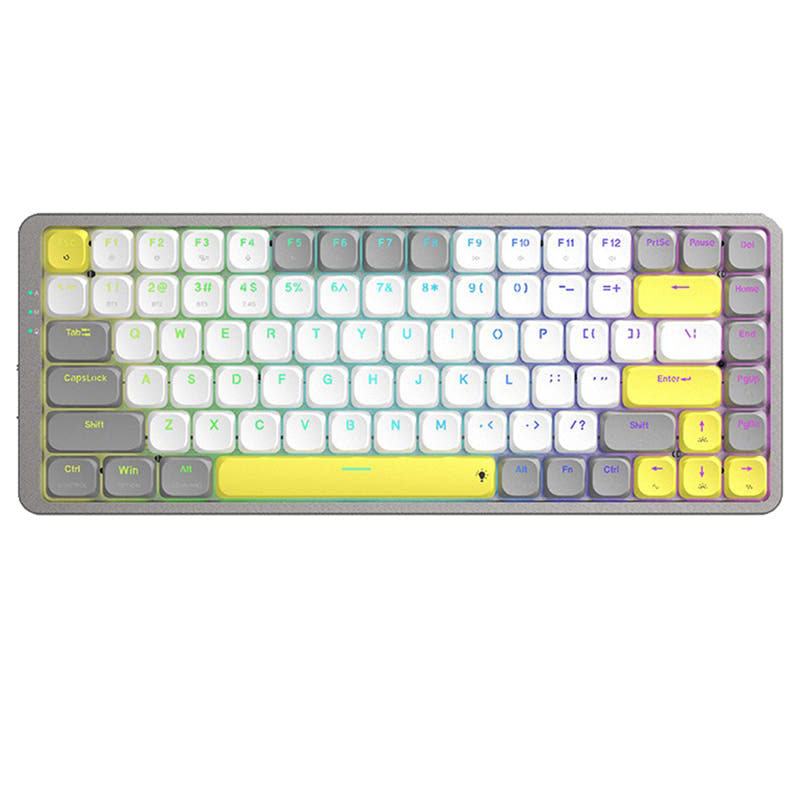
This comparison is for buyers choosing between two low-profile 75% wireless keyboards from Keychron. Both share the same connectivity options, hot-swappable PCBs, and QMK/VIA support. The decision is difficult because the J1 costs less and packs a larger 2000mAh battery, while the K3 Max SE upgrades the build with a wood frame and aluminum plate. User reviews for the J1 cite battery life and Bluetooth stability concerns, while the K3 Max SE has no reviews yet. The choice ultimately comes down to whether build materials or upfront savings matter more to you.

82
Keychron J1 QMK Wireless Mechanical Keyboard
83
Keychron K3 Max SE QMK Wireless Custom Mechanical Keyboard

Select a keyboard to compare

2.8 (8)
0.0 (0)
  • Released in 2025
  • Equipped with a 2000 mAh battery
  • Weighs about 661 g
  • Sized at 23 x 327 x 144 mm
  • Made with a ABS case
  • Released in 2026
  • Equipped with a 1550 mAh battery
  • Weighs about 566 g
  • Sized at 20 x 319 x 126 mm
  • Made with a ABS, Wood case
Scores
  • Performance: 81.5
  • Build Quality: 70.9
  • Productivity: 89
  • Customizability: 86.4
  • Portability: 80.2
Scores
  • Performance: 80.4
  • Build Quality: 73.9
  • Productivity: 88.7
  • Customizability: 86.9
  • Portability: 80
Name
Keychron J1
Name
Keychron K3 Max SE
Release year
2025
Release year
2026
Switch Options
Linear, Tactile, Clicky
Switch Options
Linear, Tactile, Clicky
Profile
Low Profile
Profile
Low Profile
Hot Swappable
 
Hot Swappable
 
Layout Size
75%
Layout Size
75%
Layout Standard
ANSI
Layout Standard
ANSI
Layout Ergonomics
Normal
Layout Ergonomics
Normal
Knob Support
 
Knob Support
 
Display Support
 
Display Support
 
Mac/Win Support
 
Mac/Win Support
 
Multi-Media Keys
 
Multi-Media Keys
 
USB-C
 
USB-C
 
USB passthrough
 
USB passthrough
 
Connection
Bluetooth, 2.4 GHz, Wired, Wireless
Connection
Bluetooth, 2.4 GHz, Wired, Wireless
Polling Rate
1000 Hz
Polling Rate
1000 Hz
Battery capacity
2000 mAh
Battery capacity
1550 mAh
Hall Effect Support
 
Hall Effect Support
 
QMK Support
 
QMK Support
 
VIA Support
 
VIA Support
 
VIAL Support
 
VIAL Support
 
N-Key Rollover
 
N-Key Rollover
 
Rapid Trigger
 
Rapid Trigger
 
Mount Style
-
Mount Style
-
Screw in Stabilizers
 
Screw in Stabilizers
 
Sound Dampening
 
Sound Dampening
 
Backlight
 
Rgb, White, North-face
Backlight
 
Rgb, White, North-face
Case Colors
Case Colors
Case Material
ABS
Case Material
ABS, Wood
Keycaps Material
PBT
Keycaps Material
PBT
Dimensions
23 x 327 x 144 mm
Dimensions
20 x 319 x 126 mm
Weight
661g
Weight
566g
*Something incorrect or missing? Please
let me know
!

Pros and Trade-offs

Choose the Keychron J1 if keeping costs low and having a larger battery are your top priorities, but be prepared for possible Bluetooth stability issues reported by users. Choose the K3 Max SE if you prefer a sturdier build with a wood frame and aluminum plate, and you are willing to pay more for quieter typing and self-lubricating POM switches. The K3 Max SE is the safer pick for build quality, while the J1 offers better value on paper.

Keychron J1

  • +Larger 2000mAh battery for longer wireless use.
  • +Built-in 2.4 GHz receiver storage compartment.
  • +Available at a lower starting price point.
  • +Includes advanced IXPE acoustic foam for quieter typing.

  • User reviews report battery draining quickly even without backlight.
  • ABS case material feels less premium compared to the K3 Max SE's wood frame.
  • Multiple user reviews mention Bluetooth connectivity issues.
  • Some users reported receiving a bent unit.

Keychron K3 Max SE

  • +Wooden side frame and aluminum plate for a more premium build.
  • +Uses self-lubricating Keychron Milk POM switches for a smooth feel.
  • +Multi-layer acoustic foam setup including EPDM and bottom case foam.
  • +Ultra-slim design with a front height of 16.46 mm without keycaps.

  • Smaller 1550mAh battery than the J1.
  • Higher starting price than the J1.
  • No user reviews available yet to validate real-world performance.

Which Keyboard Is Better for Your Needs?

For gaming and programming, both keyboards perform identically thanks to shared QMK/VIA support, 1000 Hz polling, and north-facing RGB. The K3 Max SE takes the lead for office use with its quieter acoustic foam layers and more refined wooden aesthetic, and it wins for modding due to its aluminum plate and layered dampening. The J1 pulls ahead for travel because of its larger battery and dedicated receiver storage slot, and for content creation thanks to a lower price point.

GamingTie
  • Both support 2.4 GHz with a 1000 Hz polling rate for low latency.
  • Both offer N-key rollover over wireless and wired connections.
  • North-facing RGB is present on both keyboards.
OfficeKeychron K3 Max SE
  • The K3 Max SE uses EPDM and bottom case acoustic foam for quieter typing.
  • The wooden frame may provide a more premium aesthetic for a desktop setup.
  • Its 566g weight is slightly lighter, making it easier to move across a desk.
ProgrammingTie
  • Both support QMK firmware and VIA for full key remapping and macro creation.
  • Both have low-profile PBT keycaps that resist oil and shine.
  • Each offers tactile (Brown/Banana) switch options for responsive feedback.
TravelKeychron J1
  • The J1 has a larger 2000mAh battery compared to the K3 Max SE's 1550mAh.
  • It includes a built-in receiver compartment for storing the 2.4 GHz dongle.
ModdingKeychron K3 Max SE
  • The K3 Max SE includes an aluminum plate, providing a stiffer typing feel that modders often prefer.
  • It has a multi-layer foam setup (EPDM, PET film, bottom case foam) for sound tuning.
  • The K3 Max SE uses plate-mounted stabilizers, which are easier to replace or lube.
Content CreationKeychron J1
  • The J1 is available at a lower starting price, leaving room in the budget for other gear.
  • Its larger battery supports longer unplugged editing sessions.

Frequently Asked Questions (FAQ)


Discover similar products

You might also like similar products in that price range:

86
$67
Keychron K1 Pro QMK/VIA Wireless Custom Mechanical Keyboard ISO Layout Collection
Keychron K1 Pro
80%,
Hotswap,
Wireless,
Wired,
RGB/ White LEDs,
VIA,
QMK,
Alu case,
Tray Mount

94
$84
Keychron K3 Max QMK/VIA Wireless Custom Mechanical Keyboard ISO Layout Collection
Keychron K3 Max
75%,
Hotswap,
Wireless,
Wired,
RGB/ White LEDs,
VIA,
QMK,
Alu case,
Plate Mount

87
$67
Keychron K13 Pro QMK/VIA Wireless Custom Mechanical Keyboard ISO Layout Collection
Keychron K13 Pro
80%,
Hotswap,
Wireless,
Wired,
RGB/ White LEDs,
VIA,
QMK,
Alu case,
Tray Mount

83
$94
Keychron K3 QMK Wireless Mechanical Keyboard (ISO Layout) - Version 3
Keychron K3 V3
75%,
Hotswap,
Wireless,
Wired,
RGB/ White LEDs,
VIA,
QMK,
Alu case,
Top Mount

83
$67
Keychron K9 Pro QMK/VIA Wireless Custom Mechanical Keyboard
Keychron K9 Pro
60%,
Hotswap,
Wireless,
Wired,
RGB/ White LEDs,
VIA,
QMK,
Alu case,
Tray Mount

78
$94
Keychron K3 Ultra 8K Wireless Custom Mechanical Keyboard
Keychron K3 Ultra
75%,
Hotswap,
Wireless,
Wired,
RGB,
VIA,
QMK

88
$69
Keychron K5 Pro QMK/VIA Wireless Custom Mechanical Keyboard ISO Layout Collection
Keychron K5 Pro
100%,
Hotswap,
Wireless,
Wired,
RGB/ White LEDs,
VIA,
QMK,
Alu case,
Tray Mount

68
$96
Keychron K3 Ultra-slim Wireless Mechanical Keyboard (Version 2)
Keychron K3 V2
75%,
Hotswap,
Wireless,
Wired,
RGB/ White LEDs,
Alu case,
Tray Mount

96
$54
Keychron V3 QMK Custom Mechanical Keyboard ISO Layout Collection
Keychron V3
80%,
Hotswap,
Wired,
RGB/ White LEDs,
Knob,
VIA,
QMK,
Tray Mount

87
$83
Keychron K3 Pro QMK/VIA Wireless Mechanical Keyboard ISO Layout Collection
Keychron K3 Pro
75%,
Hotswap,
Wireless,
Wired,
RGB/ White LEDs,
VIA,
QMK,
Alu case,
Tray Mount