Keychron J2 HE vs Q2Magnetic Speed or Metal
Choose the J2 HE for its magnetic switches and extreme 8000 Hz polling, or the Q2 for a premium aluminum build and unmatched modding potential.
KeebFinder may earn a commission when you buy through these links, at no extra cost to you.

1.0 (2)1.0 · 2 reviews
from$99at Keychron
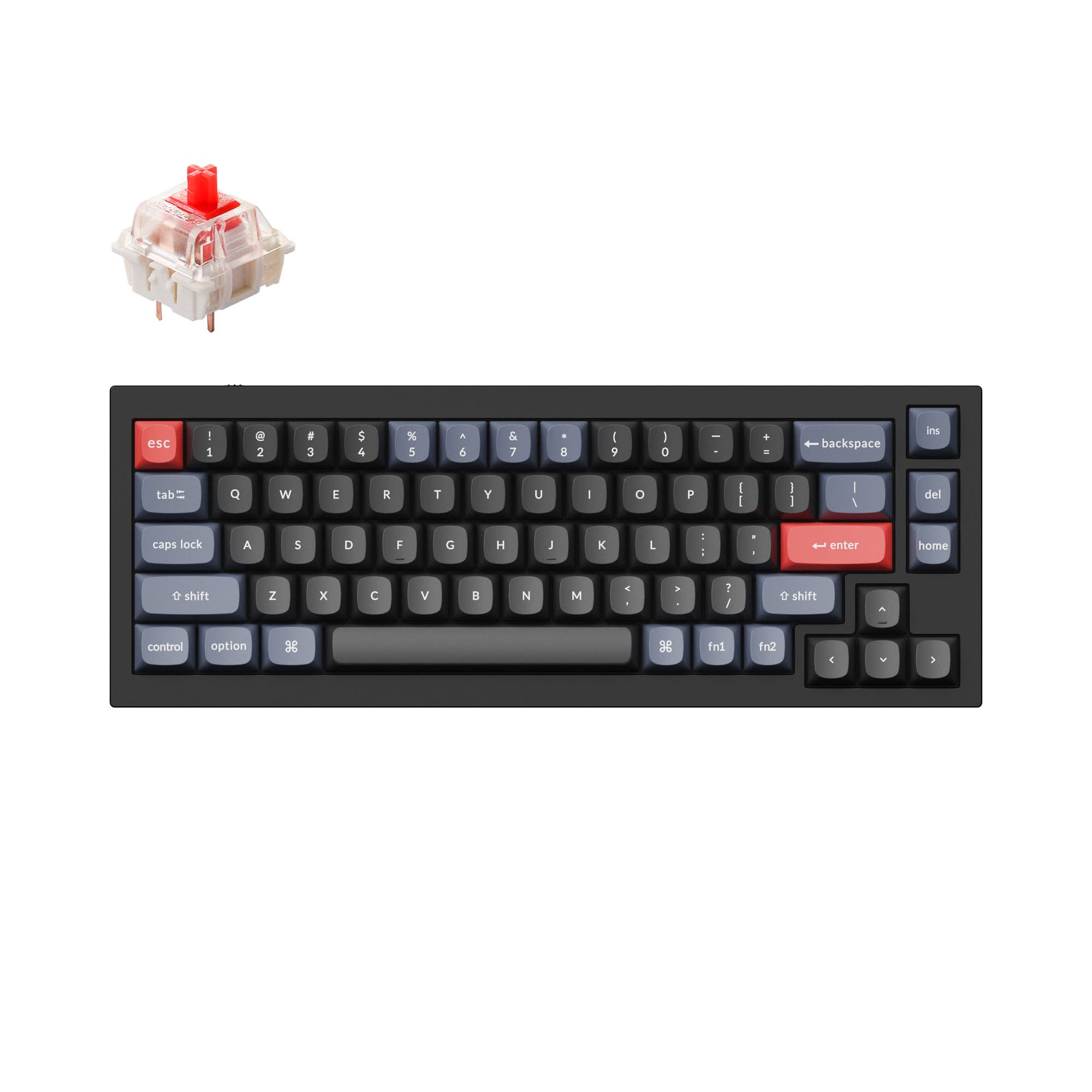
4.8 (241)4.8 · 241 reviews
from$59at Keychron
Which one should you get?
Get the
Keychron J2 HE
Hall effect
Build quality in the top 10% of 75% boards under $100.
- Hall Effect magnetic switches with adjustable actuation for customized responsiveness.
- 8000 Hz polling rate minimizes input lag for competitive gaming.
- Lighter weight plastic case is easier to transport.
- Magnetic switches only. Standard MX switches will not fit.
- North-facing LEDs. Cherry-profile keycaps can hit the switch housing.
- No ISO layout. ISO-DE, UK, and other ISO variants are not offered.
- No numpad.
Get the
Keychron Q2
Build quality in the top 5% of 65% boards under $100.
- Full CNC machined 6063 aluminum case offers exceptional build quality and weight.
- Double-gasket design enhances typing feel and acoustics by reducing metal resonance.
- Programmable rotary knob adds a convenient hardware shortcut for various tasks.
- South-facing LEDs. Shine-through legends stay dark, and some sculpted keycaps can clip the LED.
- 65% layout. No function row and no numpad.
For the competitive gamer seeking every millisecond advantage, the Keychron J2 HE is the clear choice with its magnetic switches and 8K polling. For the enthusiast or professional who values a premium typing feel, modding capability, and a solid desk presence, the Keychron Q2 is the superior investment. Your decision hinges on whether cutting-edge speed or luxurious build quality matters more to your daily use.
The differences that matter
Skip the 40-row spec sheet. These are the specs that change how each board feels, sounds, and fits your desk.
Keychron J2 HE
Keychron Q2
Layout size
75%
65%
Hall effect (magnetic)
Yes
No
Adjustable actuation helps in games and not in normal typing
Max polling rate
8,000 Hz
1,000 Hz
Higher polling helps competitive FPS and does nothing for typing
Case material
Plastic
Aluminum
Mount style
Gasket Mount
Gasket Mount, PCB Mount
- Keychron J2 HE
- Keychron Q2
- Performance
- 8966
- Build quality
- 8390
- Productivity
- 8795
- Customizability
- 8998
- Portability
- 6170
- Connection: Wired
- Hot-swappable
- Switch options: Clicky, Linear, Tactile
- QMK
- VIA
- Sound dampening
What will you mostly use it for?
The Keychron J2 HE wins for Gaming due to its superior 8000 Hz polling and magnetic switches, and for Travel because of its lighter plastic build. The Keychron Q2 wins for Office and Modding thanks to its all-aluminum construction, double-gasket design, and barebone options. They tie for Programming and Content Creation, as both offer robust QMK/VIA programmability and unique features that can be leveraged for productivity.
Pick the Keychron J2 HE
- 8000 Hz polling rate provides extremely low latency for competitive play.
- Keychron Ultra-Fast Lime Magnetic Switch offers adjustable actuation for rapid inputs.
- Higher performance score relative to its price tier supports gaming-focused design.
What owners say
Ratings and quotes collected from verified store reviews, including the critical ones.
Keychron J2 HE
2 owner reviews
“Worked perfectly, best keyboard I've ever owned. For one hour. After that all RGB turned off, and the main function of the keyboard (Typing), no longer works. I can't type with it, the web launcher doesn't detect it either, just don't waste your money.”
Keychron Q2
241 owner reviews
“The Q2 is waaaaay underrated. Tempest mod, lubed durock v2 stabs, tecsee PME or HPE housing long pole tactile switches and you have yourself a killer board.”
Keychron J2 HE vs Q2 specs
Every tracked spec, side by side. Rows marked with a dot differ between the boards.
14 of 26 specs differ
Keychron J2 HE
Keychron Q2
Switch options
Hall effect (magnetic)
Hot-swappable
Mount style
Sound dampening
Screw-in stabilizers
Layout size
Layout standard
Ergonomics
Knob
Display
Media keys
Connection
Max polling rate
USB-C
Case material
Plate material
Keycaps
Weight
Dimensions
Typing angle
Backlight
QMK
VIA
Mac & Windows
Released
ISO layouts by store
Which stores sell ISO-DE, UK, and the other regional layouts.
Keychron J2 HE
No ISO layout at the stores we track.
Keychron Q2
Input Gear
ISO-FR
In stockShips to you
Keychron
ISO-DE, ISO-UK, ISO-Nordic, ISO-FR, ISO-ES, ISO-SW
In stockShips to you
Keychron (DE)
ISO-DE, ISO-UK, ISO-Nordic, ISO-FR, ISO-ES, ISO-SW
In stockDoes not ship to you
Compare prices
Live prices from the stores we track, cheapest in-stock offer first.
Prices in USD are converted to your currency and can change at any time. KeebFinder may earn a commission when you buy through these links, at no extra cost to you.
Lowest price across stores, Amazon excluded.




Keychron J2 HE vs Q2: your questions
The Keychron Q2 has significantly better build quality due to its full CNC machined 6063 aluminum case, compared to the J2 HE which uses a plastic body. The Q2 also features a double-gasket design with silicone pads for improved acoustics and flexibility.
No, the Keychron J2 HE uses Hall Effect magnetic switches which require a specific PCB and firmware to operate. The Keychron Q2 supports standard 3-pin and 5-pin MX mechanical switches.
Yes, the Keychron J2 HE is better for gaming thanks to its 8000 Hz polling rate and Keychron Ultra-fast Lime Magnetic Switches with adjustable actuation points. The Q2 has a standard 1000 Hz polling rate and standard mechanical switches.
The Keychron J2 HE is more portable, weighing only 780g compared to the Q2's 1645g. Its smaller dimensions and plastic case also make it easier to pack and less likely to get scratched during transport.
Yes, both keyboards offer QMK and VIA support via the Keychron Launcher web app. This allows you to remap keys, create macros, and adjust lighting and advanced settings on both models.
The Keychron J2 HE has a 75% layout, which includes a function row and arrow keys. The Keychron Q2 has a more compact 65% layout, which omits the function row but retains arrow keys.
The Keychron Q2 is generally better for typing and office work due to its full aluminum construction, double-gasket design for a premium feel, and a programmable knob that can be used for volume or productivity shortcuts.
Yes, the J2 HE uses Cherry Profile double-shot PBT keycaps known for their sculpted shape and durability. The Q2 (fully assembled version) uses OSA Profile (OEM height, SA shape) double-shot PBT keycaps, which have a different, more spherical feel.
Yes, the Keychron Q2 is available in versions with a rotary encoder knob. There are both 'Fully Assembled Knob' and 'Barebone Knob' options, allowing you to program the knob for various functions.
Both have RGB backlighting, but they are positioned differently. The J2 HE has north-facing RGB LEDs, which are generally brighter. The Q2 has south-facing RGB LEDs, which are better for use with non-shine-through keycaps and prevent interference with Cherry or OEM profile keycaps.
Not sold on either?


Still torn?
Answer a few quick questions and the keyboard finder ranks 2,000+ boards by how you will actually use yours.