Keychron Q2 vs V1 Max65% Aluminum vs Wireless 75%
Choose the Q2 for a premium all-metal typing experience or the V1 Max for wireless versatility and extra keys.
KeebFinder may earn a commission when you buy through these links, at no extra cost to you.
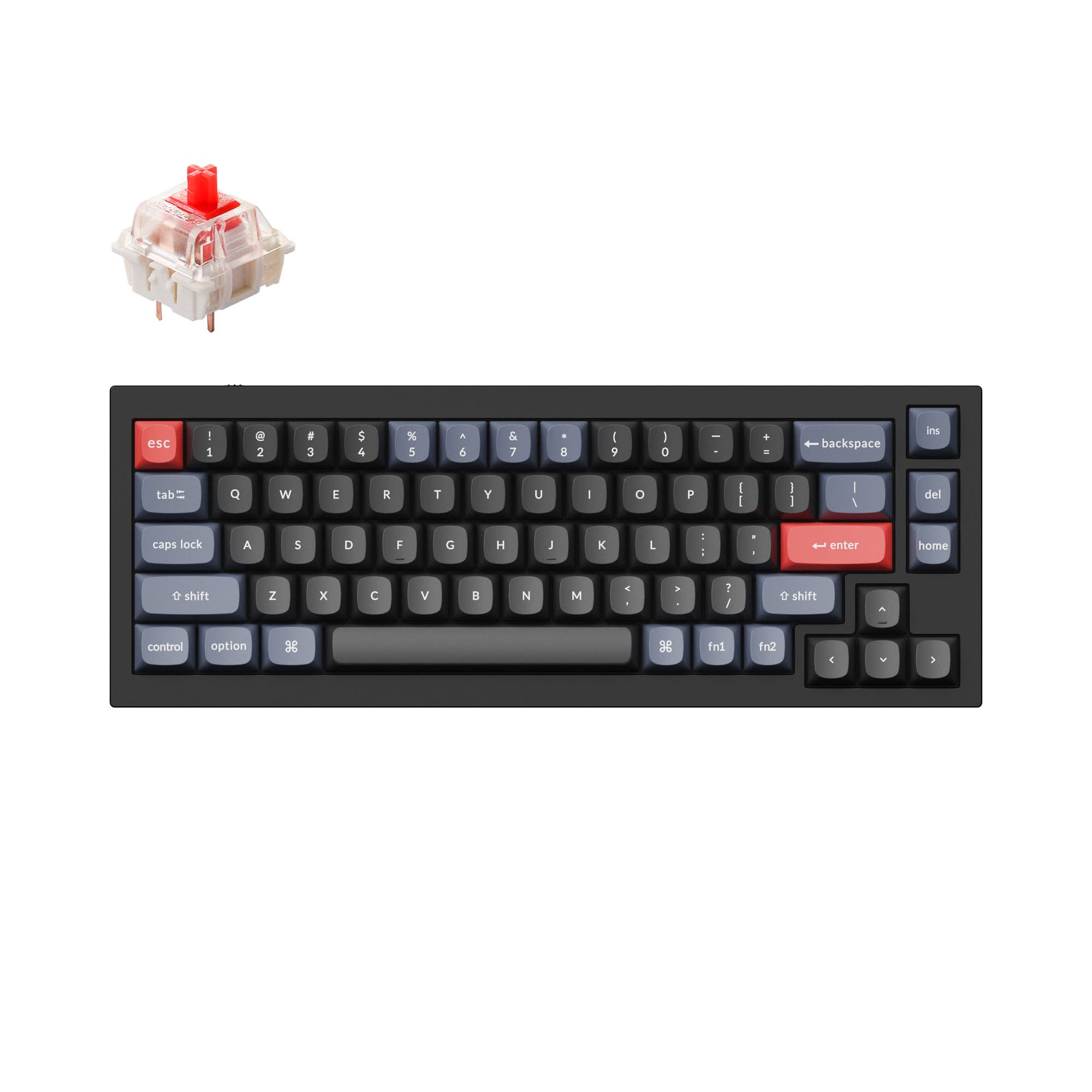
4.8 (241)4.8 · 241 reviews
from$59at Keychron

4.1 (18)4.1 · 18 reviews
from$94at MK
Which one should you get?
Get the
Keychron Q2
65% Aluminum
Build quality in the top 5% of 65% boards under $100.
- Full CNC-machined 6063 aluminum body with 24 manufacturing stages.
- Double-gasket design with silicone pads between top and bottom case for reduced resonance.
- Steel plate provides a stiff, consistent typing feel with minimal flex.
- South-facing LEDs. Shine-through legends stay dark, and some sculpted keycaps can clip the LED.
- Missing ISO-IT, ISO-PT. The other board is sold in those layouts.
- 65% layout. No function row and no numpad.
Get the
Keychron V1 Max
Wireless 75%
Build quality in the top 5% of 75% boards under $100.
- Triple connectivity with Bluetooth 5.1, 2.4 GHz, and wired modes.
- 4000 mAh battery supports up to 190 hours of use (backlight off).
- Lighter at 770 g, making it portable and easy to carry.
- South-facing LEDs. Shine-through legends stay dark, and some sculpted keycaps can clip the LED.
- No numpad.
Choose the Keychron Q2 if you want a premium desk centerpiece with a solid metal build and are willing to stay wired. Choose the V1 Max if you need wireless freedom, a lighter carry, or an extra row of function keys. The Q2 excels in build quality and typing acoustics, while the V1 Max offers versatility across more use cases.
The differences that matter
Skip the 40-row spec sheet. These are the specs that change how each board feels, sounds, and fits your desk.
Keychron Q2
Keychron V1 Max
Layout size
65%
75%
Connection
Wired
Bluetooth, 2.4 GHz, Wired
Wireless for several devices and wired for lower latency
Case material
Aluminum
ABS, Plastic
Mount style
Gasket Mount, PCB Mount
Gasket Mount, Plate Mount
Weight
1,645 g
770 g
Heavier boards stay planted and lighter ones travel
- Keychron Q2
- Keychron V1 Max
- Performance
- 6683
- Build quality
- 9086
- Productivity
- 9597
- Customizability
- 9898
- Portability
- 7079
- Hot-swappable
- Max polling rate: 1,000 Hz
- Switch options: Clicky, Linear, Tactile
- Knob
- QMK
- VIA
What will you mostly use it for?
The V1 Max wins in Gaming, Office, Travel, and Content Creation due to its wireless freedom and lighter weight. The Q2 takes Programming for its rigid aluminum build and double-gasket damping. Both tie in Modding since they offer identical hot-swap PCBs, stabilizer support, and QMK/VIA firmware. Overall, the V1 Max is more versatile across multiple contexts, while the Q2 appeals to those prioritizing build material and desk aesthetics.
Pick the Keychron V1 Max
- Offers 2.4 GHz wireless with 1000 Hz polling rate for low-latency gameplay.
- Lighter weight at 770 g makes it easier to reposition during sessions.
- 75% layout includes dedicated F-keys often used in games.
What owners say
Ratings and quotes collected from verified store reviews, including the critical ones.
Keychron Q2
241 owner reviews
“The Q2 is waaaaay underrated. Tempest mod, lubed durock v2 stabs, tecsee PME or HPE housing long pole tactile switches and you have yourself a killer board.”
Keychron V1 Max
18 owner reviews
“Feels great, haven't got a new KB since my Novatouch. Great high end features and feel, DSA caps on it feel good.”
“The dongle does not work after 6 months of using it and they want me to pay to fix it. If you want to buy a keyboard that is good don’t go for keycron”
Keychron Q2 vs V1 Max specs
Every tracked spec, side by side. Rows marked with a dot differ between the boards.
11 of 27 specs differ
Keychron Q2
Keychron V1 Max
Switch options
Hot-swappable
Mount style
Sound dampening
Screw-in stabilizers
Layout size
Layout standard
Ergonomics
Knob
Display
Media keys
Connection
Max polling rate
Battery
USB-C
Case material
Plate material
Keycaps
Weight
Dimensions
Typing angle
Backlight
QMK
VIA
N-key rollover
Mac & Windows
Released
ISO layouts by store
Which stores sell ISO-DE, UK, and the other regional layouts.
Keychron Q2
Input Gear
ISO-FR
In stockShips to you
Keychron
ISO-DE, ISO-UK, ISO-Nordic, ISO-FR, ISO-ES, ISO-SW
In stockShips to you
Keychron (DE)
ISO-DE, ISO-UK, ISO-Nordic, ISO-FR, ISO-ES, ISO-SW
In stockDoes not ship to you
Keychron V1 Max
Keychron
ISO-DE, ISO-UK, ISO-Nordic, ISO-SW
Out of stockShips to you
Keychron (DE)
ISO-DE, ISO-UK, ISO-FR, ISO-ES, ISO-IT, ISO-SW, ISO-PT
In stockDoes not ship to you
Compare prices
Live prices from the stores we track, cheapest in-stock offer first.
Prices in USD are converted to your currency and can change at any time. KeebFinder may earn a commission when you buy through these links, at no extra cost to you.
Lowest price across stores, Amazon excluded.




Keychron Q2 vs V1 Max: your questions
The Keychron Q2 has superior build quality with a full CNC-machined 6063 aluminum case that goes through 24 manufacturing stages. The V1 Max uses an ABS plastic housing, which is lighter but less premium in feel and resonance control.
No, the Keychron Q2 is a wired-only keyboard with a USB-C connection. It does not support Bluetooth or 2.4 GHz wireless. If wireless is required, the V1 Max supports Bluetooth 5.1 and 2.4 GHz.
The V1 Max has a built-in 4000 mAh rechargeable li-polymer battery. The vendor description does not specify whether it is user-replaceable, so it should be assumed non-removable.
The V1 Max is better for gaming due to its 2.4 GHz wireless option with 1000 Hz polling rate, which reduces cable clutter and delivers low latency. Its 75% layout also includes dedicated function keys commonly used in games.
Yes, both the Q2 and V1 Max have hot-swappable PCBs that support 3-pin and 5-pin MX mechanical switches. This allows you to change switches without soldering.
Both the Keychron Q2 and V1 Max come with double-shot PBT keycaps in an OSA (OEM Spherical Angled) profile, which has OEM height with an SA-like spherical shape. The vendor notes these are not shine-through keycaps.
Yes, both the Q2 and V1 Max support a programmable rotary encoder knob. Using QMK or the Keychron Launcher web app, you can assign functions like zoom, volume, brush size, or screen brightness.
The Keychron V1 Max is much lighter at 770 g compared to the Q2's 1645 g. The V1 Max also includes wireless modes, making it easier to use on the go without a cable.
Yes, both the Q2 and V1 Max come with a system toggle switch and include additional keycaps for both macOS and Windows layouts. Each can save two different layouts, one per system.
Both keyboards use screw-in PCB stabilizers. The manufacturer states they are compatible with third-party screw-in stabilizers like Cherry or Durock for further customization.
Some user reviews for the V1 Max report key chattering or repeating letters, and one review mentions the 2.4 GHz dongle failing after six months. These issues are not reported for the Q2.
Not sold on either?


Still torn?
Answer a few quick questions and the keyboard finder ranks 2,000+ boards by how you will actually use yours.