Keychron J2 vs Q2Wireless or Custom Build?
Choose the Keychron J2 for wireless flexibility and a 75% layout, or the Keychron Q2 for a premium aluminum build and deeper customizability.

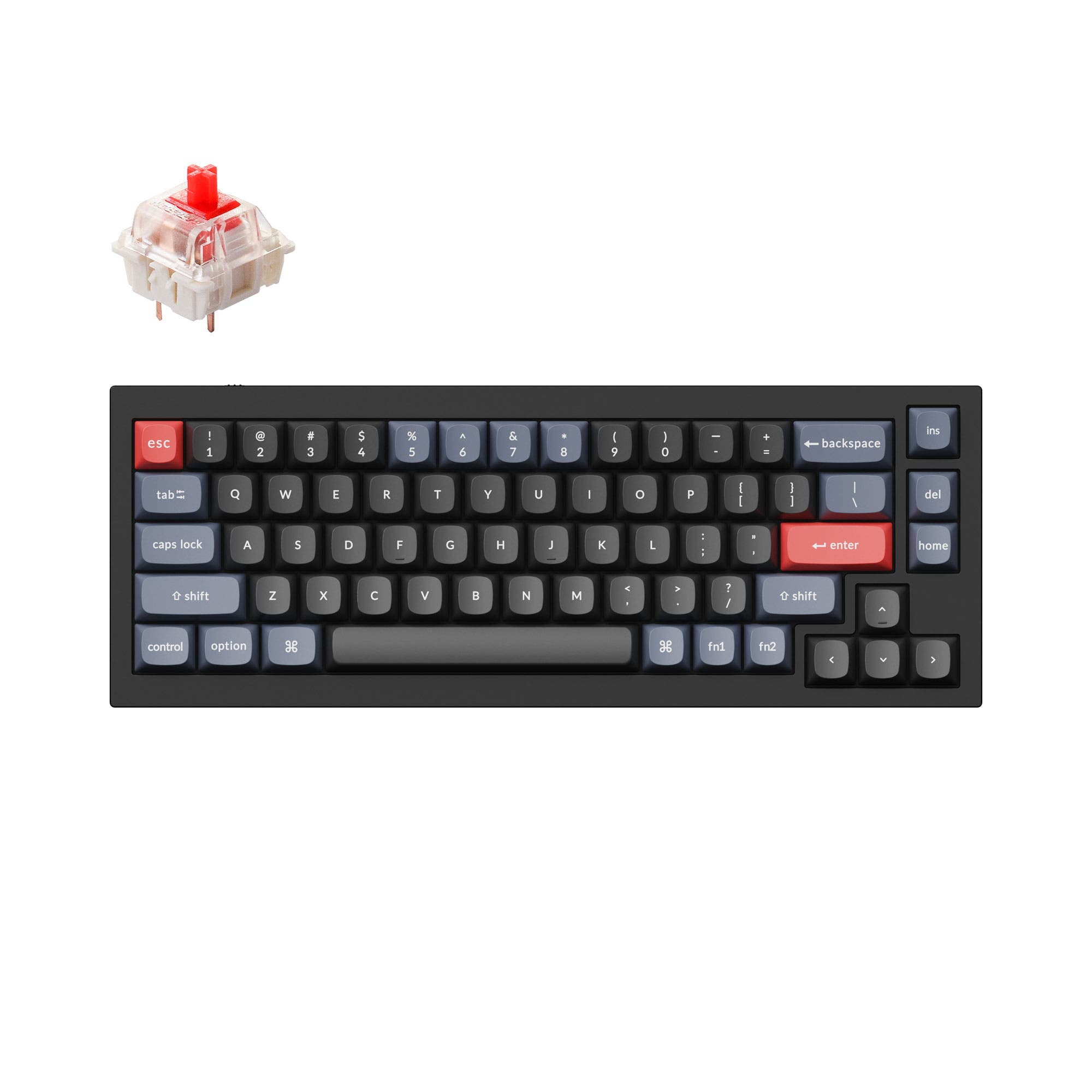
Which one should you get?
Get the
Keychron J2
- Wireless connectivity with 2.4 GHz and Bluetooth 5.2 for cable-free use
- 3750mAh battery supports extended wireless operation
- 75% layout includes dedicated function row and navigation keys for productivity
- Lacks a physical Windows/Mac toggle switch, requiring software layer switching
- Plastic build may not feel as premium as full aluminum alternatives
- Lower review count (5 reviews) compared to the Q2, making long-term durability less established
Get the
Keychron Q2
Knob
- Full CNC-machined 6063 aluminum case provides a premium and sturdy feel
- Double-gasket design reduces metal resonance and enhances typing sound
- Available as a barebones kit for builders who want to choose their own switches and keycaps
- Wired-only connectivity limits desk setup flexibility and portability
- Heavy weight (1645g fully assembled) makes it less suitable for travel or frequent movement
- 65% layout lacks a dedicated function row and navigation cluster, relying on layers
If you need wireless versatility and a full function row, the Keychron J2 is the practical choice for on-the-go use and multi-device setups. If you prioritize a premium typing feel, modding potential, and a solid aluminum build, the Keychron Q2 delivers a superior foundation for customization. Your decision ultimately hinges on whether you value portability or build quality more.
The differences that matter
Skip the 40-row spec sheet. These are the specs that change how each board feels, sounds, and fits your desk.
Keychron J2
Keychron Q2
Layout size
75%
65%
Connection
Bluetooth, 2.4 GHz, Wired
Wired
Knob
No
Yes
Layout standard
ANSI
ANSI, ISO, ISO-DE, ISO-ES, ISO-FR, ISO-Nordic, ISO-SW, ISO-UK, JIS
Keycaps
PBT
ABS, PBT
- Keychron J2
- Keychron Q2
- Performance
- 7066
- Build quality
- 7190
- Productivity
- 7495
- Customizability
- 8698
- Portability
- 7370
- Hot-swappable
- Max polling rate: 1,000 Hz
- Switch options: Clicky, Linear, Tactile
- QMK
- VIA
- Sound dampening
What will you mostly use it for?
The J2 takes the lead in gaming, office, travel, and content creation due to its wireless connectivity and larger 75% layout. Programming is a tie because both keyboards offer QMK/VIA programmability and hot-swap sockets, catering to different layout preferences. The Q2 wins in modding, thanks to its aluminum chassis, double-gasket structure, and barebones availability. Overall, the J2 is better for users who value portability and multi-device connectivity, while the Q2 serves those focused on a premium typing experience and extensive customization.
Pick the Keychron J2
- 2.4 GHz wireless offers a 1000 Hz polling rate for low latency gaming
- LKP (Last Key Priority) feature for smoother directional changes in titles like Valorant
- 75% layout provides more keys for in-game binds without taking extra desk space
What owners say
Ratings and quotes collected from verified store reviews, including the critical ones.
Keychron J2
11 owner reviews
“I absolutely love this keyboard. It sounds amazing and the red switches are so smooth in feel. The colours are also great.”
“The keyboard is nice, but it took over 3 weeks of shipping to arrive. On their website it says they deliver in a week or under to the US.”
Keychron Q2
241 owner reviews
“The Q2 is waaaaay underrated. Tempest mod, lubed durock v2 stabs, tecsee PME or HPE housing long pole tactile switches and you have yourself a killer board.”
Keychron J2 vs Q2 specs
Every tracked spec, side by side. Rows marked with a dot differ between the boards.
10 of 26 specs differ
Keychron J2
Keychron Q2
Switch options
Hot-swappable
Mount style
Sound dampening
Screw-in stabilizers
Layout size
Layout standard
Ergonomics
Knob
Display
Media keys
Connection
Max polling rate
Battery
USB-C
Case material
Plate material
Keycaps
Weight
Dimensions
Typing angle
Backlight
QMK
VIA
Mac & Windows
Released
Compare prices
Live prices from the stores we track, cheapest in-stock offer first.
Lowest price across stores, Amazon excluded.




Prices in USD are converted to your currency and can change at any time. KeebFinder may earn a commission when you buy through these links, at no extra cost to you.
Keychron J2 vs Q2: your questions
Yes, the Keychron J2 supports 2.4 GHz wireless, Bluetooth 5.2, and wired connections. It can connect to up to three devices over Bluetooth and features a plug-and-play Type-A receiver for 2.4 GHz use, stored in a slot at the top left corner.
Yes, the Keychron Q2 features a full CNC-machined 6063 aluminum case that undergoes processes such as polishing, anodizing, and sandblasting. This gives it a premium, sturdy feel with a weight of 1645 grams for the fully assembled version.
The J2 supports both macOS and Windows, but it lacks a physical toggle switch for switching layouts. According to user reviews, you must use the Keychron Launcher web app to remap layers between the two operating systems, which is less convenient than a hardware switch.
The Keychron Q2 is better for modding due to its double-gasket design, screw-in PCB stabilizers, and availability as a barebones kit without switches or keycaps. Its aluminum case also provides a premium platform for customization, while the J2's plastic build and non-barebones options limit modding depth.
Yes, the Keychron J2 is available in a hot-swappable version that supports 3-pin and 5-pin MX style switches without soldering. The vendor description notes that the hot-swappable option allows for easy switch changes with tools or simply popping them in.
The fully assembled Keychron Q2 comes with double-shot PBT keycaps in an OSA profile (OEM height with SA-like shape). These are non-shine-through and include Mac and Windows keycap sets. The barebones version does not include keycaps or switches.
Yes, the Keychron Q2 offers a knob support option, with fully assembled knob and barebone knob versions available. The programmable rotary encoder can be customized via QMK and VIA for functions such as volume control, zoom, or brush size.
The Keychron J2 has a 3750mAh battery. Vendor materials state that this powers the keyboard for wireless use over both 2.4 GHz and Bluetooth, though specific run times are not listed in the provided information.
Yes, the Q2's top case is designed with sharper corners to improve compatibility with third-party keycaps. Additionally, its south-facing RGB LEDs prevent interference when using OEM or Cherry-profile alternative keycaps, ensuring even backlight distribution.
The Keychron Q2 has a smaller footprint due to its 65% layout, measuring 121mm x 328mm x 20mm (without keycaps). The J2 has a 75% layout, which is larger and includes a dedicated function row, making it less compact but more feature-rich.
Not sold on either?


Still torn?
Answer a few quick questions and the keyboard finder ranks 2,000+ boards by how you will actually use yours.