Keychron J8 HE vs Q2Magnetic vs Mechanical 65-75%
Choose the J8 HE for ultra-fast magnetic switches and 8000 Hz polling, or the Q2 for a premium aluminum build and extensive customization options.
KeebFinder may earn a commission when you buy through these links, at no extra cost to you.

No reviews
from$99at Keychron
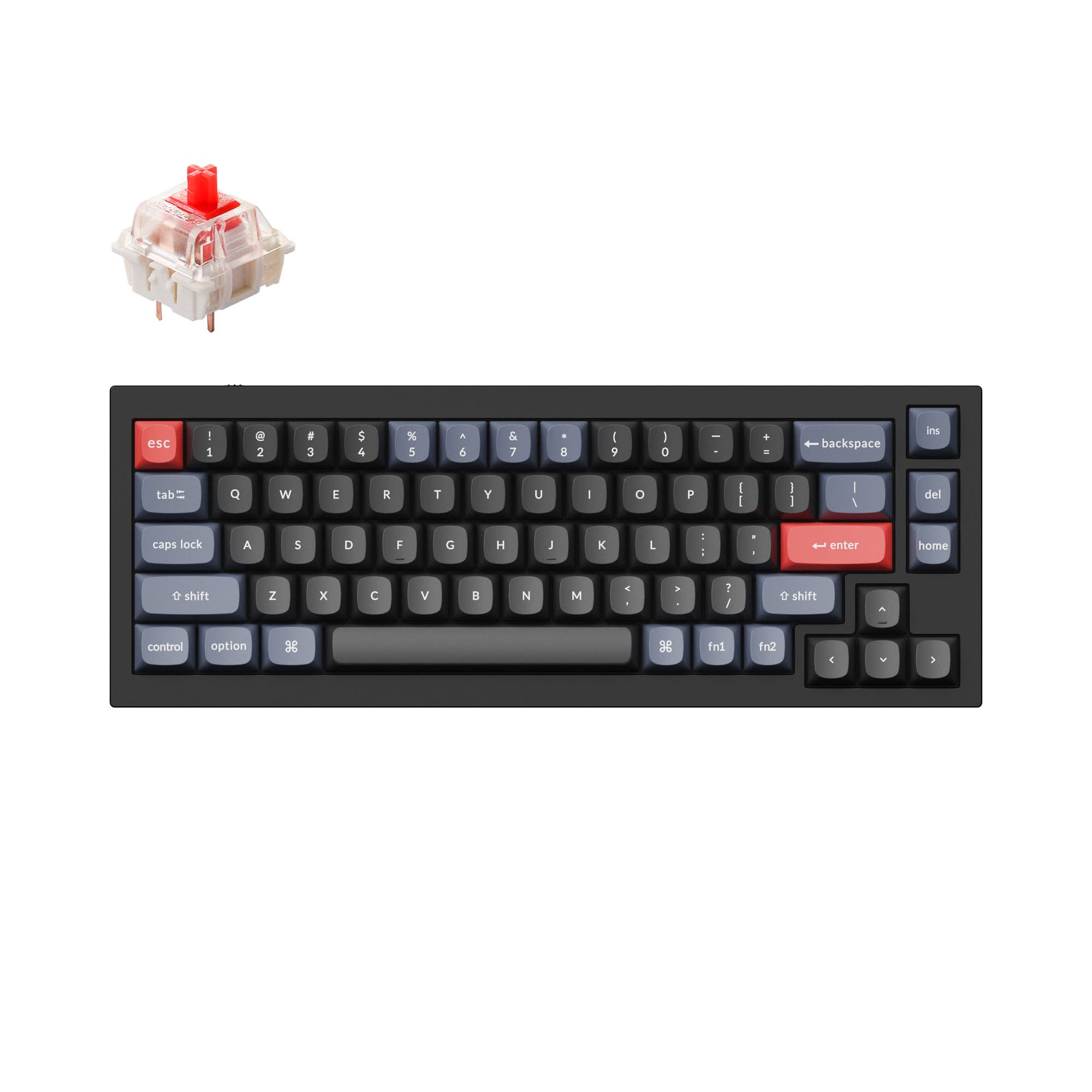
4.8 (241)4.8 · 241 reviews
from$59at Keychron
Which one should you get?
Get the
Keychron J8 HE
Magnetic
Build quality in the top 20% of 75% boards under $100.
- 8,000 Hz polling rate for reduced input lag in competitive gaming.
- Magnetic switches with adjustable actuation points for customized response.
- Lightweight plastic case at 956g, easier to move on a desk.
- Magnetic switches only. Standard MX switches will not fit.
- North-facing LEDs. Cherry-profile keycaps can hit the switch housing.
- No ISO layout. ISO-DE, UK, and other ISO variants are not offered.
- No numpad.
Get the
Keychron Q2
Mechanical 65-75%
Build quality in the top 5% of 65% boards under $100.
- Full CNC machined 6063 aluminum body offers a sturdy, premium feel.
- Double-gasket design significantly reduces metal acoustic resonance.
- Screw-in PCB stabilizers provide stable, less wobbly large-key performance.
- South-facing LEDs. Shine-through legends stay dark, and some sculpted keycaps can clip the LED.
- 65% layout. No function row and no numpad.
The Keychron J8 HE is the better choice if your priority is gaming performance with magnetic switches and the fastest polling rate available. The Keychron Q2 wins for those who value a premium aluminum build, superior modding flexibility, and a compact 65% layout for productivity. Consider your primary use case: split-second responsiveness versus build quality and customization potential.
The differences that matter
Skip the 40-row spec sheet. These are the specs that change how each board feels, sounds, and fits your desk.
Keychron J8 HE
Keychron Q2
Layout size
75%
65%
Hall effect (magnetic)
Yes
No
Adjustable actuation helps in games and not in normal typing
Max polling rate
8,000 Hz
1,000 Hz
Higher polling helps competitive FPS and does nothing for typing
Case material
Plastic
Aluminum
Mount style
Gasket Mount
Gasket Mount, PCB Mount
- Keychron J8 HE
- Keychron Q2
- Performance
- 9066
- Build quality
- 7990
- Productivity
- 9395
- Customizability
- 9298
- Portability
- 6570
- Connection: Wired
- Hot-swappable
- Switch options: Clicky, Linear, Tactile
- Knob
- QMK
- VIA
What will you mostly use it for?
Gaming clearly favors the J8 HE thanks to its 8000 Hz polling rate and magnetic switches. The Q2 takes the lead for office, programming, and modding due to its aluminum construction and double-gasket design. Travel and content creation end in a tie since both are wired only and both feature programmable knobs and VIA support, leaving the decision to layout and weight preferences.
Pick the Keychron J8 HE
- 8000 Hz polling rate minimizes input lag and registers keystrokes faster.
- Magnetic switches allow adjustable actuation points for competitive play.
- Pre-lubed Keychron Ultra-fast Lime Magnetic Switches offer lightning-fast response times.
Keychron J8 HE vs Q2 specs
Every tracked spec, side by side. Rows marked with a dot differ between the boards.
13 of 26 specs differ
Keychron J8 HE
Keychron Q2
Switch options
Hall effect (magnetic)
Hot-swappable
Mount style
Sound dampening
Screw-in stabilizers
Layout size
Layout standard
Ergonomics
Knob
Display
Media keys
Connection
Max polling rate
USB-C
Case material
Plate material
Keycaps
Weight
Dimensions
Typing angle
Backlight
QMK
VIA
Mac & Windows
Released
ISO layouts by store
Which stores sell ISO-DE, UK, and the other regional layouts.
Keychron J8 HE
No ISO layout at the stores we track.
Keychron Q2
Input Gear
ISO-FR
In stockShips to you
Keychron
ISO-DE, ISO-UK, ISO-Nordic, ISO-FR, ISO-ES, ISO-SW
In stockShips to you
Keychron (DE)
ISO-DE, ISO-UK, ISO-Nordic, ISO-FR, ISO-ES, ISO-SW
In stockDoes not ship to you
Compare prices
Live prices from the stores we track, cheapest in-stock offer first.
Prices in USD are converted to your currency and can change at any time. KeebFinder may earn a commission when you buy through these links, at no extra cost to you.
Lowest price across stores, Amazon excluded.




Keychron J8 HE vs Q2: your questions
The Q2 has superior build quality according to its specifications, featuring a full CNC machined 6063 aluminum case and a double-gasket design. The J8 HE uses a plastic case with gasket mount and sound dampening foams, which is lighter but less premium.
Yes, the J8 HE supports both systems and includes an additional set of customized keycaps for macOS and Windows. You can switch between systems by pressing FN + Caps Lock for three seconds and save two different layouts on the keyboard.
Yes, the Q2 has hot-swappable sockets mounted on the PCB that support both 3-pin and 5-pin MX mechanical switches. This allows you to install or change switches without soldering.
The J8 HE offers a much higher polling rate of 8000 Hz, which can be switched between 1000 Hz, 4000 Hz, and 8000 Hz through the Keychron Launcher. The Q2 has a standard 1000 Hz polling rate.
The Q2 is generally better for modding due to its full aluminum case, steel plate, screw-in PCB stabilizers, and double-gasket design. It also offers a barebone version that comes without switches or keycaps, giving builders full control.
Yes, the J8 HE uses Cherry profile double-shot PBT keycaps, which are ergonomically sculpted. The Q2 uses OSA profile double-shot PBT keycaps, which have an OEM height but an SA-like spherical shape.
Yes, the J8 HE includes a multi-function knob that can control volume and backlight brightness. You can rotate to adjust volume, press FN + Knob to toggle the backlight, and hold FN while rotating to fine-tune brightness.
The fully assembled Q2 comes with Gateron G Pro switches in Red (linear), Blue (clicky), or Brown (tactile) options. The barebone version does not include switches, so you can install any compatible 3-pin or 5-pin switch.
Yes, the vendor description for the J8 HE lists compatibility with Windows, macOS, and Linux, making it a versatile choice across multiple operating systems.
The J8 HE offers three levels of adjustable typing angle at 4, 8, and 10 degrees. The Q2 has a fixed typing angle of 6.5 degrees with 2.7 mm feet. The J8 HE provides more flexibility for ergonomic adjustment.
The J8 HE is significantly lighter at 956g compared to the Q2's 1645g. Both are wired only, so portability is limited, but the J8 HE is easier to move on a desk or pack into a bag.
Yes, both the J8 HE and Q2 support QMK firmware and can be configured using the Keychron Launcher web app, which allows key remapping, macro creation, and lighting adjustments.
Not sold on either?


Still torn?
Answer a few quick questions and the keyboard finder ranks 2,000+ boards by how you will actually use yours.