Keychron J8 HE vs V3Magnetic vs TKL Showdown
Choose the J8 HE if you want cutting-edge magnetic switch performance for gaming, or the V3 if you prefer a traditional TKL layout with extensive community support.
KeebFinder may earn a commission when you buy through these links, at no extra cost to you.

No reviews
from$99at Keychron
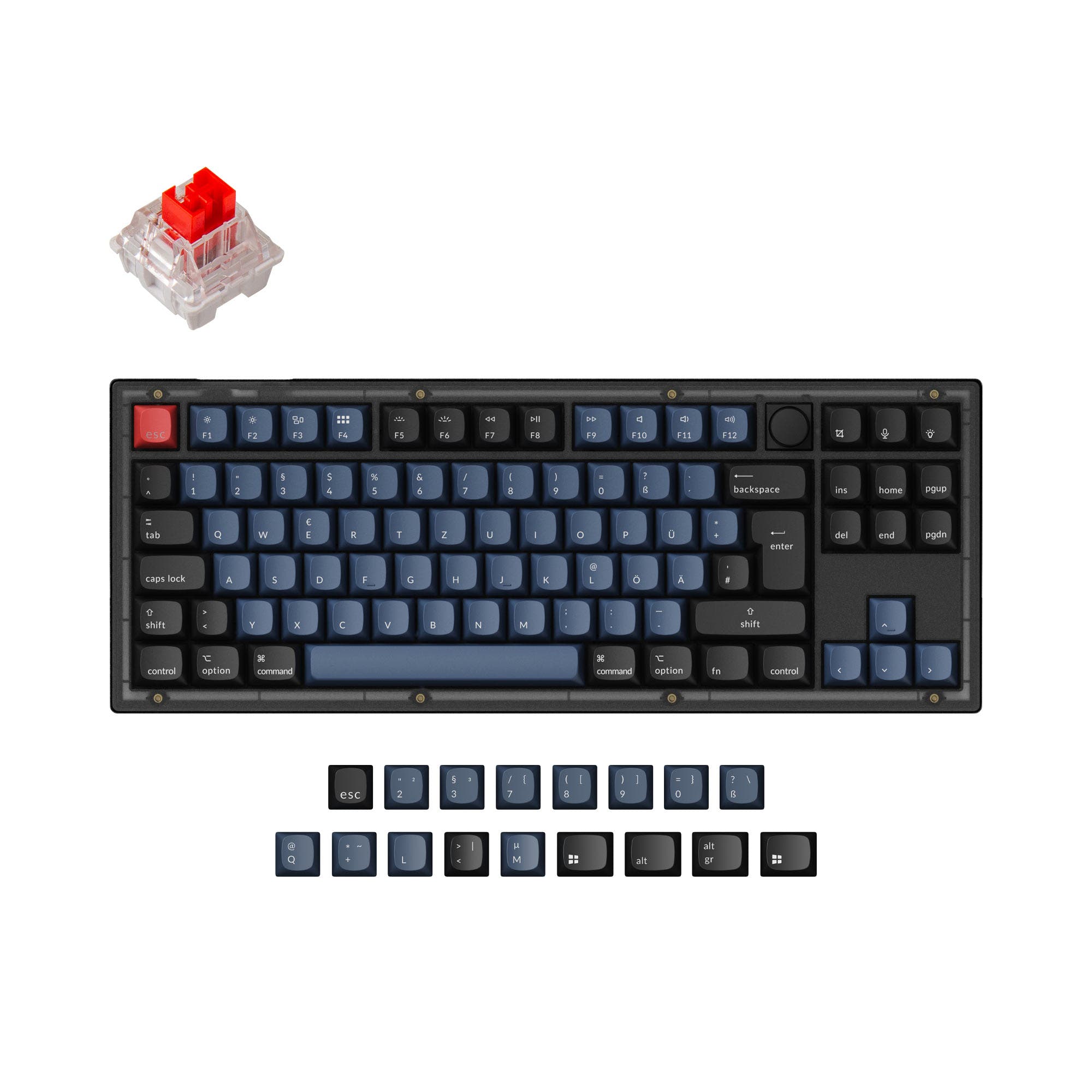
4.7 (18)4.7 · 18 reviews
from$54at Keychron
Which one should you get?
Get the
Keychron J8 HE
Magnetic
Build quality in the top 20% of 75% boards under $100.
- Features Keychron Ultra-fast Lime magnetic switches with adjustable actuation points for versatile performance.
- Achieves 8000 Hz polling rate out of the box, minimizing input lag.
- Comes with pre-installed sound dampening foams including a PET film for an improved acoustic profile.
- Magnetic switches only. Standard MX switches will not fit.
- North-facing LEDs. Cherry-profile keycaps can hit the switch housing.
- No ISO layout. ISO-DE, UK, and other ISO variants are not offered.
- No numpad.
Get the
Keychron V3
TKL Showdown
Build quality in the top 5% of 80% boards under $100.
- 80% TKL layout provides a dedicated function row and navigation keys for enhanced productivity.
- Offers extensive customization with support for both 3-pin and 5-pin MX mechanical switches and a barebones DIY kit version.
- Includes screw-in PCB stabilizers for a more stable typing experience on long keys.
- South-facing LEDs. Shine-through legends stay dark, and some sculpted keycaps can clip the LED.
- No numpad.
For gamers and those who want to experiment with magnetic switch technology, the Keychron J8 HE is the clear choice due to its high polling rate and adjustable actuation. If you value a traditional, customizable mechanical keyboard with a standard TKL layout and a broader modding ecosystem, the Keychron V3 is the more versatile and proven workhorse. Your decision ultimately depends on whether you prioritize cutting-edge input technology or a familiar, highly adaptable platform.
The differences that matter
Skip the 40-row spec sheet. These are the specs that change how each board feels, sounds, and fits your desk.
Keychron J8 HE
Keychron V3
Layout size
75%
80%
Hall effect (magnetic)
Yes
No
Adjustable actuation helps in games and not in normal typing
Case material
Plastic
ABS, Plastic
Mount style
Gasket Mount
Gasket Mount, Plate Mount, Tray Mount
Weight
956 g
1,360 g
Heavier boards stay planted and lighter ones travel
- Keychron J8 HE
- Keychron V3
- Performance
- 9091
- Build quality
- 7989
- Productivity
- 9398
- Customizability
- 9298
- Portability
- 6558
- Connection: Wired
- Hot-swappable
- Max polling rate: 8,000 Hz
- Switch options: Clicky, Linear, Tactile
- Knob
- QMK
What will you mostly use it for?
The J8 HE's gaming advantage comes from its magnetic switches and high 8000 Hz polling rate, making it a strong choice for competitive play. However, the V3 dominates in modding and content creation due to its standard mechanical switch support, TKL layout, and screw-in stabs. For office and programming tasks, the choice is less clear, with the V3 offering a more traditional layout and the J8 HE offering new adjustable actuation technology. Travel favors the lighter and smaller J8 HE.
Pick the Keychron J8 HE
- 8000 Hz polling rate out of the box for lower input lag.
- Magnetic switches (Keychron Ultra-fast Lime) offer adjustable actuation for responsive control.
- Lighter weight (956g) may appeal to gamers who move their board.
Keychron J8 HE vs V3 specs
Every tracked spec, side by side. Rows marked with a dot differ between the boards.
13 of 27 specs differ
Keychron J8 HE
Keychron V3
Switch options
Hall effect (magnetic)
Hot-swappable
Mount style
Sound dampening
Screw-in stabilizers
Layout size
Layout standard
Ergonomics
Knob
Display
Media keys
Connection
Max polling rate
USB-C
Case material
Plate material
Keycaps
Weight
Dimensions
Typing angle
Backlight
QMK
VIA
N-key rollover
Mac & Windows
Released
ISO layouts by store
Which stores sell ISO-DE, UK, and the other regional layouts.
Keychron J8 HE
No ISO layout at the stores we track.
Keychron V3
Keychron
ISO-DE, ISO-UK, ISO-FR, ISO-ES, ISO-SW
In stockShips to you
Keychron (DE)
ISO-DE, ISO-ES
In stockDoes not ship to you
Keychron (DE)
ISO-DE, ISO-UK, ISO-FR, ISO-ES, ISO-SW
Out of stockDoes not ship to you
Compare prices
Live prices from the stores we track, cheapest in-stock offer first.
Prices in USD are converted to your currency and can change at any time. KeebFinder may earn a commission when you buy through these links, at no extra cost to you.
Lowest price across stores, Amazon excluded.



Keychron J8 HE vs V3: your questions
Yes, according to their specifications, both the Keychron J8 HE and the Keychron V3 support Mac and Windows systems. Each keyboard comes with an additional set of customized keycaps for both operating systems, and they feature system toggle switches to switch between layouts.
The Keychron J8 HE has a higher default polling rate of 8000 Hz out of the box. The Keychron V3 has a default polling rate of 1000 Hz, although its specifications also mention support for 8000 Hz.
No, the Keychron J8 HE uses magnetic switches, not standard mechanical switches. The manufacturer states that it supports hot-swapping only with compatible magnetic switches, specifically Keychron Lime and Gateron Jade magnetic switches.
Yes, the Keychron V3 is available as a DIY kit or barebones version, which does not include keycaps or switches. This allows users to build their own keyboard from the ground up with their choice of components.
The Keychron J8 HE uses plate-mounted stabilizers. In contrast, the Keychron V3 uses screw-in PCB stabilizers, which are generally considered more stable and less prone to wobble.
The Keychron J8 HE is lighter at 956g and features a more compact 75% layout, making it a better choice for travel. The Keychron V3 is heavier, weighing over 1120g, and has a larger 80% TKL footprint.
The Keychron J8 HE comes with Cherry Profile double-shot PBT keycaps. The Keychron V3 comes with OSA (OEM Spherical Angled) profile double-shot PBT keycaps, which have a similar height to OEM but an SA-like shape. Both are non-shine-through PBT keycaps.
Yes, both the Keychron J8 HE and the Keychron V3 support QMK firmware and VIA software for key remapping, macro creation, and lighting control. The J8 HE also uses the Keychron Launcher web app for configuration.
The Keychron J8 HE uses Keychron Ultra-fast Lime Magnetic Switches. The Keychron V3 uses traditional mechanical switches, offering options like Keychron K Pro Red (linear) and K Pro Brown (tactile) in its fully assembled version.
The Keychron J8 HE offers three levels of adjustable typing angle: 4, 8, and 10 degrees. The Keychron V3 also offers three levels but with different angles: 3.5, 7.26, and 9.69 degrees.
Not sold on either?


Still torn?
Answer a few quick questions and the keyboard finder ranks 2,000+ boards by how you will actually use yours.