Keychron K10 HE vs K10 ProMagnetic Gaming vs Budget Custom
Choose the K10 HE for cutting-edge magnetic gaming features, or the K10 Pro for a more affordable and broadly customizable typing experience.

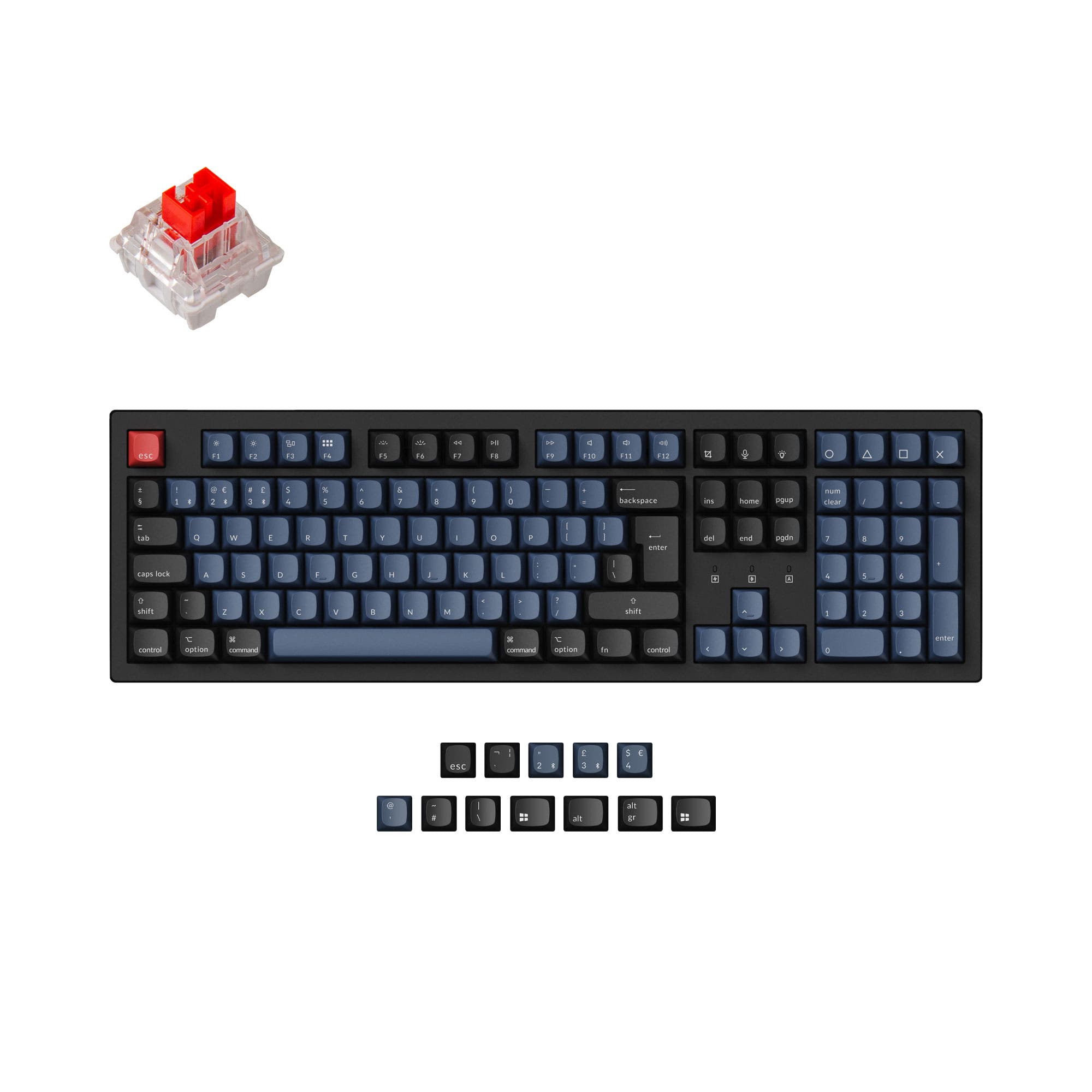
Which one should you get?
Get the
Keychron K10 HE
Magnetic Gaming
- Advanced Gateron Double-Rail Magnetic switches with adjustable actuation points (0.2-3.8mm).
- Includes gaming-focused features: Rapid Trigger, Analog Mode, and Dynamic Keystrokes.
- Premium construction with aluminum plate and optional aluminum/wood case.
- Compatible only with specific Gateron double-rail magnetic switches, limiting switch choices.
- Higher price point compared to the K10 Pro.
- Special Edition uses north-facing RGB with OSA keycaps, which may cause interference with Cherry-profile keycaps.
Get the
Keychron K10 Pro
Budget Custom
- More affordable price point for a fully-featured custom mechanical keyboard.
- Hot-swappable versions support a vast array of standard 3-pin and 5-pin MX-style switches.
- Available in a barebone kit version for maximum customization from the start.
- Lacks the 2.4 GHz wireless connection, relying solely on Bluetooth and wired modes.
- The non-hot-swappable 'Fully Assembled' version lacks sound-absorbing foam and a silicone pad.
- Steel plate may produce a firmer, higher-pitched typing sound compared to aluminum.
Your primary need dictates the choice. If your budget allows and you want the latest technology for gaming with features like adjustable actuation and rapid trigger, the Keychron K10 HE is the specialized tool. For everyone else seeking a highly customizable, well-built mechanical keyboard that works with a wide ecosystem of switches and keycaps, the Keychron K10 Pro delivers exceptional value and flexibility.
The differences that matter
Skip the 40-row spec sheet. These are the specs that change how each board feels, sounds, and fits your desk.
Keychron K10 HE
Keychron K10 Pro
Hall effect (magnetic)
Yes
No
Rapid trigger
Yes
No
Connection
Bluetooth, 2.4 GHz, Wired
Bluetooth, Wired
Case material
ABS, Aluminum, Plastic, Wood
ABS, Plastic, Steel
Switch options
Clicky, Linear, Magnetic, Silent, Tactile
Clicky, Linear, Tactile
- Keychron K10 HE
- Keychron K10 Pro
- Performance
- 9281
- Build quality
- 8989
- Productivity
- 9495
- Customizability
- 9496
- Portability
- 5653
- Layout size: 100%
- Hot-swappable
- Battery: 4,000 mAh
- Max polling rate: 1,000 Hz
- QMK
- VIA
What will you mostly use it for?
The K10 HE is the clear choice for competitive gaming due to its magnetic switch technology and adjustable actuation. For office use and modding, the K10 Pro offers better value and broader switch compatibility. Programmers and content creators will find both boards equally capable thanks to shared QMK/VIA support and full layouts, while neither is suitable for frequent travel.
Pick the Keychron K10 HE
- Features adjustable actuation points from 0.2 to 3.8mm with 0.1mm sensitivity.
- Includes gaming-specific features like Rapid Trigger, Analog Mode, and Last Key Priority (LKP).
- Uses Gateron Double-Rail Magnetic switches with TMR sensors for precise input.
What owners say
Ratings and quotes collected from verified store reviews, including the critical ones.
Keychron K10 HE
18 owner reviews
“Fantastically smooth design with sturdy make, elegant look and satisfying typing experience. The clicking is just right, and the keyboard feels incredible to type with.”
“caps lock, num lock and win/mac indicators don't work. Keychron support has no fix and a no free return policy that will cost me to return. Not worth it to send it back. One of the worst keyboards I have ever used and will wind up putting it in the trash.”
Keychron K10 Pro
14 owner reviews
“it's heavy. feels good. I didn't really look the whole inventory over, I just needed something and took a gamble. not disappointed. gonna need the expensive one now.”
“Saturday night I logged off my Mac. Sunday afternoon I tried logging in but the keyboard would not connect over BT. Finally got it connected via USB-C. But the keys were messed up. F1-F12 were brightness, volume etc. not F1-F12 . All my customizations were…”
Keychron K10 HE vs K10 Pro specs
Every tracked spec, side by side. Rows marked with a dot differ between the boards.
15 of 28 specs differ
Keychron K10 HE
Keychron K10 Pro
Switch options
Hall effect (magnetic)
Rapid trigger
Hot-swappable
Mount style
Sound dampening
Screw-in stabilizers
Layout size
Layout standard
Ergonomics
Display
Media keys
Connection
Max polling rate
Battery
USB-C
Case material
Plate material
Keycaps
Weight
Dimensions
Typing angle
Backlight
QMK
VIA
N-key rollover
Mac & Windows
Released
Compare prices
Live prices from the stores we track, cheapest in-stock offer first.
Lowest price across stores, Amazon excluded.



Prices in USD are converted to your currency and can change at any time. KeebFinder may earn a commission when you buy through these links, at no extra cost to you.
Keychron K10 HE vs K10 Pro: your questions
The core difference is the switch technology. The K10 HE uses Gateron Double-Rail Magnetic (Hall Effect) switches with adjustable actuation points and gaming features like Rapid Trigger. The K10 Pro uses standard mechanical MX-style switches, offering broader third-party compatibility at a lower cost.
No. According to Keychron, the K10 HE is compatible exclusively with Gateron Double-Rail Magnetic switches. It does not support standard mechanical switches like Cherry MX, Gateron KS-20, or other magnetic switch types.
Yes, but only specific versions. Keychron offers hot-swappable and non-hot-swappable 'Fully Assembled' versions of the K10 Pro. You must select the hot-swappable variant at purchase. The barebone kit is also hot-swappable.
The Keychron K10 Pro is often the better value for office work. It provides a comfortable typing experience with pre-lubed K Pro switches, sound-dampening foam, and a lower price. Its standard switch compatibility also makes it easier to find a preferred typing switch.
Yes. Both the K10 HE and K10 Pro include keycaps for both macOS and Windows systems and have a physical toggle to switch between operating system layouts. They are listed as compatible with Windows, macOS, and Linux.
Rapid Trigger is a magnetic switch feature that lets a key activate or deactivate based on travel distance rather than a fixed point. This allows for faster keystroke resetting, which is advantageous in fast-paced games where rapid, repeated key presses are needed.
The K10 HE has more wireless options. It supports 2.4 GHz (with a 1000 Hz polling rate), Bluetooth, and wired USB-C. The K10 Pro supports Bluetooth and wired USB-C but does not list a 2.4 GHz wireless mode, which typically offers lower latency for gaming.
Yes. Both keyboards support full reprogramming using the open-source QMK firmware and the VIA/Keychron Launcher web app. This allows for deep customization of keymaps, layers, and macros without additional software.
The K10 HE Special Edition comes with OSA profile double-shot PBT keycaps. The Standard Edition uses Cherry profile double-shot shine-through PBT keycaps. The K10 Pro comes with OSA profile double-shot PBT keycaps. All include extra keycaps for Mac and Windows.
The K10 HE uses screw-in PCB stabilizers. The K10 Pro uses screw-in PCB stabilizers on its hot-swappable versions, but the non-hot-swappable 'Fully Assembled' version uses plate-mounted stabilizers, as noted by the manufacturer.
The K10 HE comes with multiple pre-installed foam layers including 3.5mm EVA foam, EPDM foam, a silicone pad, and bottom case PET film. The K10 Pro hot-swappable version includes sound-absorbing foam and a silicone dampening pad, but its non-hot-swappable version lacks these foams.
The Keychron K10 Pro is slightly heavier at 1495 grams, while the K10 HE Standard Edition weighs approximately 1320 grams. Both are substantial, solid-feeling keyboards due to their full-size construction and internal components.
Not sold on either?



Still torn?
Answer a few quick questions and the keyboard finder ranks 2,000+ boards by how you will actually use yours.