Keychron K10 HE vs Q1 UltraMagnetic Switches vs 8K Wireless
Choose the K10 HE for advanced magnetic switch features and a full layout, or the Q1 Ultra for a more portable 75% form factor with an 8000 Hz wireless connection.


Which one should you get?
Get the
Keychron K10 HE
Magnetic Switches
- Advanced magnetic switches with adjustable actuation points (0.2-3.8mm) and rapid trigger.
- Full 100% layout with number pad, ideal for data entry and spreadsheet work.
- Supports QMK and VIA firmware for extensive programmability and key remapping.
- Very large and heavy (1320g, 445mm wide), requiring significant desk space.
- Hot-swap compatibility is restricted to Gateron double-rail magnetic switches only.
- Shorter claimed wireless battery life of up to 120 hours compared to the Q1 Ultra.
Get the
Keychron Q1 Ultra
8K Wireless
- Extremely high 8000 Hz polling rate in both wired and 2.4 GHz wireless modes.
- Compact 75% layout saves desk space while retaining arrow keys and function row.
- Exceptionally long claimed battery life of up to 660 hours with RGB off.
- Lacks the magnetic switch technology, adjustable actuation, and rapid trigger features of the K10 HE.
- No number pad, which can be a drawback for frequent numerical input.
- Heavier than the K10 HE (1724g) despite its smaller size, due to its all-metal construction.
Your primary need dictates the choice. If you want cutting-edge switch customization for gaming, require a number pad, or plan to heavily mod with QMK, the Keychron K10 HE is the logical pick. If your priority is a space-saving, ultra-responsive wireless keyboard with marathon battery life for a cleaner desk setup, the Keychron Q1 Ultra is the better option. Consider the significant size and weight difference as a final practical check.
The differences that matter
Skip the 40-row spec sheet. These are the specs that change how each board feels, sounds, and fits your desk.
Keychron K10 HE
Keychron Q1 Ultra
Layout size
100%
75%
Hall effect (magnetic)
Yes
No
Rapid trigger
Yes
No
Max polling rate
1,000 Hz
8,000 Hz
Case material
ABS, Aluminum, Plastic, Wood
Aluminum
- Keychron K10 HE
- Keychron Q1 Ultra
- Performance
- 9289
- Build quality
- 8974
- Productivity
- 9490
- Customizability
- 9477
- Portability
- 5684
- Connection: Bluetooth, 2.4 GHz, Wired
- Hot-swappable
- Battery: 4,000 mAh
- Sound dampening
- Keycaps: PBT
What will you mostly use it for?
The K10 HE is the clear choice for gaming due to its magnetic switch features and for office work requiring a number pad. The Q1 Ultra wins for travel and programming where its compact 75% layout and long battery life are major assets. For modding, the K10 HE's QMK/VIA support gives it an edge, while content creators will find value in both the K10's layout and the Q1's knob.
Pick the Keychron K10 HE
- The K10 HE's magnetic switches offer adjustable actuation points from 0.2 to 3.8 mm and rapid trigger functionality.
- It features Last Key Priority (LKP) and Snap Click for directional changes in competitive titles.
- The vendor description highlights dynamic keystrokes, allowing up to 4 actions per key based on press depth.
What owners say
Ratings and quotes collected from verified store reviews, including the critical ones.
Keychron K10 HE
18 owner reviews
“Fantastically smooth design with sturdy make, elegant look and satisfying typing experience. The clicking is just right, and the keyboard feels incredible to type with.”
“caps lock, num lock and win/mac indicators don't work. Keychron support has no fix and a no free return policy that will cost me to return. Not worth it to send it back. One of the worst keyboards I have ever used and will wind up putting it in the trash.”
Keychron Q1 Ultra
6 owner reviews
“An exceptional keyboard in every respect. The sound, the feel of the keys, and the performance are all of the highest quality.”
Keychron K10 HE vs Q1 Ultra specs
Every tracked spec, side by side. Rows marked with a dot differ between the boards.
18 of 29 specs differ
Keychron K10 HE
Keychron Q1 Ultra
Switch options
Hall effect (magnetic)
Rapid trigger
Hot-swappable
Mount style
Sound dampening
Screw-in stabilizers
Layout size
Layout standard
Ergonomics
Knob
Display
Media keys
Connection
Max polling rate
Battery
USB-C
Case material
Plate material
Keycaps
Weight
Dimensions
Typing angle
Backlight
QMK
VIA
N-key rollover
Mac & Windows
Released
Compare prices
Live prices from the stores we track, cheapest in-stock offer first.
Lowest price across stores, Amazon excluded.



Prices in USD are converted to your currency and can change at any time. KeebFinder may earn a commission when you buy through these links, at no extra cost to you.
Keychron K10 HE vs Q1 Ultra: your questions
The Keychron K10 HE uses Gateron double-rail magnetic switches, which detect keypresses via magnetic sensors instead of physical metal contacts. This allows for features like adjustable actuation points and rapid trigger. The Q1 Ultra uses standard mechanical Keychron Silk POM switches.
No. According to the manufacturer, the K10 HE's hot-swap PCB is compatible exclusively with Gateron double-rail magnetic switches. It does not support other magnetic switches or standard mechanical switches.
The Q1 Ultra's hot-swap socket supports almost all 3-pin and 5-pin MX-style mechanical switches, including brands like Cherry, Gateron, and Kailh. This offers broad compatibility for switch customization.
The Keychron Q1 Ultra claims a significantly longer battery life of up to 660 hours with RGB off, compared to the K10 HE's claim of up to 120 hours. Both keyboards use a 4000mAh battery.
No. The Q1 Ultra has a 75% layout, which omits the number pad, function keys, and navigation cluster to save space. The K10 HE is a full-size 100% keyboard that includes a dedicated number pad.
The K10 HE is designed with gaming-specific features like adjustable actuation points, rapid trigger, and Last Key Priority. The Q1 Ultra offers an 8000 Hz polling rate for minimal input lag. The K10 HE's magnetic switch features may provide a greater tactical advantage.
Yes. Both the K10 HE and Q1 Ultra include keycap sets for both macOS and Windows and have a system toggle switch to switch between operating system layouts.
The K10 HE offers adjustable typing angles of 3.5°, 7.7°, and 11°. The Q1 Ultra has a fixed typing angle of 5.3°.
Yes, both can be customized via the Keychron Launcher web app. The K10 HE additionally supports the open-source QMK and VIA firmware for more advanced, community-driven programming.
The Q1 Ultra is more portable due to its smaller 75% footprint (328 x 145 mm) and longer battery life. The K10 HE is a large, full-size keyboard (445 x 129 mm) and is less suited for travel.
The K10 HE Special Edition uses OSA profile double-shot PBT keycaps, while its Standard Version uses Cherry profile shine-through PBT. The Q1 Ultra uses KSA profile double-shot PBT keycaps. All are PBT for durability.
Not sold on either?


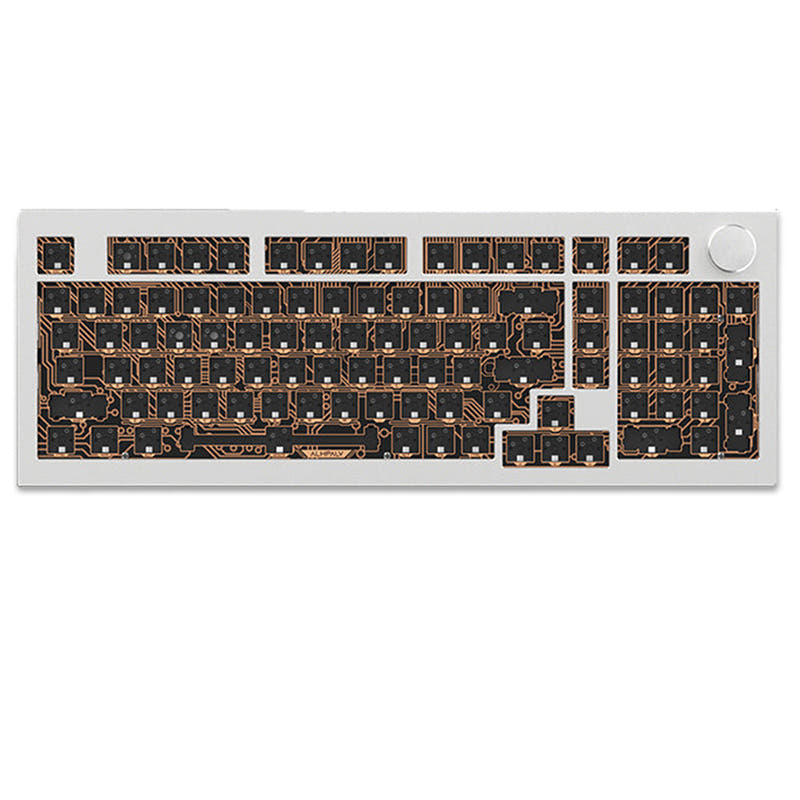
![[In-stock] Dot Works Layer75 Mechanical Keyboard Kit](https://cdn.shopify.com/s/files/1/0109/9182/9049/files/Fih9COfOEEqA23-f5qkAV-SRXutN.webp?v=1714789968&width=3840&quality=75)
Still torn?
Answer a few quick questions and the keyboard finder ranks 2,000+ boards by how you will actually use yours.