Keychron K10 HE vs Q5 HEFull-Size vs 96% Magnetic Switch Choice
Choose the K10 HE for a full-size layout with optional wood accents, or the Q5 HE for a more compact, premium build with a gasket mount.


Which one should you get?
Get the
Keychron K10 HE
Full-Size
- Full 100% layout includes a dedicated numpad.
- Special Edition models feature natural rosewood accents on the case.
- Standard version includes shine-through Cherry profile PBT keycaps.
- Uses a tray mount design, which is typically less premium than a gasket mount.
- Larger footprint (440mm length) consumes more desk space.
- North-facing RGB LEDs may cause interference with some Cherry-profile keycaps.
Get the
Keychron Q5 HE
96% Magnetic Switch Choice
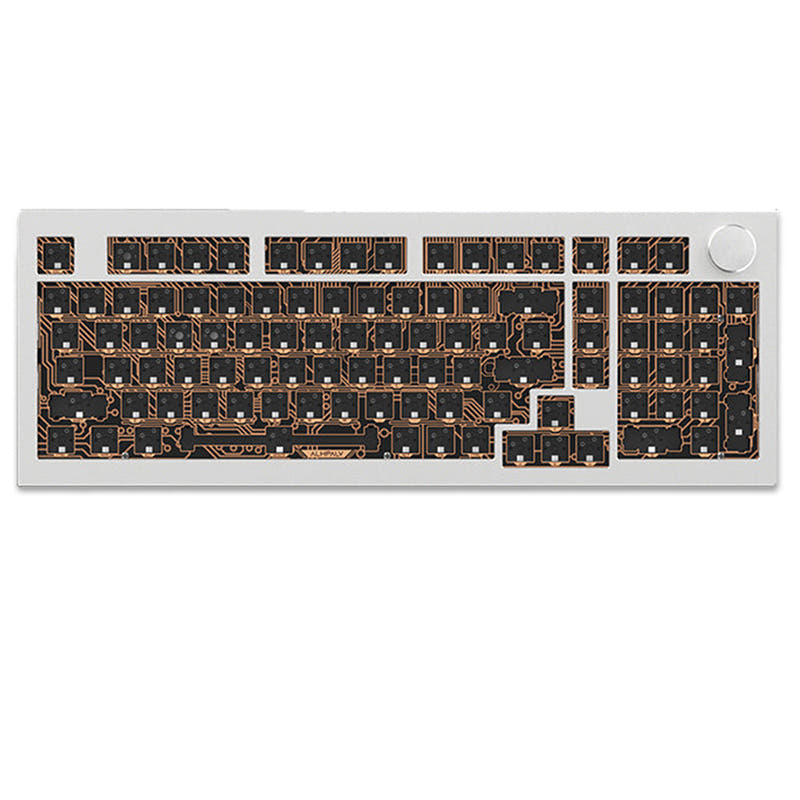
- 96% layout saves space while keeping arrow keys and nav cluster.
- Features a premium double-gasket mount design for a softer typing feel.
- Constructed with a full 6063 aluminum body.
- Significantly heavier at 2187 grams.
- Higher price point than the K10 HE.
- Lacks a dedicated numpad.
Your choice hinges on layout preference and build quality. If you need a numpad and prefer a traditional full-size keyboard, often at a lower cost, the Keychron K10 HE is the clear pick. If you want to maximize desk space with a compact layout and value a premium gasket-mounted typing experience, the Keychron Q5 HE is worth the investment. Both deliver top-tier magnetic switch performance.
The differences that matter
Skip the 40-row spec sheet. These are the specs that change how each board feels, sounds, and fits your desk.
Keychron K10 HE
Keychron Q5 HE
Layout size
100%
96%
Max polling rate
1,000 Hz
8,000 Hz
Case material
ABS, Aluminum, Plastic, Wood
Aluminum
Switch options
Clicky, Linear, Magnetic, Silent, Tactile
Clicky, Linear, Magnetic, Tactile
Mount style
Tray Mount
Gasket Mount, Plate Mount
- Keychron K10 HE
- Keychron Q5 HE
- Performance
- 92100
- Build quality
- 8989
- Productivity
- 9497
- Customizability
- 9496
- Portability
- 5655
- Hall effect (magnetic)
- Rapid trigger
- Connection: Bluetooth, 2.4 GHz, Wired
- Hot-swappable
- Battery: 4,000 mAh
- QMK
What will you mostly use it for?
The K10 HE wins for office and content creation primarily due to its full-size layout with numpad. The Q5 HE is better for programming, travel, and modding thanks to its space-efficient 96% layout, gasket mount, and south-facing LEDs. For gaming, the keyboards are functionally identical, sharing all critical performance features. The decision heavily depends on whether you prioritize a complete key set or a more compact, premium foundation for customization.
It's a tie
- Both feature 1000 Hz polling rate in wired and 2.4 GHz modes.
- Both have adjustable actuation points (0.2-3.8mm), rapid trigger, and dynamic keystrokes.
- Both use the same Gateron Double-Rail Magnetic switches for fast response.
What owners say
Ratings and quotes collected from verified store reviews, including the critical ones.
Keychron K10 HE
18 owner reviews
“Fantastically smooth design with sturdy make, elegant look and satisfying typing experience. The clicking is just right, and the keyboard feels incredible to type with.”
“caps lock, num lock and win/mac indicators don't work. Keychron support has no fix and a no free return policy that will cost me to return. Not worth it to send it back. One of the worst keyboards I have ever used and will wind up putting it in the trash.”
Keychron Q5 HE
2 owner reviews
“This keyboard is so unbelievably premium. I was extremely hesitant at first to buy a keyboard in this price range but I guarantee you, you can absolutely tell that you are using an expensive, premium, top of the line product. Definitely recommend.”
Keychron K10 HE vs Q5 HE specs
Every tracked spec, side by side. Rows marked with a dot differ between the boards.
12 of 28 specs differ
Keychron K10 HE
Keychron Q5 HE
Switch options
Hall effect (magnetic)
Rapid trigger
Hot-swappable
Mount style
Sound dampening
Screw-in stabilizers
Layout size
Layout standard
Ergonomics
Knob
Display
Connection
Max polling rate
Battery
USB-C
Case material
Plate material
Keycaps
Weight
Dimensions
Typing angle
Backlight
QMK
VIA
N-key rollover
Mac & Windows
Released
Compare prices
Live prices from the stores we track, cheapest in-stock offer first.
Lowest price across stores, Amazon excluded.



Prices in USD are converted to your currency and can change at any time. KeebFinder may earn a commission when you buy through these links, at no extra cost to you.
Keychron K10 HE vs Q5 HE: your questions
The primary difference is the layout and build. The K10 HE is a full-size (100%) keyboard with a tray mount, while the Q5 HE is a 96% compact keyboard featuring a double-gasket mount and an all-aluminum body. This makes the K10 HE better for numpad users, and the Q5 HE better for space-saving and a premium typing feel.
Yes, both the K10 HE and Q5 HE support triple connectivity. They can connect via 2.4 GHz wireless, Bluetooth 5.2, and wired USB-C. The 2.4 GHz and wired modes offer a 1000 Hz polling rate for gaming.
No. According to Keychron, both the K10 HE and Q5 HE are compatible exclusively with Gateron Double-Rail Magnetic switches. They do not support other magnetic switches like the Gateron Magnetic Jade or KS-20.
The Q5 HE likely offers a more cushioned typing feel due to its double-gasket mount design, which uses silicone pads to reduce acoustic resonance. The K10 HE uses a tray mount, which is typically firmer, but includes multiple foam layers (EVA, EPDM, silicone) for sound dampening.
The K10 HE Special Edition uses OSA profile double-shot PBT keycaps, while its Standard Version uses shine-through Cherry profile PBT. The Q5 HE comes with OSA profile double-shot PBT keycaps that are not shine-through.
This depends on keycap compatibility. The K10 HE has north-facing RGB LEDs, which may cause interference with Cherry-profile keycaps. The Q5 HE has south-facing RGB LEDs, which avoid this interference and are better for aftermarket Cherry-profile keycap sets.
Both keyboards have a 4000mAh rechargeable battery. However, the manufacturer's claimed wireless working time differs. The K10 HE claims up to 120 hours with backlight off, while the Q5 HE claims up to 100 hours under the same conditions.
Yes, both are excellent for gaming. They share Hall Effect magnetic switches with adjustable actuation points (0.2-3.8mm), rapid trigger functionality, dynamic keystrokes for multiple actions per key, and a 1000 Hz polling rate in their primary wireless and wired modes.
Yes. Both keyboards support full customization via the open-source QMK firmware and the Keychron Launcher web app. This allows for key remapping, macro creation, and adjustment of the magnetic switch settings like actuation points.
The Q5 HE is more portable due to its smaller footprint (408mm length vs 440mm) and thinner depth (32mm vs 40mm). However, it is notably heavier at 2187 grams compared to the K10 HE's 1320 grams, so portability is a trade-off between size and weight.
Only the specific 'Fully Assembled Knob' version of the Q5 HE includes a knob. The K10 HE does not have a knob option. The product listings confirm knob support as a feature for the Q5 HE.
Yes, both keyboards are compatible with macOS, Windows, and Linux. They include keycaps for both Mac and Windows layouts and have a system toggle switch to switch between operating system modes.
Not sold on either?



Still torn?
Answer a few quick questions and the keyboard finder ranks 2,000+ boards by how you will actually use yours.