Keychron K10 Pro vs K8 MaxFull Size vs TKL
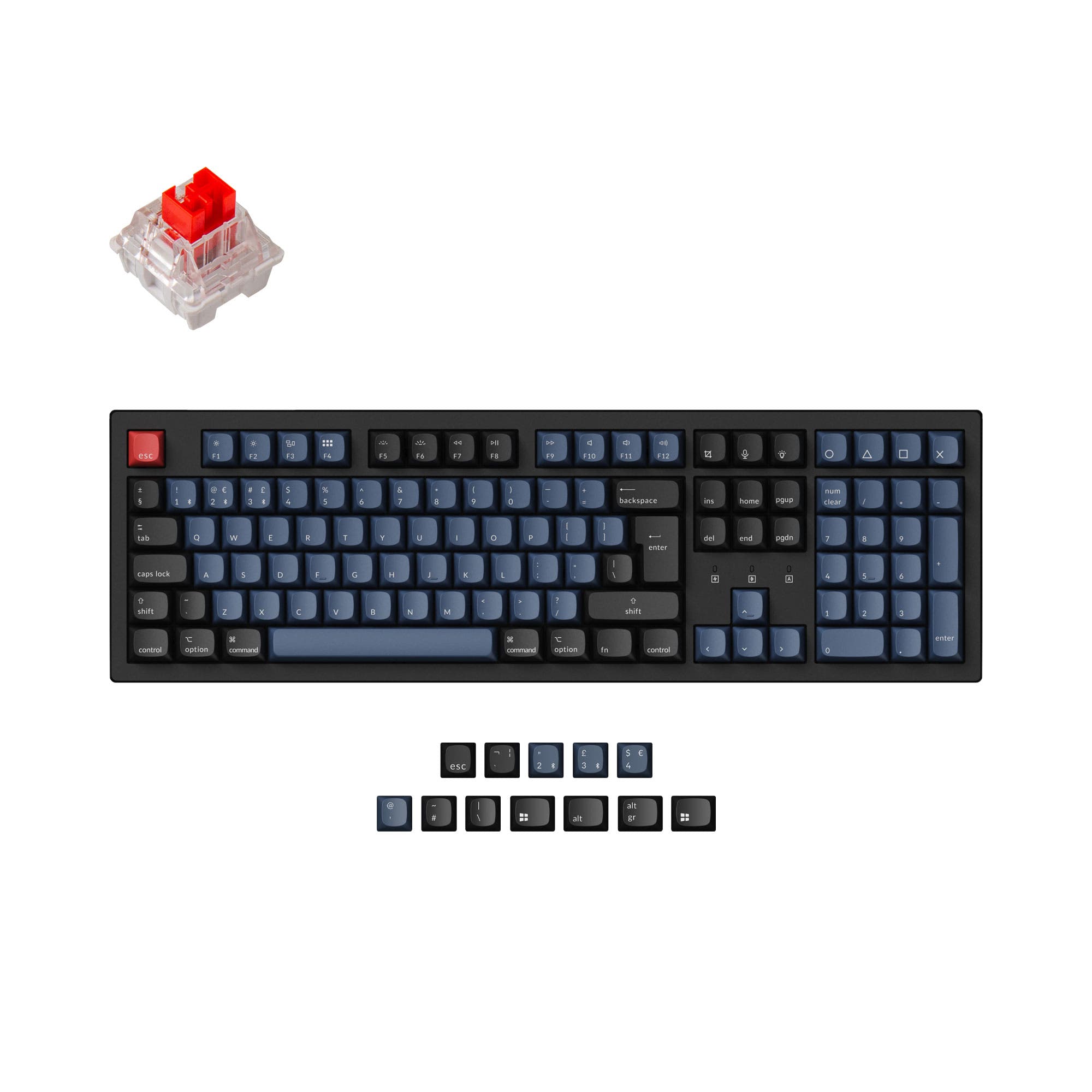
Choose the K10 Pro for the dedicated numpad and a lower price point, or the K8 Max for the space-saving TKL layout with a 2.4 GHz wireless option.
KeebFinder may earn a commission when you buy through these links, at no extra cost to you.
4.6 (14)4.6 · 14 reviews
from$79at Keychron

Which one should you get?
Get the
Keychron K10 Pro
Full Size
Build quality in the top 5% of 100% boards under $100.
- Full-size 100% layout includes a dedicated number pad for data entry.
- Available as a barebones kit, allowing for a fully custom build from scratch.
- Lower starting price offers better value for users on a budget.
- South-facing LEDs. Shine-through legends stay dark, and some sculpted keycaps can clip the LED.
- Missing ISO-CH. The other board is sold in those layouts.
Get the
Keychron K8 Max
TKL
Build quality in the top 5% of 80% boards under $150.
- Features a 2.4 GHz wireless connection for a more stable and lower-latency wireless gaming experience.
- TKL 80% layout saves desk space and is lighter for travel.
- Includes multiple layers of acoustic foam (IXPE, PET, EPDM) for an enhanced typing sound out of the box.
- South-facing LEDs. Shine-through legends stay dark, and some sculpted keycaps can clip the LED.
- Missing ISO-FR, ISO-ES. The other board is sold in those layouts.
- No numpad.
If you need a dedicated number pad and want to save some money, the Keychron K10 Pro is the straightforward choice. It is a well-reviewed, full-featured keyboard that excels in productivity and comes with the option to buy a barebones kit for customization. If you prioritize a smaller desk footprint and the performance benefits of a 2.4 GHz wireless connection for gaming, the Keychron K8 Max is the better buy, offering advanced acoustic foams and a lighter frame for easier transport.
The differences that matter
Skip the 40-row spec sheet. These are the specs that change how each board feels, sounds, and fits your desk.
Keychron K10 Pro
Keychron K8 Max
Layout size
100%
80%
Connection
Bluetooth, Wired
Bluetooth, 2.4 GHz, Wired
Wireless for several devices and wired for lower latency
Case material
ABS, Plastic, Steel
ABS, Aluminum, Steel
Mount style
PCB Mount, Plate Mount, Tray Mount
PCB Mount, Plate Mount
Weight
1,495 g
1,308 g
Heavier boards stay planted and lighter ones travel
- Keychron K10 Pro
- Keychron K8 Max
- Performance
- 8180
- Build quality
- 8987
- Productivity
- 9594
- Customizability
- 9691
- Portability
- 5377
- Hot-swappable
- Battery: 4,000 mAh
- Max polling rate: 1,000 Hz
- Switch options: Clicky, Linear, Tactile
- QMK
- VIA
What will you mostly use it for?
For gaming, the K8 Max takes the lead thanks to its 2.4 GHz connectivity and space-saving TKL form factor that leaves room for mouse movement. In office and content creation tasks, the K10 Pro's full-size numpad and lower price make it the more practical choice. When it comes to programming, the tie reflects that both keyboards share identical firmware and switch options, leaving the decision to layout preference. The K8 Max is the better travel companion due to its lighter weight and compact dimensions, while the K10 Pro holds an edge for modders with its barebones option and larger community.
Pick the Keychron K8 Max
- The K8 Max features a 2.4 GHz wireless connection with a 1000 Hz polling rate, which is ideal for low-latency gaming.
- Its 80% TKL layout provides more space on the desk for mouse movement.
- The K8 Max is equipped with multiple layers of acoustic foams including IXPE, PET, and EPDM for a better sound experience during intense games.
- Its 1308g weight is lighter, making it slightly easier to carry to LAN parties or competitions.
Keychron K10 Pro vs K8 Max specs
Every tracked spec, side by side. Rows marked with a dot differ between the boards.
10 of 26 specs differ
Keychron K10 Pro
Keychron K8 Max
Switch options
Hot-swappable
Mount style
Sound dampening
Screw-in stabilizers
Layout size
Layout standard
Ergonomics
Display
Media keys
Connection
Max polling rate
Battery
USB-C
Case material
Plate material
Keycaps
Weight
Dimensions
Typing angle
Backlight
QMK
VIA
N-key rollover
Mac & Windows
Released
ISO layouts by store
Which stores sell ISO-DE, UK, and the other regional layouts.
Keychron K10 Pro
Keychron
ISO-DE, ISO-UK, ISO-FR, ISO-ES, ISO-SW
In stockShips to you
Keychron (DE)
ISO-DE, ISO-UK, ISO-FR, ISO-ES, ISO-SW
Out of stockDoes not ship to you
Keychron K8 Max
Keychron
ISO-DE, ISO-UK, ISO-CH
In stockShips to you
Keychron (DE)
ISO-DE, ISO-UK, ISO-CH
Out of stockDoes not ship to you
Compare prices
Live prices from the stores we track, cheapest in-stock offer first.
Prices in USD are converted to your currency and can change at any time. KeebFinder may earn a commission when you buy through these links, at no extra cost to you.
Lowest price across stores, Amazon excluded.



Keychron K10 Pro vs K8 Max: your questions
The Keychron K10 Pro has a full-size 100% layout that includes a dedicated numpad. The Keychron K8 Max uses an 80% TKL layout, which means it does not have a number pad.
Yes, the Keychron K8 Max supports a 2.4 GHz wireless connection with a 1000 Hz polling rate, which is ideal for low-latency gaming. The vendor description states this provides peak gaming performance.
No, the Keychron K10 Pro does not support 2.4 GHz connectivity. For wireless use, it relies on Broadcom Bluetooth 5.1 to connect to up to three devices. It also has a wired USB-C connection.
Yes, both keyboards are explicitly listed as supporting QMK firmware and VIA software. This allows you to remap keys, create macros, and customize the keyboard behavior using the Keychron Launcher web app.
The Keychron K10 Pro is likely better for modding because it is available in a barebones version (without switches or keycaps) for a custom build. It also has a higher customizability score and more layout options.
Both the Keychron K10 Pro and the Keychron K8 Max are equipped with screw-in PCB stabilizers. This design is intended to provide a smoother typing experience with less wobble on large keys like the space bar and shift key.
The Keychron K8 Max is lighter and more portable. It weighs 1308 grams compared to the K10 Pro's 1495 grams. The K8 Max is also shorter in width (359mm vs 445mm), making it easier to fit into a bag.
Yes, the vendor description for the Keychron K8 Max highlights that it features multiple layers of advanced acoustic foams, specifically IXPE, PET, and EPDM, to ensure a superior typing sound. The K10 Pro's description mentions sound-absorbing foam and a silicone pad, but not these specific foam types.
Yes, the Keychron K10 Pro is offered in a barebones version on the vendor page. This version comes without switches or keycaps, allowing you to install your own components.
The Keychron K8 Max is available with Keychron's exclusive Super switches, including the Super Red, Super Brown, and Super Banana options. These switches are tested for a lifespan of up to 50 million clicks.
It depends on the variant you choose. The vendor page notes that the hot-swappable version of the K10 Pro can accept 3-pin and 5-pin MX-style switches. However, it also notes that the 'Black - Fully Assembled' version is NOT hot-swappable.
Not sold on either?


Still torn?
Answer a few quick questions and the keyboard finder ranks 2,000+ boards by how you will actually use yours.