Keychron K10 Pro vs Q6 HE
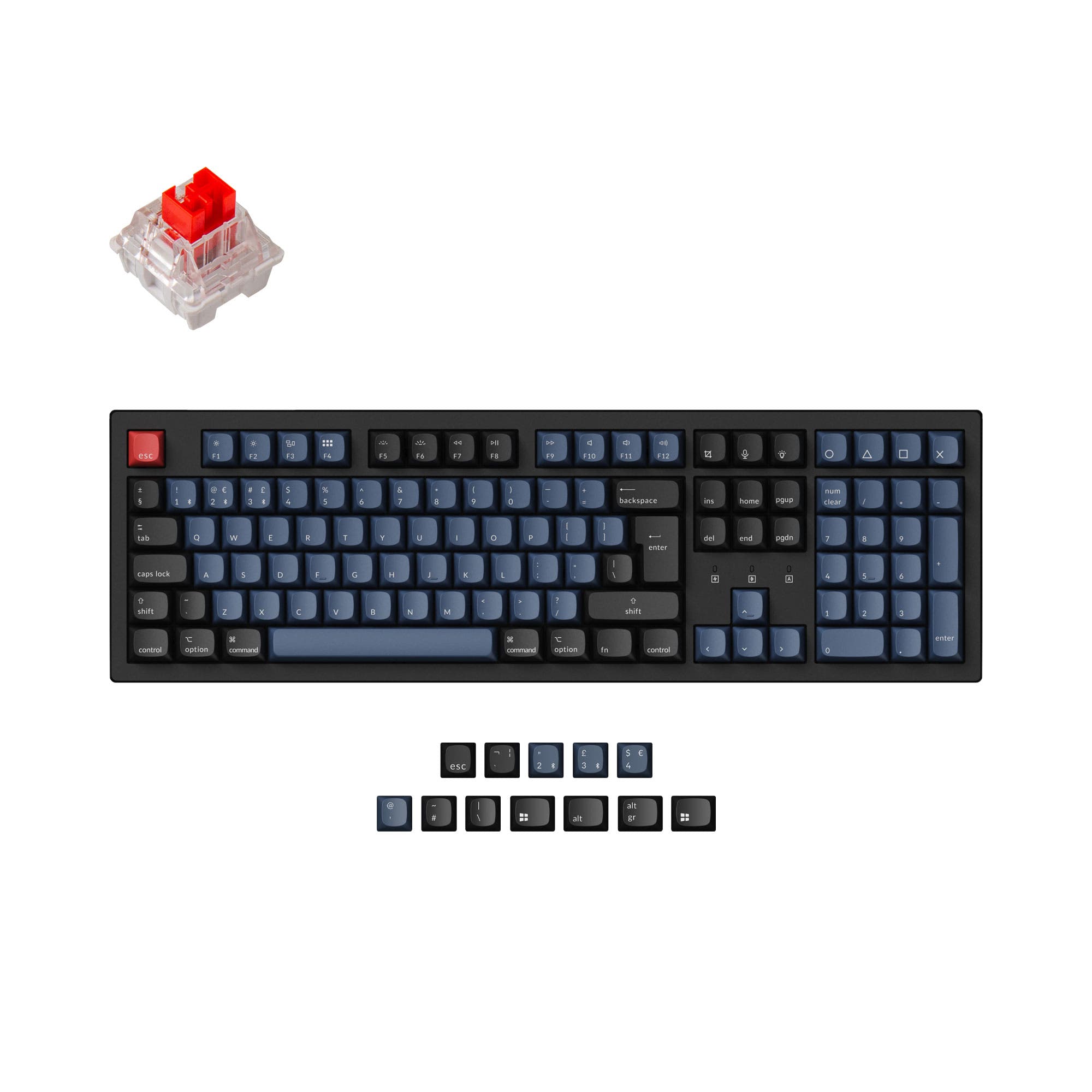
Choose the K10 Pro for its lower price, traditional switch compatibility, and Bluetooth convenience, or the Q6 HE for its Hall Effect switches, rapid trigger, and premium aluminum build.
KeebFinder may earn a commission when you buy through these links, at no extra cost to you.
4.6 (14)4.6 · 14 reviews
from$79at Keychron

4.5 (21)4.5 · 21 reviews
from$229at MK
Which one should you get?
Get the
Keychron K10 Pro
Build quality in the top 5% of 100% boards under $100.
- More affordable price point compared to the Q6 HE, making it accessible for a wider range of budgets.
- Bluetooth 5.1 supports up to 3 devices, allowing easy switching between a laptop, phone, and tablet.
- Hot-swappable version (available) supports almost all 3-pin and 5-pin MX style mechanical switches for extensive customization.
- South-facing LEDs. Shine-through legends stay dark, and some sculpted keycaps can clip the LED.
- Missing ISO-Nordic. The other board is sold in those layouts.
Get the
Keychron Q6 HE
Hall effect
Build quality in the top 5% of 100% boards under $300.
- Hall Effect Gateron double-rail magnetic switches with adjustable actuation points (0.2 to 3.8 mm) and 0.1 mm sensitivity for precise gaming control.
- 2.4 GHz and Bluetooth 5.2 wireless modes with a 1000 Hz polling rate in 2.4 GHz and wired modes for low-latency performance.
- All-aluminum body (6063 aluminum) provides a premium, durable, and stable feel with a weight of 2268g.
- Magnetic switches only. Standard MX switches will not fit.
- South-facing LEDs. Shine-through legends stay dark, and some sculpted keycaps can clip the LED.
The decision comes down to budget and primary use case. If you want a full-size keyboard for everyday typing, office work, or modding with traditional switches, the Keychron K10 Pro is the more practical and affordable choice. If you are a competitive gamer who needs the fastest possible response times and adjustable actuation from Hall Effect switches, the Keychron Q6 HE justifies its higher price with premium materials and advanced features.
The differences that matter
Skip the 40-row spec sheet. These are the specs that change how each board feels, sounds, and fits your desk.
Keychron K10 Pro
Keychron Q6 HE
Hall effect (magnetic)
No
Yes
Adjustable actuation helps in games and not in normal typing
Rapid trigger
No
Yes
Faster resets help in games and not in normal typing
Connection
Bluetooth, Wired
Wired, Bluetooth, 2.4 GHz
Wireless for several devices and wired for lower latency
Max polling rate
1,000 Hz
8,000 Hz
Higher polling helps competitive FPS and does nothing for typing
Case material
ABS, Plastic, Steel
Aluminum, Metal
- Keychron K10 Pro
- Keychron Q6 HE
- Performance
- 81100
- Build quality
- 8988
- Productivity
- 9597
- Customizability
- 9695
- Portability
- 5354
- Layout size: 100%
- Hot-swappable
- Battery: 4,000 mAh
- QMK
- VIA
- Sound dampening
What will you mostly use it for?
The Q6 HE wins outright for gaming thanks to its Hall Effect switches, rapid trigger, and 2.4 GHz low-latency mode. The K10 Pro wins for office, travel, modding, and content creation due to its lighter weight, Bluetooth, traditional switch compatibility, and much lower price. For programming, both are tied as they share full-size layouts and QMK/VIA programmability.
Pick the Keychron Q6 HE
- Hall Effect Gateron double-rail magnetic switches with adjustable actuation points from 0.2 to 3.8 mm provide faster, customizable feedback.
- Rapid Trigger and Dynamic Keystrokes (4-in-1 action keys) offer competitive gaming advantages.
- 2.4 GHz mode with 1000 Hz polling rate delivers low-latency wireless gaming performance.
- Analog Mode provides game controller-like variable input for racing and sports games.
What owners say
Ratings and quotes collected from verified store reviews, including the critical ones.
Keychron K10 Pro
14 owner reviews
“it's heavy. feels good. I didn't really look the whole inventory over, I just needed something and took a gamble. not disappointed. gonna need the expensive one now.”
“Saturday night I logged off my Mac. Sunday afternoon I tried logging in but the keyboard would not connect over BT. Finally got it connected via USB-C. But the keys were messed up. F1-F12 were brightness, volume etc. not F1-F12 . All my customizations were…”
Keychron Q6 HE
21 owner reviews
“could have had better packaging for the shipment but it being damaged the actual product was as described highly recommend”
“For a $240 keyboard that is only wired, you would think that the least they could do was make a good USB port... No instead every minute, or couple of seconds, it just decides to disconnect. Through every fix I could do and they recommend, like changing…”
Keychron K10 Pro vs Q6 HE specs
Every tracked spec, side by side. Rows marked with a dot differ between the boards.
15 of 29 specs differ
Keychron K10 Pro
Keychron Q6 HE
Switch options
Hall effect (magnetic)
Rapid trigger
Hot-swappable
Mount style
Sound dampening
Screw-in stabilizers
Layout size
Layout standard
Ergonomics
Knob
Display
Media keys
Connection
Max polling rate
Battery
USB-C
Case material
Plate material
Keycaps
Weight
Dimensions
Typing angle
Backlight
QMK
VIA
N-key rollover
Mac & Windows
Released
ISO layouts by store
Which stores sell ISO-DE, UK, and the other regional layouts.
Keychron K10 Pro
Keychron
ISO-DE, ISO-UK, ISO-FR, ISO-ES, ISO-SW
In stockShips to you
Keychron (DE)
ISO-DE, ISO-UK, ISO-FR, ISO-ES, ISO-SW
Out of stockDoes not ship to you
Keychron Q6 HE
Keychron
ISO-DE, ISO-UK, ISO-Nordic, ISO-SW
Out of stockShips to you
Keychron (DE)
ISO-DE, ISO-UK, ISO-FR, ISO-ES, ISO-SW
In stockDoes not ship to you
Keychron (DE)
ISO-DE, ISO-FR, ISO-ES
Out of stockDoes not ship to you
Compare prices
Live prices from the stores we track, cheapest in-stock offer first.
Prices in USD are converted to your currency and can change at any time. KeebFinder may earn a commission when you buy through these links, at no extra cost to you.
Lowest price across stores, Amazon excluded.



Keychron K10 Pro vs Q6 HE: your questions
No, the Keychron K10 Pro is designed for traditional MX-style mechanical switches. It supports 3-pin and 5-pin switches like Cherry, Gateron, Kailh, and Panda, but not magnetic Hall Effect switches. The Q6 HE is the model that uses Gateron double-rail magnetic switches.
The Keychron Q6 HE offers better wireless gaming performance because it includes a 2.4 GHz connection with a 1000 Hz polling rate. The K10 Pro relies on Bluetooth for wireless use, and Keychron does not specify its Bluetooth polling rate. For competitive gaming, the Q6 HE wired or 2.4 GHz mode is preferable.
Yes, both the Keychron K10 Pro and Q6 HE come with a system toggle on the top of the keyboard to switch between Windows and macOS layouts. They also include extra keycaps for both operating systems, making them suitable for cross-platform users.
Yes, the Q6 HE uses Gateron double-rail magnetic switches that allow you to customize the actuation point for each key from 0.2 to 3.8 mm with 0.1 mm sensitivity. This can be done using the Keychron Launcher web app when connected via a wired connection.
The K10 Pro has a plastic case with a steel plate, while the Q6 HE features an all-aluminum 6063 body with an aluminum plate. The Q6 HE also uses a double-gasket design with multiple foam layers for better acoustics. The Q6 HE is heavier at 2268g compared to the K10 Pro at 1495g, giving it a more premium feel.
It depends on the version you buy. Keychron offers both a hot-swappable version and a non-hot-swappable version. The vendor description notes that the Black Fully Assembled version is NOT hot-swappable. Buyers should check the product listing carefully to ensure they select the hot-swappable variant if desired.
Both the Keychron K10 Pro and Q6 HE come with OSA profile double-shot PBT keycaps. These keycaps are designed to be oil-resistant and durable. They are not shine-through, meaning the legends are printed on top and the RGB lighting shines around the keycaps rather than through them.
The Keychron K10 Pro uses Bluetooth 5.1 and can connect to up to 3 devices, allowing you to switch between a laptop, phone, and tablet. The Keychron Q6 HE uses Bluetooth 5.2 and also supports up to 3 devices via Bluetooth, in addition to a dedicated 2.4 GHz connection for a single device.
The Keychron K10 Pro is likely better for quiet typing as it includes sound-absorbing foam and a thick silicone dampening bottom pad in most versions (except the Black Fully Assembled variant). This reduces the noise of keystrokes. The Q6 HE also has acoustic foams and a double-gasket design, but its aluminum body can produce a different, potentially louder sound profile.
Both keyboards have a 4000mAh battery. For the K10 Pro, battery life is estimated at 70 to 240 hours depending on backlight settings, according to one user review. For the Q6 HE, Keychron states wireless working time is up to 100 hours with backlight off. Actual battery life will vary based on usage and lighting.
Yes, the Q6 HE supports Analog Mode, which detects how far you press a key to provide variable input, similar to a game controller. This is ideal for racing games, sports simulations, and other titles that benefit from analog control. The K10 Pro does not offer this feature.
No, the Q6 HE is only compatible with Gateron double-rail magnetic switches sold on the Keychron website. It does not support standard MX mechanical switches or other magnetic switches like Gateron Magnetic Jade or Gateron KS-20 switches. The K10 Pro is compatible with a wide range of MX-style switches.
Not sold on either?


Still torn?
Answer a few quick questions and the keyboard finder ranks 2,000+ boards by how you will actually use yours.