Keychron K10 Pro vs R6
Choose the Keychron K10 Pro for superior build quality and customization or the Keychron R6 for its 2.4 GHz connectivity and retro design.
KeebFinder may earn a commission when you buy through these links, at no extra cost to you.
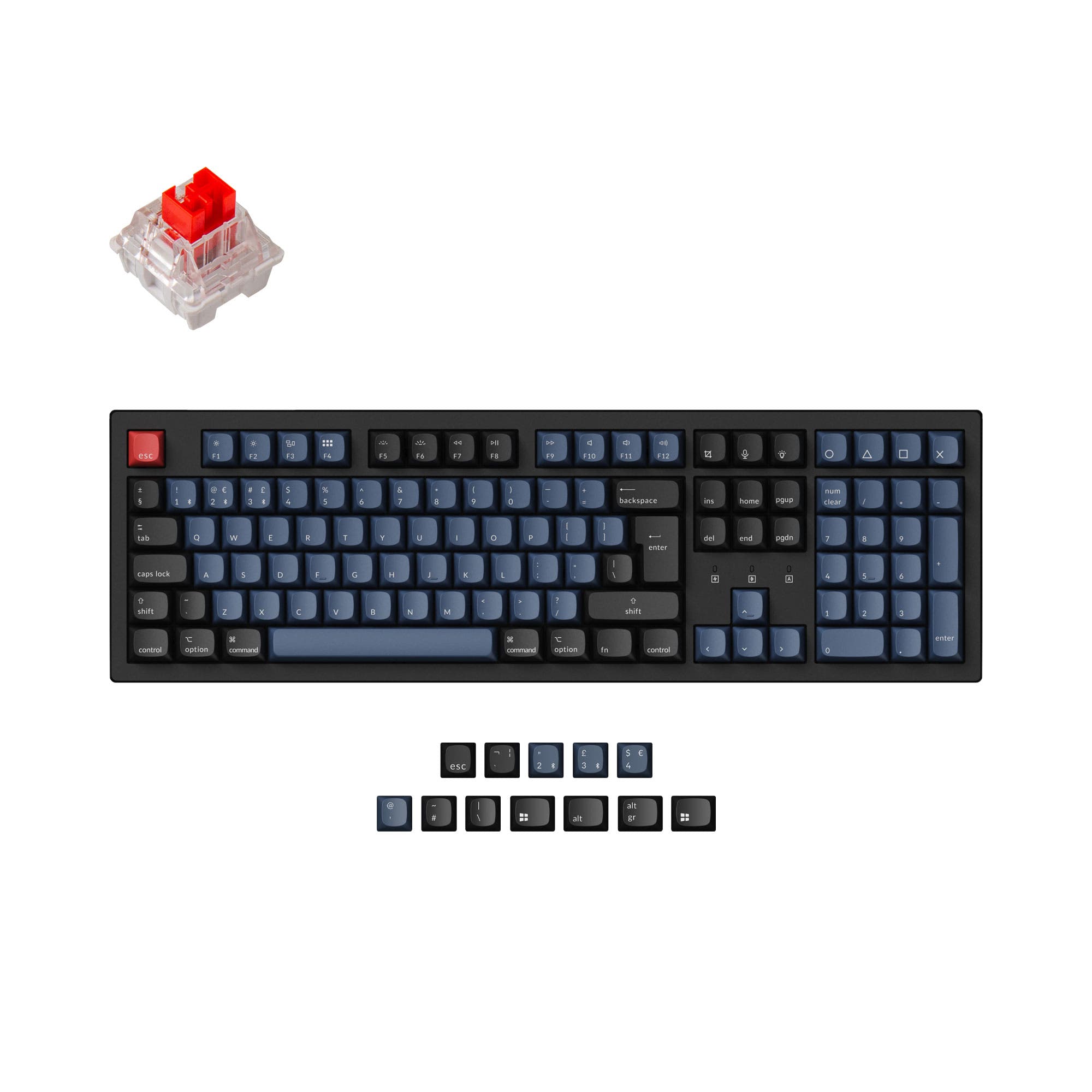
4.6 (14)4.6 · 14 reviews
from$79at Keychron

Which one should you get?
Get the
Keychron K10 Pro
VIA
Build quality in the top 5% of 100% boards under $100.
- Steel plate and sound-absorbing foam provide a solid, quiet typing experience.
- Screw-in PCB stabilizers ensure less wobbliness on large keys like space bar and shift.
- Available in multiple ISO layout standards (UK, German, Nordic, Swiss, French, Spanish) for international users.
- South-facing LEDs. Shine-through legends stay dark, and some sculpted keycaps can clip the LED.
Get the
Keychron R6
Build quality in the top 40% of 100% boards under $100.
- 2.4 GHz wireless connection ensures low-latency performance for gaming.
- Lighter weight (1260g) improves portability for users on the move.
- Retro design with Cherry profile double-shot PBT keycaps offers a distinctive aesthetic and durable legends.
- South-facing LEDs. Shine-through legends stay dark, and some sculpted keycaps can clip the LED.
- No ISO layout. ISO-DE, UK, and other ISO variants are not offered.
If you prioritize a solid, customizable typing experience with excellent build quality and advanced foam layers, the Keychron K10 Pro is the better choice. For those who need the lowest possible wireless latency for gaming and a lighter, more portable design, the Keychron R6 is the clear winner. Both keyboards share strong programmability, but the K10 Pro's screw-in stabilizers and steel plate give it an edge for modding and durability.
The differences that matter
Skip the 40-row spec sheet. These are the specs that change how each board feels, sounds, and fits your desk.
Keychron K10 Pro
Keychron R6
Connection
Bluetooth, Wired
Bluetooth, 2.4 GHz, Wired
Wireless for several devices and wired for lower latency
Case material
ABS, Plastic, Steel
ABS
Switch options
Clicky, Linear, Tactile
Linear, Tactile
Mount style
PCB Mount, Plate Mount, Tray Mount
Plate Mount
VIA
Yes
No
GUI remapping without compiling firmware
- Keychron K10 Pro
- Keychron R6
- Performance
- 8179
- Build quality
- 8963
- Productivity
- 9583
- Customizability
- 9678
- Portability
- 5354
- Layout size: 100%
- Hot-swappable
- Battery: 4,000 mAh
- Max polling rate: 1,000 Hz
- QMK
- Sound dampening
What will you mostly use it for?
The Keychron K10 Pro wins in office and content creation scenarios due to its quieter typing experience and ergonomic adjustments, and it is preferred for modding because of its steel plate and screw-in stabilizers. The Keychron R6 is the better choice for gaming and travel, thanks to its 2.4 GHz connectivity and lighter weight. Both keyboards are equally strong for programming, as they share QMK/VIA programmability and hot-swap capabilities. The R6 also offers more wireless versatility with its 2.4 GHz and Bluetooth 5.3 support.
Pick the Keychron R6
- Offers a 2.4 GHz wireless connection with a 1000 Hz polling rate for lower latency gaming performance.
- Features advanced IXPE acoustic foam and PET film for a thocky sound profile during gameplay.
- The Keychron Apex and Super switches feature upgraded wall-stem structure for enhanced stability and reduced stem wobble.
- Lab test shows around 310 hours of battery life with backlight off, ideal for extended gaming sessions.
Keychron K10 Pro vs R6 specs
Every tracked spec, side by side. Rows marked with a dot differ between the boards.
9 of 26 specs differ
Keychron K10 Pro
Keychron R6
Switch options
Hot-swappable
Mount style
Sound dampening
Screw-in stabilizers
Layout size
Layout standard
Ergonomics
Display
Media keys
Connection
Max polling rate
Battery
USB-C
Case material
Plate material
Keycaps
Weight
Dimensions
Typing angle
Backlight
QMK
VIA
N-key rollover
Mac & Windows
Released
ISO layouts by store
Which stores sell ISO-DE, UK, and the other regional layouts.
Keychron K10 Pro
Keychron
ISO-DE, ISO-UK, ISO-FR, ISO-ES, ISO-SW
In stockShips to you
Keychron (DE)
ISO-DE, ISO-UK, ISO-FR, ISO-ES, ISO-SW
Out of stockDoes not ship to you
Keychron R6
No ISO layout at the stores we track.
Compare prices
Live prices from the stores we track, cheapest in-stock offer first.
Prices in USD are converted to your currency and can change at any time. KeebFinder may earn a commission when you buy through these links, at no extra cost to you.
Lowest price across stores, Amazon excluded.



Keychron K10 Pro vs R6: your questions
The Keychron R6 has better wireless connectivity for gaming because it supports 2.4 GHz with a 1000 Hz polling rate, which offers lower latency than standard Bluetooth. The Keychron K10 Pro relies on Bluetooth 5.1 and does not include a 2.4 GHz option.
Yes, both keyboards offer hot-swappable versions that allow you to replace switches without soldering. They support most 3-pin and 5-pin MX style switches, giving you the freedom to customize your typing feel easily.
Yes, both the Keychron K10 Pro and R6 support QMK firmware and the Keychron Launcher web app, which is built on VIA. This allows for full key remapping, macro creation, and custom shortcuts on both keyboards.
The Keychron R6 is the better choice for a retro aesthetic. It comes with a retro color palette and Cherry profile double-shot PBT keycaps, while the Keychron K10 Pro offers a more modern look with OSA profile keycaps.
Both keyboards have a 4000mAh rechargeable lithium-polymer battery. According to specifications, the R6 offers around 310 hours of wireless working time with backlight off and about 45 hours with RGB at lowest brightness, while the K10 Pro's specific battery life is not stated in the provided data.
The provided data does not specify that the Keychron R6 uses screw-in stabilizers. The Keychron K10 Pro explicitly features screw-in PCB stabilizers for reduced wobbliness on large keys, which is an advantage for users who want a more stable typing experience.
The Keychron K10 Pro is more suitable for users who need an ISO layout. It is available in several ISO standards including UK, German, Nordic, Swiss, French, and Spanish, while the Keychron R6 is only offered in US ANSI layout.
Yes, they are different. The Keychron K10 Pro uses OSA profile (OEM profile with spherical-angle) double-shot PBT keycaps. The Keychron R6 uses Cherry profile double-shot PBT keycaps, which are ergonomically sculpted to help fingers find the right keys more easily.
The Keychron K10 Pro has sound-absorbing foam and a thick silicone dampening bottom pad, which is stated to provide a peaceful typing sound. The Keychron R6 features advanced IXPE acoustic foam and PET film for a thocky sound profile, so both offer acoustic improvements but with different materials.
Both keyboards include keycaps for macOS and support Mac systems. The K10 Pro has a Mac-centric default setup and has a toggle for switching between Windows and macOS. The R6 also includes additional keycaps for macOS and allows system switching via a key combination (FN + Caps Lock for three seconds).
Both keyboards support wired (USB-C) and wireless connections, but they operate in one mode at a time. The K10 Pro supports Bluetooth 5.1 and wired, while the R6 adds a 2.4 GHz option for more flexible wireless use, but you cannot use wired and wireless simultaneously.
Not sold on either?


Still torn?
Answer a few quick questions and the keyboard finder ranks 2,000+ boards by how you will actually use yours.