Keychron K10 Pro vs MCHOSE K99Full-Size Layout vs Compact Gasket Mount
Choose the Keychron K10 Pro for extensive programmability and a full layout, or the MCHOSE K99 for a compact, gasket-mounted typing feel.
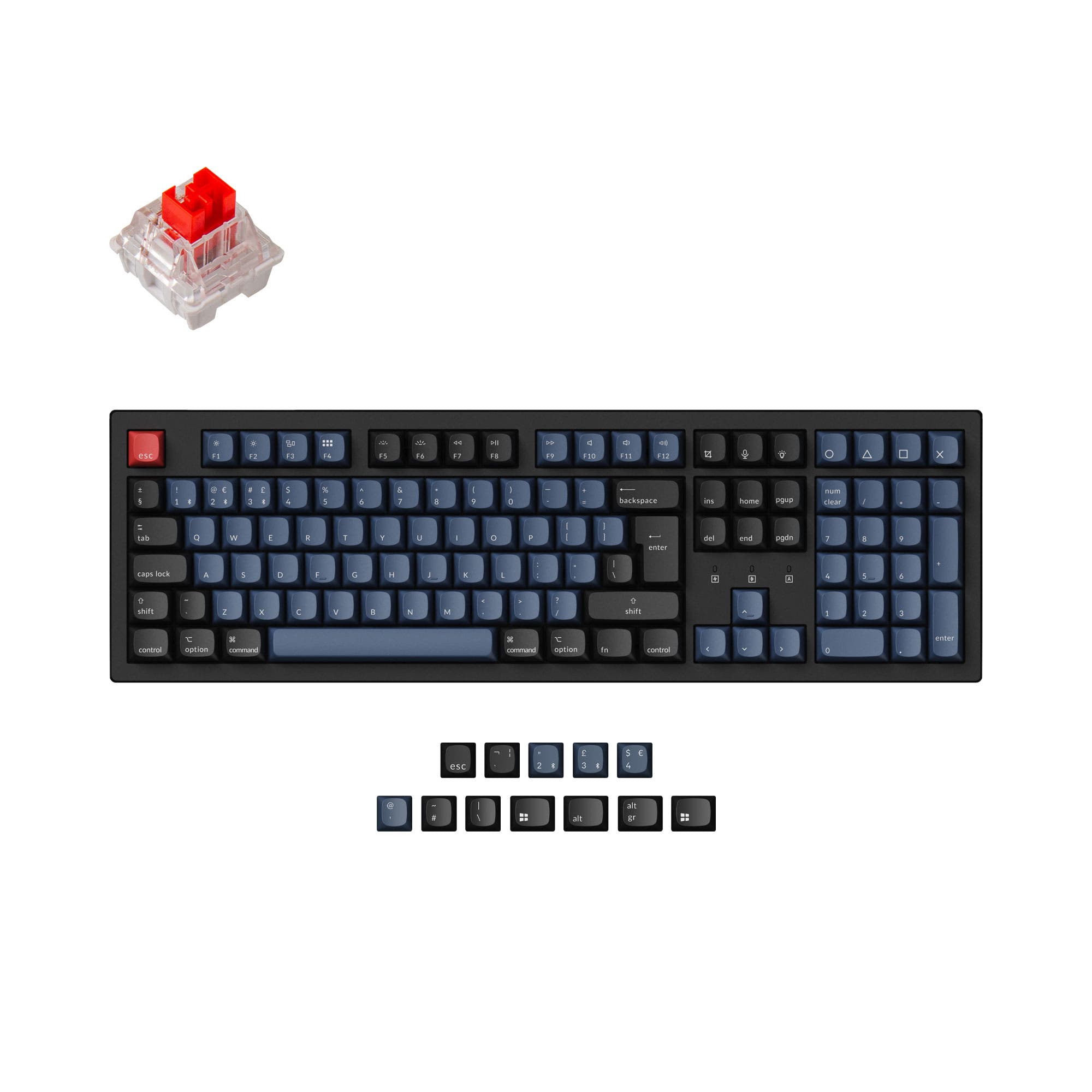

Which one should you get?
Get the
Keychron K10 Pro
Full-Size Layout
- Full QMK and VIA support for unlimited key remapping and macros.
- Available in multiple ISO and ANSI layouts for international compatibility.
- Includes screw-in PCB stabilizers and sound-absorbing foam in its hot-swappable version.
- Larger, heavier full-size (100%) layout is less portable.
- Smaller 4000mAh battery compared to the K99.
- The non-hot-swappable 'Fully Assembled' version lacks sound-dampening foam and silicone pad.
Get the
MCHOSE K99
Compact Gasket Mount
- Gasket mount design with a six-layer sound-dampening system for a cushioned typing feel.
- More compact 96% layout saves desk space.
- Larger 6000mAh battery capacity for longer wireless use.
- Lacks detailed programmability software like QMK/VIA support.
- Only available in ANSI layout, with no ISO options.
- Switch options are limited to linear types (Hyacinth or Icy Creamsicle).
Select the Keychron K10 Pro if your priority is deep customization through QMK/VIA, you need a full-size layout with a number pad, or you require specific international ISO layouts. Opt for the MCHOSE K99 if you prefer a more compact keyboard with a gasket-mounted typing feel, prioritize portability and battery life, and are satisfied with linear switch options and more basic customization.
The differences that matter
Skip the 40-row spec sheet. These are the specs that change how each board feels, sounds, and fits your desk.
Keychron K10 Pro
MCHOSE K99
Layout size
100%
98%
Rapid trigger
No
Yes
Connection
Bluetooth, Wired
Bluetooth, 2.4 GHz, Wired
Battery
4,000 mAh
6,000 mAh
Switch options
Clicky, Linear, Tactile
Linear
- Keychron K10 Pro
- MCHOSE K99
- Performance
- 8178
- Build quality
- 8947
- Productivity
- 9574
- Customizability
- 9658
- Portability
- 5359
- Hot-swappable
- Sound dampening
What will you mostly use it for?
The Keychron K10 Pro is the clear choice for productivity-focused tasks like office work and programming, thanks to its full layout and extensive software support. It also leads for gaming due to its confirmed high polling rate and for modding due to its open-source firmware. The MCHOSE K99 wins for portability with its smaller size and larger battery. For content creation, the choice depends on whether you value a full set of keys or a specific, potentially more comfortable typing feel.
Pick the Keychron K10 Pro
- The Keychron K10 Pro has a specified 1000 Hz polling rate for lower latency.
- It offers a full-size layout with dedicated macro keys via QMK/VIA programming.
- The MCHOSE K99's vendor description mentions a 'rapid trigger' feature, but the K10 Pro's confirmed polling rate is a concrete advantage for responsiveness.
What owners say
Ratings and quotes collected from verified store reviews, including the critical ones.
Keychron K10 Pro
14 owner reviews
“it's heavy. feels good. I didn't really look the whole inventory over, I just needed something and took a gamble. not disappointed. gonna need the expensive one now.”
“Saturday night I logged off my Mac. Sunday afternoon I tried logging in but the keyboard would not connect over BT. Finally got it connected via USB-C. But the keys were messed up. F1-F12 were brightness, volume etc. not F1-F12 . All my customizations were…”
MCHOSE K99
No owner reviews collected yet.
Keychron K10 Pro vs MCHOSE K99 specs
Every tracked spec, side by side. Rows marked with a dot differ between the boards.
14 of 27 specs differ
Keychron K10 Pro
MCHOSE K99
Switch options
Rapid trigger
Hot-swappable
Mount style
Sound dampening
Screw-in stabilizers
Layout size
Layout standard
Ergonomics
Display
Media keys
Connection
Max polling rate
Battery
USB-C
Case material
Plate material
Keycaps
Weight
Dimensions
Typing angle
Backlight
QMK
VIA
N-key rollover
Mac & Windows
Released
Compare prices
Live prices from the stores we track, cheapest in-stock offer first.
Lowest price across stores, Amazon excluded.





Prices in USD are converted to your currency and can change at any time. KeebFinder may earn a commission when you buy through these links, at no extra cost to you.
Keychron K10 Pro vs MCHOSE K99: your questions
The MCHOSE K99 is designed for a specific typing feel with its gasket mount structure, six-layer sound dampening (Poron foam, IXPE foam, PET film), and per-key flex-cut PCB. The Keychron K10 Pro offers a more traditional tray mount with sound-absorbing foam and a steel plate, which provides a firmer, more direct feedback.
The Keychron K10 Pro supports full key remapping, macros, and layers through the open-source QMK firmware and VIA/Keychron Launcher software. The MCHOSE K99's vendor description does not mention advanced programmability software like QMK or VIA, so its remapping capabilities may be more limited.
The MCHOSE K99 has a larger 6000mAh battery compared to the Keychron K10 Pro's 4000mAh battery. While actual runtime depends on usage and lighting, the K99's higher capacity suggests potentially longer wireless operation between charges.
Yes, both the Keychron K10 Pro and MCHOSE K99 are listed as supporting Mac and Windows. The Keychron K10 Pro's vendor description specifically notes it includes keycaps for both operating systems.
The Keychron K10 Pro is a full-size (100%) keyboard with a dedicated number pad, function row, and navigation cluster. The MCHOSE K99 uses a 96% (or 98%) layout that condenses the number pad and navigation keys into a more compact form factor, eliminating some of the space between key groups.
Yes, both keyboards are hot-swappable, allowing you to change switches without soldering. The Keychron K10 Pro's hot-swappable sockets support 3-pin and 5-pin MX-style switches. The MCHOSE K99 is also listed as hot-swappable for 3-pin and 5-pin switches.
The Keychron K10 Pro lists a 1000 Hz polling rate, which can provide an edge in competitive gaming by reducing input latency. The MCHOSE K99's vendor description mentions a 'rapid trigger' feature but does not specify a polling rate, making the K10 Pro's gaming performance more concretely defined.
Yes, both keyboards come with PBT keycaps. The Keychron K10 Pro uses OSA-profile double-shot PBT keycaps. The MCHOSE K99 uses dual-shot PBT keycaps, available in either MDA or Cherry profile depending on the option.
A gasket mount uses rubber or silicone gaskets to suspend the plate and PCB inside the case, aiming for a softer, more cushioned typing feel. The MCHOSE K99 uses a gasket mount. The Keychron K10 Pro uses a tray mount (and supports PCB mount switches), which is a different, more rigid mounting style.
Yes, according to its vendor description, the Keychron K10 Pro is available in a 'Barebone' kit version, which does not include switches or keycaps, allowing for complete customization from the start.
The Keychron K10 Pro's vendor description mentions over 22 types of RGB backlight settings. The MCHOSE K99 features a surround RGB light strip in addition to its per-key south-facing RGB, but the vendor does not specify the number of lighting effects.
Not sold on either?


Still torn?
Answer a few quick questions and the keyboard finder ranks 2,000+ boards by how you will actually use yours.