Keychron K11 Max vs K9 MaxAlice 65% or 60% Low Profile?
Choose the K11 Max for its Alice layout, rotary knob and aluminum frame, or the K9 Max if you want the smaller, lighter 60% deck.
KeebFinder may earn a commission when you buy through these links, at no extra cost to you.

4.5 (4)4.5 · 4 reviews
from$89at Keychron

5.0 (2)5.0 · 2 reviews
from$137at Keychron (DE)
Which one should you get?
Get the
Keychron K11 Max
Battery
Build quality in the top 20% of 65% boards under $100.
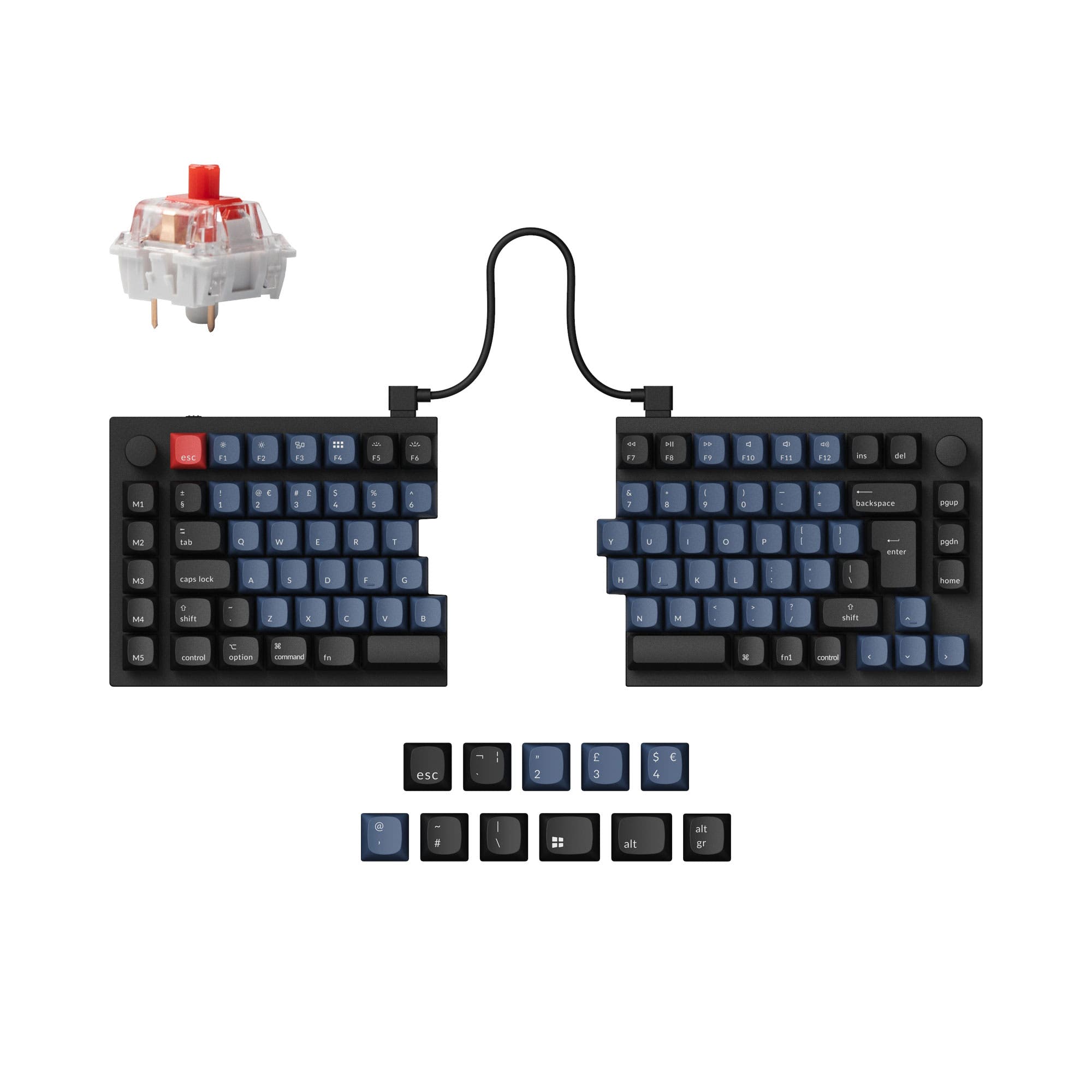
- Alice 65% layout with 68 keys gives a more natural typing position and keeps arrow keys.
- ABS plus aluminum frame feels more substantial than the K9 Max ABS-only body.
- Programmable aluminum rotary encoder adds a physical macro control.
- Low-profile switches and keycaps only. Standard MX keycaps will not fit.
- North-facing LEDs. Cherry-profile keycaps can hit the switch housing.
- 65% layout. No function row and no numpad.
Get the
Keychron K9 Max
Build quality in the top 25% of 60% boards under $150.
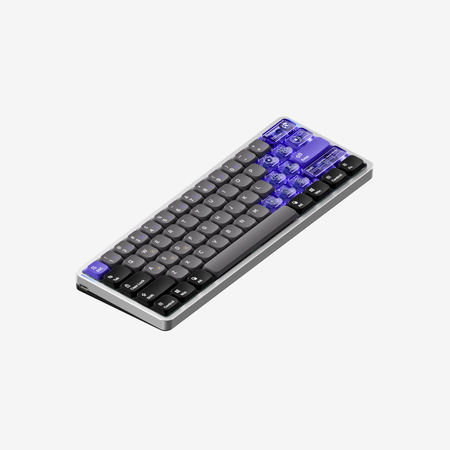
- Lightest of the pair at 426 g and compact at 287 x 97.5 mm.
- Keychron Milk POM switches use POM and POK materials and come pre-lubed.
- Screw-in stabilizers reduce wobble on the space bar and other large keys.
- Low-profile switches and keycaps only. Standard MX keycaps will not fit.
- North-facing LEDs. Cherry-profile keycaps can hit the switch housing.
- Compact layout only. No function row, dedicated arrow keys, or numpad.
The layout is the decision. If you want an Alice 65% deck with a programmable knob and a sturdier aluminum frame, the K11 Max is the fit. If portability and a smaller 60% footprint matter more, the K9 Max is lighter and more compact. Verify availability first, since the K11 Max vendor listing shows it as sold out.
The differences that matter
Skip the 40-row spec sheet. These are the specs that change how each board feels, sounds, and fits your desk.
Keychron K11 Max
Keychron K9 Max
Layout size
65%
60%
Battery
2,000 mAh
1,550 mAh
A larger battery means fewer cables during the day
Ergonomics
Alice
Standard
Case material
ABS, Aluminum
ABS
Knob
Yes
No
- Keychron K11 Max
- Keychron K9 Max
- Performance
- 7975
- Build quality
- 8175
- Productivity
- 9391
- Customizability
- 9292
- Portability
- 8987
- Connection: Bluetooth, 2.4 GHz, Wired
- Hot-swappable
- Low profile
- Max polling rate: 1,000 Hz
- Switch options: Clicky, Linear, Tactile
- QMK
What will you mostly use it for?
The K11 Max takes most categories thanks to its Alice layout, programmable knob and aluminum frame. The K9 Max wins travel because it is lighter and smaller, a real advantage if the keyboard leaves the desk. Office and programming favor the K11 Max for ergonomics and key count, while gaming is close given shared polling and rollover. Modding leans K11 Max for switch compatibility and a mixed-material frame, and content creation benefits from the knob for macros.
Pick the Keychron K11 Max
- Both list 1000 Hz polling on 2.4 GHz and wired, but the K11 Max adds a dedicated programmable aluminum rotary encoder for quick macro access.
- The K11 Max carries N-key rollover across wireless and wired modes, matching the K9 Max on that spec.
- The K11 Max 65% layout keeps arrow keys within reach for game navigation, while the K9 Max is a 61-key 60% deck.
What owners say
Ratings and quotes collected from verified store reviews, including the critical ones.
Keychron K11 Max
4 owner reviews
“A really well-made keyboard, compact and very comfortable to use. Despite its small size, it still offers good ergonomics and allows for a more natural typing position compared to many traditional keyboards. The keys are quiet, pleasant to press, and suitable…”
Keychron K9 Max
2 owner reviews
“The keyboard sounds and looks good on my desk. It works with my Mac.”
Keychron K11 Max vs K9 Max specs
Every tracked spec, side by side. Rows marked with a dot differ between the boards.
9 of 27 specs differ
Keychron K11 Max
Keychron K9 Max
Switch options
Hot-swappable
Mount style
Low profile
Sound dampening
Screw-in stabilizers
Layout size
Layout standard
Ergonomics
Knob
Display
Media keys
Connection
Max polling rate
Battery
USB-C
Case material
Keycaps
Weight
Dimensions
Typing angle
Backlight
QMK
VIA
N-key rollover
Mac & Windows
Released
Compare prices
Live prices from the stores we track, cheapest in-stock offer first.
Prices in USD are converted to your currency and can change at any time. KeebFinder may earn a commission when you buy through these links, at no extra cost to you.
Lowest price across stores, Amazon excluded.


Keychron K11 Max vs K9 Max: your questions
The K11 Max uses a 65% Alice layout with 68 keys and an ABS plus aluminum frame, while the K9 Max is a 60% layout with 61 keys and an ABS frame. The K11 Max also adds a programmable rotary knob, which the K9 Max does not list. Both share QMK firmware, a 1000 Hz polling rate on 2.4 GHz and wired, and low-profile PBT keycaps.
The K11 Max has the edge for ergonomics because it uses an Alice layout designed for a more natural typing position. One reviewer notes that after adjusting to the Alice layout, standard layouts feel cramped. The K9 Max uses a standard low-profile layout with three levels of adjustable typing angle.
Yes, the K11 Max includes a programmable aluminum rotary encoder. Keychron states you can customize keys and macros on the knob through the Keychron Launcher web app. The K9 Max vendor listing does not mention a knob.
Both offer hot-swap only as an optional version, so you need to select the hot-swappable variant at purchase. The K11 Max hot-swap version accepts Gateron or Keychron low-profile mechanical switches, and Keychron notes QMK does not support low-profile optical switches. The K9 Max hot-swap compatibility is limited to Keychron Milk POM switches.
The K9 Max is more portable, weighing 426 g against 520 g for the K11 Max. Its 60% body measures 287 x 97.5 mm versus 346 x 115 mm on the K11 Max. Both are low profile with 2.4 GHz, Bluetooth and wired options.
The K11 Max uses a 2000 mAh battery rated up to 95 hours, while the K9 Max uses a 1550 mAh battery rated up to 73 hours. Both figures come from Keychron and depend on backlight and connection settings. The K11 Max capacity is larger.
Both keyboards support Mac and Windows layouts, and Keychron includes keycaps for both systems with extra esc and enter keys. The Keychron Launcher web app works on macOS, Windows and Linux. Keychron also notes you can configure different keymaps for Mac and Windows devices.
The K9 Max uses Keychron Milk POM switches, described as built with POM and POK materials and pre-lubed for a smooth feel. The vendor lists Red, Brown and Banana options. The K11 Max uses Gateron low-profile mechanical switches with Red and Brown options.
The K11 Max frame is listed as ABS plus aluminum, so it is a mixed-material build rather than a full metal case. The K11 Max vendor page describes it as having an aluminum body in its ultra-slim section. The K9 Max frame is ABS only.
Both list a 1000 Hz polling rate on 2.4 GHz and wired modes. In Bluetooth mode, the K11 Max lists 90 Hz and the K9 Max lists 120 Hz. For latency-sensitive use, the 2.4 GHz or wired connection is the relevant mode on both.
One customer review reports key chatter, where keys register as multiple inputs, on both wireless and Bluetooth connections. The reviewer notes it may be specific to their unit. The K9 Max does not list any comparable wireless complaints in its single review.
Both use QMK firmware and the Keychron Launcher web app for remapping and macros. Keychron states the Launcher runs in Chrome, Edge or Opera and requires connecting the keyboard in wired mode. It also notes the Launcher is web-based and works across operating systems.
Not sold on either?






Still torn?
Answer a few quick questions and the keyboard finder ranks 2,000+ boards by how you will actually use yours.