Keychron K2 HE vs WOBKEY Crush 80 Reboot ProGaming Tech vs Battery Life
Choose the Keychron K2 HE for cutting-edge gaming features, or the WOBKEY Crush 80 for superior battery life and a unique layout.
KeebFinder may earn a commission when you buy through these links, at no extra cost to you.

4.8 (49)4.8 · 49 reviews
from$129at Keychron

No reviews
from$160at MK
Which one should you get?
Get the
Keychron K2 HE
Gaming Tech
Build quality in the top 5% of 75% boards under $150.
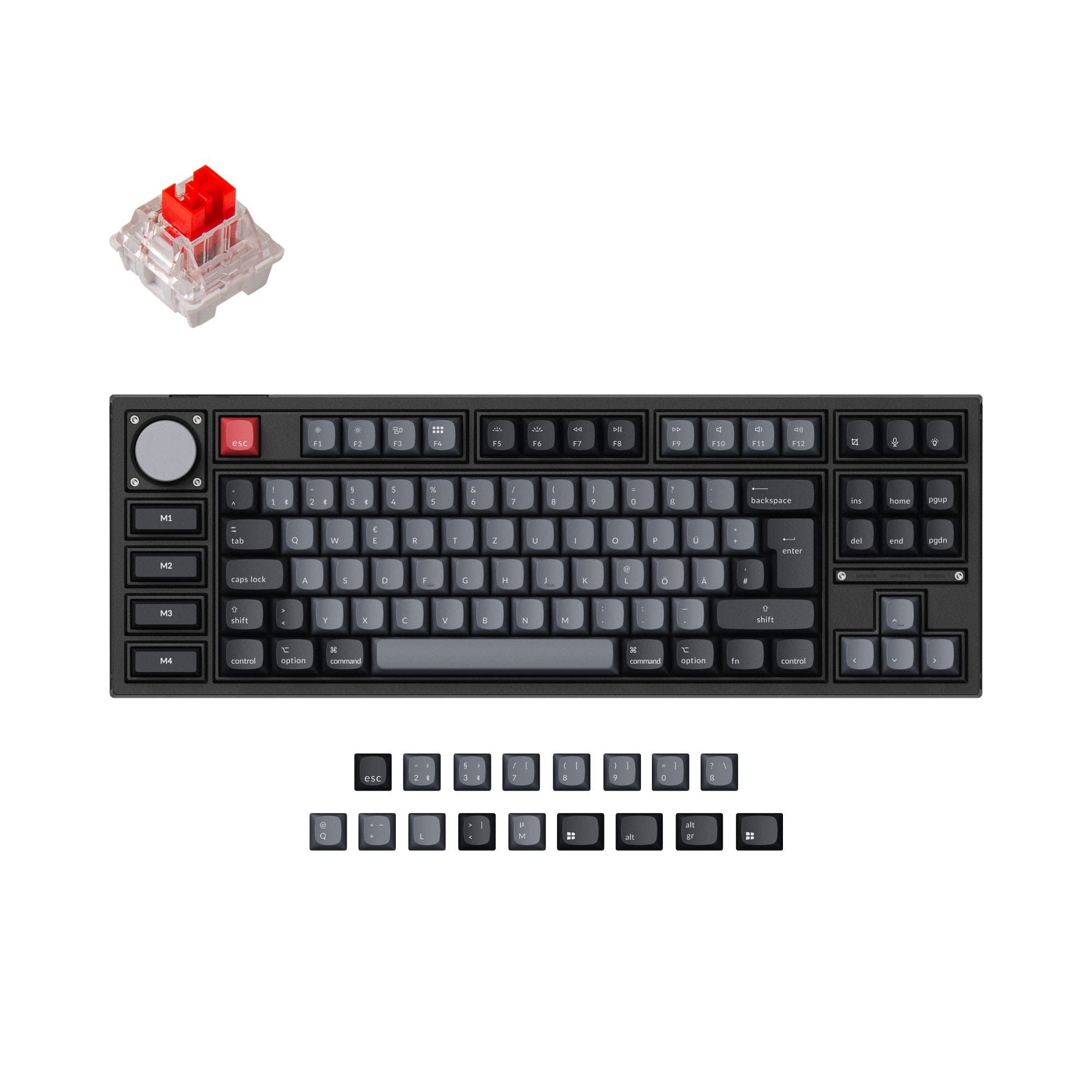
- Advanced Gateron double-rail magnetic switches with adjustable actuation points (0.2-3.8mm).
- Supports both QMK and VIA firmware for extensive key remapping and macro programming.
- Includes multiple sound-dampening foams (EVA, EPDM, silicone pad, PET film) for a tuned typing sound.
- Magnetic switches only. Standard MX switches will not fit.
- North-facing LEDs. Cherry-profile keycaps can hit the switch housing.
- No numpad.
Get the
WOBKEY Crush 80 Reboot Pro
Battery Life
Build quality in the top 20% of 80% boards under $200.
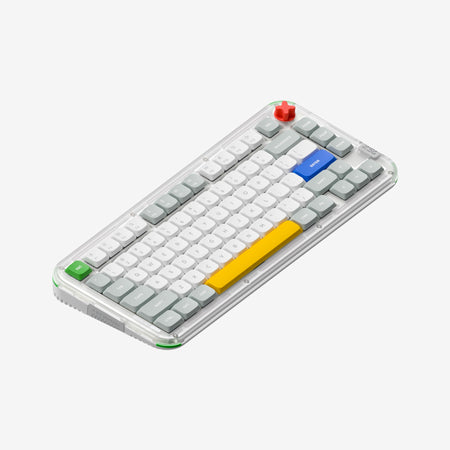
- Large 7500mAh rechargeable battery for extended wireless use.
- Includes a custom carrying case for protection and portability.
- Features a ball-catch quick release design and magnetic POGO battery pins for easy, toolless disassembly.
- North-facing LEDs. Cherry-profile keycaps can hit the switch housing.
- South-facing LEDs. Shine-through legends stay dark, and some sculpted keycaps can clip the LED.
- No ISO layout. ISO-DE, UK, and other ISO variants are not offered.
- No numpad.
Your primary need dictates the choice. If you are a competitive gamer or a power user who wants to fine-tune every aspect of keystrokes and firmware, the Keychron K2 HE's magnetic switch technology and QMK support are unmatched. If your priority is long-lasting wireless performance, easy portability with an included case, and a unique split spacebar layout, the WOBKEY Crush 80 Reboot Pro is the more practical option.
The differences that matter
Skip the 40-row spec sheet. These are the specs that change how each board feels, sounds, and fits your desk.
Keychron K2 HE
WOBKEY Crush 80 Reboot Pro
Layout size
75%
80%
Hall effect (magnetic)
Yes
No
Adjustable actuation helps in games and not in normal typing
Rapid trigger
Yes
No
Faster resets help in games and not in normal typing
Battery
4,000 mAh
7,500 mAh
A larger battery means fewer cables during the day
Ergonomics
Standard
Split Spacebar
- Keychron K2 HE
- WOBKEY Crush 80 Reboot Pro
- Performance
- 9378
- Build quality
- 9177
- Productivity
- 9791
- Customizability
- 9879
- Portability
- 8187
- Connection: Bluetooth, 2.4 GHz, Wired
- Hot-swappable
- VIA
- Sound dampening
What will you mostly use it for?
The Keychron K2 HE is the clear choice for gaming and programming due to its high-performance magnetic switches and extensive software support. The WOBKEY Crush 80 Reboot Pro wins for travel thanks to its included case and large battery. For office use and content creation, the keyboards are closely matched, with the choice boiling down to preference for the K2's compact layout or the Crush 80's split spacebar and battery advantage.
Pick the Keychron K2 HE
- The Keychron K2 HE features a 1000 Hz polling rate for its 2.4 GHz and wired connections.
- It includes gaming-specific features like Rapid Trigger, Analog Mode, and Last Key Priority (LKP).
- Its magnetic switches offer adjustable actuation points from 0.2 to 3.8 mm for precise control.
Keychron K2 HE vs WOBKEY Crush 80 Reboot Pro specs
Every tracked spec, side by side. Rows marked with a dot differ between the boards.
17 of 29 specs differ
Keychron K2 HE
WOBKEY Crush 80 Reboot Pro
Switch options
Hall effect (magnetic)
Rapid trigger
Hot-swappable
Mount style
Sound dampening
Screw-in stabilizers
Layout size
Layout standard
Ergonomics
Knob
Display
Media keys
Connection
Max polling rate
Battery
USB-C
Case material
Plate material
Keycaps
Weight
Dimensions
Typing angle
Backlight
QMK
VIA
N-key rollover
Mac & Windows
Released
ISO layouts by store
Which stores sell ISO-DE, UK, and the other regional layouts.
Keychron K2 HE
Keychron
ISO-DE, ISO-UK, ISO-Nordic, ISO-CH
In stockShips to you
Input Gear
ISO-DE
Out of stockShips to you
Keychron (DE)
ISO-DE, ISO-UK, ISO-FR, ISO-ES, ISO-CH
In stockDoes not ship to you
WOBKEY Crush 80 Reboot Pro
No ISO layout at the stores we track.
Compare prices
Live prices from the stores we track, cheapest in-stock offer first.
Prices in USD are converted to your currency and can change at any time. KeebFinder may earn a commission when you buy through these links, at no extra cost to you.
Lowest price across stores, Amazon excluded.




Keychron K2 HE vs WOBKEY Crush 80 Reboot Pro: your questions
The WOBKEY Crush 80 Reboot Pro has a significantly larger 7500mAh battery. The Keychron K2 HE uses a 4000mAh battery. Manufacturer tests for the Keychron cite up to 110 hours of wireless use, but actual battery life will depend on usage patterns like RGB lighting and connection type.
No, not interchangeably. The Keychron K2 HE is only compatible with Gateron double-rail magnetic switches, as per its manufacturer. The WOBKEY Crush 80 uses a standard mechanical hot-swap PCB, which accepts typical 3-pin or 5-pin mechanical switches, and comes with Kailh Cocoa switches installed.
Both keyboards list macOS compatibility. The Keychron K2 HE specifically mentions it is built with Mac users in mind, includes Mac keycaps, and has a system toggle to switch between macOS and Windows layouts. The WOBKEY Crush 80 also lists Mac compatibility but without the same level of detailed Mac-centric features.
Yes, both offer software customization. The Keychron K2 HE can be programmed using the open-source QMK firmware or the Keychron Launcher web app. The WOBKEY Crush 80 Reboot Pro is programmable using VIA, a popular graphical configuration tool.
A split spacebar divides the traditional long spacebar key into two or more separate keys. The WOBKEY Crush 80 Reboot Pro's PCB layout supports a split spacebar configuration, allowing for additional programmable keys. The Keychron K2 HE uses a standard, single spacebar layout.
The WOBKEY Crush 80 is more travel-ready as it includes a custom carrying case. While the Keychron K2 HE is a smaller 75% size, it does not come with a dedicated case. The WOBKEY also has a toolless disassembly design which could be convenient for transport.
Magnetic switches, like those in the Keychron K2 HE, use a magnet and sensor (TMR technology) to detect keypresses instead of physical metal contacts. They allow for features like adjustable actuation points and rapid trigger, which can provide an advantage in gaming by allowing faster key resets and precise actuation tuning.
The Keychron K2 HE comes with double-shot PBT keycaps, with shine-through Cherry profile on the standard version and non-shine-through OSA profile on special editions. The WOBKEY Crush 80 comes with dye-sub double-shot PBT keycaps.
Yes, both are designed for sound modification. The Keychron K2 HE includes EVA foam, EPDM foam, a silicone pad, and PET film inside. The WOBKEY Crush 80 features Poron case foam layers, Poron plate foam, PET switch film, and IXPE switch pads. Both being hot-swappable also lets you change switches, which greatly affects sound.
This information is not provided in the product specifications or vendor descriptions. Warranty terms and customer support quality typically vary by manufacturer and retailer, so it is recommended to check the specific vendor's policy before purchasing.
The vendor descriptions do not provide a quantitative comparison of brightness. The Keychron K2 HE uses north-facing RGB LEDs. The WOBKEY Crush 80 features both per-key programmable A-RGB and side RGB lighting. User reviews for the Keychron mention the RGB is not extremely bright, but this can be subjective.
Not sold on either?



Still torn?
Answer a few quick questions and the keyboard finder ranks 2,000+ boards by how you will actually use yours.