Keychron K2 HE vs Wooting 80HEWireless Flexibility vs High Polling
Choose the Keychron K2 HE for wireless versatility and multi-system layouts, or the Wooting 80HE for its dedicated, high-polling-rate wired gaming performance.
KeebFinder may earn a commission when you buy through these links, at no extra cost to you.

4.8 (49)4.8 · 49 reviews
from$129at Keychron

No reviews
from$164at MK
90-day lowLowest price in 90 days
Which one should you get?
Get the
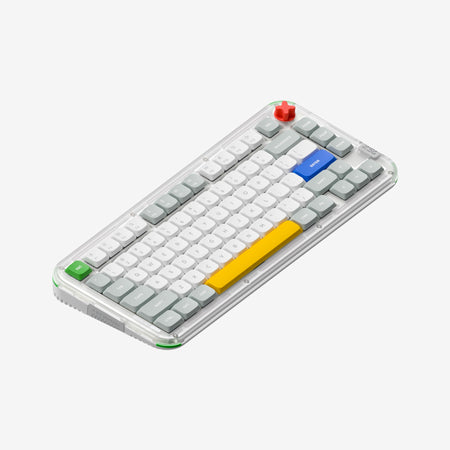
Keychron K2 HE
Wireless Flexibility
Build quality in the top 5% of 75% boards under $150.
- Triple-mode connectivity (Bluetooth, 2.4 GHz, wired) with a 4000mAh battery.
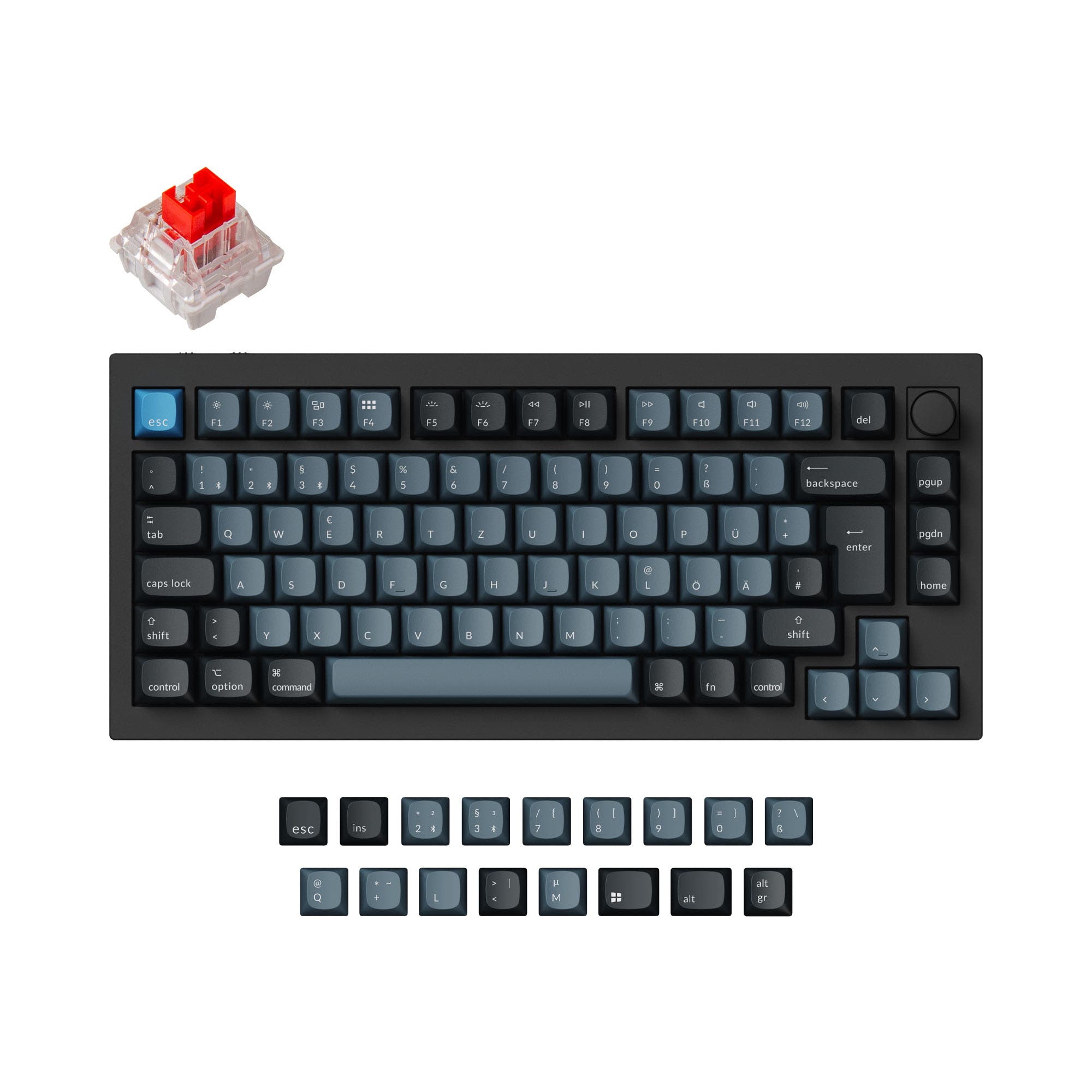
- Extensive layout support including ANSI and multiple ISO variants (UK, DE, Nordic, etc.).
- Comes with sound dampening foams (EVA, EPDM, silicone pad) and screw-in stabilizers pre-installed.
- Magnetic switches only. Standard MX switches will not fit.
- North-facing LEDs. Cherry-profile keycaps can hit the switch housing.
Get the
Wooting 80HE
High Polling
Build quality in the top 35% of 75% boards under $200.
- Very high 8000 Hz polling rate for minimal input latency.
- Sold as a PCB module, offering flexibility for users to choose or build their own case.
- Hot-swap PCB is compatible with Gateron KS-20, Gateron Magnetic Jade, and Lekker magnetic switches.
- Magnetic switches only. Standard MX switches will not fit.
- North-facing LEDs. Cherry-profile keycaps can hit the switch housing.
- No ISO layout. ISO-DE, UK, and other ISO variants are not offered.
Your primary need dictates the choice. For a complete, ready-to-use keyboard that works wirelessly anywhere and supports international layouts, the Keychron K2 HE is the clear option. If your setup is permanently wired and you prioritize the absolute lowest latency for gaming, or you want a core component for a custom build, the Wooting 80HE PCB module is the specialized tool. Consider the additional cost and effort of completing the Wooting build versus the out-of-box experience of the Keychron.
The differences that matter
Skip the 40-row spec sheet. These are the specs that change how each board feels, sounds, and fits your desk.
Keychron K2 HE
Wooting 80HE
Connection
Bluetooth, 2.4 GHz, Wired
Wired
Wireless for several devices and wired for lower latency
Max polling rate
1,000 Hz
8,000 Hz
Higher polling helps competitive FPS and does nothing for typing
Case material
ABS, Aluminum, Resin, Wood
ABS, Plastic
Switch options
Linear, Magnetic
Magnetic
Mount style
Plate Mount, Tray Mount
Gasket Mount, PCB Mount, Plate Mount
- Keychron K2 HE
- Wooting 80HE
- Performance
- 9394
- Build quality
- 9174
- Productivity
- 9773
- Customizability
- 9862
- Portability
- 8163
- Layout size: 75%
- Hall effect (magnetic)
- Rapid trigger
- Hot-swappable
- Sound dampening
What will you mostly use it for?
The Keychron K2 HE is the more versatile choice, winning for office use, programming, travel, and content creation due to its wireless features, multi-layout support, and battery. The Wooting 80HE takes the lead for dedicated gaming setups because of its higher polling rate. For modding, both are capable, with the Wooting offering a blank-slate PCB module and the Keychron providing a well-appointed starting platform.
Pick the Wooting 80HE
- The Wooting 80HE has an 8000 Hz polling rate, which is higher than the K2 HE's 1000 Hz.
- Its vendor description states it is a 'PCB module suitable for installation into cases', suggesting a focus on performance customization.
- The K2 HE's wireless modes, while convenient, may introduce latency not present in the Wooting's wired-only connection.
Keychron K2 HE vs Wooting 80HE specs
Every tracked spec, side by side. Rows marked with a dot differ between the boards.
15 of 29 specs differ
Keychron K2 HE
Wooting 80HE
Switch options
Hall effect (magnetic)
Rapid trigger
Hot-swappable
Mount style
Sound dampening
Screw-in stabilizers
Layout size
Layout standard
Ergonomics
Knob
Display
Media keys
Connection
Max polling rate
Battery
USB-C
Case material
Plate material
Keycaps
Weight
Dimensions
Typing angle
Backlight
QMK
VIA
N-key rollover
Mac & Windows
Released
ISO layouts by store
Which stores sell ISO-DE, UK, and the other regional layouts.
Keychron K2 HE
Keychron
ISO-DE, ISO-UK, ISO-Nordic, ISO-CH
In stockShips to you
Input Gear
ISO-DE
Out of stockShips to you
Keychron (DE)
ISO-DE, ISO-UK, ISO-FR, ISO-ES, ISO-CH
In stockDoes not ship to you
Wooting 80HE
No ISO layout at the stores we track.
Compare prices
Live prices from the stores we track, cheapest in-stock offer first.
Prices in USD are converted to your currency and can change at any time. KeebFinder may earn a commission when you buy through these links, at no extra cost to you.
Lowest price across stores, Amazon excluded.





Keychron K2 HE vs Wooting 80HE: your questions
The Keychron K2 HE is designed for wireless use. It features Bluetooth 5.2 and a 2.4 GHz wireless connection with a 4000mAh battery, offering up to 110 hours of use. The Wooting 80HE is a wired-only PCB module.
No. The Wooting 80HE is sold specifically as a 'PCB module suitable for installation into cases or use without a case.' You must provide your own case, keycaps, and switches to have a functional keyboard.
Yes. The Keychron K2 HE listing states Mac/Win support, and its vendor description confirms it is built with Mac users in mind. It includes a system toggle and keycaps for both macOS and Windows.
According to Keychron, the K2 HE is compatible exclusively with Gateron Double-Rail Magnetic Switches. The manufacturer states it does not support other magnetic switches like Gateron Magnetic Jade or KS-20.
The vendor description for the Wooting 80HE states its hotswap PCB is designed to work with Gateron KS-20, Gateron Magnetic Jade, or Lekker switches.
The Wooting 80HE has a polling rate of 8000 Hz. The Keychron K2 HE has a polling rate of 1000 Hz in its wired and 2.4 GHz modes.
Keychron's description highlights several acoustic features, including pre-lubed switches, 3.5mm thick EVA acoustic foam, EPDM foam, and a silicone pad inside the keyboard to achieve a satisfying typing sound.
Yes, both offer customization software. The Keychron K2 HE supports QMK and VIA for remapping. The Wooting 80HE uses Wootility software to program actuation points, RGB, and profiles.
The Keychron K2 HE supports many more layouts, including ANSI, ISO-UK, ISO-DE, ISO-Nordic, ISO-CH, and others. The Wooting 80HE is listed only with an ANSI layout.
Yes, both keyboards feature north-facing per-key RGB LED lighting. The Keychron K2 HE offers over 22 backlight modes configurable via its web app.
Its primary advantage is its 8000 Hz polling rate, which is aimed at minimizing input latency for competitive gaming. Its modular PCB design also appeals to enthusiasts who want to build a custom keyboard around a high-performance core.
Not sold on either?


Still torn?
Answer a few quick questions and the keyboard finder ranks 2,000+ boards by how you will actually use yours.