Keychron K5 Max vs K6 ProFull Size vs Compact 65%
Choose the K5 Max if you need a full numpad and a slim profile, or the K6 Pro if you prioritize a compact, lightweight design and extensive community support.

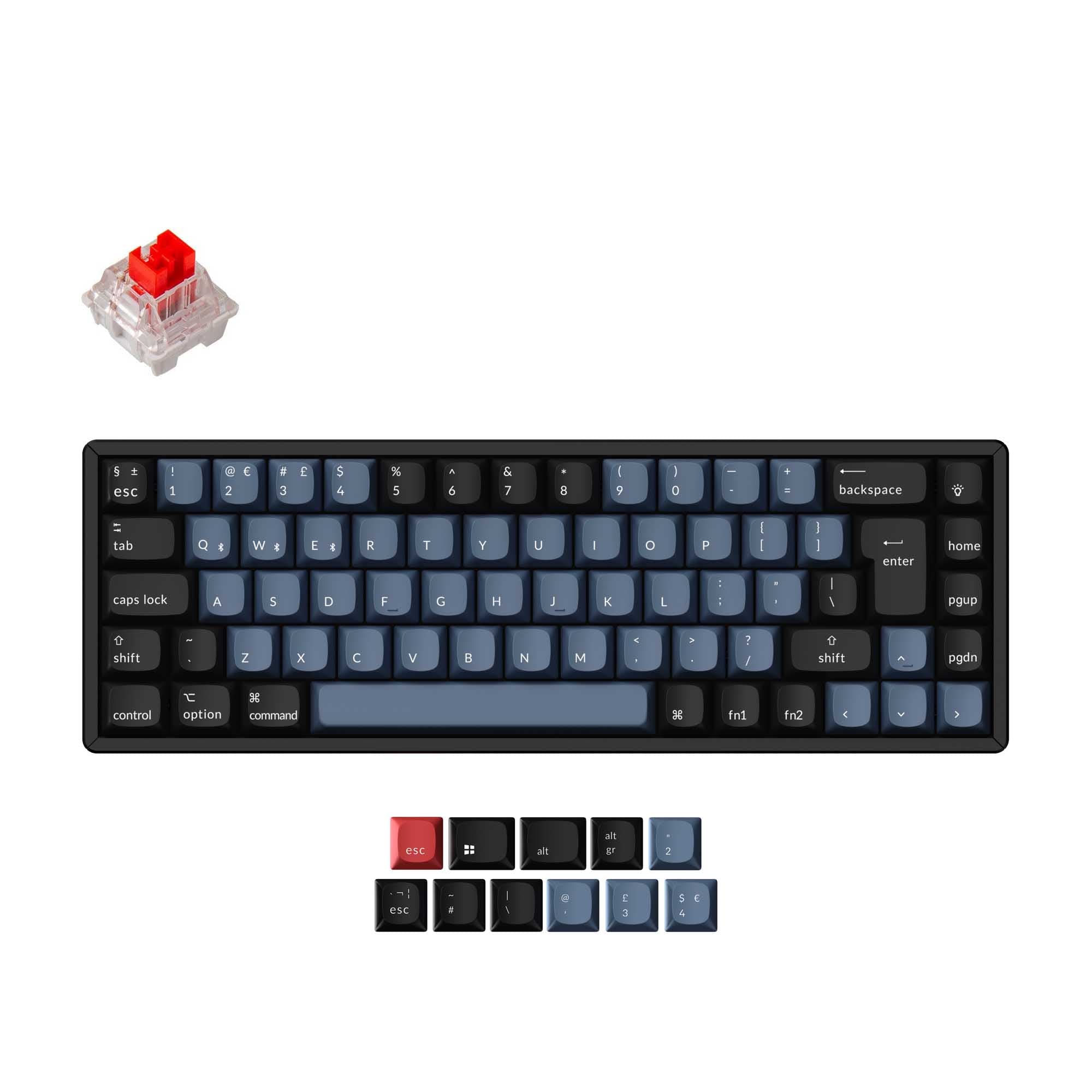
Which one should you get?
Get the
Keychron K5 Max
Full Size
- Ultra-slim low-profile design paired with an aluminum frame enhances desk aesthetics.
- Includes a 2.4 GHz wireless connection for low-latency gaming without a wire.
- Full 100% layout with a numpad is ideal for data entry and productivity tasks.
- Only compatible with Gateron and Keychron low-profile mechanical switches, limiting modding options.
- The 720g weight and 424mm length make it less portable than smaller layout boards.
- Has a smaller 2000mAh battery compared to the K6 Pro, potentially requiring more frequent charging.
Get the
Keychron K6 Pro
Compact 65%
- Compact 65% layout is highly portable and frees up desk space for mouse movement.
- Supports almost all standard 3-pin and 5-pin MX switches on the market for easy customization.
- Large 4000mAh battery provides excellent battery life for wireless use.
- Lacks a dedicated 2.4 GHz wireless connection, relying solely on Bluetooth and wired modes.
- Does not include a number row, so users must rely on layers for number input.
- The absence of a numpad can slow down workflows that require heavy data entry.
Your choice hinges on your need for a numpad and your tolerance for size. The Keychron K5 Max is the better pick if a full layout and an ultra-slim profile are non-negotiable for your workflow. However, the Keychron K6 Pro is the more flexible and mainstream choice for those who want a compact, portable keyboard that can be customized with almost any standard MX switch on the market.
The differences that matter
Skip the 40-row spec sheet. These are the specs that change how each board feels, sounds, and fits your desk.
Keychron K5 Max
Keychron K6 Pro
Layout size
100%
65%
Connection
Bluetooth, 2.4 GHz, Wired
Bluetooth, Wired
Battery
2,000 mAh
4,000 mAh
Low profile
Yes
No
Case material
ABS, Aluminum
ABS, Aluminum, Plastic
- Keychron K5 Max
- Keychron K6 Pro
- Performance
- 8174
- Build quality
- 8289
- Productivity
- 8991
- Customizability
- 8896
- Portability
- 5388
- Hot-swappable
- Max polling rate: 1,000 Hz
- Switch options: Clicky, Linear, Tactile
- QMK
- VIA
- Sound dampening
What will you mostly use it for?
The Keychron K6 Pro wins in categories requiring portability and extensive customization, outperforming the K5 Max in Travel and Modding due to its compact size and universal MX switch compatibility. The K5 Max secures victories in Gaming and Content Creation, leveraging its 2.4 GHz connectivity and dedicated numpad. For Programming, the choice is a tie as both boards offer identical firmware support for key remapping. Office use favors the K6 Pro for its space-saving design and traditional typing profile.
Pick the Keychron K5 Max
- Provides a dedicated 2.4 GHz wireless connection with a 1000 Hz polling rate for lower latency.
- Includes a full numpad and vertical navigation cluster, useful for certain game genres and binds.
What owners say
Ratings and quotes collected from verified store reviews, including the critical ones.
Keychron K5 Max
16 owner reviews
“This is by far the best keyboard I've ever had. I did my research with AI defined the one I should get. I'm glad I did this first! I type about a hundred words a minute and do a lot of document creation as well as coding. This keyboard keeps up with me in the…”
“The printing quality of the Hungarian keycaps is very poor. The stroke thickness of the letters varies even within a single keycap—one letter is thick while another is thin. They look ugly. Also, on the internet the "esc" key appears orange, but in reality it…”
Keychron K6 Pro
8 owner reviews
“This is my first serious mechanical keyboard. It sounds and feels great stock. You don't really need to mod it, but if you do, i think it will sounds amazing. 0 regrets, im very satisfied.”
“I received this item broken: switches, plate, box, stabilizers- everything was either broken or not assembled properly.”
Keychron K5 Max vs K6 Pro specs
Every tracked spec, side by side. Rows marked with a dot differ between the boards.
14 of 27 specs differ
Keychron K5 Max
Keychron K6 Pro
Switch options
Hot-swappable
Mount style
Low profile
Sound dampening
Screw-in stabilizers
Layout size
Layout standard
Ergonomics
Display
Media keys
Connection
Max polling rate
Battery
USB-C
Case material
Plate material
Keycaps
Weight
Dimensions
Typing angle
Backlight
QMK
VIA
N-key rollover
Mac & Windows
Released
Compare prices
Live prices from the stores we track, cheapest in-stock offer first.
Lowest price across stores, Amazon excluded.




Prices in USD are converted to your currency and can change at any time. KeebFinder may earn a commission when you buy through these links, at no extra cost to you.
Keychron K5 Max vs K6 Pro: your questions
The Keychron K6 Pro is better for a minimal desk setup due to its compact 65% size that leaves ample room for a mouse pad and other peripherals. While the K5 Max is ultra-slim, its full 100% layout still occupies a significant amount of desk space in terms of width.
No, you cannot use standard Cherry MX keycaps on the K5 Max. The vendor explicitly states that the keyboard is only compatible with Gateron and Keychron low-profile mechanical switches, which require specific low-profile keycaps.
The Keychron K6 Pro has a larger 4000mAh battery compared to the 2000mAh battery in the K5 Max. This suggests the K6 Pro should offer significantly longer use between charges, making it a better choice for those who rarely use a wired connection.
Yes, both the Keychron K5 Max and the Keychron K6 Pro support VIA remapping. The vendor description for each model mentions that you can easily customize every key using the Keychron Launcher web app, which is effectively VIA integration.
The Keychron K5 Max is better for low-latency gaming as it features a dedicated 2.4 GHz wireless connection with a 1000 Hz polling rate. The K6 Pro only offers Bluetooth wireless, which typically introduces more latency than a 2.4 GHz connection.
Yes, the Keychron K6 Pro is available in a barebones version. The vendor description shows a 'Barebone (Hot-Swappable)' option, allowing builders to purchase the keyboard without switches or keycaps and install their own choice of components.
The vendor descriptions do not specify that either keyboard comes with shine-through keycaps as a default. One review of the K5 Max specifically states disappointment that the keycaps are not shine-through, so you should expect opaque keycaps on both models.
The Keychron K6 Pro features screw-in PCB stabilizers for large keys, which the vendor claims offer a smoother typing experience with less wobble. The K5 Max uses redesigned stabilizers, but the K6 Pro's screw-in design is generally preferred for stability.
Yes, the Keychron K5 Max can be used with an iPad or phone. The vendor's description states that its Bluetooth 5.1 capability allows seamless switching between a computer, phone, and tablet for smooth multitasking across devices.
The Keychron K6 Pro offers a more traditional typing angle with three levels of adjustment at 3.5°, 8.5°, and 12°. The K5 Max has a very low profile with a fixed typing angle of 3.5 degrees, which is more similar to typing on a laptop.
Not sold on either?


Still torn?
Answer a few quick questions and the keyboard finder ranks 2,000+ boards by how you will actually use yours.