Keychron K6 Pro vs Q2Wireless or Premium Build?
Choose the K6 Pro for wireless convenience and portability, or the Q2 for a heavier, more refined full-aluminum typing experience with a gasket mount.
KeebFinder may earn a commission when you buy through these links, at no extra cost to you.
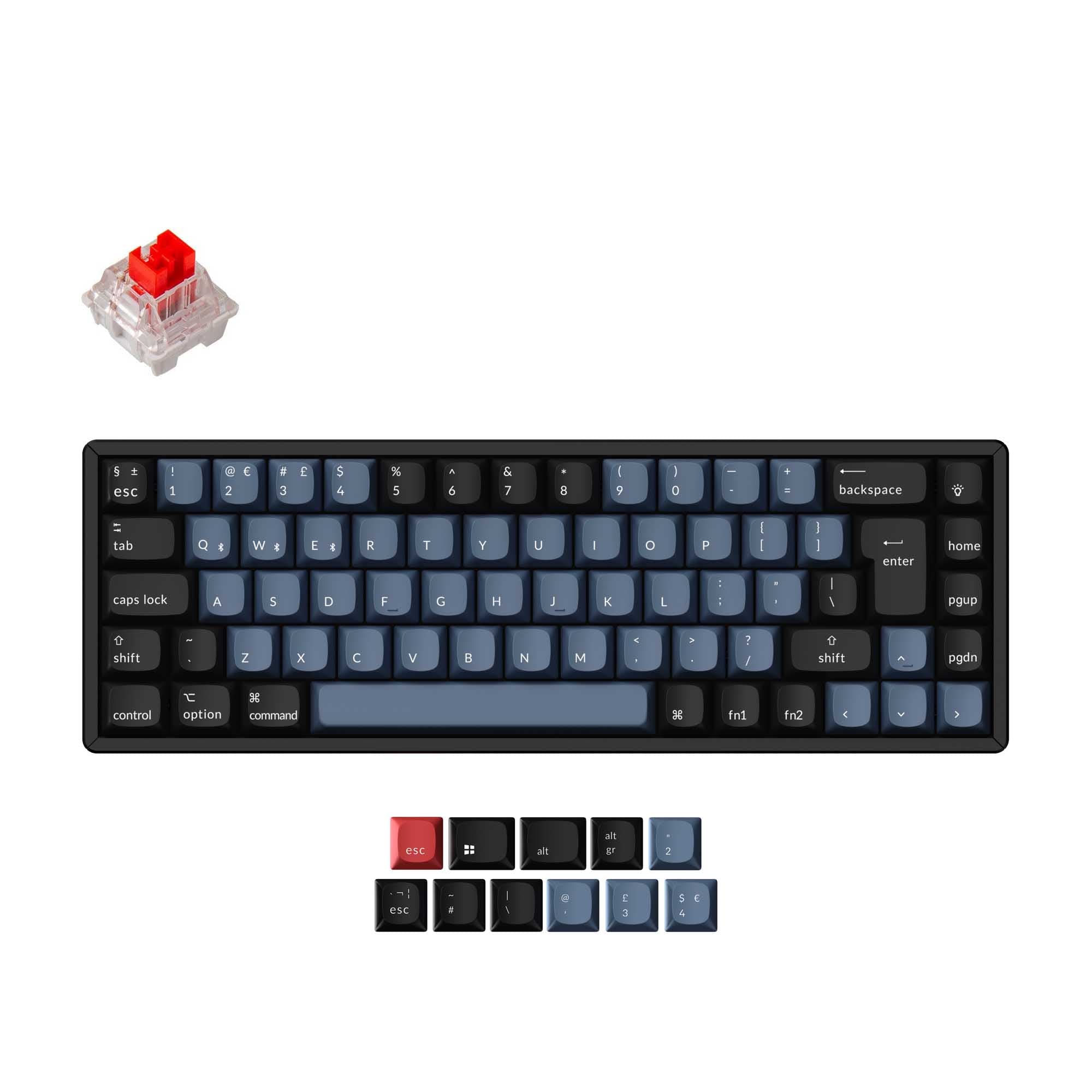
4.4 · 8 reviews
from$67at Keychron
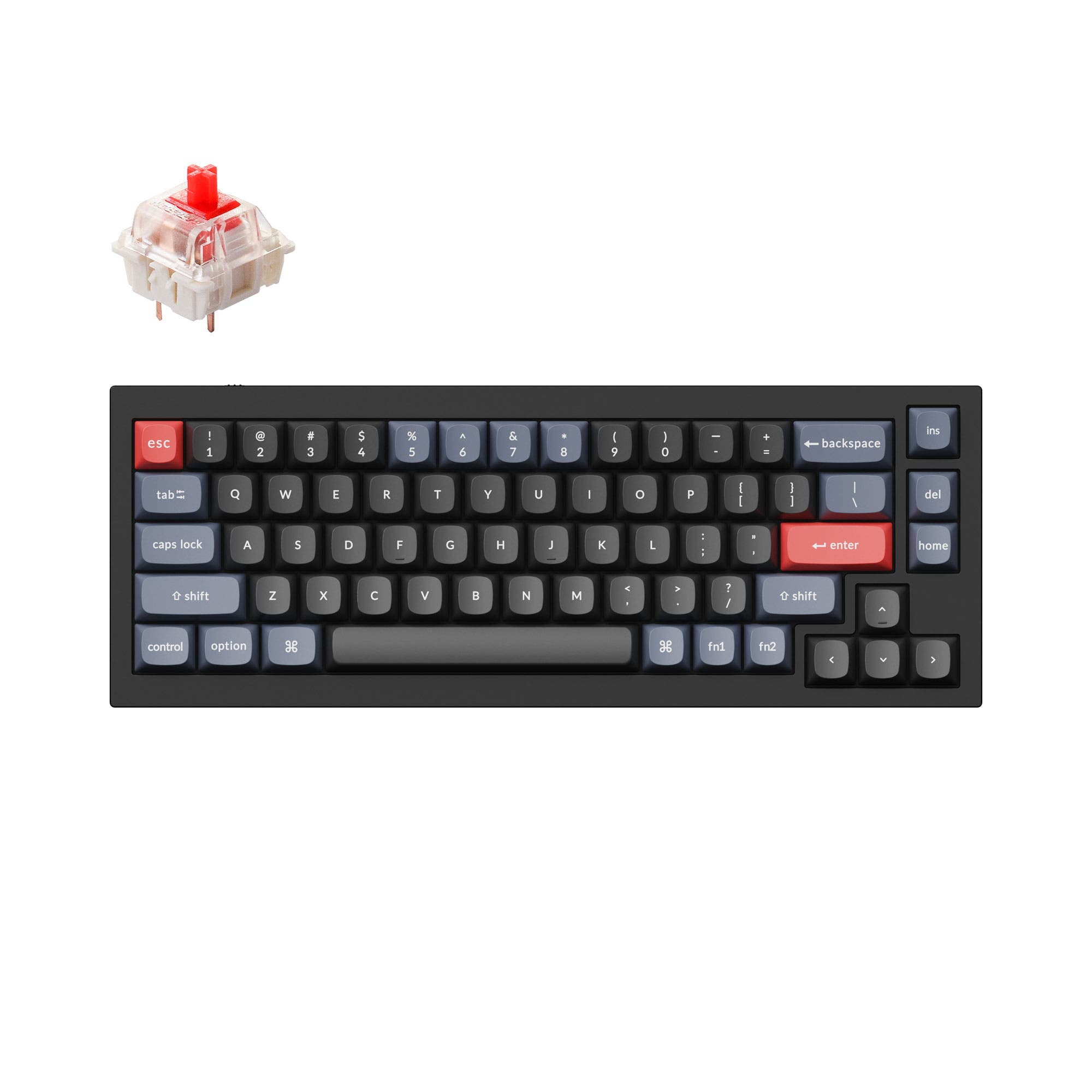
4.8 · 241 reviews
from$59at Keychron
Which one should you get?
Get the
Keychron K6 Pro
Build quality in the top 5% of 65% boards under $100.
- Wireless Bluetooth 5.1 connectivity supports up to 3 devices simultaneously.
- Lightweight 890g design with a plastic frame option for easy portability.
- Sound-absorbing foam and silicone dampening pad for quieter typing.
- South-facing LEDs. Shine-through legends stay dark, and some sculpted keycaps can clip the LED.
- Missing ISO-Nordic. The other board is sold in those layouts.
Get the
Keychron Q2
Knob
Build quality in the top 5% of 65% boards under $100.
- Full CNC-machined 6063 aluminum body with polished, anodized finish.
- Double-gasket design reduces metal resonance and improves typing sound.
- Heavier weight (1645g) provides a solid, slip-free desk presence.
- South-facing LEDs. Shine-through legends stay dark, and some sculpted keycaps can clip the LED.
If you need a compact keyboard that you can easily take between devices or on the go, the Keychron K6 Pro's wireless Bluetooth and lighter weight make it the clear choice. For a dedicated desk setup where typing feel and build quality are paramount, the Keychron Q2's full aluminum body and double-gasket mount offer a more refined experience. Both keyboards are customizable with QMK and VIA, so your final pick should be guided by how much you value mobility versus heft and resonance control.
The differences that matter
Skip the 40-row spec sheet. These are the specs that change how each board feels, sounds, and fits your desk.
Keychron K6 Pro
Keychron Q2
Connection
Bluetooth, Wired
Wired
Wireless for several devices and wired for lower latency
Case material
ABS, Aluminum, Plastic
Aluminum
Mount style
PCB Mount, Tray Mount
Gasket Mount, PCB Mount
Knob
No
Yes
Weight
890 g
1,645 g
Heavier boards stay planted and lighter ones travel
- Keychron K6 Pro
- Keychron Q2
- Performance
- 7466
- Build quality
- 8990
- Productivity
- 9195
- Customizability
- 9698
- Portability
- 8870
- Layout size: 65%
- Hot-swappable
- Max polling rate: 1,000 Hz
- Switch options: Clicky, Linear, Tactile
- QMK
- VIA
What will you mostly use it for?
The K6 Pro wins for gaming and travel thanks to its wireless capability and lower weight. The Q2 takes the lead in office, modding, and content creation due to its full aluminum build, double-gasket mount, and programmable knob. For programming, both keyboards are evenly matched because they share the same layout size, hot-swap capability, and QMK/VIA software support. The choice ultimately depends on whether you prioritize mobility and wireless freedom or a heavier, more refined desk experience.
Pick the Keychron K6 Pro
- Supports wireless Bluetooth 5.1 for a clean desk setup with up to 3 devices.
- Lighter weight (890g) makes it easier to reposition during gaming sessions.
- Includes sound-absorbing foam and silicone dampening for quieter play.
What owners say
Ratings and quotes collected from verified store reviews, including the critical ones.
Keychron K6 Pro
8 owner reviews
“This is my first serious mechanical keyboard. It sounds and feels great stock. You don't really need to mod it, but if you do, i think it will sounds amazing. 0 regrets, im very satisfied.”
“I received this item broken: switches, plate, box, stabilizers- everything was either broken or not assembled properly.”
Keychron Q2
241 owner reviews
“The Q2 is waaaaay underrated. Tempest mod, lubed durock v2 stabs, tecsee PME or HPE housing long pole tactile switches and you have yourself a killer board.”
Keychron K6 Pro vs Q2 specs
Every tracked spec, side by side. Rows marked with a dot differ between the boards.
10 of 27 specs differ
Keychron K6 Pro
Keychron Q2
Switch options
Hot-swappable
Mount style
Sound dampening
Screw-in stabilizers
Layout size
Layout standard
Ergonomics
Knob
Display
Media keys
Connection
Max polling rate
Battery
USB-C
Case material
Plate material
Keycaps
Weight
Dimensions
Typing angle
Backlight
QMK
VIA
N-key rollover
Mac & Windows
Released
ISO layouts by store
Which stores sell ISO-DE, UK, and the other regional layouts.
Keychron K6 Pro
Keychron
ISO-DE, ISO-UK, ISO-FR, ISO-ES, ISO-SW
In stockShips to you
Keychron (DE)
ISO-DE, ISO-UK, ISO-FR, ISO-ES, ISO-SW
In stockDoes not ship to you
Keychron Q2
Input Gear
ISO-FR
In stockShips to you
Keychron
ISO-DE, ISO-UK, ISO-Nordic, ISO-FR, ISO-ES, ISO-SW
In stockShips to you
Keychron (DE)
ISO-DE, ISO-UK, ISO-Nordic, ISO-FR, ISO-ES, ISO-SW
In stockDoes not ship to you
Compare prices
Live prices from the stores we track, cheapest in-stock offer first.
Prices in USD are converted to your currency and can change at any time. KeebFinder may earn a commission when you buy through these links, at no extra cost to you.
Lowest price across stores, Amazon excluded.





Keychron K6 Pro vs Q2: your questions
Yes, the K6 Pro supports Bluetooth 5.1 wireless connectivity with a Broadcom chip. According to user reviews, there is zero noticeable lag in Bluetooth mode during gaming. It also offers a wired USB-C connection for lower latency if preferred.
No, the Keychron Q2 is a wired-only keyboard. It connects via a USB Type-C cable and does not include any wireless or Bluetooth functionality. A Type-C to Type-A adapter is included in the box for compatibility.
Yes, both the K6 Pro and Q2 have hot-swappable PCB sockets that support 3-pin and 5-pin MX-style mechanical switches. This allows you to change switches without soldering. Both boards also come in fully assembled and barebone versions.
The Q2 is generally preferred for modding due to its double-gasket mount design and full aluminum case. It supports third-party screw-in stabilizers such as Cherry or Durock and includes a programmable knob. The K6 Pro uses a tray mount and steel plate, which offer less flexibility for sound and feel modifications.
Yes, both the K6 Pro and Q2 come with OSA profile double-shot PBT keycaps. These keycaps are oil-resistant, durable, and designed to prevent legends from fading. The K6 Pro also offers an ABS keycap option in some variants, while the Q2 standard is PBT.
The Q2 uses a full CNC-machined 6063 aluminum case with a double-gasket mount, resulting in a heavier and more rigid build (1645g). The K6 Pro has an aluminum frame option but also includes a plastic frame variant, and uses a tray mount with a steel plate, making it lighter (890g) but less premium.
Yes, both keyboards support QMK firmware and VIA software for full key remapping, macros, and shortcuts. You can customize each key using the Keychron Launcher web app. The K6 Pro also allows macro assignment, though one user noted mouse key assignment may be restricted in the firmware.
The Keychron K6 Pro offers three adjustable typing angles: 3.5, 8.5, and 12 degrees, providing ergonomic flexibility. The Keychron Q2 has a fixed typing angle of 6.5 degrees with no adjustable feet, which may be less accommodating for users who prefer a steeper incline.
Yes, both the K6 Pro and Q2 come with a system toggle switch and include additional keycaps for both macOS and Windows layouts. They are designed with Mac users in mind while retaining full Windows compatibility. You can save separate layouts for each system.
Yes, the Q2 weighs 1645g (fully assembled), while the K6 Pro weighs 890g. The Q2 is nearly twice as heavy, which contributes to a more stable desk presence but makes it significantly less portable. The K6 Pro is better suited for travel or moving between workspaces.
Both keyboards use screw-in PCB stabilizers, which are designed to reduce wobbliness on larger keys like space bar, shift, enter, and backspace. They are pre-lubed from the factory and support third-party stabilizers such as Cherry or Durock.
No, the Keychron K6 Pro does not support a knob. Only the Keychron Q2 offers knob support, with both fully assembled knob versions and barebone knob variants available. The Q2's programmable knob can be customized for tasks like volume, zoom, or brush size.
Not sold on either?


Still torn?
Answer a few quick questions and the keyboard finder ranks 2,000+ boards by how you will actually use yours.