Not sure which keyboard to choose? Try the Keyboard Finder now!

Compare Keychron Q1 V1 vs Q2 Differences Side by Side

This comparison is for buyers deciding between two of Keychron's popular wired, aluminum custom keyboards. The choice is difficult because both share premium features like gasket mounting, hot-swap PCBs, QMK/VIA programmability, and south-facing RGB. The core decision hinges on whether you value the extra keys of a 75% layout or the extreme compactness of a 65% layout, as their build quality and customization potential are otherwise very similar.

93
Keychron Q1 QMK Custom Mechanical Keyboard ISO Layout Collection - Version 1
93
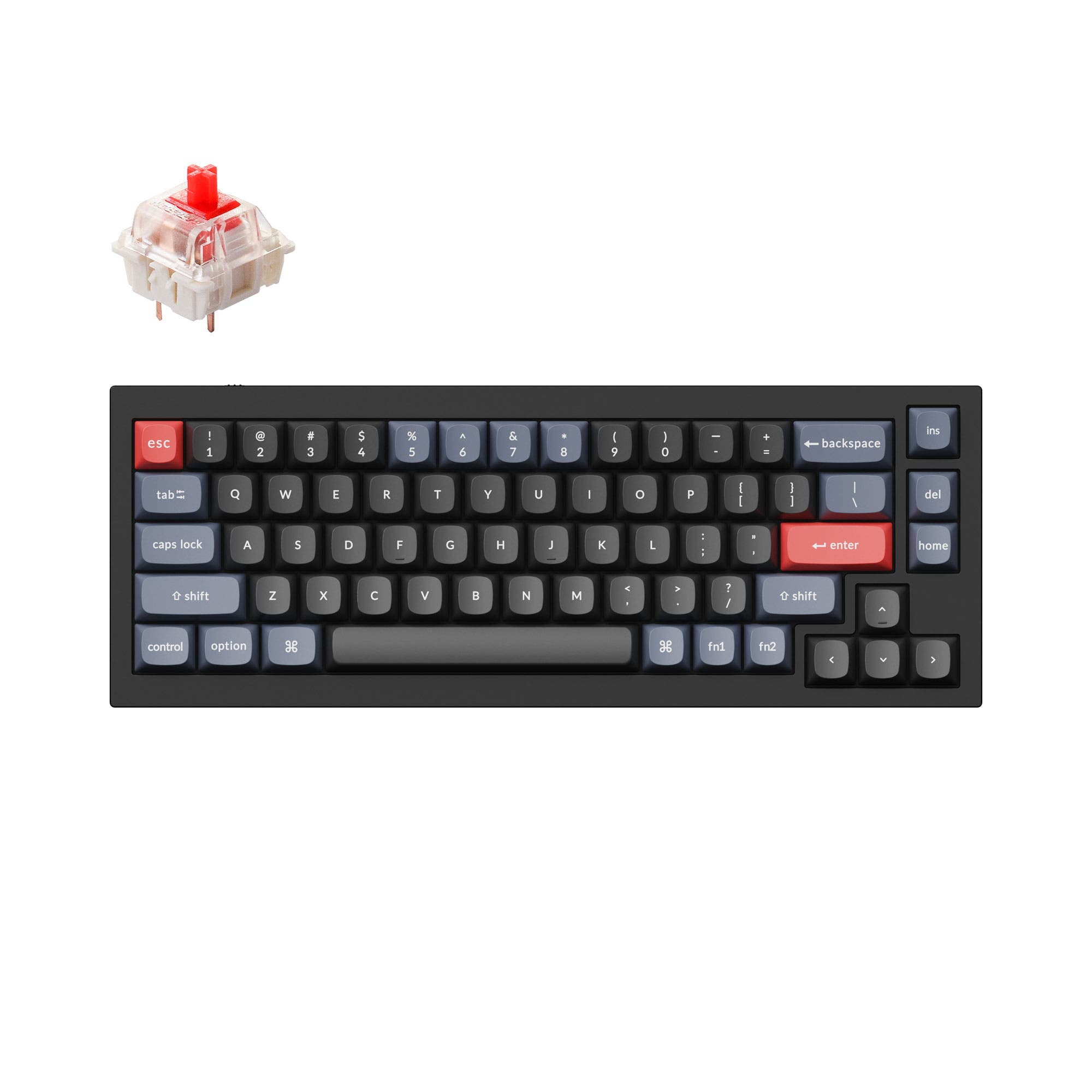
Keychron Q2 QMK Custom Mechanical Keyboard

Select a keyboard to compare

4.5 (1175)
4.8 (481)
  • Released in 2023
  • Available in a 75% layout
  • Built with the ISO, JIS, ANSI layout standard
  • Weighs about 1700 g
  • Sized at 22 x 145 x 328 mm
  • Features ABS, PBT keycaps
  • Released in 2021
  • Available in a 65% layout
  • Built with the ANSI, ISO, JIS, ISO-DE, ISO-Nordic, ISO-UK, ISO-FR, ISO-ES, ISO-SW layout standard
  • Weighs about 1645 g
  • Sized at 20 x 121 x 328 mm
  • Features PBT, ABS keycaps
Scores
  • Performance: 72.8
  • Build Quality: 89.6
  • Productivity: 97.9
  • Customizability: 99.9
  • Portability: 64.8
Scores
  • Performance: 66.4
  • Build Quality: 90.3
  • Productivity: 94.8
  • Customizability: 99.8
  • Portability: 70.6
Name
Keychron Q1 V1
Name
Keychron Q2
Release year
2023
Release year
2021
Switch Options
Linear, Tactile, Clicky
Switch Options
Linear, Tactile, Clicky
Profile
Normal Profile
Profile
Normal Profile
Hot Swappable
 
Hot Swappable
 
Layout Size
75%
Layout Size
65%
Layout Standard
ISO, JIS, ANSI
Layout Standard
ANSI, ISO, JIS, ISO-DE, ISO-Nordic, ISO-UK, ISO-FR, ISO-ES, ISO-SW
Layout Ergonomics
Normal
Layout Ergonomics
Normal
Knob Support
 
Knob Support
 
Display Support
 
Display Support
 
Mac/Win Support
 
Mac/Win Support
 
Multi-Media Keys
 
Multi-Media Keys
 
USB-C
 
USB-C
 
USB passthrough
 
USB passthrough
 
Connection
Wired, Wired only
Connection
Wired, Wired only
Polling Rate
1000 Hz
Polling Rate
1000 Hz
Battery capacity
-
Battery capacity
-
Hall Effect Support
 
Hall Effect Support
 
QMK Support
 
QMK Support
 
VIA Support
 
VIA Support
 
VIAL Support
 
VIAL Support
 
N-Key Rollover
 
N-Key Rollover
 
Rapid Trigger
 
Rapid Trigger
 
Mount Style
Gasket Mount
Mount Style
Gasket Mount
Screw in Stabilizers
 
Screw in Stabilizers
 
Sound Dampening
 
Sound Dampening
 
Backlight
 
Rgb, South-face
Backlight
 
Rgb, South-face
Case Colors
Case Colors
Case Material
Aluminum
Case Material
Aluminum
Keycaps Material
ABS, PBT
Keycaps Material
PBT, ABS
Dimensions
22 x 145 x 328 mm
Dimensions
20 x 121 x 328 mm
Weight
1700g
Weight
1645g
*Something incorrect or missing? Please
let me know
!

Pros and Trade-offs

Your primary need for specific keys should guide your choice. Opt for the Keychron Q1 V1 if your workflow depends on quick access to the function row, delete, or dedicated arrow keys without layers. Choose the Keychron Q2 if desk space is at a premium and you are comfortable using key combinations for secondary functions. Both are excellent platforms for customization, sharing high-end features like hot-swap sockets and programmability.

Keychron Q1 V1

  • +75% layout retains function row, arrow keys, and a compact navigation cluster.
  • +Offers a choice between aluminum and steel plate options for tuning typing feel.
  • +Includes double-shot PBT keycaps and Mac/Windows keycaps in the fully assembled version.
  • +Gasket-mounted design with up to 2.5mm of flex, according to the manufacturer.
  • +Wider 145mm width may provide a more familiar typing stance.

  • Larger 75% footprint uses more desk space than a 65% board.
  • Heavier at 1700g, making it less portable.
  • The manufacturer's product page notes some users have reported compatibility issues with MT3 and XDA profile keycaps on the non-knob version.

Keychron Q2

  • +More compact 65% layout (121mm wide) maximizes mouse space.
  • +Double-gasket design with silicone pads between cases to reduce acoustic resonance.
  • +Manufacturer states the top case has sharper corners for better third-party keycap compatibility.
  • +Slightly lighter weight at 1645g.
  • +Offers a wide range of ISO layout options, including UK, German, Nordic, French, and Spanish.

  • 65% layout requires using layers or key combos for function keys, arrows, and navigation.
  • Only available with a steel plate, no aluminum plate option.
  • Smaller form factor may feel cramped for users with larger hands.

Which Keyboard Is Better for Your Needs?

The Keychron Q1 V1 is the clear choice for productivity-focused tasks like office work and programming, where its dedicated function and navigation keys reduce reliance on layers. The Keychron Q2 wins for portability due to its smaller 65% footprint and slightly lower weight. For gaming, content creation, and modding, the boards are closely matched, with the Q1 having a slight edge in gaming for its arrow keys and the tie in other areas reflecting their shared core customizability features.

GamingKeychron Q1 V1
  • The Q1 V1's 75% layout retains dedicated arrow keys for quick menu navigation.
  • Its slightly wider 145mm width may offer more stable hand positioning.
  • Both share a 1000Hz polling rate for responsive input.
OfficeKeychron Q1 V1
  • The Q1 V1's 75% layout includes dedicated function keys (F1-F12) for shortcuts.
  • It includes multi-media keys for quick volume and playback control.
  • The manufacturer states both keyboards include Mac and Windows keycaps for system compatibility.
ProgrammingKeychron Q1 V1
  • The Q1 V1's 75% layout provides direct access to punctuation keys like tilde (~) and delete.
  • Dedicated arrow and navigation clusters can streamline code editing.
  • Both support full key remapping via QMK and VIA for creating macros.
TravelKeychron Q2
  • The Q2 is more compact, measuring 121mm wide versus the Q1's 145mm.
  • It is slightly lighter at 1645g compared to the Q1's 1700g.
  • The smaller 65% footprint fits more easily into a backpack or laptop bag.
ModdingTie
  • Both are hot-swappable, supporting 3-pin and 5-pin MX switches.
  • Both feature screw-in PCB stabilizers and support third-party stabilizers.
  • Both use a gasket mount design and include sound-dampening foam for acoustic tuning.
Content CreationTie
  • Both keyboards offer a programmable knob version for controlling parameters like brush size or volume.
  • Full programmability via QMK/VIA allows for complex macros and shortcuts.
  • South-facing RGB lighting is compatible with Cherry-profile keycaps, a common preference.

Frequently Asked Questions (FAQ)


Discover similar products

You might also like similar products in that price range:

64
$74
C84 75% Hall Effect Magnetic Keyboard
Royal Kludge C84 HE
75%,
Hotswap,
Wired,
RGB,
HE,
Rapid trigger

73
$55
CIDOO Nebula VIA Keyboard Kit
Cidoo Nebula
65%,
Hotswap,
Wireless,
Wired,
RGB,
Knob,
VIA,
Gasket Mount

68
$64
EPOMAKER TH65
Epomaker TH65
65%,
Hotswap,
Wireless,
Wired,
RGB,
Knob,
Gasket Mount

86
$59
R65 65% Wired Gaming Keyboard (QMK/VIA)
Royal Kludge R65
65%,
Hotswap,
Wireless,
Wired,
RGB,
Knob,
VIA,
QMK,
Alu case,
Gasket Mount

64
$85
YUNZII YZ75 Keyboard Kit
Yunzii YZ75
75%,
Hotswap,
Wireless,
Wired,
RGB,
Metal case,
Gasket Mount

77
$65
Ducky OK-M 65 65% Hotswap Wireless RGB Keyboard
Ducky OK M 65
65%,
Hotswap,
Wireless,
Wired,
RGB,
Knob,
VIA,
Gasket Mount