Keychron Q1 Max vs Q1 ProHall Effect vs Wireless Performance
Choose the Q1 Max for Hall Effect switches and low-latency 2.4 GHz wireless, or the Q1 Pro for a more affordable entry into a premium wireless build.

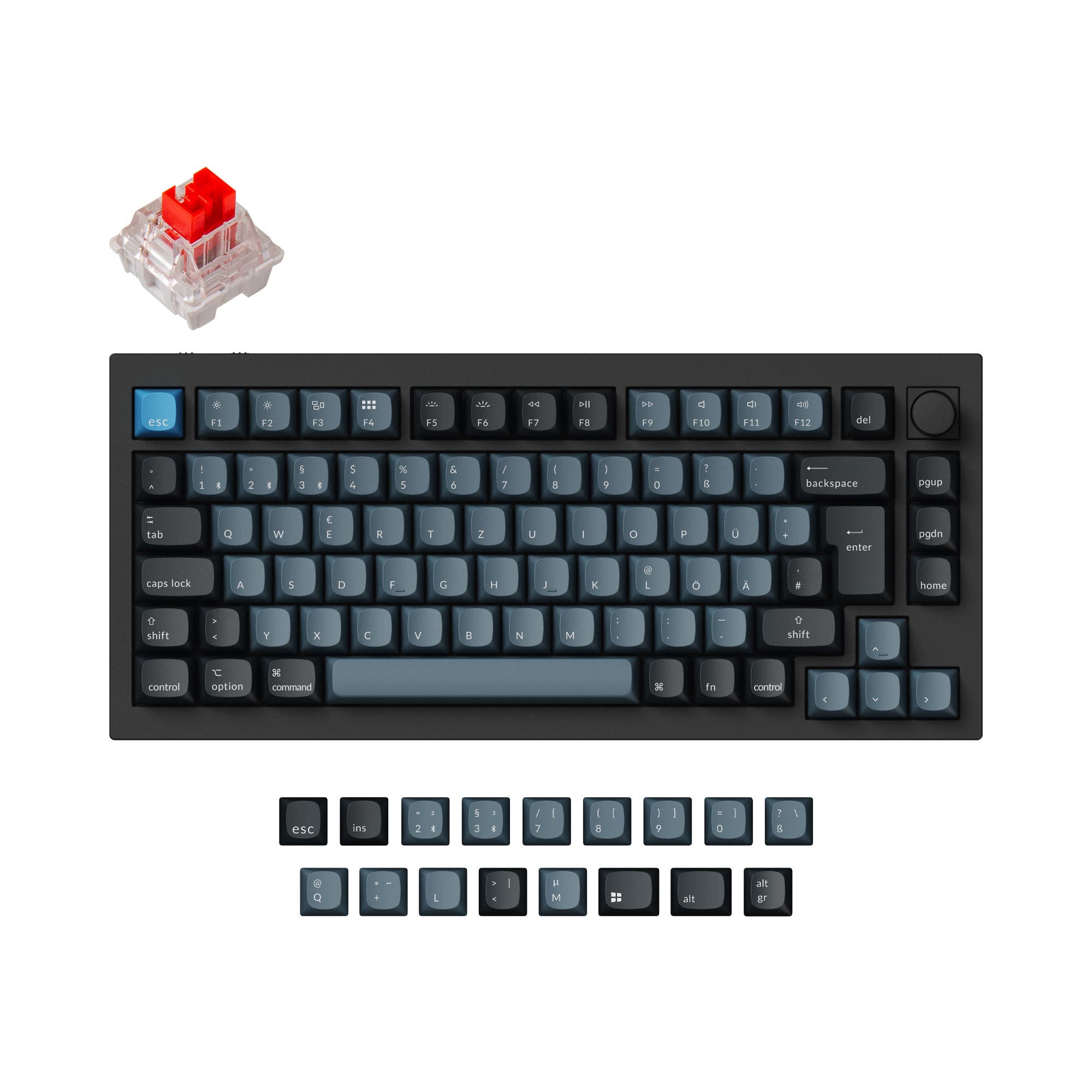
Which one should you get?
Get the
Keychron Q1 Max
Hall Effect
- Includes Hall Effect switches for adjustable actuation and consistency.
- Features a 2.4 GHz wireless connection with a 1000 Hz polling rate.
- Equipped with multiple acoustic foam layers (IXPE, PET, Latex) for sound dampening.
- Typically commands a higher price than the Q1 Pro.
- The vendor description notes potential firmware update issues causing key chatter for some users.
- Heavy all-aluminum construction limits true portability.
Get the
Keychron Q1 Pro
Wireless Performance
- Generally available at a more affordable price point.
- Vendor claims an impressive Bluetooth working time of up to 300 hours with backlights off.
- Maintains high-end features like a gasket mount, aluminum case, and hot-swap PCB.
- Lacks a dedicated 2.4 GHz wireless connection with a high polling rate.
- Uses a less powerful MCU with 128KB Flash compared to the Q1 Max.
- Includes fewer pre-installed acoustic foam layers for sound modification.
Your budget and need for cutting-edge wireless performance are the deciding factors. If low-latency wireless gaming, Hall Effect technology, and a deeply moddable sound profile are priorities, the Keychron Q1 Max is worth the investment. If you want a premium wireless mechanical keyboard with excellent battery life for general use and a lower entry cost, the Keychron Q1 Pro remains an outstanding choice.
The differences that matter
Skip the 40-row spec sheet. These are the specs that change how each board feels, sounds, and fits your desk.
Keychron Q1 Max
Keychron Q1 Pro
Connection
Bluetooth, 2.4 GHz, Wired
Bluetooth, Wired, 2.4 GHz
Weight
1,724 g
1,825 g
Layout standard
ANSI, ISO, ISO-CH, ISO-DE, ISO-Nordic, ISO-SW, ISO-UK, JIS
ANSI, ISO, ISO-DE, ISO-ES, ISO-FR, ISO-SW, ISO-UK
Keycaps
PBT
ABS, PBT
- Keychron Q1 Max
- Keychron Q1 Pro
- Performance
- 8282
- Build quality
- 8989
- Productivity
- 9798
- Customizability
- 9898
- Portability
- 8182
- Layout size: 75%
- Hot-swappable
- Battery: 4,000 mAh
- Max polling rate: 1,000 Hz
- Case material: Aluminum
- Switch options: Clicky, Linear, Tactile
What will you mostly use it for?
The Q1 Max takes the lead for gaming and modding due to its Hall Effect switches, 2.4 GHz wireless with high polling rate, and extensive internal foam. The Q1 Pro is a strong contender for office use, offering exceptional claimed battery life and a lower cost. For programming and travel, the keyboards are evenly matched in core features and portability limitations, while content creators might lean towards the Max for its superior wireless performance and switch technology.
Pick the Keychron Q1 Max
- The Q1 Max features Hall Effect switches, which are known for adjustable actuation and consistency.
- It offers a 1000 Hz polling rate on its 2.4 GHz wireless connection, according to its product page.
- The Q1 Pro's 1000 Hz polling rate is specified for wired mode only, with 90 Hz on wireless.
What owners say
Ratings and quotes collected from verified store reviews, including the critical ones.
Keychron Q1 Max
25 owner reviews
“As a software analyst who do a lot of coding, emailing and editing this is the one. Why would I build one when there is one ready that is better than what I could build?”
“This product is a downgrade relative to the previous version. I deeply regret not unpacking it and testing it out in the return period: (1) The keyboard is much louder -- on the Pro, keypresses were basically silent with the right switches; now, they are very…”
Keychron Q1 Pro
15 owner reviews
“The Q1 Pro is the second keyboard I bought from Keychron. The basic materials are very good and she looks amazing. The only thing that is not perfect is the sound. I think she will be perfect with a simple adaption of foam and lubed switches. But the Q1 is…”
Keychron Q1 Max vs Q1 Pro specs
Every tracked spec, side by side. Rows marked with a dot differ between the boards.
4 of 27 specs differ
Keychron Q1 Max
Keychron Q1 Pro
Switch options
Hot-swappable
Mount style
Sound dampening
Screw-in stabilizers
Layout size
Layout standard
Ergonomics
Knob
Display
Media keys
Connection
Max polling rate
Battery
USB-C
Case material
Plate material
Keycaps
Weight
Dimensions
Typing angle
Backlight
QMK
VIA
N-key rollover
Mac & Windows
Released
Compare prices
Live prices from the stores we track, cheapest in-stock offer first.
Lowest price across stores, Amazon excluded.



Prices in USD are converted to your currency and can change at any time. KeebFinder may earn a commission when you buy through these links, at no extra cost to you.
Keychron Q1 Max vs Q1 Pro: your questions
The Keychron Q1 Max adds Hall Effect magnetic switches and a 2.4 GHz wireless connection with a 1000 Hz polling rate. The Q1 Pro uses traditional mechanical switches and relies on Bluetooth and wired connections, but it often costs less and boasts longer claimed battery life.
Yes, both the Q1 Max and Q1 Pro feature a programmable aluminum rotary encoder knob. This knob can be customized via QMK/VIA for volume, scrolling, or other macro commands.
Yes, both keyboards are fully compatible with macOS and Windows. Each includes a physical toggle switch to change between operating systems and comes with an extra set of keycaps for both Mac and Windows layouts.
According to their vendor pages, the Q1 Pro claims a longer Bluetooth working time of up to 300 hours with backlighting off. The Q1 Max is rated for up to 180 hours under the same conditions. Both have the same 4000mAh battery capacity.
Yes, both the Q1 Max and Q1 Pro feature hot-swappable PCBs. This allows you to change the switches without soldering, supporting both 3-pin and 5-pin MX-style switches from brands like Gateron, Cherry, and Kailh.
The Q1 Max is better suited for competitive gaming. It offers a 1000 Hz polling rate on its 2.4 GHz wireless connection, providing lower latency. The Q1 Pro's 1000 Hz rate is only for wired mode, with wireless polling at 90 Hz.
Yes, but to different degrees. The Q1 Max includes multiple layers of acoustic foam such as IXPE, PET, and a Latex bottom pad. The Q1 Pro includes sound-absorbing foam and bottom case acoustic foam, but not the same multi-layer setup as the Max.
The assembled Q1 Pro comes with KSA profile double-shot PBT keycaps. The Q1 Max offers a choice between KSA profile keycaps or OSA side-printed shine-through PBT keycaps, depending on the configuration you select.
Both the Keychron Q1 Max and Q1 Pro use PCB-mounted screw-in stabilizers. This type of stabilizer is generally preferred for its stability and is easier to mod or replace compared to clip-in stabilizers.
Yes, both keyboards support the open-source QMK firmware and the VIA/Keychron Launcher web configurator. This allows for extensive key remapping, macro creation, and lighting customization without needing to flash firmware manually.
They are very similar in weight. The vendor-listed weight for the fully assembled Q1 Max is 1724g, while the Q1 Pro is listed at 1736g. Both are exceptionally heavy due to their full CNC aluminum construction.
Yes, both keyboards offer extensive ISO layout support. The Q1 Max supports layouts like ISO-DE, ISO-UK, and ISO-Nordic. The Q1 Pro supports similar layouts, including ISO-FR and ISO-ES, with barebone kits available for other regional ISO configurations.
Not sold on either?


Still torn?
Answer a few quick questions and the keyboard finder ranks 2,000+ boards by how you will actually use yours.