Keychron Q1 Pro vs Q1 V2 SEWireless vs Wired 75%
Choose the Q1 Pro for wireless versatility and a flexible typing feel, or the Q1 V2 SE for a more rigid, wired enthusiast setup.
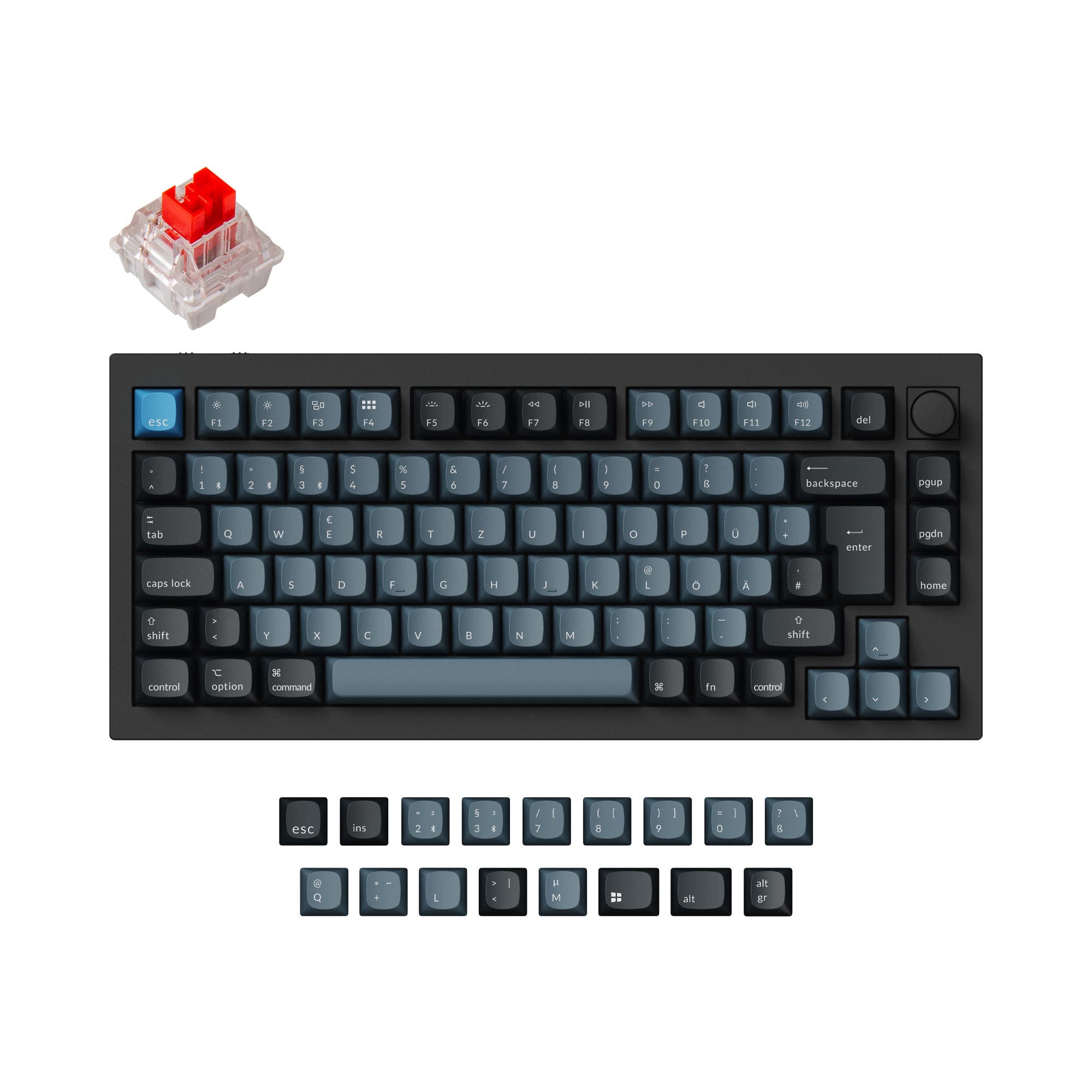

Which one should you get?
Get the
Keychron Q1 Pro
Wireless
- Bluetooth 5.1 and 2.4 GHz wireless for connecting up to 3 devices as described by the manufacturer
- 4000 mAh battery provides extended wireless use with up to 300 hours backlight off as stated by the manufacturer
- Double-gasket design with a PC plate for a softer, more flexible typing feel and reduced acoustic resonance as described by the manufacturer
- Heavier build at 1736g which reduces portability compared to smaller wireless keyboards
- KSA profile keycaps are non-shine-through which may reduce RGB visibility as stated by the manufacturer
- Wireless mode polling rate drops to 90 Hz as stated by the manufacturer, which may be a consideration for high-speed gaming
Get the
Keychron Q1 V2 SE
Wired 75%
- Steel plate provides a stiffer, more rigid typing feel for users who prefer less flex
- Special edition with a unique aesthetic that is no longer widely available as noted in a customer review
- Updated sound absorption foam and case gaskets as described on the vendor page for a dampened typing sound
- Wired-only connectivity with no Bluetooth or 2.4 GHz options available
- Only available in the ANSI layout standard, which limits layout choices
- No battery included, making it unsuitable for portable or travel use
If you need a versatile daily driver that can move between a desktop, laptop, and tablet without wires, the Keychron Q1 Pro is the obvious choice with its Bluetooth and 2.4 GHz options. If you prefer a stiff typing feel from a steel plate and are building a permanent wired desk setup, the Q1 V2 SE offers a compelling special edition package. For most users, the Q1 Pro's flexibility will be the deciding factor.
The differences that matter
Skip the 40-row spec sheet. These are the specs that change how each board feels, sounds, and fits your desk.
Keychron Q1 Pro
Keychron Q1 V2 SE
Connection
Bluetooth, Wired, 2.4 GHz
Wired
Mount style
Gasket Mount, Plate Mount
Plate Mount
Layout standard
ANSI, ISO, ISO-DE, ISO-ES, ISO-FR, ISO-SW, ISO-UK
ANSI
Plate material
Polycarbonate
Steel
N-key rollover
Yes
No
- Keychron Q1 Pro
- Keychron Q1 V2 SE
- Performance
- 8273
- Build quality
- 8984
- Productivity
- 9898
- Customizability
- 9894
- Portability
- 8268
- Layout size: 75%
- Hot-swappable
- Case material: Aluminum
- Switch options: Clicky, Linear, Tactile
- Knob
- QMK
What will you mostly use it for?
Across most use cases, the Q1 Pro edges ahead due to its wireless capabilities and more flexible gasket design. The Q1 V2 SE matches it in modding potential and firmware customization. For productivity and creative tasks, the Q1 Pro's Bluetooth connectivity and soft typing feel are clear advantages. The Q1 V2 SE remains a strong choice for users who prioritize a firm, consistent typing feel and do not need wireless.
Pick the Keychron Q1 Pro
- Supports 1000 Hz polling rate over wired and 2.4 GHz wireless as stated by the manufacturer, while the Q1 V2 SE does not have a stated polling rate
- Wireless 2.4 GHz connectivity reduces cable clutter for desktop gaming setups
- Lighter PC plate may offer a faster, more responsive feel than the steel plate
What owners say
Ratings and quotes collected from verified store reviews, including the critical ones.
Keychron Q1 Pro
15 owner reviews
“The Q1 Pro is the second keyboard I bought from Keychron. The basic materials are very good and she looks amazing. The only thing that is not perfect is the sound. I think she will be perfect with a simple adaption of foam and lubed switches. But the Q1 is…”
Keychron Q1 V2 SE
No owner reviews collected yet.
Keychron Q1 Pro vs Q1 V2 SE specs
Every tracked spec, side by side. Rows marked with a dot differ between the boards.
5 of 27 specs differ
Keychron Q1 Pro
Keychron Q1 V2 SE
Switch options
Hot-swappable
Mount style
Sound dampening
Screw-in stabilizers
Layout size
Layout standard
Ergonomics
Knob
Display
Media keys
Connection
Max polling rate
Battery
USB-C
Case material
Plate material
Keycaps
Weight
Dimensions
Typing angle
Backlight
QMK
VIA
N-key rollover
Mac & Windows
Released
Compare prices
Live prices from the stores we track, cheapest in-stock offer first.
Lowest price across stores, Amazon excluded.



Prices in USD are converted to your currency and can change at any time. KeebFinder may earn a commission when you buy through these links, at no extra cost to you.
Keychron Q1 Pro vs Q1 V2 SE: your questions
The main difference is connectivity. The Q1 Pro supports Bluetooth 5.1 and 2.4 GHz wireless with a built-in 4000 mAh battery, while the Q1 V2 SE is a wired-only keyboard. The Q1 Pro also uses a double-gasket design with a PC plate for a softer feel, while the Q1 V2 SE uses a steel plate for a stiffer typing experience.
Yes, both the Keychron Q1 Pro and the Q1 V2 SE support QMK and VIA firmware, as stated by the manufacturer and vendor page respectively. This allows for key remapping, macro creation, and layout customization.
The Q1 Pro is the only wireless option of the two. The manufacturer states a 1000 Hz polling rate in wired mode and 90 Hz in wireless mode. The Q1 V2 SE has no stated polling rate. For competitive gaming, the Q1 Pro should be used in wired mode for the best latency performance.
Yes, both the Keychron Q1 Pro and Q1 V2 SE are hot-swappable. According to their respective listings, they support most 3-pin and 5-pin MX-style switches, including Gateron, Cherry MX, and Kailh.
The Keychron Q1 Pro offers a wide range of layouts including ANSI and multiple ISO variants such as ISO-UK, ISO-DE, ISO-FR, ISO-ES, and ISO-SW. The Q1 V2 SE is only available in the ANSI layout standard, as per its vendor page.
The Q1 Pro is likely more comfortable for long typing sessions due to its double-gasket design and PC plate, which provide a softer and more flexible typing feel as described by the manufacturer. The Q1 V2 SE uses a steel plate which offers a firmer, more rigid feel.
Both keyboards use screw-in PCB stabilizers. The Q1 Pro integrates PCB-mounted screw-in stabilizers as stated by the manufacturer. The Q1 V2 SE includes Gateron screw-in PCB mount stabilizers according to its vendor listing.
The Q1 Pro comes with KSA double-shot PBT keycaps in the fully assembled version, as stated by the manufacturer. The Q1 V2 SE vendor description notes updated keycaps but does not specify the material or profile.
The fully assembled Q1 Pro weighs approximately 1736g according to the manufacturer. The weight of the Q1 V2 SE is not stated in the provided data, but a customer review notes it feels sturdy and heavy.
The Q1 Pro has a 4000 mAh battery. The manufacturer states up to 300 hours of use with the backlight off and up to 100 hours with RGB at the lowest brightness. Real-world usage may vary.
Yes, both keyboards are compatible with macOS and Windows. The Q1 Pro includes a system toggle and an additional set of keycaps for macOS as stated by the manufacturer. The Q1 V2 SE also has an easy-reach switch for toggling between the two systems as per its vendor page.
Not sold on either?


![[In Stock] Infi75 75% Pre-Built Mechanical Keyboard](https://cdn.shopify.com/s/files/1/0549/0262/0278/files/1_30294aaa-d440-4237-a2f4-34fb1228ed95.jpg?v=1697090980&width=3840&quality=75)


Still torn?
Answer a few quick questions and the keyboard finder ranks 2,000+ boards by how you will actually use yours.