Keychron Q1 Pro vs Q3Wireless or Wired TKL Experience
Choose the Q1 Pro for wireless freedom and a compact layout; choose the Q3 for a classic TKL layout and a lower entry price.
KeebFinder may earn a commission when you buy through these links, at no extra cost to you.
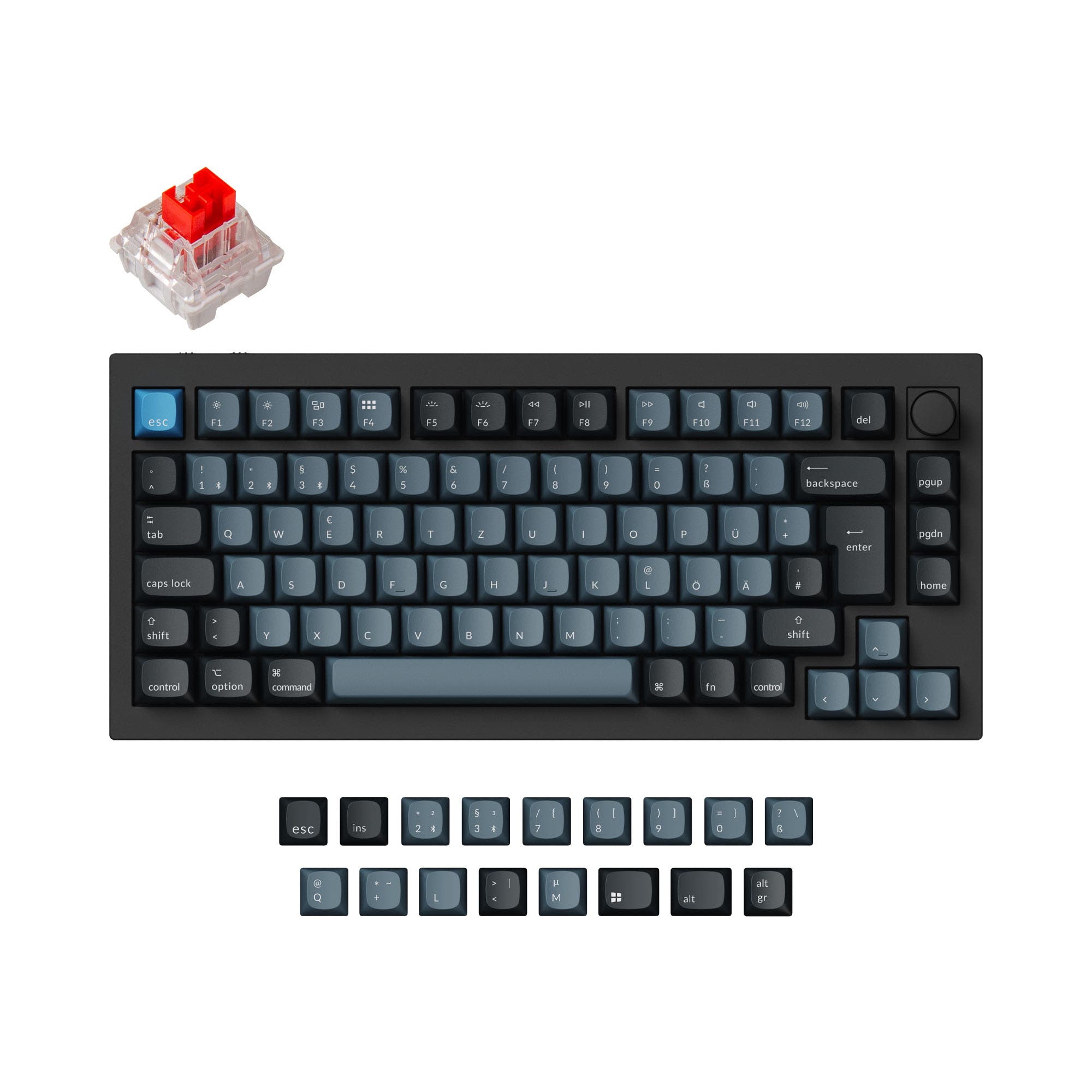
5.0 (15)5.0 · 15 reviews
from$149at Keychron

4.8 (108)4.8 · 108 reviews
from$59at Keychron
Which one should you get?
Get the
Keychron Q1 Pro
Build quality in the top 5% of 75% boards under $150.
- Wireless connectivity via Bluetooth and 2.4 GHz, paired with a 4000mAh battery for extended use.
- Compact 75% layout with a programmable knob and a function row, saving desk space.
- PC plate and double-gasket design contribute to a flexible typing feel and customized sound profile.
- South-facing LEDs. Shine-through legends stay dark, and some sculpted keycaps can clip the LED.
- No numpad.
Get the
Keychron Q3
Build quality in the top 5% of 80% boards under $100.
- Classic 80% TKL layout with dedicated F-row and navigation keys for a standard desktop feel.
- Steel plate and double-gasket design provide a solid typing experience with a potentially different sound profile.
- Offered at a wide range of price points from $59 to $164, often a more budget-friendly entry into premium mechanical keyboards.
- South-facing LEDs. Shine-through legends stay dark, and some sculpted keycaps can clip the LED.
- No numpad.
Your decision hinges on your need for wireless functionality and layout preference. If you value a clutter-free desk and the ability to switch between devices, the full metal Keychron Q1 Pro's wireless versatility and compact 75% layout are the clear winners. However, if you prefer a standard TKL layout with a dedicated navigation cluster and are comfortable with a wired-only setup, the Keychron Q3 offers a premium typing experience that may also come at a more accessible price point.
The differences that matter
Skip the 40-row spec sheet. These are the specs that change how each board feels, sounds, and fits your desk.
Keychron Q1 Pro
Keychron Q3
Layout size
75%
80%
Connection
Bluetooth, Wired, 2.4 GHz
Wired
Wireless for several devices and wired for lower latency
Switch options
Clicky, Linear, Tactile
Clicky, Linear, Silent, Tactile
Mount style
Gasket Mount, Plate Mount
Gasket Mount, PCB Mount, Plate Mount
Weight
1,825 g
2,000 g
Heavier boards stay planted and lighter ones travel
- Keychron Q1 Pro
- Keychron Q3
- Performance
- 8272
- Build quality
- 9091
- Productivity
- 9898
- Customizability
- 9898
- Portability
- 8257
- Hot-swappable
- Max polling rate: 1,000 Hz
- Case material: Aluminum
- Knob
- QMK
- VIA
What will you mostly use it for?
The Keychron Q1 Pro emerges as the winner in Gaming, Office, Travel, and Content Creation largely due to its wireless capabilities and smaller profile. For Programming and Modding, the two keyboards are tied because both offer the same core customization features with slightly different plate materials and layouts that cater to different preferences. The Q3 holds its own best for users who prioritize a standard TKL layout and are willing to forgo wireless for a potentially lower cost.
Pick the Keychron Q1 Pro
- Offers both 1000 Hz wired and 90 Hz wireless polling rates for flexible gaming setups.
- Slightly lighter at 1825g for easier repositioning on a desk.
- Includes a 4000mAh battery, allowing for extended wireless gaming sessions without cable interference.
What owners say
Ratings and quotes collected from verified store reviews, including the critical ones.
Keychron Q1 Pro
15 owner reviews
“The Q1 Pro is the second keyboard I bought from Keychron. The basic materials are very good and she looks amazing. The only thing that is not perfect is the sound. I think she will be perfect with a simple adaption of foam and lubed switches. But the Q1 is…”
Keychron Q3
108 owner reviews
“I upgraded from the Q1 as I never really liked 75%. The weight, sound and feel of the Q3 are all amazing. Really good build quality. Money well spent.”
“I thought I had found exactly what I wanted and its great for what it is, but! This was advertised as an ANSI layout but what I received was an ISO layout board. The barebones board also states in the images that it comes with switch and keycap removal tools…”
Keychron Q1 Pro vs Q3 specs
Every tracked spec, side by side. Rows marked with a dot differ between the boards.
10 of 27 specs differ
Keychron Q1 Pro
Keychron Q3
Switch options
Hot-swappable
Mount style
Sound dampening
Screw-in stabilizers
Layout size
Layout standard
Ergonomics
Knob
Display
Media keys
Connection
Max polling rate
Battery
USB-C
Case material
Plate material
Keycaps
Weight
Dimensions
Typing angle
Backlight
QMK
VIA
N-key rollover
Mac & Windows
Released
ISO layouts by store
Which stores sell ISO-DE, UK, and the other regional layouts.
Keychron Q1 Pro
Keychron
ISO-DE, ISO-UK, ISO-FR, ISO-ES, ISO-SW
In stockShips to you
Keychron (DE)
ISO-DE, ISO-UK, ISO-FR, ISO-ES, ISO-SW
Out of stockDoes not ship to you
Keychron Q3
Keychron
ISO-DE, ISO-UK, ISO-FR, ISO-ES, ISO-SW
In stockShips to you
Keychron (DE)
ISO-DE, ISO-UK, ISO-FR, ISO-ES, ISO-SW
Out of stockDoes not ship to you
Compare prices
Live prices from the stores we track, cheapest in-stock offer first.
Prices in USD are converted to your currency and can change at any time. KeebFinder may earn a commission when you buy through these links, at no extra cost to you.
Lowest price across stores, Amazon excluded.




Keychron Q1 Pro vs Q3: your questions
Yes, the Keychron Q1 Pro supports both Bluetooth 5.1 and a 2.4 GHz wireless connection in addition to a wired USB-C connection. This provides the flexibility to choose the best wireless option for your use case.
The Keychron Q1 Pro uses a 75% layout, which is more compact and lacks a dedicated navigation cluster but retains the function row. The Keychron Q3 uses an 80% TKL layout, which includes the navigation keys (Home, End, etc.) in addition to the function row, making it slightly longer.
Yes, both keyboards fully support QMK and VIA software, allowing for complete reprogramming of every key and creating complex macros. This makes them highly customizable for specific workflows.
The fully assembled Keychron Q1 Pro comes with unique KSA double-shot PBT keycaps which are oil-resistant and durable. The fully assembled Keychron Q3 comes with OSA profile ABS backlight shine-through keycaps, which are designed for a good RGB effect.
Yes, according to the vendor specifications, the Keychron Q3 is a wired-only keyboard. It connects to your computer via a USB Type-C cable and does not have any internal battery or wireless functionality.
Yes, both keyboards are fully hot-swappable. They come with PCB-mounted sockets that accept both 3-pin and 5-pin MX-style mechanical switches, allowing you to change switches without any soldering.
Both the Keychron Q1 Pro and Q3 feature a full aluminum case made from CNC machined 6063 aluminum. The main difference is the plate material: the Q1 Pro uses a polycarbonate (PC) plate, while the Q3 uses a steel plate.
The Keychron Q1 Pro is significantly better for travel. It is slightly lighter at 1825g, has smaller dimensions, and importantly, offers wireless connectivity via Bluetooth and 2.4 GHz, removing the need for cables on the go.
The double-gasket design uses silicone pads between the top and bottom cases in addition to the plate gaskets. This helps to reduce acoustic resonance between metal parts, resulting in a quieter and more refined typing sound with improved flexibility.
Yes, both the Keychron Q1 Pro and Q3 come with high-quality screw-in PCB stabilizers installed. These stabilizers provide a smoother and more stable feel on large keys like the spacebar. Both boards also support third-party screw-in PCB stabilizers for further customization.
Yes, both keyboards are designed to be fully compatible with both macOS and Windows. They come with a system toggle switch and an additional set of customized keycaps for each operating system, allowing you to save two different layouts.
Not sold on either?


Still torn?
Answer a few quick questions and the keyboard finder ranks 2,000+ boards by how you will actually use yours.