Keychron Q1 Pro vs Lemokey P1 Pro
Choose the Keychron Q1 Pro for its extensive ISO layout support and confirmed battery, or the P1 Pro for a potentially more affordable, similar core experience.
KeebFinder may earn a commission when you buy through these links, at no extra cost to you.
5.0 (15)5.0 · 15 reviews
from$149at Keychron

No reviews
from$135at Input Gear
Which one should you get?
Get the
Keychron Q1 Pro
Knob
Build quality in the top 5% of 75% boards under $150.
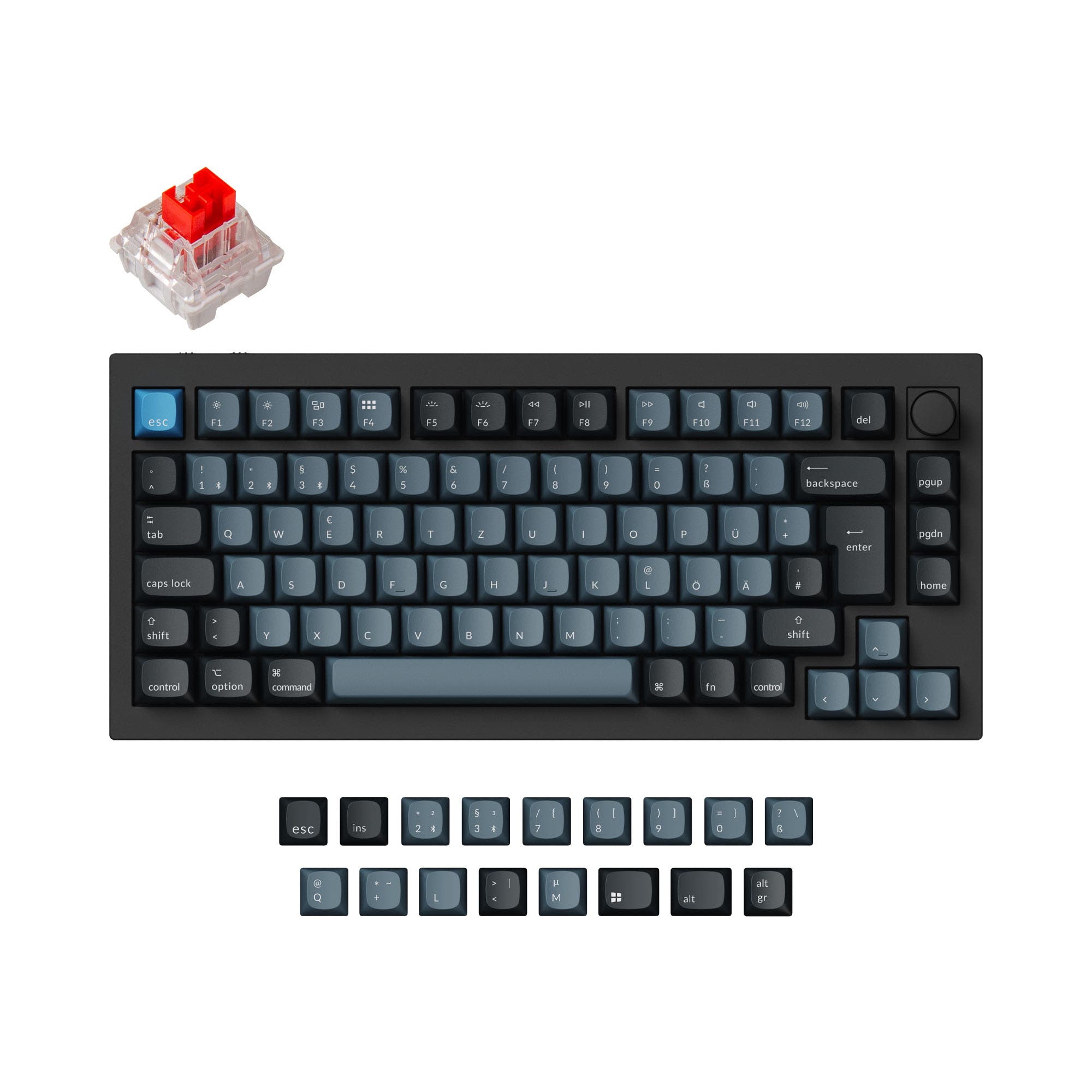
- Extensive ISO layout support including UK, German, French, Spanish, and Nordic variants.
- Includes a 4000mAh battery with estimated Bluetooth runtime provided by the manufacturer.
- Available as a pre-built or barebones DIY kit for customization.
- South-facing LEDs. Shine-through legends stay dark, and some sculpted keycaps can clip the LED.
Get the
Keychron Lemokey P1 Pro
- Lower listed price range suggests it may be a more affordable option.
- Shares core high-end features: aluminum case, gasket mount, hot-swap, and QMK/VIA.
- Slightly lighter weight at 1650g.
- South-facing LEDs. Shine-through legends stay dark, and some sculpted keycaps can clip the LED.
- Missing ISO-UK, ISO-FR, ISO-ES. The other board is sold in those layouts.
The Keychron Q1 Pro is the more complete and verified package, especially for users needing specific ISO layouts or the certainty of a large battery. The P1 Pro appears to offer a very similar core experience at a potentially lower cost, but with less clarity on key specs and current availability. Your choice should depend on whether confirmed international layout support and battery life are worth the likely higher investment.
The differences that matter
Skip the 40-row spec sheet. These are the specs that change how each board feels, sounds, and fits your desk.
Keychron Q1 Pro
Keychron Lemokey P1 Pro
Connection
Bluetooth, Wired, 2.4 GHz
Bluetooth, 2.4 GHz, Wired
Wireless for several devices and wired for lower latency
Mount style
Gasket Mount, Plate Mount
Gasket Mount
Knob
Yes
No
Weight
1,825 g
1,650 g
Heavier boards stay planted and lighter ones travel
QMK
Yes
No
The deep option when you want to remap every key
- Keychron Q1 Pro
- Keychron Lemokey P1 Pro
- Performance
- 8258
- Build quality
- 9076
- Productivity
- 9866
- Customizability
- 9862
- Portability
- 8250
- Hot-swappable
- Max polling rate: 1,000 Hz
- Case material: Aluminum
- Sound dampening
- Plate material: Polycarbonate
What will you mostly use it for?
The Keychron Q1 Pro holds clear advantages for office use due to its extensive ISO layout support and for modders with its barebones kit option. It also edges ahead for travel with a confirmed large battery. For gaming and general productivity, both are closely matched, sharing core specs like polling rate and programmability. Programming and content creation are a tie, as both offer the same foundational tools for customization.
Pick the Keychron Q1 Pro
- Both offer a 1000 Hz polling rate in wired mode for low latency.
- The Q1 Pro's vendor description confirms N-Key Rollover in both wireless and wired modes.
- The Q1 Pro's wireless polling rate is specified as 90 Hz, which may provide a more consistent wireless experience for gaming.
Keychron Q1 Pro vs Lemokey P1 Pro specs
Every tracked spec, side by side. Rows marked with a dot differ between the boards.
12 of 27 specs differ
Keychron Q1 Pro
Keychron Lemokey P1 Pro
Switch options
Hot-swappable
Mount style
Sound dampening
Screw-in stabilizers
Layout size
Layout standard
Ergonomics
Knob
Display
Media keys
Connection
Max polling rate
Battery
USB-C
Case material
Plate material
Keycaps
Weight
Dimensions
Typing angle
Backlight
QMK
VIA
N-key rollover
Mac & Windows
Released
ISO layouts by store
Which stores sell ISO-DE, UK, and the other regional layouts.
Keychron Q1 Pro
Keychron
ISO-DE, ISO-UK, ISO-FR, ISO-ES, ISO-SW
In stockShips to you
Keychron (DE)
ISO-DE, ISO-UK, ISO-FR, ISO-ES, ISO-SW
Out of stockDoes not ship to you
Keychron Lemokey P1 Pro
Listed on the product, not split by store: ISO-DE.
Compare prices
Live prices from the stores we track, cheapest in-stock offer first.
Prices in USD are converted to your currency and can change at any time. KeebFinder may earn a commission when you buy through these links, at no extra cost to you.
Lowest price across stores, Amazon excluded.




Keychron Q1 Pro vs Lemokey P1 Pro: your questions
The most significant difference is layout support. The Q1 Pro explicitly supports a wide array of ISO layouts (UK, German, French, Spanish, Nordic, Swiss), while the P1 Pro's support appears more limited. The Q1 Pro also has a confirmed 4000mAh battery, whereas the P1 Pro's battery capacity is not specified in the provided data.
Yes. Both the Keychron Q1 Pro and P1 Pro feature hot-swappable PCBs. The Q1 Pro's vendor description confirms compatibility with most 3-pin and 5-pin MX-style switches from brands like Gateron, Cherry, and Kailh.
Yes. Both keyboards include a programmable aluminum rotary encoder (knob). According to the Q1 Pro's description, it can be customized for commands like volume, zoom, brightness, or macros through QMK/VIA firmware.
Yes. The Keychron Q1 Pro is listed with Mac/Win support and includes separate keycaps for both operating systems, along with a physical system toggle. The P1 Pro's compatibility is not explicitly detailed in the provided specs but is likely similar given the shared brand.
Both keyboards offer a 1000 Hz polling rate in wired mode for low latency. The Q1 Pro's vendor description additionally specifies a 90 Hz polling rate when used in wireless mode.
The Q1 Pro comes with KSA (Keychron Spherical-Angle) profile double-shot PBT keycaps. The P1 Pro comes with double-shot PBT keycaps in a Cherry or OSA profile, according to its vendor description.
Both are designed for sound optimization. They use a gasket mount design with a polycarbonate plate and include internal sound-dampening foam. The Q1 Pro's description highlights a double-gasket design with additional silicone pads to reduce metal resonance.
Both keyboards use screw-in PCB stabilizers. The Q1 Pro's vendor page notes these are used for larger keys like spacebar and shift to reduce wobble and are customizable.
Both keyboards support programming via the open-source QMK firmware and the VIA configurator. The Q1 Pro can also be programmed using the Keychron Launcher web app when connected via USB cable.
While both are heavy aluminum 75% boards, the P1 Pro is slightly lighter at 1650g versus the Q1 Pro's 1825g. However, the Q1 Pro has a confirmed large 4000mAh battery for longer wireless use on the go, which is a key factor for portability.
Yes. The Q1 Pro is available in a Barebone Knob version, which includes the aluminum case, PCB, and polycarbonate plate, but not switches or keycaps, allowing for full customization.
Not sold on either?


Still torn?
Answer a few quick questions and the keyboard finder ranks 2,000+ boards by how you will actually use yours.