Keychron Q1 V2 vs Q1 HEWired Custom vs Wireless Magnetic Gaming
Choose the Q1 HE for competitive gaming with magnetic switches and wireless freedom, or the Q1 V2 for a more affordable, wired custom build with standard switch compatibility.
KeebFinder may earn a commission when you buy through these links, at no extra cost to you.
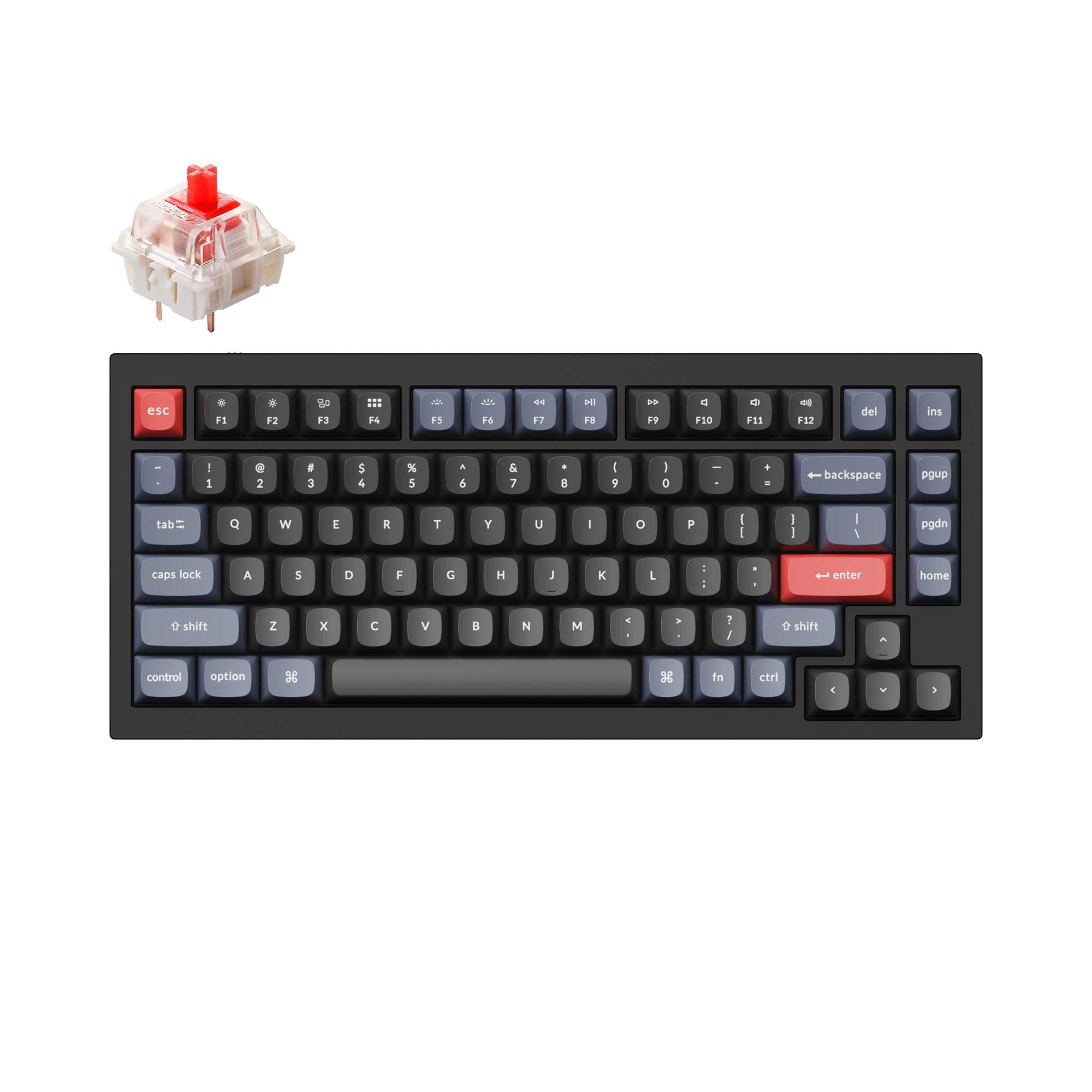
4.9 (318)4.9 · 318 reviews
from$59at Keychron

4.9 (21)4.9 · 21 reviews
from$160at Input Gear
Which one should you get?
Get the
Keychron Q1 V2
Wired Custom
Build quality in the top 5% of 75% boards under $100.
- Hot-swappable for a wide variety of standard 3-pin and 5-pin MX mechanical switches.
- Features a steel plate, which can offer a distinct sound and typing feel.
- Generally available at a more affordable price point for a fully-featured custom keyboard.
- South-facing LEDs. Shine-through legends stay dark, and some sculpted keycaps can clip the LED.
- No ISO layout. ISO-DE, UK, and other ISO variants are not offered.
Get the
Keychron Q1 HE
Wireless Magnetic Gaming
Build quality in the top 5% of 75% boards under $200.
- Equipped with Gateron double-rail magnetic switches featuring adjustable actuation points (0.2-3.8mm) and rapid trigger.
- Offers triple-mode connectivity: 2.4 GHz wireless (1000Hz), Bluetooth 5.2, and wired.
- Includes a 4000mAh rechargeable battery for cordless operation.
- Magnetic switches only. Standard MX switches will not fit.
- South-facing LEDs. Shine-through legends stay dark, and some sculpted keycaps can clip the LED.
Your budget and primary activity should guide this decision. Invest in the Keychron Q1 HE if you are a competitive gamer who will utilize its magnetic switch features, or if wireless connectivity for a clean, multi-device desk is a priority. Opt for the Keychron Q1 V2 if you want a superb, wired custom keyboard foundation for a lower cost and plan to experiment with a wide array of standard mechanical switches.
The differences that matter
Skip the 40-row spec sheet. These are the specs that change how each board feels, sounds, and fits your desk.
Keychron Q1 V2
Keychron Q1 HE
Hall effect (magnetic)
No
Yes
Adjustable actuation helps in games and not in normal typing
Rapid trigger
No
Yes
Faster resets help in games and not in normal typing
Connection
Wired
Bluetooth, 2.4 GHz, Wired
Wireless for several devices and wired for lower latency
Max polling rate
1,000 Hz
8,000 Hz
Higher polling helps competitive FPS and does nothing for typing
Switch options
Clicky, Linear, Tactile
Clicky, Linear, Magnetic, Tactile
- Keychron Q1 V2
- Keychron Q1 HE
- Performance
- 72100
- Build quality
- 8992
- Productivity
- 9897
- Customizability
- 98100
- Portability
- 6281
- Layout size: 75%
- Hot-swappable
- Case material: Aluminum
- Knob
- QMK
- VIA
What will you mostly use it for?
The Q1 HE is the clear choice for gaming and mobile or multi-device office work due to its magnetic switches, rapid trigger, and wireless versatility. For dedicated typists and modders who prefer a vast selection of traditional switches and a lower entry cost, the Q1 V2 holds a strong advantage. Programmers will find both keyboards equally capable due to their shared programmability and compact layout.
Pick the Keychron Q1 HE
- The Q1 HE features magnetic switches with adjustable actuation points from 0.2 to 3.8 mm and rapid trigger functionality.
- It offers a 1000 Hz polling rate over a 2.4 GHz wireless connection in addition to wired mode.
- Its listing mentions dynamic keystrokes allowing for four actions on a single key based on press depth.
What owners say
Ratings and quotes collected from verified store reviews, including the critical ones.
Keychron Q1 V2
318 owner reviews
“Exactly what I wanted. Swapped out the switches for some Gateron Zero degree fully silent switches. Mechanical but almost completely silent, works a dream!”
Keychron Q1 HE
21 owner reviews
“Love this keyboard. Wooting was my first choice but they don’t have wireless and with this version having TMR sensors and Wireless capability it’s my new Keyboard for work.”
“I love this thing. I wish there were these changes: Cable mode was switch in position closest to the outer edge of keyboard. Extra usb-c which is another port, I'd like to plug my 2fa device in there. Sort out why the programmer doesn't work under arch linux…”
Keychron Q1 V2 vs Q1 HE specs
Every tracked spec, side by side. Rows marked with a dot differ between the boards.
13 of 29 specs differ
Keychron Q1 V2
Keychron Q1 HE
Switch options
Hall effect (magnetic)
Rapid trigger
Hot-swappable
Mount style
Sound dampening
Screw-in stabilizers
Layout size
Layout standard
Ergonomics
Knob
Display
Media keys
Connection
Max polling rate
Battery
USB-C
Case material
Plate material
Keycaps
Weight
Dimensions
Typing angle
Backlight
QMK
VIA
N-key rollover
Mac & Windows
Released
ISO layouts by store
Which stores sell ISO-DE, UK, and the other regional layouts.
Keychron Q1 V2
No ISO layout at the stores we track.
Keychron Q1 HE
Keychron
ISO-DE, ISO-UK, ISO-Nordic, ISO-SW
In stockShips to you
Input Gear
ISO-DE
Out of stockShips to you
Keychron (DE)
ISO-DE, ISO-UK, ISO-FR, ISO-ES, ISO-IT, ISO-SW
In stockDoes not ship to you
Keychron (DE)
ISO-DE, ISO-FR, ISO-ES
In stockDoes not ship to you
Compare prices
Live prices from the stores we track, cheapest in-stock offer first.
Prices in USD are converted to your currency and can change at any time. KeebFinder may earn a commission when you buy through these links, at no extra cost to you.
Lowest price across stores, Amazon excluded.




Keychron Q1 V2 vs Q1 HE: your questions
The Q1 V2 uses traditional mechanical switches (linear, tactile, clicky) that make physical contact. The Q1 HE uses Gateron double-rail magnetic switches that detect keypress via magnets and a TMR sensor, enabling features like adjustable actuation points and rapid trigger.
No. According to the manufacturer, the Q1 HE's hot-swap sockets are compatible exclusively with Gateron double-rail magnetic switches. It does not support standard mechanical switches like Cherry MX.
Yes. The Q1 HE offers Bluetooth 5.2 to connect to three devices, a 4000mAh battery for long wireless use, and includes keycaps for both Mac and Windows. Its magnetic switches can also be customized for a preferred typing feel.
Both are excellent, featuring south-facing RGB LEDs that prevent interference with Cherry-profile keycaps. The Q1 V2's vendor description specifically notes its top case has sharper corners for better compatibility with profiles like MT3, SA, and XDA.
No. The Keychron Q1 V2 is a wired-only keyboard, connecting via a USB Type-C cable.
The Keychron Q1 HE offers a 1000 Hz polling rate in its 2.4 GHz wireless mode and when used wired. Its Bluetooth mode operates at a 90 Hz polling rate.
No. Adjustable actuation points are a feature specific to the magnetic switches in the Q1 HE. The mechanical switches in the Q1 V2 have a fixed actuation point.
The Keychron Q1 HE is substantially heavier, listed at 4000g compared to the Q1 V2's 1825g. The Q1 HE's weight includes its large 4000mAh battery.
Yes. Both the Keychron Q1 V2 and Q1 HE support open-source QMK firmware and VIA software for remapping keys, creating macros, and customizing the programmable knob.
Both keyboards come with OSA profile double-shot PBT keycaps. The manufacturer describes OSA as having a similar height to OEM profile with an SA-like spherical shape.
Yes. The vendor description for both models states the premium rotary encoder (knob) can be customized through VIA software for commands like volume, zoom, brightness, or macros.
Not sold on either?


Still torn?
Answer a few quick questions and the keyboard finder ranks 2,000+ boards by how you will actually use yours.