Keychron Q1 V2 vs Lemokey P175% Wired vs Wireless
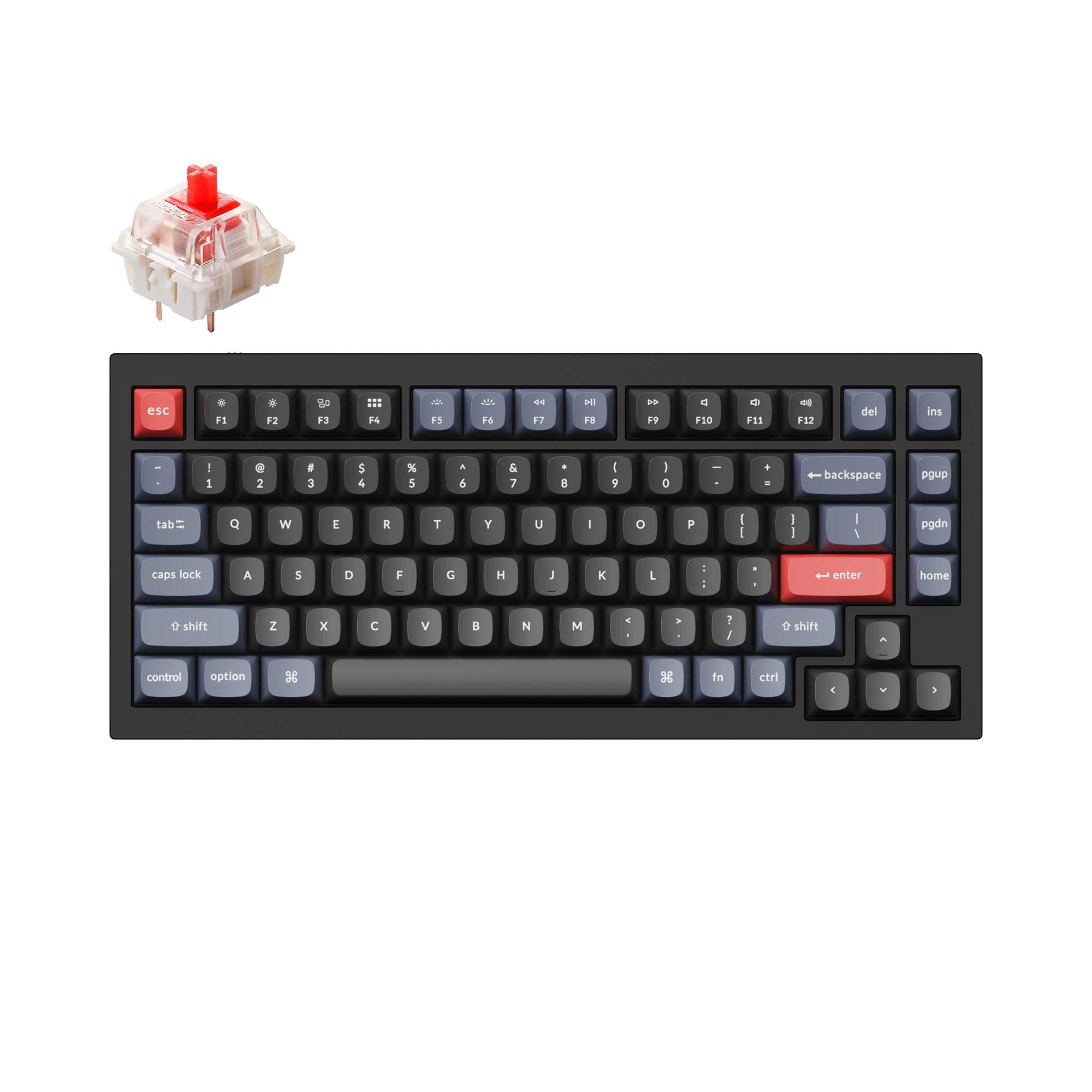
Choose the Q1 V2 for a wired, mod-friendly desk setup with a steel plate, or the Lemokey P1 for wireless versatility and gaming-oriented features.
KeebFinder may earn a commission when you buy through these links, at no extra cost to you.
4.9 (318)4.9 · 318 reviews
from$59at Keychron

5.0 (10)5.0 · 10 reviews
from$104at Keychron
Which one should you get?
Get the
Keychron Q1 V2
75% Wired
Build quality in the top 5% of 75% boards under $100.
- Wired-only connectivity provides a reliable, low-latency connection without battery concerns.
- Steel plate and double-gasket design contribute to a solid, resonant typing feel and sound.
- Offers multiple switch options including Gateron G Pro, Phantom, and Keychron K Pro series.
- South-facing LEDs. Shine-through legends stay dark, and some sculpted keycaps can clip the LED.
- No ISO layout. ISO-DE, UK, and other ISO variants are not offered.
Get the
Keychron Lemokey P1
Wireless
Build quality in the top 5% of 75% boards under $150.
- Supports Bluetooth and 2.4 GHz wireless in addition to wired mode for versatile connectivity.
- Equipped with a 4000mAh battery offering up to 200 hours of Bluetooth use without backlight.
- Uses a PC plate and enhanced acoustic foams (IXPE, PET, absorbing foam) for a dampened, quiet typing sound.
- South-facing LEDs. Shine-through legends stay dark, and some sculpted keycaps can clip the LED.
If you plan to keep a keyboard on a desk and value a solid, mod-friendly typing experience, the Keychron Q1 V2 with its steel plate and wired simplicity is the better choice. For those who need wireless freedom for gaming or travel, the Lemokey P1 with its battery, PC plate, and gaming-oriented features is more suitable. Both share strong QMK/VIA customizability, so your primary differentiator is whether you need a cable or not.
The differences that matter
Skip the 40-row spec sheet. These are the specs that change how each board feels, sounds, and fits your desk.
Keychron Q1 V2
Keychron Lemokey P1
Connection
Wired
Bluetooth, 2.4 GHz, Wired
Wireless for several devices and wired for lower latency
Mount style
Gasket Mount, Plate Mount
Gasket Mount
Weight
1,825 g
1,650 g
Heavier boards stay planted and lighter ones travel
Layout standard
ANSI
ANSI, ISO, ISO-DE, ISO-ES, ISO-FR, ISO-Nordic, ISO-SW, ISO-UK
ISO and JIS exist so regional layouts fit
Plate material
Steel
Polycarbonate
- Keychron Q1 V2
- Keychron Lemokey P1
- Performance
- 7281
- Build quality
- 8988
- Productivity
- 9897
- Customizability
- 9896
- Portability
- 6281
- Layout size: 75%
- Hot-swappable
- Max polling rate: 1,000 Hz
- Case material: Aluminum
- Switch options: Clicky, Linear, Tactile
- Knob
What will you mostly use it for?
The Keychron Q1 V2 wins for office use and modding, thanks to its wired-only stability, steel plate, and double-gasket design that is easier to open. The Lemokey P1 leads for gaming and travel with wireless connectivity, a PC plate for cushioning, and a built-in battery. Both are tied for programming and content creation tasks where key remapping and knob customization matter equally.
Pick the Keychron Lemokey P1
- Offers 2.4 GHz wireless and Bluetooth for low-latency and flexible connectivity during setup.
- Equipped with exclusive Keychron Super switches built for fast typing and competitive gaming.
- Uses a PC plate and gasket mount for a cushioned feel during long gaming sessions.
- Includes N-Key rollover for both wireless and wired modes.
What owners say
Ratings and quotes collected from verified store reviews, including the critical ones.
Keychron Q1 V2
318 owner reviews
“Exactly what I wanted. Swapped out the switches for some Gateron Zero degree fully silent switches. Mechanical but almost completely silent, works a dream!”
Keychron Lemokey P1
10 owner reviews
“Love the keyboard, i got the red switches, i also got a silicon palm rest, feels super nice, super high quality, super heavy. No complaints It looks great with any setup, my friends were shocked when they found out the price.”
Keychron Q1 V2 vs Lemokey P1 specs
Every tracked spec, side by side. Rows marked with a dot differ between the boards.
11 of 27 specs differ
Keychron Q1 V2
Keychron Lemokey P1
Switch options
Hot-swappable
Mount style
Sound dampening
Screw-in stabilizers
Layout size
Layout standard
Ergonomics
Knob
Display
Media keys
Connection
Max polling rate
Battery
USB-C
Case material
Plate material
Keycaps
Weight
Dimensions
Typing angle
Backlight
QMK
VIA
N-key rollover
Mac & Windows
Released
ISO layouts by store
Which stores sell ISO-DE, UK, and the other regional layouts.
Keychron Q1 V2
No ISO layout at the stores we track.
Keychron Lemokey P1
Keychron
ISO-DE, ISO-UK, ISO-Nordic, ISO-SW
In stockShips to you
Keychron (DE)
ISO
In stockDoes not ship to you
Keychron (DE)
ISO-DE, ISO-UK, ISO-Nordic, ISO-SW
In stockDoes not ship to you
Compare prices
Live prices from the stores we track, cheapest in-stock offer first.
Prices in USD are converted to your currency and can change at any time. KeebFinder may earn a commission when you buy through these links, at no extra cost to you.
Lowest price across stores, Amazon excluded.



Keychron Q1 V2 vs Lemokey P1: your questions
No, the Keychron Q1 V2 is a wired-only keyboard that connects via a Type-C USB cable. It does not have Bluetooth or 2.4 GHz wireless support, making it suitable for a stationary desk setup.
Yes, the Lemokey P1 is available in a wired-only version (simply called P1) as well as a wireless P1 Pro version. The wired P1 connects via a detachable Type-C cable while the P1 Pro adds Bluetooth 5.1 and 2.4 GHz connectivity.
The Keychron Q1 V2 is heavier at 1825 grams compared to the Lemokey P1 Pro which weighs 1650 grams. The wired-only P1 version weighs 1720 grams. The Q1 V2's steel plate contributes to its higher weight.
Yes, both keyboards support QMK open-source firmware and VIA software for key remapping, macros, and customizing the knob. However, the Lemokey P1 may require manual loading of a JSON file for VIA until its code is approved on Github.
The Q1 V2 is available with Gateron G Pro switches (Red, Blue, Brown), Gateron Phantom switches (Yellow, Silver), and Keychron K Pro switches (Banana, Red, Brown). It also supports most 3-pin and 5-pin MX-style switches via hot-swappable sockets.
The Lemokey P1 uses exclusive Keychron Super switches available in Red, Brown, and Banana options. These switches are built with a new mold for precision and have a lifespan of 50 million clicks. The board also supports hot-swappable 3-pin and 5-pin MX switches.
Yes, the Lemokey P1 Pro version includes a 4000mAh rechargeable lithium-polymer battery. With the backlight off, it can last up to 200 hours on Bluetooth, and with RGB at lowest brightness, up to 100 hours. Charging takes around 5 hours via USB-C.
The Keychron Q1 V2 uses a steel plate, which provides a stiffer and more resonant typing feel. The Lemokey P1 uses a polycarbonate (PC) plate that, combined with its gasket mount, offers a more flexible and cushioned typing experience.
Yes, both the Keychron Q1 V2 and Lemokey P1 support macOS and Windows systems. They come with extra keycaps for switching layouts, and the Q1 V2 is explicitly described as built with a Mac multimedia key layout while retaining Windows compatibility.
The Keychron Q1 V2 is often preferred for modding due to its double-gasket design, steel plate, and wired-only build that eliminates battery fire risks. Vendor descriptions and user reviews note it is easier to open and close than many plastic alternatives, and it is available as a barebone kit.
Yes, the Lemokey P1 features N-Key rollover for both wireless and wired modes, according to its specifications. This ensures that every key press is registered even during fast, simultaneous inputs, which is beneficial for competitive gaming.
The Lemokey P1 has a 1000 Hz polling rate in both 2.4 GHz wireless and wired modes, which provides low-latency performance. In Bluetooth mode, the polling rate drops to 90 Hz. The Keychron Q1 V2 also supports a 1000 Hz polling rate via its wired connection.
Not sold on either?


Still torn?
Answer a few quick questions and the keyboard finder ranks 2,000+ boards by how you will actually use yours.