Keychron Q10 Max vs Q8 ProAlice 75% vs 65% Comparison
Choose the Q10 Max if you need faster 2.4 GHz wireless and extra macro keys, or the Q8 Pro if you prefer a more compact, travel-friendly Alice layout.
KeebFinder may earn a commission when you buy through these links, at no extra cost to you.

4.0 (6)4.0 · 6 reviews
from$219at Keychron

5.0 (1)5.0 · 1 reviews
from$159at Keychron
Which one should you get?
Get the
Keychron Q10 Max
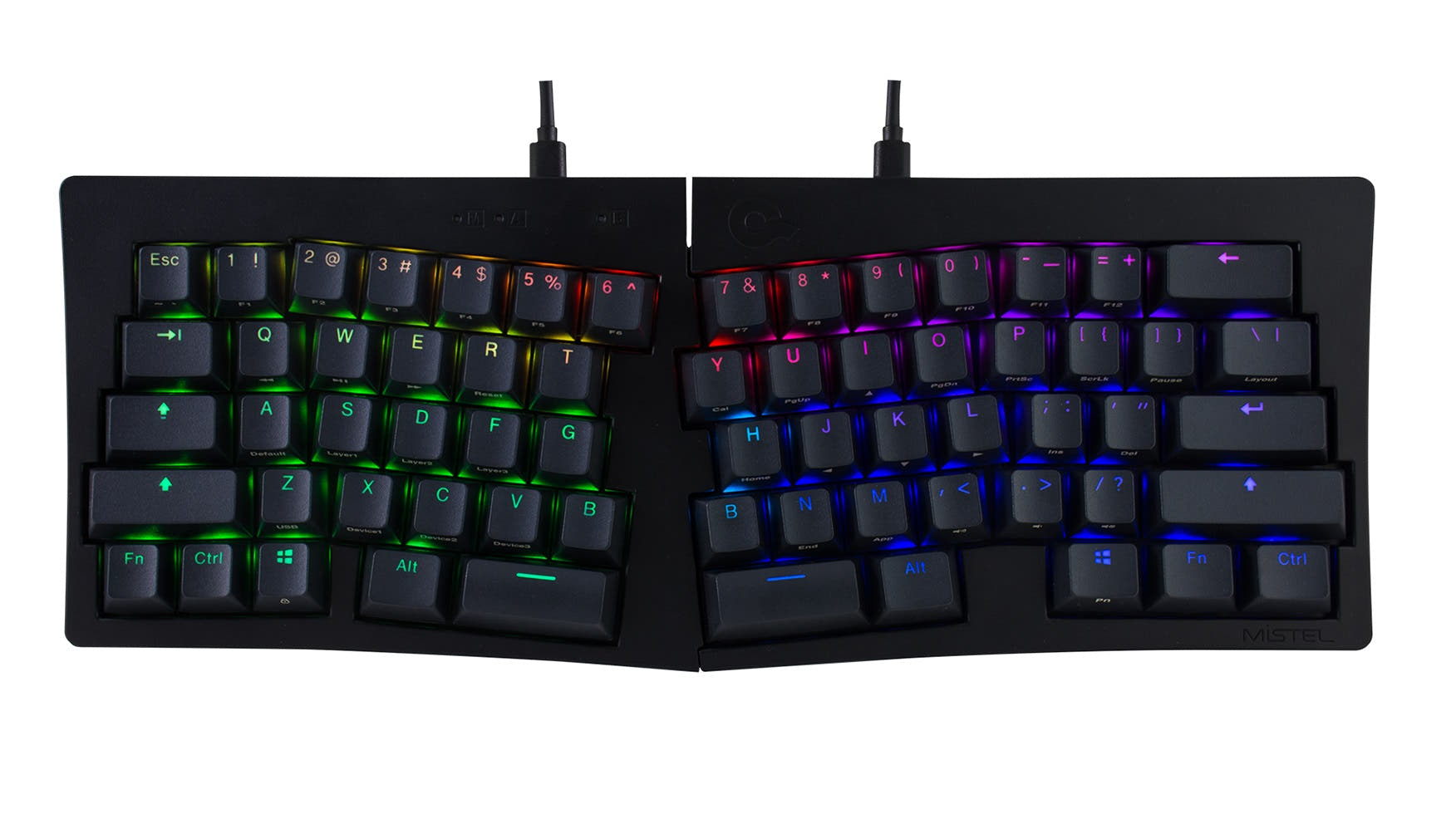
Alice 75%
Build quality in the top 5% of 75% boards under $300.
- 75% layout includes a dedicated macro column and F-row for enhanced productivity.
- Offers a 2.4 GHz wireless mode with a 1000 Hz polling rate for low-latency gaming.
- Includes premium acoustic foams like IXPE, PET, and Latex to enhance typing sound.
- South-facing LEDs. Shine-through legends stay dark, and some sculpted keycaps can clip the LED.
- No numpad.
Get the
Keychron Q8 Pro
65% Comparison
Build quality in the top 5% of 65% boards under $200.
- More affordable than the Q10 Max, offering excellent value for an aluminum Alice board.
- Lighter weight (1657g) and smaller 65% layout make it more portable.
- Equipped with factory pre-lubed Keychron K Pro switches for a smooth typing feel.
- South-facing LEDs. Shine-through legends stay dark, and some sculpted keycaps can clip the LED.
- Missing ISO-DE, ISO-UK, ISO-Nordic. The other board is sold in those layouts.
- 65% layout. No function row and no numpad.
Your choice between the Keychron Q10 Max and Q8 Pro hinges on your need for extra keys and connectivity speed versus portability and budget. If a dedicated macro column and a 2.4 GHz wireless option are essential, the Q10 Max is the better investment. If you prioritize a compact, lighter form factor for travel and a lower price, the Q8 Pro delivers a premium typing experience without the added weight or cost.
The differences that matter
Skip the 40-row spec sheet. These are the specs that change how each board feels, sounds, and fits your desk.
Keychron Q10 Max
Keychron Q8 Pro
Layout size
75%
65%
Connection
Bluetooth, 2.4 GHz, Wired
Bluetooth, Wired
Wireless for several devices and wired for lower latency
Mount style
Gasket Mount, PCB Mount, Plate Mount
Gasket Mount
Weight
2,129 g
1,657 g
Heavier boards stay planted and lighter ones travel
Layout standard
ANSI, ISO, ISO-CH, ISO-DE, ISO-Nordic, ISO-UK
ANSI, ISO
ISO and JIS exist so regional layouts fit
- Keychron Q10 Max
- Keychron Q8 Pro
- Performance
- 8178
- Build quality
- 9188
- Productivity
- 10098
- Customizability
- 9896
- Portability
- 8389
- Hot-swappable
- Battery: 4,000 mAh
- Ergonomics: Alice
- Max polling rate: 1,000 Hz
- Case material: Aluminum
- Switch options: Clicky, Linear, Tactile
What will you mostly use it for?
The Q10 Max is the stronger option for dedicated gaming, office work, and content creation thanks to its macro column, F-row, and 2.4 GHz connectivity. The Q8 Pro wins for travel due to its lighter weight and smaller size. Both keyboards tie for programming and modding because they share the same gasket mount design, hot-swap support, and QMK/VIA compatibility, meaning the choice in those areas is primarily about layout preference.
Pick the Keychron Q10 Max
- 1000 Hz polling rate on both 2.4 GHz and wired modes for low latency gaming.
- Extra macro column provides additional key bindings for in-game actions.
What owners say
Ratings and quotes collected from verified store reviews, including the critical ones.
Keychron Q10 Max
6 owner reviews
“This is my fourth Keychron keyboard among my K4, Q1 Pro, and Q10 Pro. It's an absolute masterpiece. I have chosen the Gateron Jupiter Banana switches for this one, and oh boy!, they are outstanding switches. And of course, the KSA profile keys are the best…”
“I wish I could recommend this keyboard but it just keeps double or triple typing characters when you hit a key. It’s only getting worse as time goes on and spreading to more and more keys. A keyboard that can’t be reliably typed on isn’t worth having. I’m…”
Keychron Q8 Pro
1 owner reviews
“I'm a creative writer and college professor, so this keyboard is probably overkill, but it was a nice Christmas present for myself. Plus, I don't want to get carpal tunnel or wrist strain bc I type A LOT. My other Keychron (c1k1z) was super-loud, but the Q8…”
Keychron Q10 Max vs Q8 Pro specs
Every tracked spec, side by side. Rows marked with a dot differ between the boards.
8 of 27 specs differ
Keychron Q10 Max
Keychron Q8 Pro
Switch options
Hot-swappable
Mount style
Sound dampening
Screw-in stabilizers
Layout size
Layout standard
Ergonomics
Knob
Display
Media keys
Connection
Max polling rate
Battery
USB-C
Case material
Plate material
Keycaps
Weight
Dimensions
Typing angle
Backlight
QMK
VIA
N-key rollover
Mac & Windows
Released
ISO layouts by store
Which stores sell ISO-DE, UK, and the other regional layouts.
Keychron Q10 Max
Keychron
ISO-DE, ISO-UK, ISO-Nordic, ISO-CH
In stockShips to you
Keychron (DE)
ISO-DE, ISO-UK, ISO-CH
In stockDoes not ship to you
Keychron Q8 Pro
Keychron
ISO
In stockShips to you
Keychron (DE)
ISO
In stockDoes not ship to you
Compare prices
Live prices from the stores we track, cheapest in-stock offer first.
Prices in USD are converted to your currency and can change at any time. KeebFinder may earn a commission when you buy through these links, at no extra cost to you.
Lowest price across stores, Amazon excluded.



Keychron Q10 Max vs Q8 Pro: your questions
The Keychron Q10 Max has a better wireless connection for gaming because it supports a 2.4 GHz mode with a 1000 Hz polling rate. The Keychron Q8 Pro only uses Bluetooth for wireless, which according to the manufacturer operates at a 90 Hz polling rate.
Yes, both the Keychron Q10 Max and Q8 Pro support QMK firmware and can be customized using the Keychron Launcher web app. This allows you to remap keys, create macros, and change lighting on both keyboards.
The Keychron Q8 Pro is lighter at approximately 1657 grams compared to the Q10 Max at 2129 grams. Its smaller 65% footprint also makes it more compact for packing in a bag.
The Q10 Max is a 75% Alice layout that includes a function row and a dedicated macro column. The Q8 Pro is a 65% Alice layout, which means it omits the function row and macro column for a more compact form factor.
Yes, both the Keychron Q10 Max and Q8 Pro are hot-swappable. According to the manufacturer, they are compatible with most 3-pin and 5-pin MX style mechanical switches from brands like Cherry, Gateron, and Kailh.
Both the Q10 Max and Q8 Pro use PCB-mounted screw-in stabilizers. This design is intended to provide a smoother feel and less wobble on larger keys like the space bar, shift, and enter key.
Based on manufacturer claims, the Keychron Q8 Pro has a longer battery life, stating up to 300 hours with backlight off. The Q10 Max manufacturer claims up to 180 hours with backlight off. Both have a 4000mAh battery.
Yes, they use different keycap profiles. The Q10 Max comes with OSA (OEM Spherical Angled) double-shot PBT keycaps. The Q8 Pro comes with KSA (Keychron Spherical Angled) double-shot PBT keycaps. Both are described as non-shine-through.
The Keychron Q10 Max is better for someone who needs macro keys, as its 75% layout includes a dedicated macro column on the left side. The Q8 Pro lacks this feature and will require using software layers to achieve similar functionality.
Yes, both the Q10 Max and Q8 Pro are designed for Mac and Windows compatibility. They come with a system toggle switch and include extra keycaps for both operating systems, as stated in the vendor descriptions.
The Double-Gasket Design, as described by the manufacturer, means that in addition to gaskets on the plate, silicone pads are added between the top and bottom case. This is intended to reduce acoustic resonance between metal parts and improve the typing sound.
The Q10 Max justifies its higher price with a 2.4 GHz connection, a larger 75% layout with macro keys, and additional acoustic foams. The Q8 Pro offers a similar build quality and typing experience in a smaller, lighter, and more portable package at a significantly lower price.
Not sold on either?


Still torn?
Answer a few quick questions and the keyboard finder ranks 2,000+ boards by how you will actually use yours.