Keychron Q11 vs Q11 UltraWired Split vs 8K Wireless
The Q11 Ultra justifies its price with true wireless split operation and an 8K polling rate, but the original Q11 is the better pick for modders and those who prefer QMK/VIA firmware.
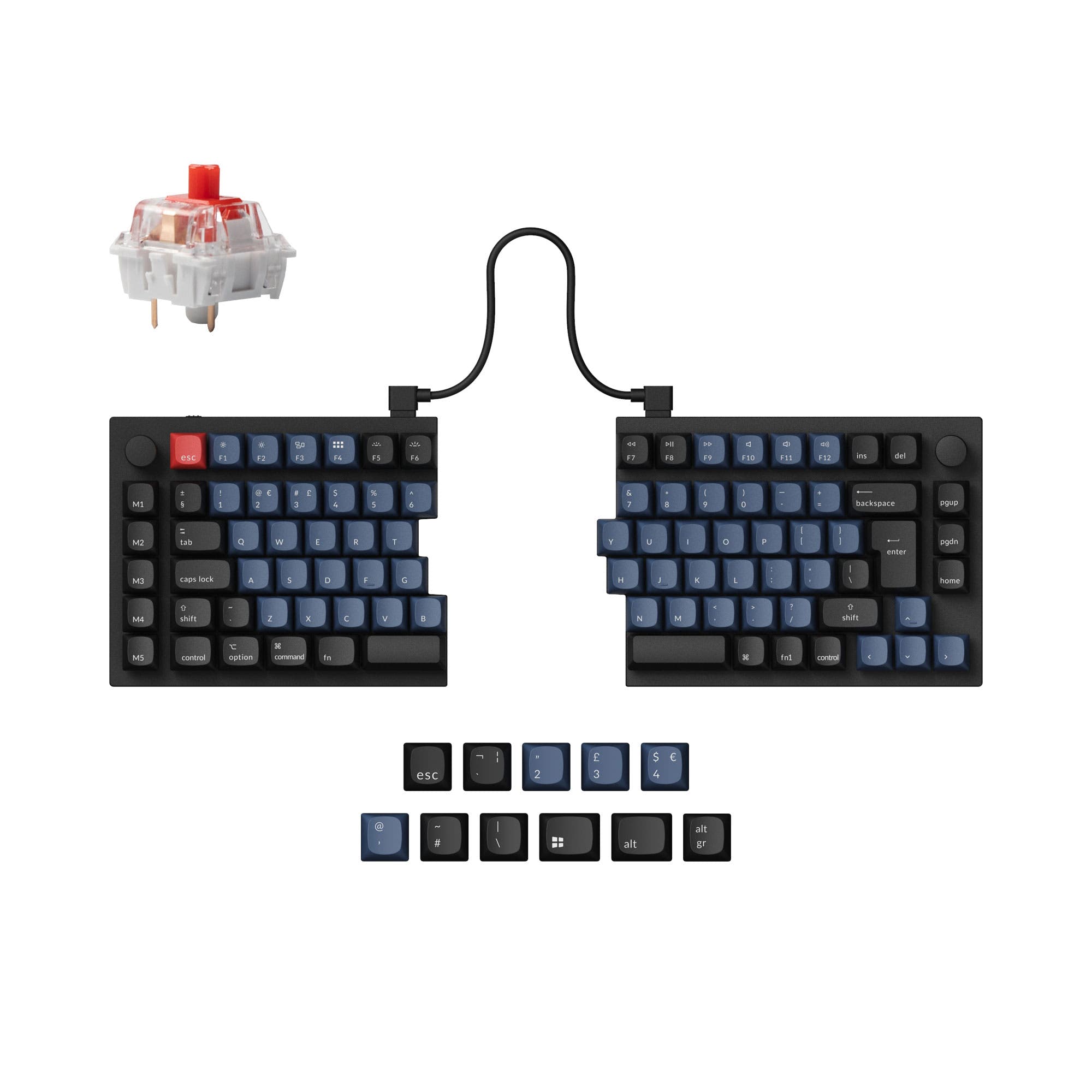

Which one should you get?
Get the
Keychron Q11
Wired Split
- QMK/VIA firmware offers extensive key remapping and macro customization options.
- Available as a barebone kit, allowing users to choose their own switches and keycaps.
- Screw-in PCB stabilizers provide stable, rattle-free performance on larger keys.
- Wired-only connectivity, requiring a cable between the two halves and to the computer.
- Tray mount design may feel less refined for typing compared to gasket mount alternatives.
- Lacks dedicated End key, a notable omission for productivity-focused users.
Get the
Keychron Q11 Ultra
8K Wireless
- True wireless split operation with 2.4 GHz and Bluetooth 5.3, eliminating the bridge cable.
- 8000 Hz polling rate in both wired and 2.4 GHz modes for ultra-low latency.
- Gasket mount construction and multi-layer sound dampening provide a premium typing feel.
- ZMK firmware is less mature for advanced modding and layer-tap configurations compared to QMK.
- Heavier at 1724g, making it less portable than many other split keyboards.
- Higher price point than the standard Q11, limiting budget-conscious buyers.
Choose the Keychron Q11 if you are a modder who values QMK/VIA firmware, wants a barebone option, and is fine with a wired setup. Opt for the Q11 Ultra if you prioritize a wireless desk, the lowest possible latency for competitive gaming, and a quieter, gasket-mounted typing experience. Your final decision balances customization depth against wireless freedom and top-tier poll rates.
The differences that matter
Skip the 40-row spec sheet. These are the specs that change how each board feels, sounds, and fits your desk.
Keychron Q11
Keychron Q11 Ultra
Connection
Wired
Wired, Bluetooth, 2.4 GHz
Max polling rate
1,000 Hz
8,000 Hz
Mount style
Plate Mount, Tray Mount
Gasket Mount, Plate Mount
Weight
1,186 g
1,724 g
QMK
Yes
No
- Keychron Q11
- Keychron Q11 Ultra
- Performance
- 6887
- Build quality
- 8874
- Productivity
- 9790
- Customizability
- 9876
- Portability
- 7390
- Hot-swappable
- Ergonomics: Split
- Case material: Aluminum
- Switch options: Clicky, Linear, Tactile
- Knob
- Sound dampening
What will you mostly use it for?
The Q11 Ultra wins for gaming and office use thanks to its 8K wireless polling, longer battery life, and quieter acoustic design. The original Q11 takes the lead for modding and content creation due to its QMK/VIA firmware, barebone option, and lower profile. For programming, both are tied since they share the same split ergonomic layout and lack a dedicated End key. Travel users will prefer the Q11 Ultra for its wireless freedom despite the added weight.
Pick the Keychron Q11 Ultra
- 8000 Hz polling rate in wired and 2.4 GHz modes provides lower latency than the Q11's 1000 Hz.
- Wireless connectivity (2.4 GHz / Bluetooth 5.3) eliminates cable drag across the desk.
- N-Key rollover in both wireless and wired modes ensures every key press registers.
What owners say
Ratings and quotes collected from verified store reviews, including the critical ones.
Keychron Q11
13 owner reviews
“I wish that the "launcher" app had more layer options and more layer options for the RGB, but that's ok. I have a Moonlander as well and I recommend the Q11 to almost everyone, the ortholinear boards take a lot of relearning for most people to type on.”
Keychron Q11 Ultra
17 owner reviews
“Really its 4.5 because of the headaches i had trying to setup the wireless dongle. Fixed by redownloading the firmware, and could finally pair with the dongle.”
“I'm motivated to write this review because after 2 weeks of usage, I'm beginning to notice occasional tripups where I try to type something and the keyboard lags out and repeats keys, like "I want to bbbbbbbbbbbbbbbbbuy a dishwasher". Yes, I've already…”
Keychron Q11 vs Q11 Ultra specs
Every tracked spec, side by side. Rows marked with a dot differ between the boards.
13 of 26 specs differ
Keychron Q11
Keychron Q11 Ultra
Switch options
Hot-swappable
Mount style
Sound dampening
Screw-in stabilizers
Layout standard
Ergonomics
Knob
Display
Media keys
Connection
Max polling rate
Battery
USB-C
Case material
Plate material
Keycaps
Weight
Dimensions
Typing angle
Backlight
QMK
VIA
N-key rollover
Mac & Windows
Released
Compare prices
Live prices from the stores we track, cheapest in-stock offer first.
Lowest price across stores, Amazon excluded.




Prices in USD are converted to your currency and can change at any time. KeebFinder may earn a commission when you buy through these links, at no extra cost to you.
Keychron Q11 vs Q11 Ultra: your questions
Yes, the Q11 Ultra uses advanced 2.4 GHz wireless sync to communicate between the two halves without a tethering cable. This allows you to position each half independently without any wire connecting them.
No, the Q11 is a wired-only keyboard. It requires a USB-C cable to connect to your computer and a separate bridge cable to link the two halves together.
The Q11 Ultra uses ZMK firmware and is programmable via the Keychron Launcher web app. It does not support QMK or VIA, which may be a limitation for users accustomed to those platforms.
The fully assembled Q11 Ultra comes with Keychron Silk POM switches, available in Red (linear), Brown (tactile), or Banana (tactile) options. These switches feature POM housings and stems for smooth, self-lubricating keystrokes.
Yes, the Q11 is sold in a barebone version that does not include keycaps or switches, allowing you to supply your own. The Q11 Ultra is only offered as a fully assembled keyboard.
The Q11 Ultra features a more extensive sound dampening system, including sound absorbing foam, IXPE foam, PET film, latex bottom foam, and bottom case acoustic foam. The Q11 includes only top case foam and bottom case PET film.
Yes, the Q11 Ultra supports wired USB-C connectivity, so you can use it in wired mode while its 4000 mAh battery charges. It can also operate wirelessly when unplugged.
Both the Q11 and Q11 Ultra come with a system toggle and an additional set of customized keycaps for Windows and macOS. They also support saving two different layouts, one for each operating system.
The standard Keychron Q11 has a polling rate of 1000 Hz out of the box, which the manufacturer describes as making latency hardly noticeable even in competitive games.
No, both the Q11 and Q11 Ultra use non-shine-through PBT keycaps. The Q11 comes with OSA profile double-shot PBT keycaps, while the Q11 Ultra uses taller KSA profile double-shot PBT keycaps.
The Q11's aluminum rotary encoder can be customized through VIA software. You can assign functions like zooming, screen brightness, brush size, volume, or backlight hue to the knob.
No, the Q11 Ultra does not include a dedicated End key, a point noted by several user reviews. Users have created workarounds using key combinations, such as Fn+Home, to emulate the End function.
Not sold on either?


Still torn?
Answer a few quick questions and the keyboard finder ranks 2,000+ boards by how you will actually use yours.