Keychron Q12 vs Keydous NJ98Southpaw Wired vs Wireless Display
Choose the Keychron Q12 for its unique left-handed layout and extensive firmware customization, or the Keydous NJ98 for wireless freedom and a built-in screen.
KeebFinder may earn a commission when you buy through these links, at no extra cost to you.

4.5 (12)4.5 · 12 reviews
from$129at MK

No reviews
from$109at Mechkeys
Which one should you get?
Get the
Keychron Q12
Southpaw Wired
Build quality in the top 5% of 96% boards under $150.
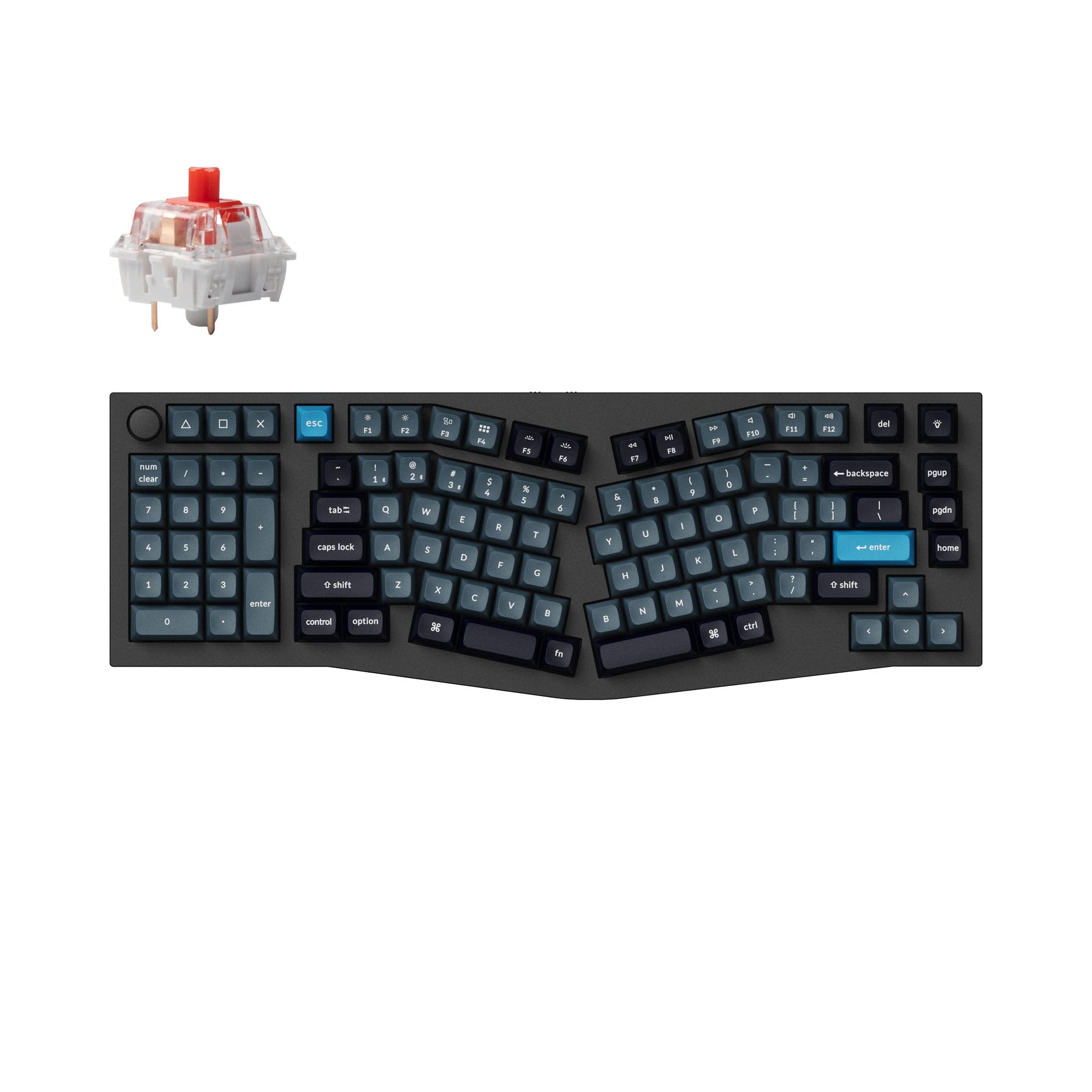
- Unique southpaw (left-side numpad) layout saves right-side desk space.
- Full QMK and VIA support enables extensive key remapping and macro programming.
- Robust aluminum construction with a detailed double-gasket design for sound.
- South-facing LEDs. Shine-through legends stay dark, and some sculpted keycaps can clip the LED.
- Compact full-size layout. The numpad is present, the gaps of a full-size board are not.
Get the
Keydous NJ98
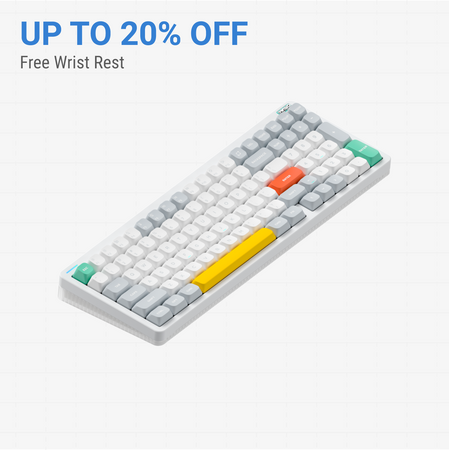
Wireless Display
Build quality in the top 10% of 98% boards under $150.
- Tri-mode connectivity with Bluetooth, 2.4 GHz, and wired options.
- Includes a built-in screen for displaying status information.
- Lighter weight (1400g) and includes a large 8000mAh battery.
- No ISO layout. ISO-DE, UK, and other ISO variants are not offered.
- Compact full-size layout. The numpad is present, the gaps of a full-size board are not.
Select the Keychron Q12 if your priority is a unique ergonomic layout, deep firmware customization for macros, and a premium, mod-friendly typing experience at your desk. Opt for the Keydous NJ98 if you need a versatile wireless keyboard with a screen for daily use across multiple devices, especially if you value a cleaner setup and portability.
The differences that matter
Skip the 40-row spec sheet. These are the specs that change how each board feels, sounds, and fits your desk.
Keychron Q12
Keydous NJ98
Layout size
96%
98%
Connection
Wired
Bluetooth, 2.4 GHz, Wired
Wireless for several devices and wired for lower latency
Ergonomics
Southpaw
Standard
Case material
Aluminum
Aluminum, Brass, Steel
Switch options
Clicky, Linear, Tactile
Clicky, Linear
- Keychron Q12
- Keydous NJ98
- Performance
- 7351
- Build quality
- 9077
- Productivity
- 9884
- Customizability
- 9885
- Portability
- 4665
- Hot-swappable
- Knob
- Sound dampening
- Keycaps: PBT
What will you mostly use it for?
The Keychron Q12 is the stronger pick for stationary, customization-focused tasks like gaming, programming, and modding due to its low-latency wired connection, southpaw layout, and open-source firmware. The Keydous NJ98 wins for mobile and office environments where wireless connectivity, a built-in screen, and lighter weight are more valuable. For content creation, both offer useful tools, making it a tie dependent on whether you value wireless flexibility or deeper software customization.
Pick the Keychron Q12
- The Keychron Q12 has a specified 1000 Hz polling rate for lower latency.
- Its southpaw layout can free up desk space for mouse movement.
- The wired-only connection of the Q12 provides a consistent, lag-free signal.
Keychron Q12 vs Keydous NJ98 specs
Every tracked spec, side by side. Rows marked with a dot differ between the boards.
14 of 26 specs differ
Keychron Q12
Keydous NJ98
Switch options
Hot-swappable
Mount style
Sound dampening
Screw-in stabilizers
Layout size
Layout standard
Ergonomics
Knob
Display
Media keys
Connection
Max polling rate
Battery
USB-C
Case material
Plate material
Keycaps
Weight
Dimensions
Typing angle
Backlight
QMK
VIA
Mac & Windows
Released
ISO layouts by store
Which stores sell ISO-DE, UK, and the other regional layouts.
Keychron Q12
Keychron
ISO
Out of stockShips to you
Keychron (DE)
ISO
Out of stockDoes not ship to you
Keydous NJ98
No ISO layout at the stores we track.
Compare prices
Live prices from the stores we track, cheapest in-stock offer first.
Prices in USD are converted to your currency and can change at any time. KeebFinder may earn a commission when you buy through these links, at no extra cost to you.
Lowest price across stores, Amazon excluded.




Keychron Q12 vs Keydous NJ98: your questions
The Keychron Q12 is specifically designed with a southpaw layout, placing the numpad on the left side. This can be more ergonomic for left-handed users or anyone wanting more space for their mouse on the right. The Keydous NJ98 has a standard right-side numpad layout.
Yes, the Keydous NJ98 supports Bluetooth and 2.4 GHz wireless connectivity, allowing you to use it without a cable. It also has a USB-C port for a wired connection and charging its 8000mAh battery.
Yes, the Keychron Q12 has full support for QMK and VIA firmware. This allows you to remap every key, create complex macros, and program the knob's function directly through graphical software or code.
The vendor listing confirms the Keydous NJ98 includes a display screen. While the exact functions are not detailed, such screens typically show battery level, connection mode, active profile, or system stats.
Both keyboards use PBT keycaps. The Keychron Q12 specifically ships with OSA profile double-shot PBT keycaps, which the manufacturer states are oil-resistant. The profile and legends on the NJ98 are not specified in the provided details.
Both have sound-dampening features. The Keychron Q12's description highlights its double-gasket design and silicone pads to reduce metal resonance. The Keydous NJ98 also lists sound dampening as a feature, but without specific construction details. Switch choice will also greatly affect noise.
Yes, both the Keychron Q12 and Keydous NJ98 are hot-swappable. This means you can install or change the mechanical switches without any soldering required.
Yes, the Keychron Q12 includes Mac and Windows support. It comes with keycaps for both operating systems and has a toggle to switch between them, according to the manufacturer's description.
The Keychron Q12 uses a full CNC machined aluminum case with a steel plate. The Keydous NJ98's case is listed as a combination of steel, brass, and aluminum, suggesting a different construction approach, potentially with weight considerations.
Both have RGB lighting. A key differentiator is that the Keychron Q12 uses south-facing RGB LEDs. This orientation prevents interference with Cherry-profile keycaps and may provide better underglow from a typist's perspective.
The Keydous NJ98 is listed as a 'Pre-Built' kit, which typically means it includes switches and keycaps. The Keychron Q12 is available in both fully assembled and barebone versions.
Not sold on either?




Still torn?
Answer a few quick questions and the keyboard finder ranks 2,000+ boards by how you will actually use yours.