Keychron Q2 HE vs Q2Magnetic Switches or Custom Value
Choose the Q2 HE for its Hall Effect magnetic switches and 2.4 GHz wireless, pick the standard Q2 if you want a broader switch choice and more layout options.
KeebFinder may earn a commission when you buy through these links, at no extra cost to you.

5.0 (4)5.0 · 4 reviews
from$229at MK
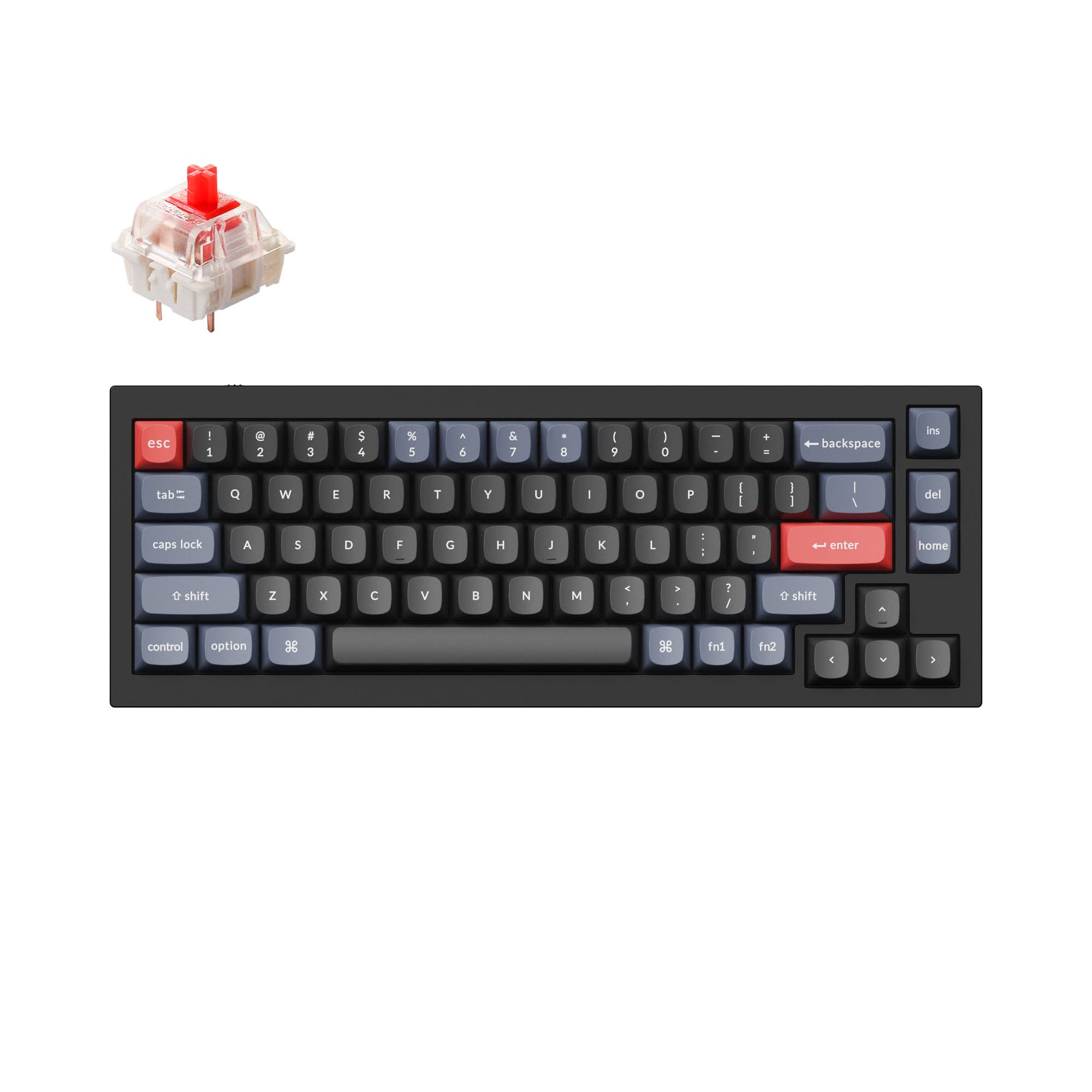
4.8 (241)4.8 · 241 reviews
from$59at Keychron
Which one should you get?
Get the
Keychron Q2 HE
Hall effect
Build quality in the top 10% of 65% boards under $300.
- Hall Effect magnetic switches with 0.1 mm sensitivity adjustment range
- Rapid trigger and 4-in-1 action keys offer unique gaming advantages
- 2.4 GHz wireless and Bluetooth 5.2 for multi-device connectivity
- Magnetic switches only. Standard MX switches will not fit.
- South-facing LEDs. Shine-through legends stay dark, and some sculpted keycaps can clip the LED.
- No ISO layout. ISO-DE, UK, and other ISO variants are not offered.
Get the
Keychron Q2
Build quality in the top 5% of 65% boards under $100.
- Massive layout support including ANSI, ISO, and many regional variants
- Hot-swap PCB supports 3-pin and 5-pin MX switches, giving access to hundreds of options
- Available as barebone kit for users who want to supply their own keycaps and switches
- South-facing LEDs. Shine-through legends stay dark, and some sculpted keycaps can clip the LED.
If your priority is competitive gaming performance with magnetic switch features like rapid trigger and adjustable actuation, the Q2 HE is the clear choice. For users who value a wide selection of MX switches, ISO layout options, and a lower starting price, the standard Q2 offers better value. Both keyboards share solid aluminum construction and QMK/VIA support, so your decision should hinge on whether you need the HE's wireless features and gaming-centric Hall Effect technology.
The differences that matter
Skip the 40-row spec sheet. These are the specs that change how each board feels, sounds, and fits your desk.
Keychron Q2 HE
Keychron Q2
Hall effect (magnetic)
Yes
No
Adjustable actuation helps in games and not in normal typing
Rapid trigger
Yes
No
Faster resets help in games and not in normal typing
Connection
Wired, Bluetooth, 2.4 GHz
Wired
Wireless for several devices and wired for lower latency
Max polling rate
8,000 Hz
1,000 Hz
Higher polling helps competitive FPS and does nothing for typing
Case material
Aluminum, Metal
Aluminum
- Keychron Q2 HE
- Keychron Q2
- Performance
- 9866
- Build quality
- 8790
- Productivity
- 9495
- Customizability
- 9698
- Portability
- 9070
- Layout size: 65%
- Hot-swappable
- Knob
- QMK
- VIA
- Sound dampening
What will you mostly use it for?
The Q2 HE wins in gaming, programming, and travel thanks to its Hall Effect switches with adjustable actuation, rapid trigger, and wireless flexibility. The standard Q2 takes office, modding, and content creation categories by offering a wider variety of layout options, MX switch compatibility, and a more accessible price point for hot-swap customization. Both keyboards share a 65% layout and double-gasket build but diverge sharply in what they prioritize for performance versus customizability.
Pick the Keychron Q2 HE
- Hall Effect magnetic switches with adjustable actuation points from 0.2 to 3.8 mm
- Rapid trigger and 4-in-1 action keys for competitive gameplay
- 2.4 GHz wireless mode with a 1000 Hz polling rate
- Analog mode for variable-input control in racing and simulation games
What owners say
Ratings and quotes collected from verified store reviews, including the critical ones.
Keychron Q2 HE
4 owner reviews
“This thing is pure quality from the software all the way to the build itself. It's got a lot of heft to it and the material is very nice. The Keychron software is amazing too, there is no app or anything you just go to the Keychron launcher on your browser…”
Keychron Q2
241 owner reviews
“The Q2 is waaaaay underrated. Tempest mod, lubed durock v2 stabs, tecsee PME or HPE housing long pole tactile switches and you have yourself a killer board.”
Keychron Q2 HE vs Q2 specs
Every tracked spec, side by side. Rows marked with a dot differ between the boards.
15 of 29 specs differ
Keychron Q2 HE
Keychron Q2
Switch options
Hall effect (magnetic)
Rapid trigger
Hot-swappable
Mount style
Sound dampening
Screw-in stabilizers
Layout size
Layout standard
Ergonomics
Knob
Display
Media keys
Connection
Max polling rate
Battery
USB-C
Case material
Plate material
Keycaps
Weight
Dimensions
Typing angle
Backlight
QMK
VIA
N-key rollover
Mac & Windows
Released
ISO layouts by store
Which stores sell ISO-DE, UK, and the other regional layouts.
Keychron Q2 HE
No ISO layout at the stores we track.
Keychron Q2
Input Gear
ISO-FR
In stockShips to you
Keychron
ISO-DE, ISO-UK, ISO-Nordic, ISO-FR, ISO-ES, ISO-SW
In stockShips to you
Keychron (DE)
ISO-DE, ISO-UK, ISO-Nordic, ISO-FR, ISO-ES, ISO-SW
In stockDoes not ship to you
Compare prices
Live prices from the stores we track, cheapest in-stock offer first.
Prices in USD are converted to your currency and can change at any time. KeebFinder may earn a commission when you buy through these links, at no extra cost to you.
Lowest price across stores, Amazon excluded.




Keychron Q2 HE vs Q2: your questions
Yes, both keyboards share a 65% layout with similar dimensions. The Q2 HE measures 33 x 121 x 328 mm while the Q2 is 20 x 121 x 328 mm, making them nearly identical in footprint. The weight is also very close, with the Q2 HE at 1650g and the Q2 at 1645g.
No, the Q2 HE is compatible exclusively with Gateron Double-Rail Magnetic switches. The manufacturer states it does not support other magnetic switches such as the Gateron Magnetic Jade or Gateron KS-20 Magnetic switches, and standard MX mechanical switches are not compatible.
The standard Q2 is a wired-only keyboard with Type-C connectivity. It does not offer Bluetooth or 2.4 GHz wireless options, unlike the Q2 HE which supports both 2.4 GHz and Bluetooth 5.2 connections.
The Q2 HE is built for gaming with Hall Effect magnetic switches that offer adjustable actuation points from 0.2 to 3.8 mm, rapid trigger, dynamic keystrokes, and analog mode. It also supports an 8K polling rate in wired mode and 1000 Hz in 2.4 GHz wireless mode for lower latency.
The standard Q2 comes with a programmable rotary encoder knob that can be customized via QMK/VIA to control functions like volume, zoom, or brush size. The knob may be available in different colors depending on the variant you purchase.
Both the Q2 HE and standard Q2 come with double-shot PBT keycaps in an OSA profile. These are non-shine-through keycaps that offer oil resistance and durability. The Q2 HE includes both Mac and Windows keycap sets.
The Q2 HE is hot-swappable but only with compatible Hall Effect magnetic switches sold on the Keychron website. It does not support standard MX mechanical switches or other brands of magnetic switches.
Both are suitable for programming due to QMK/VIA support and 65% layout. The Q2 HE offers adjustable actuation which lets you set shallow actuation for light key presses or deep actuation to avoid accidental presses. The standard Q2 has more layout options including ISO for programmers who need specific key arrangements.
No, the standard Keychron Q2 is a wired-only keyboard. If you need wireless connectivity for travel or multi-device use, the Q2 HE with Bluetooth 5.2 and 2.4 GHz wireless is the appropriate choice.
The fully assembled Q2 HE includes the keyboard PCB, aluminum case and plate, double-shot PBT keycaps with Mac and Windows keycap sets, and Gateron Double-Rail Magnetic switches. It also comes with a Type-C cable and a Type-A to Type-C adapter.
The Q2 HE has a 7-degree typing angle while the standard Q2 is listed at 6.5 degrees. This is a minor difference that most users will not notice in daily use.
Yes, the standard Q2 is available in a barebone version that does not include keycaps or switches. This allows users to choose their own components. The Q2 HE is only sold as a fully assembled keyboard.
Not sold on either?


Still torn?
Answer a few quick questions and the keyboard finder ranks 2,000+ boards by how you will actually use yours.