Keychron Q2 Max vs Q2Wireless vs Wired 65% Keyboard Comparison
Choose the Q2 Max for wireless flexibility and enhanced acoustics, or the Q2 for a lower-cost, wired-only entry into a premium aluminum build.
KeebFinder may earn a commission when you buy through these links, at no extra cost to you.

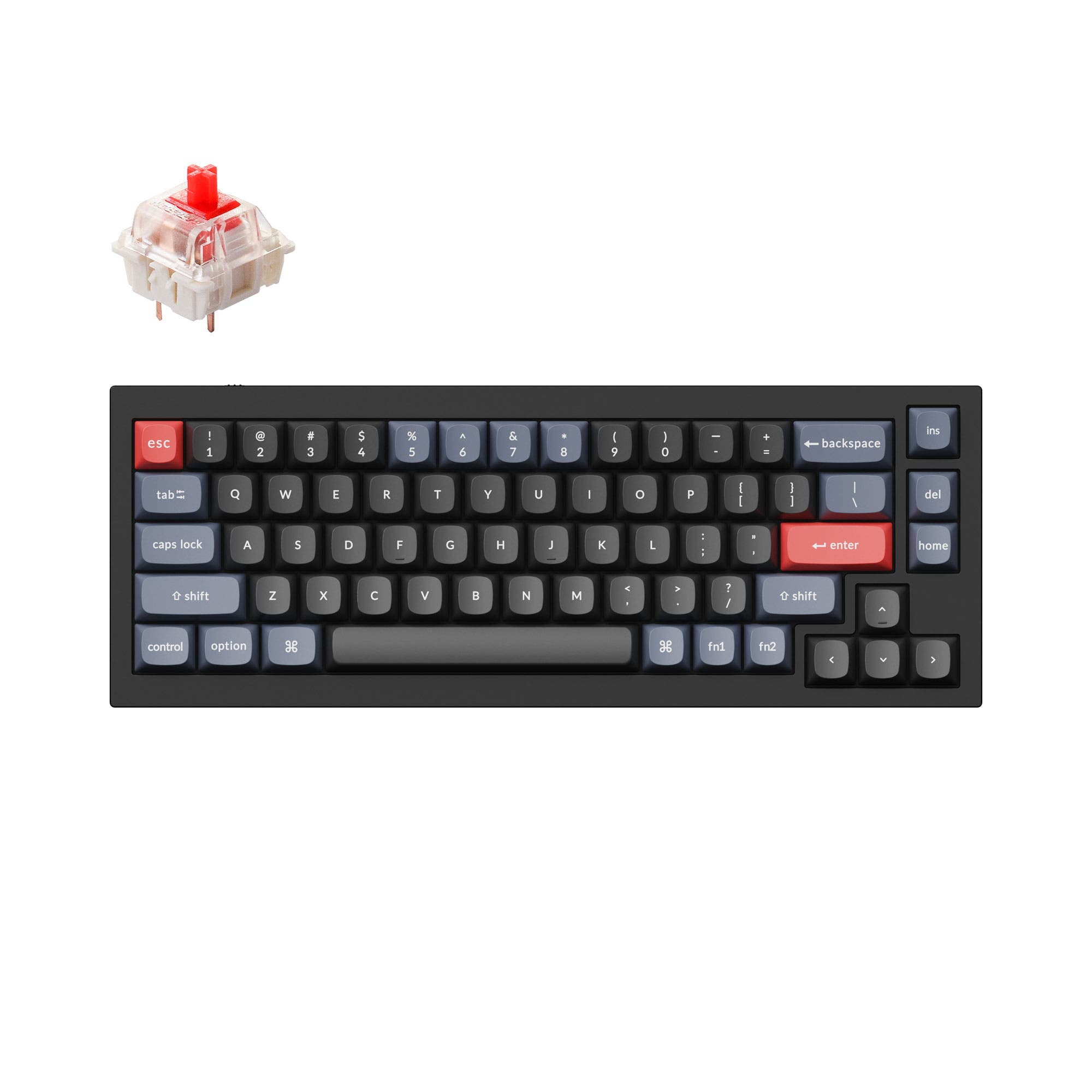
Which one should you get?
Get the
Keychron Q2 Max
Wireless
- Tri-mode connectivity with 2.4 GHz, Bluetooth 5.1, and wired USB-C.
- Includes multiple layers of acoustic foam (IXPE, PET, Latex) for a refined sound profile.
- Features a 4000mAh battery for extended wireless use.
- Typically commands a higher price than the wired Q2.
- The battery adds internal complexity compared to a purely wired design.
- Wireless functionality is unnecessary and adds cost for users who only need a stationary, wired keyboard.
Get the
Keychron Q2
Wired 65% Keyboard Comparison
- Generally available at a more affordable price point.
- Simpler, wired-only design with no battery to manage or potential wireless drivers to troubleshoot.
- Features a steel plate, which some users prefer for a more solid and consistent typing feel.
- Lacks wireless connectivity, limiting placement options and multi-device switching.
- Steel plate may produce a sharper, higher-pitched sound compared to polycarbonate without additional modding.
- The manufacturer's listed weight is slightly heavier than the Q2 Max.
Your budget and need for wireless freedom dictate this choice. Invest in the Keychron Q2 Max if you value a clean desk, need to switch between multiple devices, or want the enhanced acoustic treatment straight out of the box. Opt for the Keychron Q2 if you prefer a stationary setup, want to spend less on the core aluminum build, and are comfortable with a wired connection.
The differences that matter
Skip the 40-row spec sheet. These are the specs that change how each board feels, sounds, and fits your desk.
Keychron Q2 Max
Keychron Q2
Connection
Bluetooth, 2.4 GHz, Wired
Wired
Wireless for several devices and wired for lower latency
Mount style
Gasket Mount, Plate Mount
Gasket Mount, PCB Mount
Weight
1,528 g
1,645 g
Heavier boards stay planted and lighter ones travel
Layout standard
ANSI, ISO, ISO-DE, ISO-Nordic, ISO-SW, ISO-UK
ANSI, ISO, ISO-DE, ISO-ES, ISO-FR, ISO-Nordic, ISO-SW, ISO-UK, JIS
ISO and JIS exist so regional layouts fit
Plate material
Polycarbonate
Steel
- Keychron Q2 Max
- Keychron Q2
- Performance
- 7766
- Build quality
- 8990
- Productivity
- 9395
- Customizability
- 9898
- Portability
- 8970
- Layout size: 65%
- Hot-swappable
- Max polling rate: 1,000 Hz
- Case material: Aluminum
- Switch options: Clicky, Linear, Tactile
- Knob
What will you mostly use it for?
The Q2 Max is the clear choice for mobile or multi-device workflows in office and content creation due to its robust wireless features. It also holds a slight edge for gaming with its wireless polling rate. The standard Q2 wins for travel solely on its lower cost, as both boards are heavy. For core tasks like programming and modding, the keyboards are functionally equivalent, offering the same extensive firmware support and hardware customizability.
Pick the Keychron Q2 Max
- The Q2 Max offers a 1000 Hz polling rate over its 2.4 GHz wireless connection for low-latency gaming.
- Its polycarbonate plate may provide a more forgiving, flexible typing feel compared to the Q2's steel plate.
- Wireless connectivity reduces cable clutter on the desk.
What owners say
Ratings and quotes collected from verified store reviews, including the critical ones.
Keychron Q2 Max
3 owner reviews
“I've owned my Q2 Max for half a year now and I'm very satisfied with this keyboard. This keyboard checks off all the boxes for me and has performed excellent for the past 6-7 months.”
Keychron Q2
241 owner reviews
“The Q2 is waaaaay underrated. Tempest mod, lubed durock v2 stabs, tecsee PME or HPE housing long pole tactile switches and you have yourself a killer board.”
Keychron Q2 Max vs Q2 specs
Every tracked spec, side by side. Rows marked with a dot differ between the boards.
9 of 27 specs differ
Keychron Q2 Max
Keychron Q2
Switch options
Hot-swappable
Mount style
Sound dampening
Screw-in stabilizers
Layout size
Layout standard
Ergonomics
Knob
Display
Media keys
Connection
Max polling rate
Battery
USB-C
Case material
Plate material
Keycaps
Weight
Dimensions
Typing angle
Backlight
QMK
VIA
N-key rollover
Mac & Windows
Released
Compare prices
Live prices from the stores we track, cheapest in-stock offer first.
Prices in USD are converted to your currency and can change at any time. KeebFinder may earn a commission when you buy through these links, at no extra cost to you.
Lowest price across stores, Amazon excluded.




Keychron Q2 Max vs Q2: your questions
The primary difference is connectivity. The Q2 Max adds 2.4 GHz wireless and Bluetooth 5.1 to the wired USB-C connection found on the standard Q2. The Q2 Max also features a different acoustic foam package and a polycarbonate plate, while the Q2 uses a steel plate.
Yes, the Keychron Q2 Max is suitable for gaming. Its 2.4 GHz wireless mode and wired mode both offer a 1000 Hz polling rate, which the manufacturer states makes latency hardly noticeable. The wireless capability also helps reduce cable clutter on your desk.
Yes, both the Q2 and Q2 Max are compatible with macOS, Windows, and Linux. According to the product listings, they include a system toggle switch and an extra set of keycaps for both Mac and Windows layouts.
Yes, both the Keychron Q2 and Q2 Max feature hot-swappable PCBs. They support both 3-pin and 5-pin mechanical switches from brands like Gateron, Cherry, and Kailh, allowing for easy switch changes without soldering.
The fully assembled versions of both keyboards come with OSA profile double-shot PBT keycaps. The manufacturer describes OSA as having a similar height to OEM profile with an SA-like spherical shape.
Yes, both keyboards are equipped with QMK firmware and are compatible with the VIA configurator and Keychron's own Launcher web app for remapping keys, creating macros, and adjusting lighting effects.
The Keychron Q2 Max uses a polycarbonate (PC) plate, while the standard Q2 uses a steel plate. Polycarbonate is typically more flexible, which can affect the typing feel and sound.
The Keychron Q2 Max has a 4000mAh battery. The manufacturer's lab tests indicate up to 180 hours of wireless use with RGB backlighting off, and up to 100 hours at the lowest RGB brightness. Actual battery life will vary with usage.
Based on the manufacturer's specifications, the fully assembled Q2 is listed at 1645g, while the Q2 Max is listed at 1528g. Both are substantial, heavy keyboards due to their full aluminum construction.
Yes, both models are offered in a 'Barebone' or 'DIY Kit' configuration. These versions include the aluminum case, PCB, plate, and stabilizers, but do not include switches or keycaps, allowing for complete personalization.
Both the Keychron Q2 and Q2 Max use screw-in PCB-mounted stabilizers. The manufacturer states these provide a stable and smooth feel for larger keys and are compatible with third-party stabilizers like those from Cherry or Durock.
Yes, both keyboards feature south-facing RGB LEDs. This orientation prevents interference with Cherry-profile keycaps and is designed to better illuminate the keyboard from the typist's angle when using non-shine-through keycaps.
Not sold on either?


Still torn?
Answer a few quick questions and the keyboard finder ranks 2,000+ boards by how you will actually use yours.