Keychron K2 HE vs Q2Magnetic vs Gasket Feel
Choose the K2 HE for wireless magnetic switch gaming features, or the Q2 for a purer, wired gasket-mount typing experience.
KeebFinder may earn a commission when you buy through these links, at no extra cost to you.

4.3 (55)4.3 · 55 reviews
from$129at Keychron
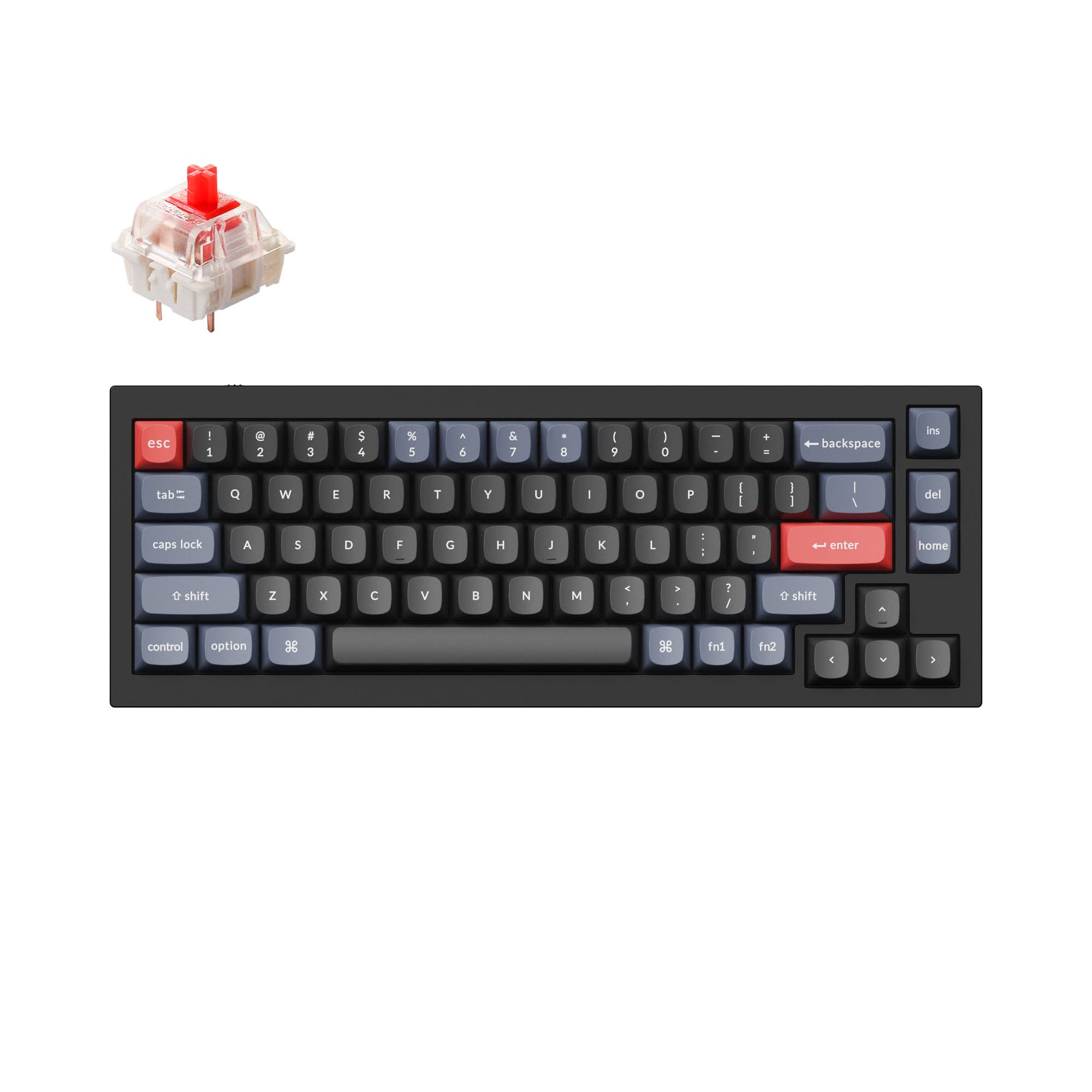
4.8 (241)4.8 · 241 reviews
from$59at Keychron
Which one should you get?
Get the
Keychron K2 HE
Magnetic
Build quality in the top 5% of 75% boards under $150.
- Gateron Double-Rail Magnetic switches offer adjustable actuation points from 0.2 to 3.8 mm.
- Wireless connectivity includes both 2.4 GHz (1000 Hz polling) and Bluetooth 5.2 for linking up to 3 devices.
- 4000 mAh battery supports long wireless uptime (up to 110 hours lab tested).
- Magnetic switches only. Standard MX switches will not fit.
- North-facing LEDs. Cherry-profile keycaps can hit the switch housing.
- Missing ISO-SW. The other board is sold in those layouts.
- No numpad.
Get the
Keychron Q2
Gasket Feel
Build quality in the top 5% of 65% boards under $100.
- Full CNC machined 6063 aluminum body with a premium, heavy feel (1645g fully assembled).
- Double-Gasket Design with silicone pads between top and bottom case for reduced noise and improved flexibility.
- South-facing RGB LEDs eliminate interference with Cherry/OEM profile aftermarket keycaps.
- South-facing LEDs. Shine-through legends stay dark, and some sculpted keycaps can clip the LED.
- Missing ISO-CH. The other board is sold in those layouts.
- 65% layout. No function row and no numpad.
Select the Keychron K2 HE if you prioritize cutting-edge magnetic switch features, wireless freedom, and gaming performance. It is the only choice for those who want Rapid Trigger and analog input. Choose the Keychron Q2 if you prefer a wired, gasket-mounted typing feel, a broader selection of mechanical switches, and a more established, highly-rated build for programming or office work. Your choice ultimately hinges on whether innovation or tradition in typing feel matters more.
The differences that matter
Skip the 40-row spec sheet. These are the specs that change how each board feels, sounds, and fits your desk.
Keychron K2 HE
Keychron Q2
Layout size
75%
65%
Hall effect (magnetic)
Yes
No
Adjustable actuation helps in games and not in normal typing
Rapid trigger
Yes
No
Faster resets help in games and not in normal typing
Connection
Bluetooth, 2.4 GHz, Wired
Wired
Wireless for several devices and wired for lower latency
Case material
ABS, Aluminum, Resin, Wood
Aluminum
- Keychron K2 HE
- Keychron Q2
- Performance
- 9366
- Build quality
- 9190
- Productivity
- 9795
- Customizability
- 9898
- Portability
- 8170
- Hot-swappable
- Max polling rate: 1,000 Hz
- Knob
- QMK
- VIA
- Sound dampening
What will you mostly use it for?
The K2 HE wins for gaming and office use due to its wireless connectivity and magnetic switch features like Rapid Trigger and analog mode. The Q2 is better suited for programming, where its gasket mount and softer typing feel are valued. For travel, the K2 HE's wireless capability is a clear advantage. Modding and content creation favor neither, as both offer deep QMK/VIA customization, a programmable knob, and hot-swappable PCBs, though they differ in switch type and mounting philosophy.
Pick the Keychron K2 HE
- Gateron Double-Rail Magnetic switches with adjustable actuation from 0.2 to 3.8 mm.
- Rapid Trigger and Dynamic Keystrokes (DKS) for faster, more responsive inputs.
- 2.4 GHz wireless connection with a 1000 Hz polling rate, plus analog mode for controller-like control.
- Won the 2025 CES Innovation Award for its magnetic switch technology.
What owners say
Ratings and quotes collected from verified store reviews, including the critical ones.
Keychron K2 HE
55 owner reviews
“Lowering the actuation depth improved my reaction time in competitive games. Analog mode in racing titles feels surprisingly natural. The mouse glide is smooth.”
“I thought the macro didn't have infinite repetitions, but there are no helpful images anywhere on the internet. I still haven't found the answer.”
Keychron Q2
241 owner reviews
“The Q2 is waaaaay underrated. Tempest mod, lubed durock v2 stabs, tecsee PME or HPE housing long pole tactile switches and you have yourself a killer board.”
Keychron K2 HE vs Q2 specs
Every tracked spec, side by side. Rows marked with a dot differ between the boards.
16 of 29 specs differ
Keychron K2 HE
Keychron Q2
Switch options
Hall effect (magnetic)
Rapid trigger
Hot-swappable
Mount style
Sound dampening
Screw-in stabilizers
Layout size
Layout standard
Ergonomics
Knob
Display
Media keys
Connection
Max polling rate
Battery
USB-C
Case material
Plate material
Keycaps
Weight
Dimensions
Typing angle
Backlight
QMK
VIA
N-key rollover
Mac & Windows
Released
ISO layouts by store
Which stores sell ISO-DE, UK, and the other regional layouts.
Keychron K2 HE
Keychron
ISO-DE, ISO-UK, ISO-Nordic, ISO-CH
In stockShips to you
Input Gear
ISO-DE
Out of stockShips to you
Keychron (DE)
ISO-DE, ISO-UK, ISO-FR, ISO-ES, ISO-CH
In stockDoes not ship to you
Keychron Q2
Input Gear
ISO-FR
In stockShips to you
Keychron
ISO-DE, ISO-UK, ISO-Nordic, ISO-FR, ISO-ES, ISO-SW
In stockShips to you
Keychron (DE)
ISO-DE, ISO-UK, ISO-Nordic, ISO-FR, ISO-ES, ISO-SW
In stockDoes not ship to you
Compare prices
Live prices from the stores we track, cheapest in-stock offer first.
Prices in USD are converted to your currency and can change at any time. KeebFinder may earn a commission when you buy through these links, at no extra cost to you.
Lowest price across stores, Amazon excluded.




Keychron K2 HE vs Q2: your questions
No, the K2 HE is designed exclusively for Gateron Double-Rail Magnetic switches. It does not support standard MX mechanical switches or other magnetic switch types like Gateron Magnetic Jade, as stated in the vendor description.
No, the Keychron Q2 is a wired-only keyboard. It connects to your device via a Type-C cable, and the vendor description does not list any Bluetooth or 2.4 GHz wireless support.
The Keychron Q2 is often preferred for long typing due to its Double-Gasket Design, which provides a cushioned feel and reduces metal resonance. The K2 HE uses a tray mount, which is generally stiffer, though it offers adjustable actuation depths for personalization.
Yes, both the K2 HE and the Q2 support QMK and VIA firmware for remapping keys, creating macros, and adjusting lighting. The K2 HE also has a dedicated Launcher web app for adjusting magnetic switch settings like actuation points.
Yes, the K2 HE supports a 2.4 GHz wireless connection with a 1000 Hz polling rate, which is suitable for competitive gaming. It also features Bluetooth 5.2 for connecting to multiple devices, but Bluetooth polling is limited to 125 Hz.
The K2 HE uses Gateron Double-Rail Magnetic switches, which are linear and offer adjustable actuation points. The Q2 offers mechanical switches like Gateron G Pro Red (linear), Blue (clicky), and Brown (tactile), with a hot-swappable PCB that supports most 3-pin and 5-pin MX switches.
The K2 HE has a 4000 mAh rechargeable battery with a vendor-estimated working time of up to 110 hours. The Q2 does not have a battery as it is a wired-only keyboard.
The standard version of the K2 HE comes with Cherry profile double-shot PBT shine-through keycaps, while the special edition has OSA profile non-shine-through PBT keycaps. The Q2 comes with double-shot PBT keycaps in an OSA profile that are not shine-through, but its south-facing RGB is optimized for non-shine-through caps.
Both keyboards include a system toggle for macOS and Windows compatibility, plus extra keycaps for both systems. The K2 HE also offers Bluetooth connectivity for easy pairing with a Mac, while the Q2 requires a wired connection.
Yes, both the K2 HE and the Q2 offer a programmable rotary encoder (knob) that can be customized via QMK/VIA for functions like volume control, zoom, or brush size adjustments.
Yes, the Q2 uses screw-in PCB stabilizers, which are a popular modding target. The vendor description notes they can be replaced with third-party stabilizers like Cherry or Durock, and user reviews mention performing band-aid mods to improve sound.
The K2 HE weighs between 965 g and 980 g depending on the version, while the Q2 weighs 1645 g. The Q2 is significantly heavier due to its full aluminum CNC-machined body, contributing to a more stable desk presence.
Not sold on either?





Still torn?
Answer a few quick questions and the keyboard finder ranks 2,000+ boards by how you will actually use yours.