Keychron Q2 vs Royal Kludge R65Wired vs Wireless 65% Choice
Choose the Keychron Q2 for a premium, stationary modding platform, or the Royal Kludge R65 for a lighter, more portable wireless option.
KeebFinder may earn a commission when you buy through these links, at no extra cost to you.
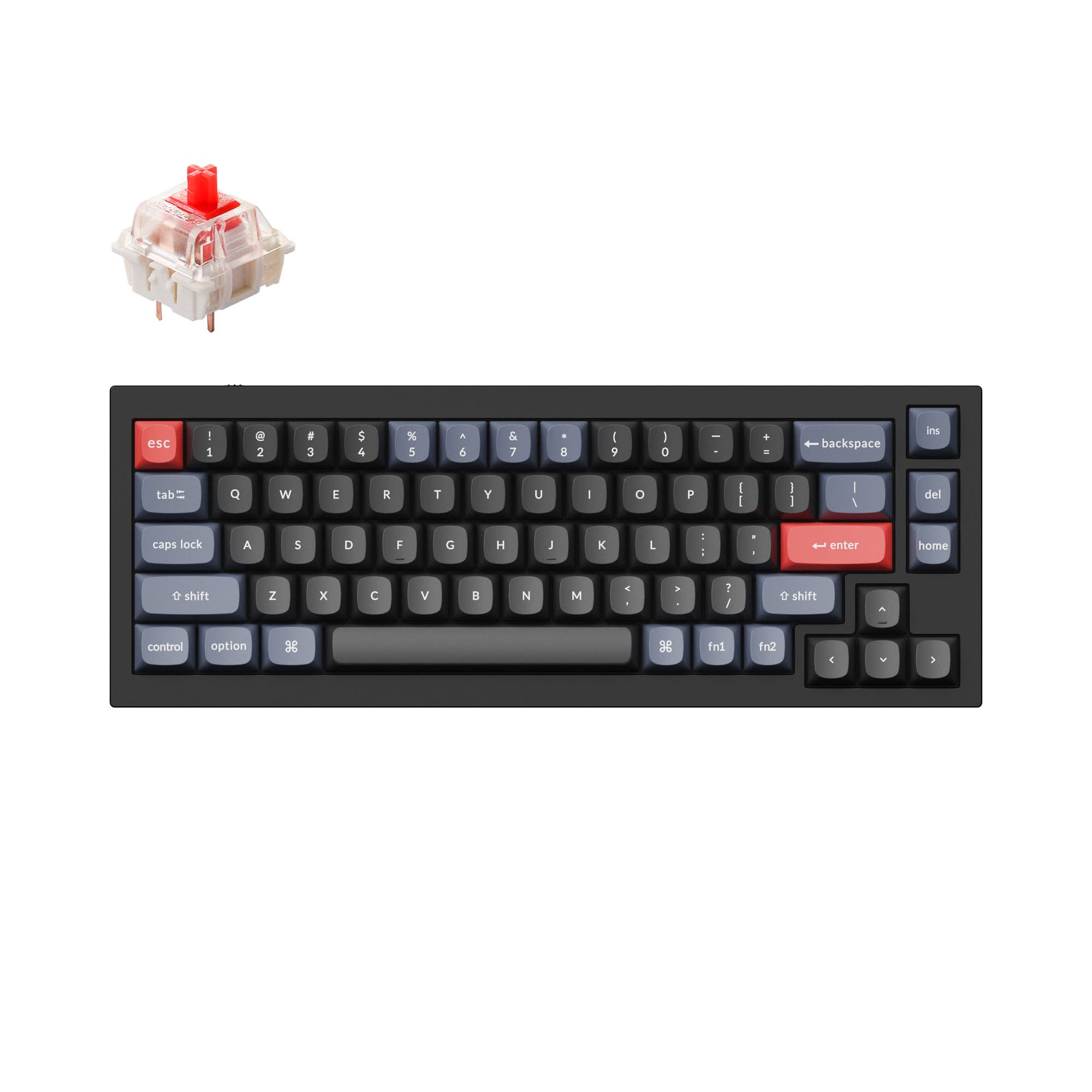
4.8 (241)4.8 · 241 reviews
from$59at Keychron

No reviews
from$59at Royal Kludge
Which one should you get?
Get the
Keychron Q2
Wired
Build quality in the top 5% of 65% boards under $100.
- Extensive layout compatibility including ANSI, ISO, JIS, and multiple European ISO variants.
- Premium, heavy 1645g full CNC aluminum construction for a solid feel.
- Double-gasket mount design with silicone pads for sound dampening and flex.
- South-facing LEDs. Shine-through legends stay dark, and some sculpted keycaps can clip the LED.
Get the
Royal Kludge R65
Wireless 65% Choice
Build quality in the top 15% of 65% boards under $100.
- Tri-mode connectivity with Bluetooth, 2.4 GHz, and wired options.
- Significantly lighter at 580g, enhancing portability.
- Vendor description highlights 5-layer noise dampening for a quieter typing experience.
- No ISO layout. ISO-DE, UK, and other ISO variants are not offered.
Your primary need dictates the choice. If you require a single, superb stationary keyboard for deep customization and a premium typing feel, the wired Keychron Q2 is the superior investment. If you value flexibility, need to switch between devices, or plan to move the keyboard often, the lighter, wireless Royal Kludge R65 provides compelling functionality at a typically lower cost.
The differences that matter
Skip the 40-row spec sheet. These are the specs that change how each board feels, sounds, and fits your desk.
Keychron Q2
Royal Kludge R65
Connection
Wired
Bluetooth, 2.4 GHz, Wired
Wireless for several devices and wired for lower latency
Switch options
Clicky, Linear, Tactile
Linear
Mount style
Gasket Mount, PCB Mount
Gasket Mount
Weight
1,645 g
580 g
Heavier boards stay planted and lighter ones travel
Layout standard
ANSI, ISO, ISO-DE, ISO-ES, ISO-FR, ISO-Nordic, ISO-SW, ISO-UK, JIS
ANSI
ISO and JIS exist so regional layouts fit
- Keychron Q2
- Royal Kludge R65
- Performance
- 6565
- Build quality
- 9084
- Productivity
- 9589
- Customizability
- 9888
- Portability
- 7085
- Layout size: 65%
- Hot-swappable
- Case material: Aluminum
- Knob
- QMK
- VIA
What will you mostly use it for?
The Royal Kludge R65 is the clear choice for mobile use cases like travel and flexible office setups due to its light weight and wireless options. The Keychron Q2 dominates for stationary, detail-oriented tasks like programming and keyboard modding, thanks to its extensive layout support, heavier build, and mod-focused features. For gaming and content creation, both keyboards are well-matched, making the decision more about your preference for connectivity versus build substance.
It's a tie
- Both keyboards feature a 65% layout that saves desk space for mouse movement.
- Both support hot-swappable switches for customizing actuation feel.
- The Keychron Q2 has a specified 1000Hz polling rate, while the R65's polling rate is not stated in its listing.
Keychron Q2 vs Royal Kludge R65 specs
Every tracked spec, side by side. Rows marked with a dot differ between the boards.
11 of 25 specs differ
Keychron Q2
Royal Kludge R65
Switch options
Hot-swappable
Mount style
Sound dampening
Screw-in stabilizers
Layout size
Layout standard
Ergonomics
Knob
Display
Media keys
Connection
Max polling rate
USB-C
Case material
Plate material
Keycaps
Weight
Dimensions
Typing angle
Backlight
QMK
VIA
Mac & Windows
Released
ISO layouts by store
Which stores sell ISO-DE, UK, and the other regional layouts.
Keychron Q2
Input Gear
ISO-FR
In stockShips to you
Keychron
ISO-DE, ISO-UK, ISO-Nordic, ISO-FR, ISO-ES, ISO-SW
In stockShips to you
Keychron (DE)
ISO-DE, ISO-UK, ISO-Nordic, ISO-FR, ISO-ES, ISO-SW
In stockDoes not ship to you
Royal Kludge R65
No ISO layout at the stores we track.
Compare prices
Live prices from the stores we track, cheapest in-stock offer first.
Prices in USD are converted to your currency and can change at any time. KeebFinder may earn a commission when you buy through these links, at no extra cost to you.
Lowest price across stores, Amazon excluded.





Keychron Q2 vs Royal Kludge R65: your questions
Both keyboards list Mac and Windows support. The Keychron Q2 includes a system toggle and an extra set of keycaps for both operating systems, according to its product description. The Royal Kludge R65's vendor page also states compatibility with both MacOS and Windows.
Yes, both keyboards are hot-swappable. The Keychron Q2's PCB supports both 3-pin and 5-pin MX switches. The Royal Kludge R65 listing also confirms hot-swappable sockets compatible with 3-pin and 5-pin switches.
Yes, both the Keychron Q2 and Royal Kludge R65 support programming via the open-source QMK firmware and the VIA configuration tool. This allows for extensive key remapping, layer creation, and macro programming.
The Keychron Q2 uses a full CNC machined aluminum case with a steel plate and weighs 1645g, emphasizing a premium, substantial feel. The Royal Kludge R65 also has an aluminum case but is much lighter at 580g, and its vendor description highlights a 5-layer sound dampening structure.
The Royal Kludge R65 is far more portable. It weighs 580g compared to the Q2's 1645g and offers wireless Bluetooth and 2.4 GHz connectivity, so you don't need to pack or use a cable. The R65 is explicitly marketed as 'ultra-portable'.
The Keychron Q2 comes with OSA profile double-shot PBT keycaps, which have an OEM height with an SA-like spherical shape. The Royal Kludge R65 comes with MDA profile double-shot PBT keycaps, which offer a different sculpted shape for typing comfort.
Yes, the Keychron Q2 is available as a barebones kit. This version includes the aluminum case, PCB, and steel plate, but does not come with switches or keycaps, allowing for complete personalization from the start.
The Keychron Q2 fully assembled version comes with pre-lubed Gateron G Pro switches, available in linear red, tactile brown, or clicky blue variants. The Royal Kludge R65 comes with pre-lubed linear cream switches.
Yes, the Keychron Q2 features south-facing RGB LEDs. According to the manufacturer, this design better illuminates the board from the typist's angle and prevents interference with Cherry-profile or OEM-profile keycaps.
The Royal Kludge R65's vendor description lists compatibility with iOS and Android, suggesting it can pair with mobile devices via Bluetooth. Console compatibility is not explicitly stated for either keyboard.
Based on vendor descriptions, the Royal Kludge R65 may have an advantage for noise reduction. Its listing specifically mentions a gasket mount with 5 layers of sound-absorbing materials designed to reduce noise. The Keychron Q2 uses a double-gasket design with silicone pads to dampen acoustic resonance.
The Keychron Q2 is designed for compatibility with Cherry-profile keycaps, thanks to its south-facing RGB LEDs that prevent interference. The Royal Kludge R65 uses MDA profile keycaps, but as a hot-swappable board with standard MX stems, it should physically accept Cherry-profile sets, though north/south LED interference is not specified.
Not sold on either?


Still torn?
Answer a few quick questions and the keyboard finder ranks 2,000+ boards by how you will actually use yours.