Keychron Q3 Pro vs Q3Wireless vs Wired TKL Keyboard Comparison
Choose the Keychron Q3 Pro for wireless flexibility and a polycarbonate plate, or the Q3 for a lower-cost, wired-only build with a steel plate.
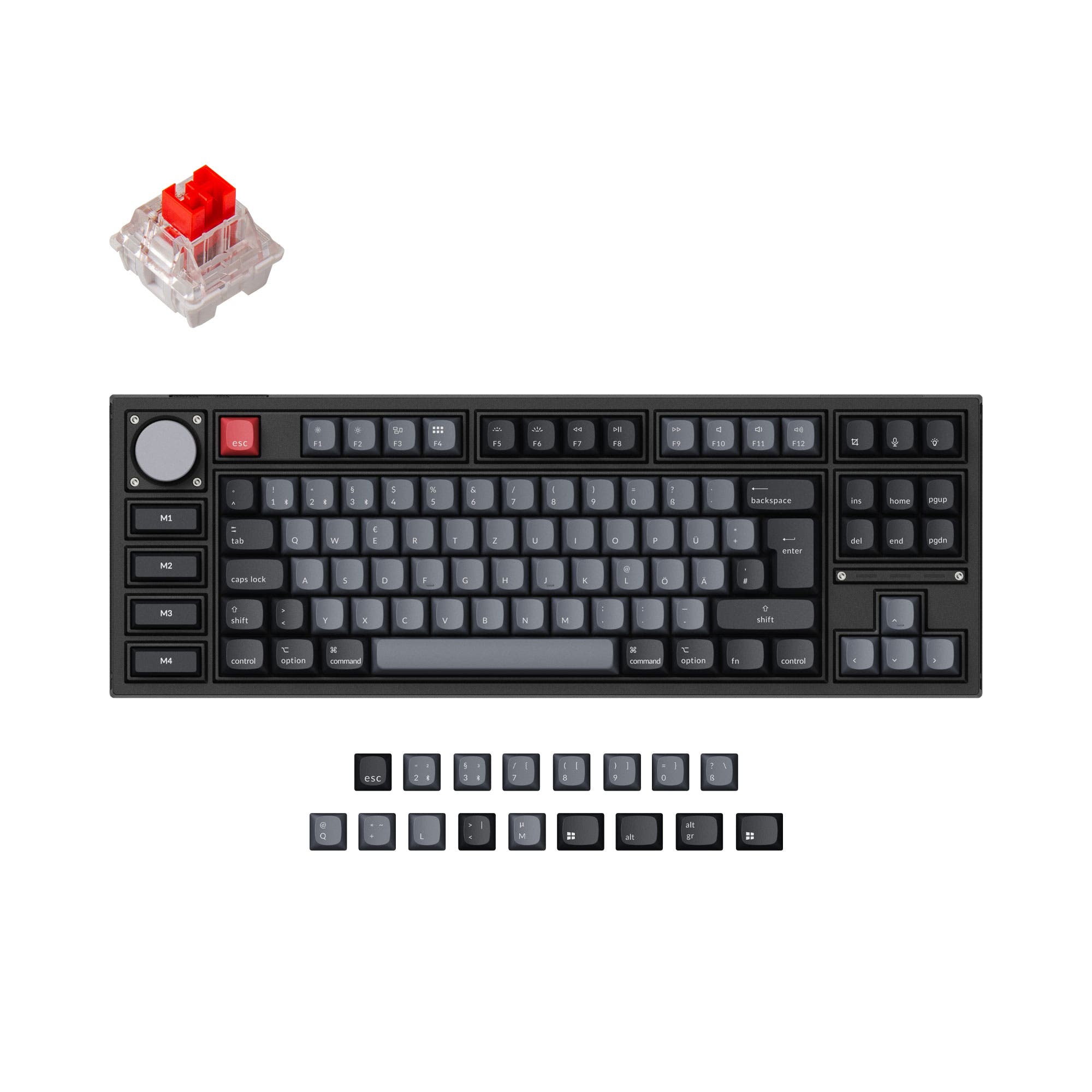

Which one should you get?
Get the
Keychron Q3 Pro
Wireless
- Adds wireless Bluetooth 5.1 connectivity with a 4000mAh battery.
- Uses a polycarbonate plate for a potentially more flexible typing feel.
- Special Edition model includes four dedicated macro keys.
- Heavier at 2300g and longer than the Q3.
- Typically commands a higher price point.
- Wireless polling rate is lower at 90 Hz compared to wired 1000 Hz.
Get the
Keychron Q3
Wired TKL Keyboard Comparison
- Lower starting price point for a similar aluminum build.
- Lighter weight (2000g) and slightly more compact dimensions.
- Uses a steel plate for a firmer, more traditional typing feel.
- Lacks wireless connectivity of any kind.
- Comes with OSA profile ABS keycaps, which may show shine over time.
- No internal battery, limiting placement options.
Your budget and need for wireless operation are the primary deciders. If you value a clean desk and multi-device switching, the Keychron Q3 Pro is the clear upgrade. If you prefer a traditional wired setup, want a firmer steel plate feel, and seek a lower cost of entry into a premium aluminum TKL, the original Keychron Q3 remains an excellent choice.
The differences that matter
Skip the 40-row spec sheet. These are the specs that change how each board feels, sounds, and fits your desk.
Keychron Q3 Pro
Keychron Q3
Connection
Bluetooth, Wired
Wired
Switch options
Clicky, Linear, Tactile
Clicky, Linear, Silent, Tactile
Mount style
Gasket Mount, Plate Mount
Gasket Mount, PCB Mount, Plate Mount
Weight
2,300 g
2,000 g
Layout standard
ANSI, ISO, ISO-DE, ISO-ES, ISO-FR, ISO-Nordic, ISO-SW, ISO-UK
ANSI, ISO, ISO-DE, ISO-ES, ISO-FR, ISO-SW, ISO-UK, JIS
- Keychron Q3 Pro
- Keychron Q3
- Performance
- 8272
- Build quality
- 8991
- Productivity
- 9798
- Customizability
- 9898
- Portability
- 7657
- Layout size: 80%
- Hot-swappable
- Max polling rate: 1,000 Hz
- Case material: Aluminum
- Knob
- QMK
What will you mostly use it for?
The Q3 Pro is the more versatile choice for office and mobile setups due to its wireless capability and battery. It also offers unique features for content creators with its macro keys. The standard Q3 is a more portable, cost-effective option that matches the Pro in core programmability and modding potential. For gaming and programming, both are capable, with the Pro offering a slight edge in wireless gaming flexibility.
Pick the Keychron Q3 Pro
- Wireless mode offers a 90 Hz polling rate for reduced cable clutter.
- The polycarbonate plate may provide a more forgiving typing feel.
- Both offer a 1000 Hz wired polling rate for low latency.
What owners say
Ratings and quotes collected from verified store reviews, including the critical ones.
Keychron Q3 Pro
24 owner reviews
“I ordered this keyboard for myself and it sounds and feels amazing. I love the clacky feel over the clicky keyboard I had before!”
Keychron Q3
108 owner reviews
“I upgraded from the Q1 as I never really liked 75%. The weight, sound and feel of the Q3 are all amazing. Really good build quality. Money well spent.”
“I thought I had found exactly what I wanted and its great for what it is, but! This was advertised as an ANSI layout but what I received was an ISO layout board. The barebones board also states in the images that it comes with switch and keycap removal tools…”
Keychron Q3 Pro vs Q3 specs
Every tracked spec, side by side. Rows marked with a dot differ between the boards.
10 of 27 specs differ
Keychron Q3 Pro
Keychron Q3
Switch options
Hot-swappable
Mount style
Sound dampening
Screw-in stabilizers
Layout size
Layout standard
Ergonomics
Knob
Display
Media keys
Connection
Max polling rate
Battery
USB-C
Case material
Plate material
Keycaps
Weight
Dimensions
Typing angle
Backlight
QMK
VIA
N-key rollover
Mac & Windows
Released
Compare prices
Live prices from the stores we track, cheapest in-stock offer first.
Lowest price across stores, Amazon excluded.




Prices in USD are converted to your currency and can change at any time. KeebFinder may earn a commission when you buy through these links, at no extra cost to you.
Keychron Q3 Pro vs Q3: your questions
The Keychron Q3 Pro adds wireless Bluetooth 5.1 connectivity with a 4000mAh battery, while the original Q3 is a wired-only keyboard. The Q3 Pro also uses a polycarbonate plate, whereas the Q3 uses a steel plate.
Yes. In wired mode, the Q3 Pro offers a 1000 Hz polling rate for low latency. Its wireless mode operates at 90 Hz, which is suitable for most gaming but may not be ideal for highly competitive esports where every millisecond counts.
Yes. Both the Keychron Q3 and Q3 Pro are listed as compatible with macOS and Windows. They include a system toggle and extra keycaps for both operating systems.
Yes. Both keyboards feature hot-swappable sockets that support both 3-pin and 5-pin MX-style mechanical switches. This allows you to change switches without soldering.
The fully assembled Keychron Q3 Pro comes with KSA profile double-shot PBT keycaps. The fully assembled Keychron Q3 comes with OSA profile ABS backlight shine-through keycaps.
Yes. Both the Keychron Q3 and Q3 Pro support open-source QMK firmware and VIA software for extensive key remapping, macro creation, and layer programming.
The Keychron Q3 Pro is heavier, with a listed weight of 2300g for the fully assembled version. The Keychron Q3 weighs 2000g for its fully assembled version.
Both keyboards are available in versions with and without a programmable aluminum knob. You must select the 'Knob' version when purchasing either model.
The Keychron Q3 has a 5.2° typing angle, while the Q3 Pro has a slightly steeper 5.52° angle for its Special Edition. The standard Q3 Pro is listed with a 6° angle in the metadata.
Yes. Both models are offered in 'Barebone' kit versions, which include the aluminum case, PCB, and plate, but do not include switches or keycaps.
The Keychron Q3 Pro uses a polycarbonate (PC) plate, which is typically more flexible. The original Keychron Q3 uses a steel plate, which provides a firmer, more rigid typing feel.
Yes. Both the Keychron Q3 and Q3 Pro use screw-in PCB stabilizers, which are generally considered more stable and easier to modify than clip-in stabilizers.
Not sold on either?


Still torn?
Answer a few quick questions and the keyboard finder ranks 2,000+ boards by how you will actually use yours.