Keychron Q3 Pro vs LemoKey P1 HETKL vs Magnetic
Choose the Keychron Q3 Pro for a premium typing experience and full TKL layout, or the Lemokey P1 HE for magnetic switch based rapid trigger gaming performance.
KeebFinder may earn a commission when you buy through these links, at no extra cost to you.
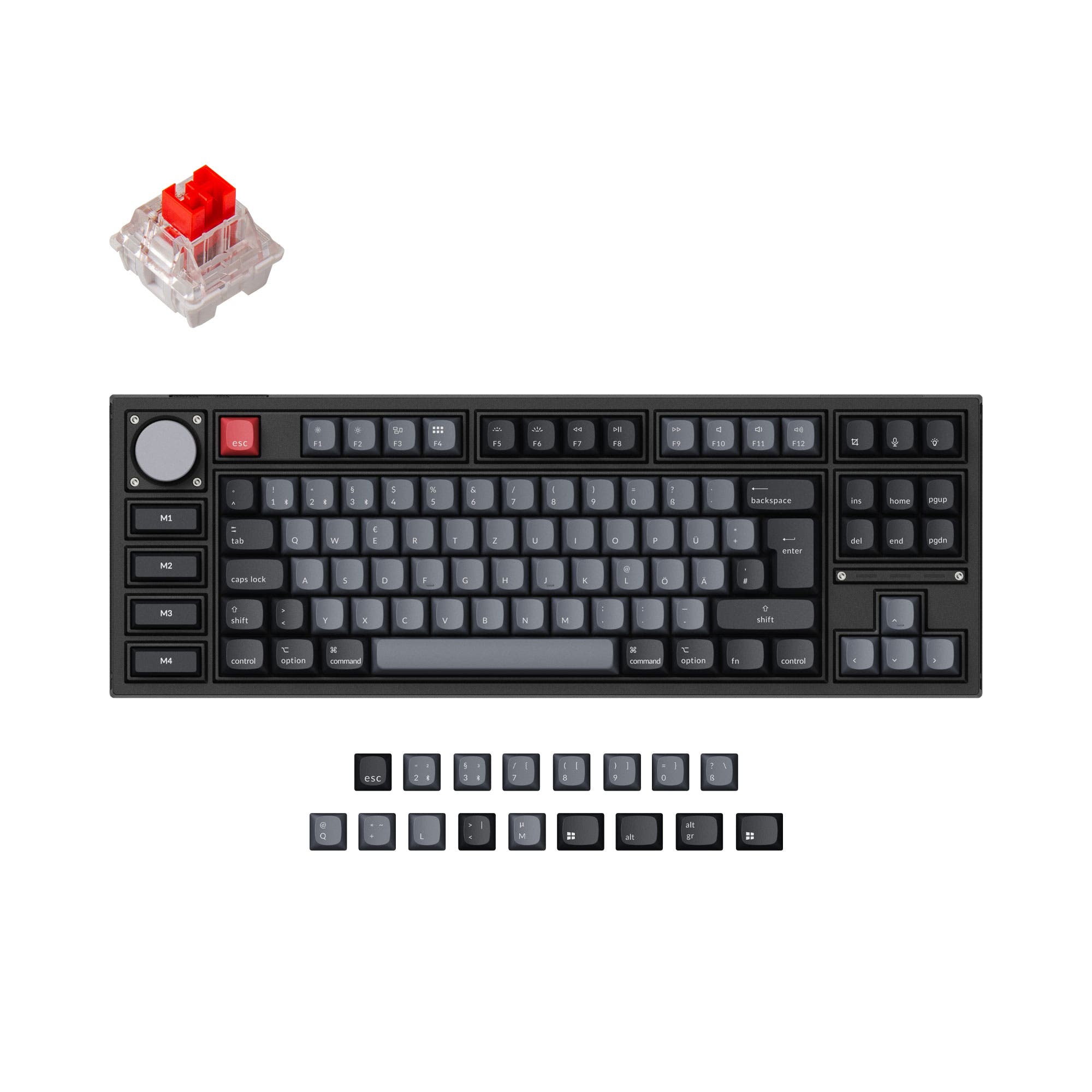

Which one should you get?
Get the
Keychron Q3 Pro
TKL
- Double-gasket design with silicone pads reduces metal resonance for a deeper typing sound.
- Full CNC machined 6063 aluminum body provides a premium and sturdy build.
- Available in multiple ISO layout versions including UK, German, Nordic, and Swiss.
- Heavier at 2300g, making it less portable than the P1 HE.
- Bluetooth polling rate drops to 90 Hz, which may affect competitive gaming.
- The four macro keys on the Special Edition are not hot-swappable.
Get the
Keychron LemoKey P1 HE
Magnetic
- Gateron double-rail magnetic switches with adjustable actuation from 0.2 to 3.8 mm.
- Dynamic Rapid Trigger and 4-in-1 action keys for advanced gaming controls.
- 2.4 GHz wireless connection with a 1000 Hz polling rate for ultra-low latency.
- Magnetic switches are only compatible with Gateron double-rail magnetic switches, limiting swap options.
- Smaller 75% layout may not suit users who prefer a dedicated TKL navigation cluster.
- VIA support requires a manual JSON file upload as it is not yet automatically recognized.
If your priority is a premium typing feel, extensive modding potential, and a full TKL layout for office or content creation work, the Keychron Q3 Pro is the better choice. If you are a competitive gamer who needs the fastest possible response and the flexibility of magnetic switch technology, the Lemokey P1 HE offers a distinct advantage. Both keyboards are well-built, but their different switch technologies and layouts make them suited for different users.
The differences that matter
Skip the 40-row spec sheet. These are the specs that change how each board feels, sounds, and fits your desk.
Keychron Q3 Pro
Keychron LemoKey P1 HE
Layout size
80%
75%
Hall effect (magnetic)
No
Yes
Adjustable actuation helps in games and not in normal typing
Rapid trigger
No
Yes
Faster resets help in games and not in normal typing
Connection
Bluetooth, Wired
Bluetooth, 2.4 GHz, Wired
Wireless for several devices and wired for lower latency
Case material
Aluminum
Aluminum, Metal
- Keychron Q3 Pro
- Keychron LemoKey P1 HE
- Performance
- 8293
- Build quality
- 8988
- Productivity
- 9797
- Customizability
- 9896
- Portability
- 7681
- Hot-swappable
- Battery: 4,000 mAh
- Max polling rate: 1,000 Hz
- Knob
- QMK
- VIA
What will you mostly use it for?
The Lemokey P1 HE is the clear winner for gaming due to its magnetic switch technology, rapid trigger, and 2.4 GHz low latency. The Keychron Q3 Pro leads in office, programming, modding, and content creation use cases, thanks to its full TKL layout, double-gasket typing feel, and greater MX switch compatibility. For travel, the P1 HE wins on portability with a lighter weight and more compact size.
Pick the Keychron LemoKey P1 HE
- Features Gateron double-rail magnetic switches with adjustable actuation points from 0.2 to 3.8 mm.
- Includes Dynamic Rapid Trigger for instant key repetition based on travel distance.
- Offers 2.4 GHz wireless with a 1000 Hz polling rate for low latency.
- Supports 4-in-1 action keys and analog mode for nuanced control.
What owners say
Ratings and quotes collected from verified store reviews, including the critical ones.
Keychron Q3 Pro
24 owner reviews
“I ordered this keyboard for myself and it sounds and feels amazing. I love the clacky feel over the clicky keyboard I had before!”
Keychron LemoKey P1 HE
1 owner reviews
“As a survivor with 4800 hours on chernarus i need this keyboard, getting this asap. DayZ was a second life investment of time and im not regretful. The opportunities it allows are countless, ive learned how to read some russian by the map where i now know…”
Keychron Q3 Pro vs LemoKey P1 HE specs
Every tracked spec, side by side. Rows marked with a dot differ between the boards.
14 of 29 specs differ
Keychron Q3 Pro
Keychron LemoKey P1 HE
Switch options
Hall effect (magnetic)
Rapid trigger
Hot-swappable
Mount style
Sound dampening
Screw-in stabilizers
Layout size
Layout standard
Ergonomics
Knob
Display
Media keys
Connection
Max polling rate
Battery
USB-C
Case material
Plate material
Keycaps
Weight
Dimensions
Typing angle
Backlight
QMK
VIA
N-key rollover
Mac & Windows
Released
Compare prices
Live prices from the stores we track, cheapest in-stock offer first.
Prices in USD are converted to your currency and can change at any time. KeebFinder may earn a commission when you buy through these links, at no extra cost to you.
Lowest price across stores, Amazon excluded.




Keychron Q3 Pro vs LemoKey P1 HE: your questions
The Lemokey P1 HE is better for gaming due to its Gateron double-rail magnetic switches with adjustable actuation points (0.2 to 3.8 mm) and features like Dynamic Rapid Trigger and 4-in-1 action keys. It also offers a 2.4 GHz wireless mode with a 1000 Hz polling rate for low latency. The Keychron Q3 Pro has a 1000 Hz polling rate only in wired mode and uses traditional mechanical switches.
No, the Lemokey P1 HE is only compatible with Gateron double-rail magnetic switches. It does not support standard 3-pin or 5-pin MX mechanical switches like Cherry or Gateron. The Keychron Q3 Pro, on the other hand, is hot-swappable and supports almost all MX style switches.
The Keychron Q3 Pro is generally considered better for typing due to its double-gasket design, which includes silicone pads between the top and bottom cases to reduce resonance. It also uses a flexible PC plate. The P1 HE has a gasket mount but is designed more for gaming with its stiffer aluminum plate and magnetic switches.
The Keychron Q3 Pro is an 80% TKL keyboard, meaning it has a full navigation cluster and function row without a numpad. The Lemokey P1 HE is a 75% keyboard with 81 keys, which is more compact and does not have dedicated navigation keys. The Q3 Pro also offers a Special Edition with macro keys on the left.
The Lemokey P1 HE is more portable. It weighs 1630g and has dimensions of 322 x 140 x 32 mm, making it lighter and smaller than the Keychron Q3 Pro, which weighs 2300g and measures 415 x 144 x 31 mm. Both have a 4000mAh battery.
Yes, both keyboards support macros. The Keychron Q3 Pro uses open-source QMK firmware and VIA software for key remapping and macros, and the Special Edition has four dedicated macro keys. The Lemokey P1 HE uses the Lemokey Launcher web app and also supports VIA, with additional macro keys on the left side.
The Keychron Q3 Pro comes with OSA profile keycaps; the standard version has double-shot PBT keycaps, while the Special Edition has ABS shine-through keycaps. The Lemokey P1 HE comes with Cherry profile double-shot PBT keycaps, with both shine-through and non-shine-through options available.
The Lemokey P1 HE offers more versatile wireless connectivity with both 2.4 GHz and Bluetooth 5.2. The 2.4 GHz mode provides a 1000 Hz polling rate for low latency. The Keychron Q3 Pro only supports Bluetooth 5.1 and wired connections, with Bluetooth polling capped at 90 Hz.
Yes, both the Keychron Q3 Pro and the Lemokey P1 HE support QMK open-source firmware. The Q3 Pro is fully VIA compatible out of the box. The P1 HE can also use VIA, but you will need to manually download and load a JSON keymap file from the manufacturer as it is not automatically recognized.
The Keychron Q3 Pro is better for traditional modding because it supports almost any 3-pin or 5-pin MX mechanical switch, has a double-gasket design with a PC plate, and includes screw-in PCB stabilizers. The P1 HE is limited to Gateron double-rail magnetic switches, which restricts switch choice significantly.
The Keychron Q3 Pro has a 1000 Hz polling rate in wired mode but only 90 Hz in Bluetooth mode. The Lemokey P1 HE offers a 1000 Hz polling rate in both wired and 2.4 GHz wireless modes, and 125 Hz in Bluetooth mode. For competitive gaming, the P1 HE's 2.4 GHz connection is much better.
Yes, both keyboards are available in multiple ISO layouts. The Keychron Q3 Pro offers UK, German, Nordic, Swiss, French, and Spanish ISO versions. The Lemokey P1 HE also has UK, German, Nordic, and Swiss ISO layout options, as well as a barebone ISO option for customization.
Not sold on either?


Still torn?
Answer a few quick questions and the keyboard finder ranks 2,000+ boards by how you will actually use yours.