Keychron Q3 Pro vs Lemokey P3 HE
Choose the Keychron Q3 Pro for typing flexibility and layout options, or the Lemokey P3 HE for magnetic-switch gaming features.
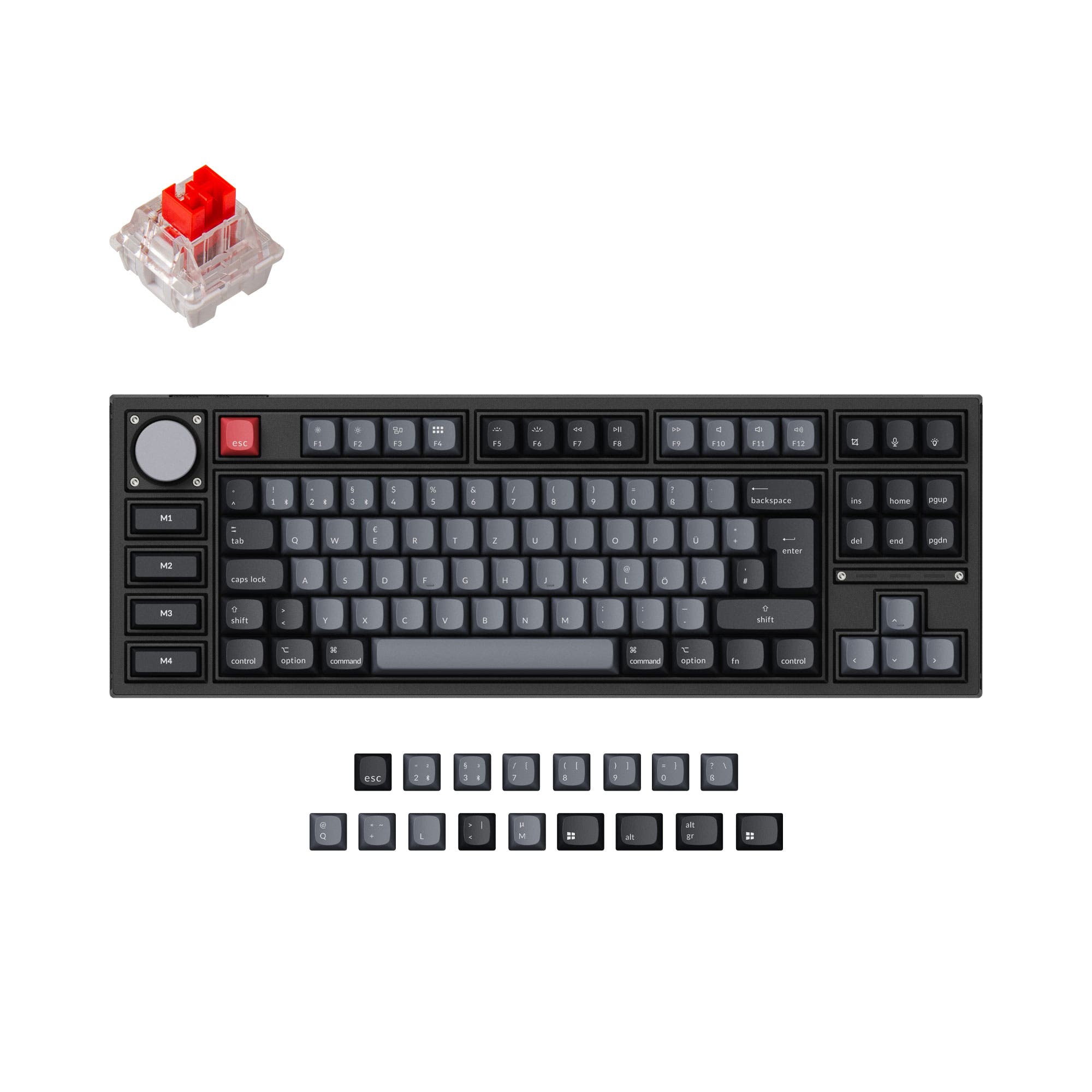

Which one should you get?
Get the
Keychron Q3 Pro
- Full metal 6063 aluminum body with a double-gasket design and PC plate for a flexible, quiet typing feel.
- Support for multiple ISO layouts including UK, German, and Nordic, with a Special Edition offering additional layouts.
- Highly customizable with QMK/VIA firmware, a programmable knob, and hot-swappable PCB compatible with most MX switches.
- Heavier at 2300g, making it less portable than the P3 HE.
- Relies solely on Bluetooth 5.1 for wireless, lacking a low-latency 2.4 GHz option.
- Wireless polling rate drops to 90 Hz, which may be noticeable in fast-paced gaming.
Get the
Keychron Lemokey P3 HE
Hall effect
- Equipped with Gateron double-rail magnetic switches with adjustable actuation points from 0.2 to 3.8 mm for precise control.
- Advanced gaming features include Rapid Trigger, Dynamic Keystrokes (4-in-1), and Analog Mode for controller-like input.
- Offers both 2.4 GHz and Bluetooth 5.2 wireless modes with a 1000 Hz polling rate on 2.4 GHz.
- Magnetic switches are limited to Gateron double-rail options from Keychron/Lemokey, not standard MX switches.
- Only available in ANSI layout, limiting regional keyboard preference options.
- Hot-swap compatibility is restricted to its own magnetic switch type, reducing modding options compared to the Q3 Pro.
For gamers seeking a competitive edge with magnetic switch technology, the Lemokey P3 HE is the superior choice thanks to its responsive features and low-latency 2.4 GHz connection. For users who prioritize typing versatility, layout options, and extensive modding, the Keychron Q3 Pro offers more flexibility with its standard MX switch support and ISO layout availability. Your decision should be based on whether gaming performance or customizable typing experience is more important for you.
The differences that matter
Skip the 40-row spec sheet. These are the specs that change how each board feels, sounds, and fits your desk.
Keychron Q3 Pro
Keychron Lemokey P3 HE
Hall effect (magnetic)
No
Yes
Rapid trigger
No
Yes
Connection
Bluetooth, Wired
Bluetooth, 2.4 GHz, Wired
Switch options
Clicky, Linear, Tactile
Clicky, Linear, Magnetic, Tactile
Mount style
Gasket Mount, Plate Mount
Gasket Mount
- Keychron Q3 Pro
- Keychron Lemokey P3 HE
- Performance
- 8293
- Build quality
- 8986
- Productivity
- 9798
- Customizability
- 9891
- Portability
- 7676
- Layout size: 80%
- Hot-swappable
- Battery: 4,000 mAh
- Max polling rate: 1,000 Hz
- Case material: Aluminum
- Knob
What will you mostly use it for?
The Lemokey P3 HE dominates the Gaming category with its magnetic switches and Rapid Trigger technology, making it the clear pick for competitive play. The Keychron Q3 Pro leads in Office and Content Creation due to its layout variety, macro keys, and knob. For Programming, the two keyboards tie as both offer extensive QMK/VIA programmability. The P3 HE is the better choice for Travel because it is lighter. Modders will prefer the Q3 Pro for its wider switch compatibility and modular build options.
Pick the Keychron Lemokey P3 HE
- Gateron double-rail magnetic switches with adjustable actuation points from 0.2 to 3.8 mm.
- Features Rapid Trigger, Dynamic Keystrokes (4-in-1), and Analog Mode for advanced control.
- 2.4 GHz wireless connection with a 1000 Hz polling rate for low-latency gameplay.
What owners say
Ratings and quotes collected from verified store reviews, including the critical ones.
Keychron Q3 Pro
24 owner reviews
“I ordered this keyboard for myself and it sounds and feels amazing. I love the clacky feel over the clicky keyboard I had before!”
Keychron Lemokey P3 HE
2 owner reviews
“Typing feel incredible. My first HE/magnetic switch keyboard and I am completely satisfied. The board itself is heavy and solid. Love the LED lighting. One week in and I'm hooked.”
Keychron Q3 Pro vs Lemokey P3 HE specs
Every tracked spec, side by side. Rows marked with a dot differ between the boards.
13 of 29 specs differ
Keychron Q3 Pro
Keychron Lemokey P3 HE
Switch options
Hall effect (magnetic)
Rapid trigger
Hot-swappable
Mount style
Sound dampening
Screw-in stabilizers
Layout size
Layout standard
Ergonomics
Knob
Display
Media keys
Connection
Max polling rate
Battery
USB-C
Case material
Plate material
Keycaps
Weight
Dimensions
Typing angle
Backlight
QMK
VIA
N-key rollover
Mac & Windows
Released
Compare prices
Live prices from the stores we track, cheapest in-stock offer first.
Lowest price across stores, Amazon excluded.



Prices in USD are converted to your currency and can change at any time. KeebFinder may earn a commission when you buy through these links, at no extra cost to you.
Keychron Q3 Pro vs Lemokey P3 HE: your questions
The main difference is the switch type: the Q3 Pro uses standard mechanical switches (Gateron K Pro) and supports a wide range of MX switches, while the P3 HE uses Gateron double-rail magnetic switches. The Q3 Pro is built for typing flexibility, modding, and offers multiple ISO layouts, whereas the P3 HE is geared toward gaming with features like adjustable actuation and Rapid Trigger.
The Lemokey P3 HE is better for competitive gaming. It is equipped with magnetic switches that support Rapid Trigger, Dynamic Keystrokes, and Analog Mode, providing fast and precise inputs. It also has a 2.4 GHz wireless connection with a 1000 Hz polling rate for minimal latency.
Yes, the Keychron Q3 Pro can be used wirelessly via Bluetooth 5.1 and also has a USB-C wired connection. The wireless polling rate is 90 Hz on Bluetooth, while the wired mode offers a 1000 Hz polling rate.
Yes, the Lemokey P3 HE supports Bluetooth 5.2, along with 2.4 GHz wireless and USB-C wired connections. The Bluetooth polling rate is 125 Hz.
Both keyboards are hot-swappable, but the compatibility differs. The Keychron Q3 Pro is compatible with most 3-pin and 5-pin MX-style mechanical switches. The Lemokey P3 HE is only hot-swappable with Gateron double-rail magnetic switches sold on the Keychron and Lemokey websites.
The Keychron Q3 Pro has more layout options. It supports ANSI and multiple ISO layouts, including German (DE-ISO), UK-ISO, Nordic-ISO, French-ISO, and others. The Lemokey P3 HE is only available in the ANSI standard layout.
Yes, both keyboards support QMK and VIA firmware, which allows full key remapping and macro creation. The Keychron Q3 Pro uses the Keychron Launcher web app, and the Lemokey P3 HE uses the Lemokey Launcher web app for customization.
The Keychron Q3 Pro Special Edition comes with OSA profile backlight shine-through ABS keycaps, while the standard Q3 Pro comes with OSA double-shot PBT keycaps. The Lemokey P3 HE comes with double-shot Cherry profile PBT keycaps, available in either shine-through or non-shine-through versions.
The Lemokey P3 HE is lighter, weighing 1910g compared to the Keychron Q3 Pro's 2300g. While both are heavy for travel due to their aluminum bodies, the P3 HE's lighter weight makes it slightly easier to move.
Yes, both keyboards come with a knob. The Keychron Q3 Pro includes a programmable aluminum rotary encoder knob, and the Lemokey P3 HE also features a knob. Both can be customized using their respective Launcher software.
Both the Keychron Q3 Pro and the Lemokey P3 HE have a 4000 mAh rechargeable li-polymer battery. The Q3 Pro offers up to 300 hours of Bluetooth use with backlight off and up to 100 hours with RGB on. The P3 HE offers up to 120 hours of wireless use, though lab test results may vary.
The Lemokey P3 HE features a screwless design with magnetic latches, allowing for tool-free disassembly of the top case. The Keychron Q3 Pro is also designed for easy assembly, but its standard construction may require more steps to take apart.
Not sold on either?


Still torn?
Answer a few quick questions and the keyboard finder ranks 2,000+ boards by how you will actually use yours.