Keychron R3 vs V4Wireless TKL vs Wired 60% Custom Keyboard
Choose the Keychron R3 for a wireless tenkeyless layout, or the Keychron V4 for a wired, highly customizable 60% board.
KeebFinder may earn a commission when you buy through these links, at no extra cost to you.

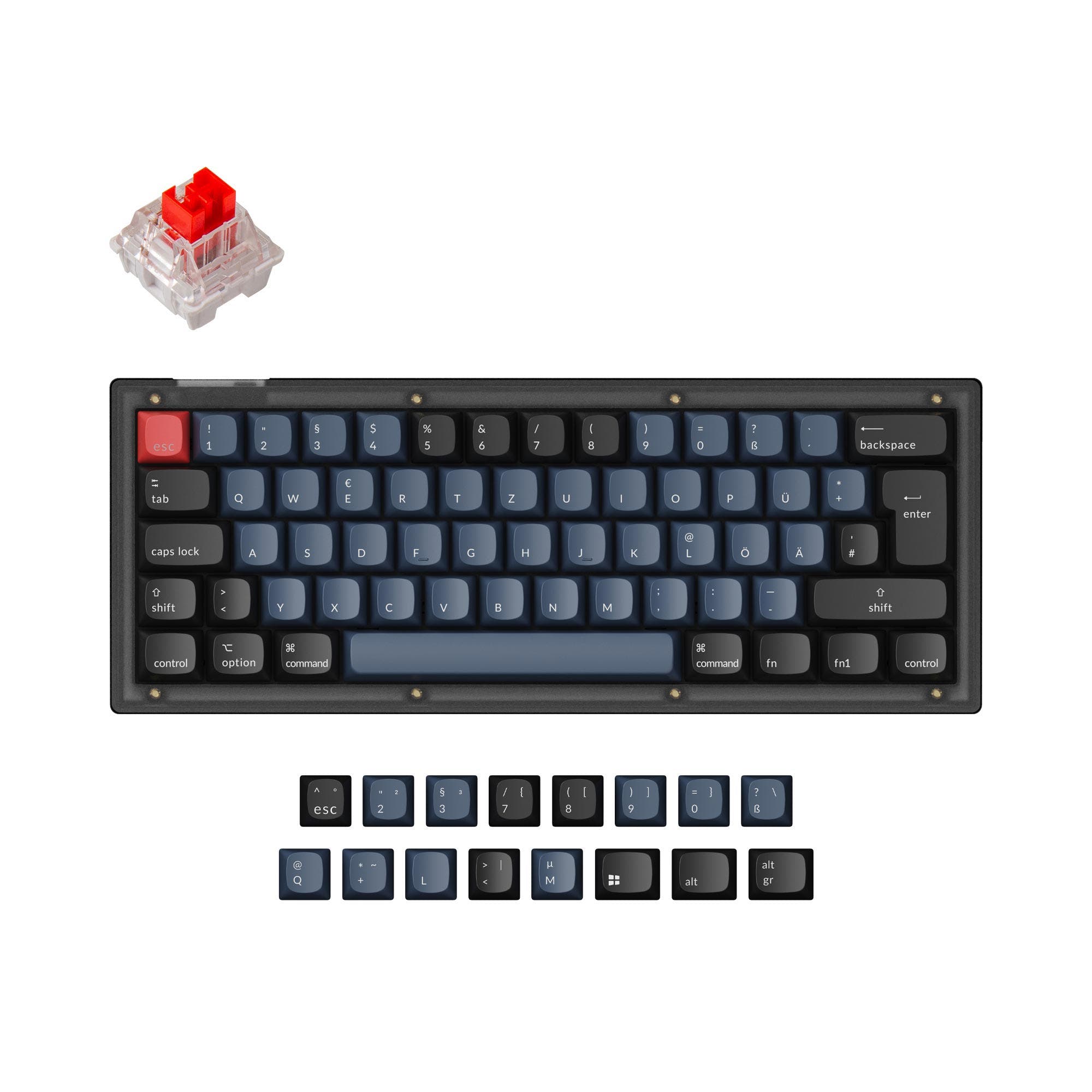
5.0 (14)5.0 · 14 reviews
from$39at Keychron
Which one should you get?
Get the
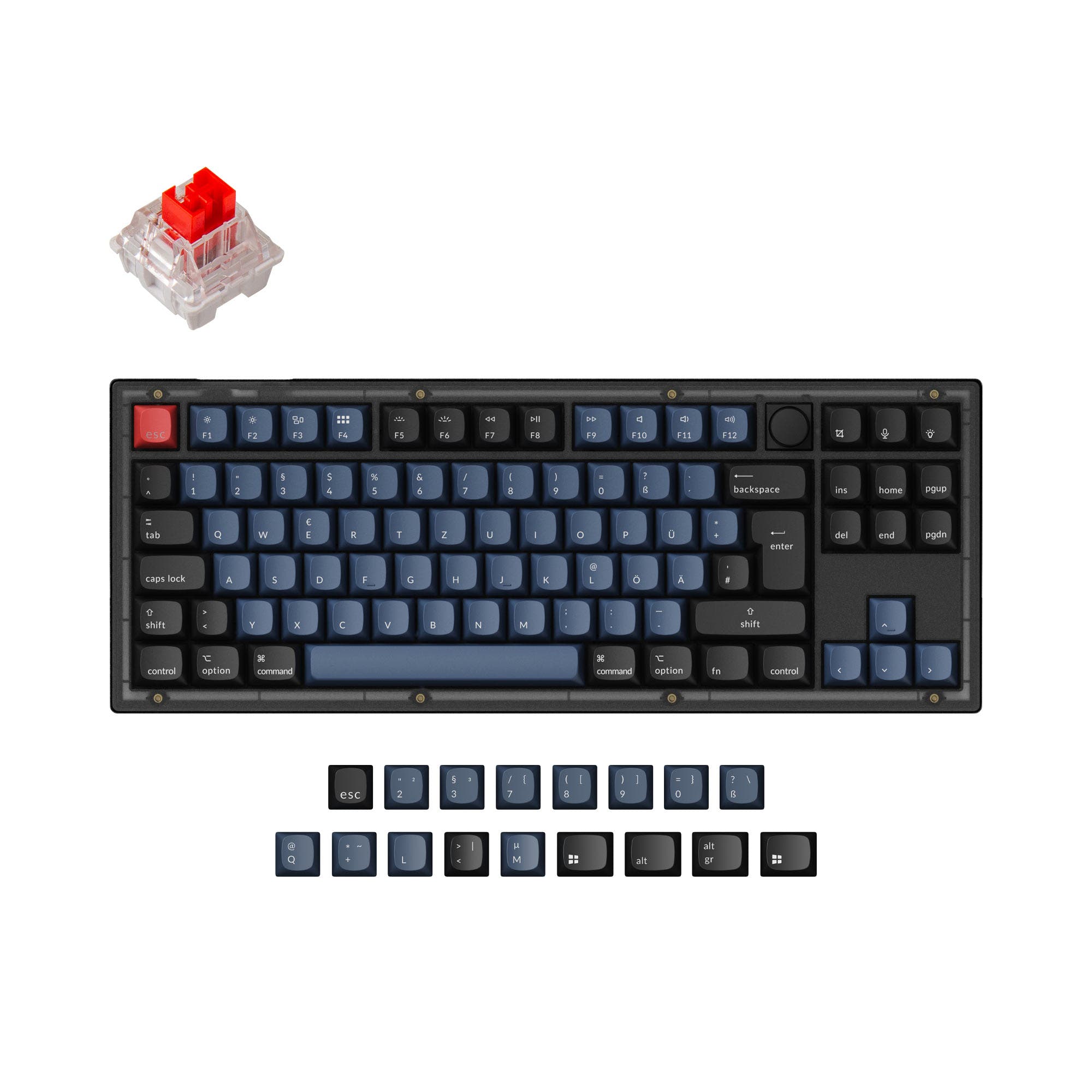
Keychron R3
Wireless TKL
Build quality in the bottom 30% of 80% boards under $100.
- Triple-mode connectivity (USB-C, Bluetooth 5.3, 2.4 GHz) for flexible use.
- TKL (80%) layout retains arrow and navigation keys in a smaller form.
- Includes an enhanced acoustic foam package with IXPE, EPDM, silicone, and PET layers.
- Switches are soldered. Swapping them means soldering.
- No ISO layout. ISO-DE, UK, and other ISO variants are not offered.
- No numpad.
Get the
Keychron V4
Wired 60% Custom Keyboard
Build quality in the top 5% of 60% boards under $50.
- Highly customizable with hot-swap sockets, screw-in PCB stabilizers, and barebones kit availability.
- Supports multiple layout standards including ANSI, ISO, JIS, and ISO-DE.
- Built with a steel plate and includes an acoustic silicone pad for sound dampening.
- South-facing LEDs. Shine-through legends stay dark, and some sculpted keycaps can clip the LED.
- Compact layout only. No function row, dedicated arrow keys, or numpad.
Your decision hinges on whether you value wireless convenience and a ready-to-use TKL layout or deep customization in a compact form. Choose the Keychron R3 for a versatile, wireless-ready keyboard for general and office use. Opt for the Keychron V4 if you enjoy modifying your keyboard, prefer a 60% layout to save space, and do not need wireless connectivity.
The differences that matter
Skip the 40-row spec sheet. These are the specs that change how each board feels, sounds, and fits your desk.
Keychron R3
Keychron V4
Layout size
80%
60%
Hot-swappable
No
Yes
Switch changes without soldering
Switch options
Linear, Tactile
Clicky, Linear, Tactile
Knob
No
Yes
VIA
No
Yes
GUI remapping without compiling firmware
- Keychron R3
- Keychron V4
- Performance
- 4468
- Build quality
- 5287
- Productivity
- 4695
- Customizability
- 4898
- Portability
- 5075
- QMK
What will you mostly use it for?
The Keychron R3 wins for office, programming, and content creation due to its functional TKL layout and wireless versatility. The Keychron V4 is the clear choice for modding enthusiasts and has an edge for travel due to its compact 60% form factor. For gaming, both are capable with their shared 1000Hz polling rate, making it a tie that depends on whether you prefer wireless freedom or a dedicated wired connection.
It's a tie
- Both keyboards have a 1000Hz polling rate for low latency.
- The R3 offers wireless flexibility with 2.4 GHz and Bluetooth 5.3.
- The V4's listed 1000Hz polling rate is highlighted by the manufacturer for competitive gaming.
Keychron R3 vs V4 specs
Every tracked spec, side by side. Rows marked with a dot differ between the boards.
12 of 26 specs differ
Keychron R3
Keychron V4
Switch options
Hot-swappable
Mount style
Sound dampening
Screw-in stabilizers
Layout size
Layout standard
Ergonomics
Knob
Display
Media keys
Connection
Max polling rate
Battery
USB-C
Case material
Plate material
Keycaps
Weight
Dimensions
Typing angle
Backlight
QMK
VIA
Mac & Windows
Released
ISO layouts by store
Which stores sell ISO-DE, UK, and the other regional layouts.
Keychron R3
No ISO layout at the stores we track.
Keychron V4
Keychron
ISO-DE
In stockShips to you
Input Gear
ISO-DE
Out of stockShips to you
Keychron (DE)
ISO-DE
In stockDoes not ship to you
Compare prices
Live prices from the stores we track, cheapest in-stock offer first.
Prices in USD are converted to your currency and can change at any time. KeebFinder may earn a commission when you buy through these links, at no extra cost to you.
Lowest price across stores, Amazon excluded.




Keychron R3 vs V4: your questions
No, the Keychron V4 is a wired-only mechanical keyboard. It connects via a USB Type-C cable. The Keychron R3 is the model that offers wireless connectivity via Bluetooth 5.3 and 2.4 GHz.
Both use PBT keycaps and support various switches, but they offer different typing experiences. The R3 uses Cherry profile keycaps and has multiple internal foam layers for sound. The V4 uses OSA profile keycaps and includes an acoustic silicone pad. The choice may come down to keycap profile preference and the sound profile from their respective dampening solutions.
Yes, both keyboards are hot-swappable, allowing you to change switches without soldering. The V4's product description specifically states its PCB supports both 3-pin and 5-pin MX mechanical switches.
The Keychron V4 uses a 60% layout, which does not have dedicated arrow keys. You must access them through a function layer. The Keychron R3, as a TKL keyboard, has dedicated arrow keys and navigation cluster.
Both have solid builds, but with different focuses. The V4 emphasizes customization with a steel plate, screw-in stabilizers, and a tray mount design. The R3 features a comprehensive acoustic foam package. The V4's listing provides more explicit detail on mod-centric construction elements like its stabilizers and plate.
The vendor description for the R3 lists south-facing RGB backlighting but describes the keycaps as double-shot PBT. It does not state they are shine-through. The V4's description explicitly says its PBT keycaps are not shine-through.
Yes, the Keychron V4 supports programming with both QMK and VIA firmware. This allows for extensive key remapping, macro creation, and layer customization. The R3 is also programmable via QMK and Keychron Launcher.
According to the vendor description, the Keychron R3 has a maximum polling rate of 1000Hz. The Keychron V4 also features a 1000Hz polling rate.
The Keychron V4's listed features include 'Knob Support,' but the product descriptions and specs do not show a knob included by default. This suggests the PCB may support adding a rotary encoder as a modification.
The Keychron V4 is more portable due to its smaller 60% layout (304mm length). The Keychron R3 is a Tenkeyless (TKL) keyboard, which is larger. However, the R3's wireless capability can be an advantage for use with portable devices away from a desk.
The Keychron V4 product description does not specify if the screw-in PCB stabilizers are pre-lubed. It highlights their screw-in design for stability and ease of upgrade. Customer reviews mention the stabilizers are lubed.
Yes, the Keychron R3 is compatible with Windows, Mac, and Linux. It includes a key sequence to toggle between Windows and Mac systems and comes with keycaps for both operating systems. The V4 also supports both Mac and Windows.
Not sold on either?





Still torn?
Answer a few quick questions and the keyboard finder ranks 2,000+ boards by how you will actually use yours.