Keychron V3 vs V4TKL vs 60% Layout
Choose the Keychron V3 if you need dedicated navigation keys and a full function row; pick the Keychron V4 if you need maximum desk space and portability.
KeebFinder may earn a commission when you buy through these links, at no extra cost to you.

4.6 · 17 reviews
from$54at Keychron
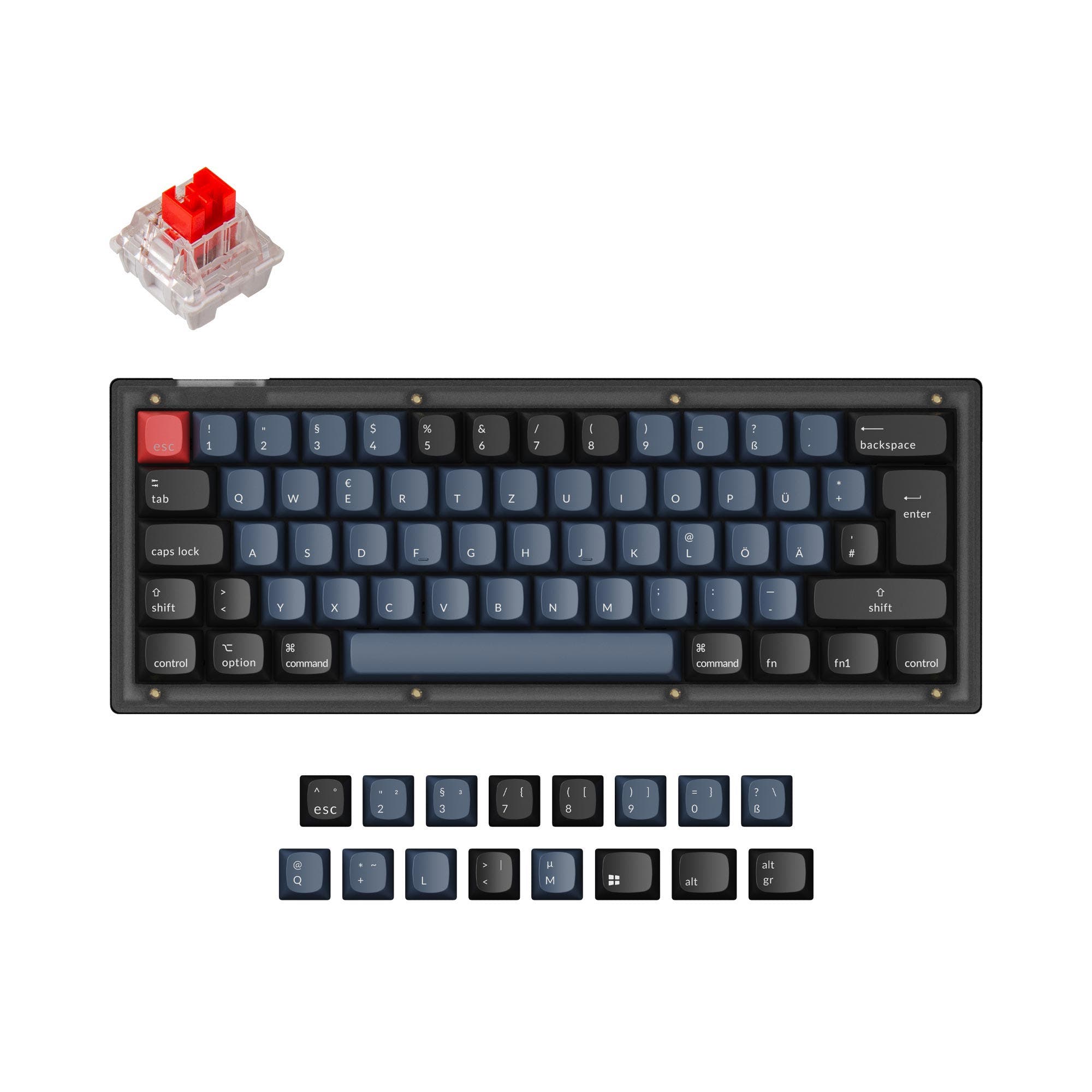
5.0 · 14 reviews
from$39at Keychron
Which one should you get?
Get the
Keychron V3
TKL
Build quality in the top 5% of 80% boards under $100.
- 80% TKL layout provides a full function row, navigation cluster, and arrow keys
- Programmable aluminum rotary knob for customizable controls via VIA
- Comes with an ARM Cortex-M4 MCU with 128K Flash and a 1000 Hz polling rate, with 8000 Hz polling rate support mentioned in specs
- South-facing LEDs. Shine-through legends stay dark, and some sculpted keycaps can clip the LED.
- No numpad.
Get the
Keychron V4
60% Layout
Build quality in the top 5% of 60% boards under $50.
- Ultra-compact 60% layout with a 304mm length, saving significant desk space
- Lightweight at only 730g, making it easy to transport
- Positive 5/5 rating from 18 reviews, indicating high user satisfaction
- South-facing LEDs. Shine-through legends stay dark, and some sculpted keycaps can clip the LED.
- Missing ISO-UK, ISO-FR, ISO-ES. The other board is sold in those layouts.
- Compact layout only. No function row, dedicated arrow keys, or numpad.
Your decision should be guided by your need for keys versus space. The Keychron V3 is the better choice if you frequently use the F row and dedicated navigation keys, as its TKL layout provides a more complete user experience for most productivity and gaming tasks. The Keychron V4 is ideal if you want a minimal footprint and plan to travel with your keyboard, as its light weight and smaller size are its primary advantages. For modding enthusiasts, either keyboard offers nearly identical customization potential, so let the layout preference be your guide.
The differences that matter
Skip the 40-row spec sheet. These are the specs that change how each board feels, sounds, and fits your desk.
Keychron V3
Keychron V4
Layout size
80%
60%
Max polling rate
8,000 Hz
1,000 Hz
Higher polling helps competitive FPS and does nothing for typing
Mount style
Gasket Mount, Plate Mount, Tray Mount
Plate Mount, Tray Mount
Weight
1,360 g
730 g
Heavier boards stay planted and lighter ones travel
Layout standard
ANSI, ISO, ISO-DE, ISO-ES, ISO-FR, ISO-SW, ISO-UK, JIS
ANSI, ISO, ISO-DE, JIS
ISO and JIS exist so regional layouts fit
- Keychron V3
- Keychron V4
- Performance
- 9168
- Build quality
- 8987
- Productivity
- 9895
- Customizability
- 9898
- Portability
- 5775
- Connection: Wired
- Hot-swappable
- Case material: ABS, Plastic
- Switch options: Clicky, Linear, Tactile
- Knob
- QMK
What will you mostly use it for?
The Keychron V3 wins in three out of six use cases, excelling where a full set of dedicated keys matter: gaming, office work, and programming. The V4's only win is in travel, where its lightweight and compact size are clear advantages. For modding, the two are tied, offering near-identical customization capabilities. For content creation, the V3's programmable knob and navigation keys give it a practical edge over the smaller V4. The core trade-off remains functionality per square inch versus compact portability.
Pick the Keychron V3
- Full navigation cluster and dedicated F row for quick in-game actions
- Higher performance score relative to price tier (91/100) for lower latency
- Available with a programmable knob for volume or macros
What owners say
Ratings and quotes collected from verified store reviews, including the critical ones.
Keychron V3
17 owner reviews
“Mainly bought this keyboard for the russian layout, despite this I prefer it over my steelseries apex pro, its nice feel and sounds nice”
“I bought this keyboard in March 2023 and genuinely liked it at first. It's solid, heavy, well-built, sounds great. Keychron clearly knows what they're doing in terms of design and firmware. The problem is the switches. After about a year and a half of normal…”
Keychron V4
14 owner reviews
“Definitely the best 80 dollar keyboard out right now. Very well lubed and stabbed are tooned well. Unfortunately can't get via to work (VIA isn't accepting the json file)”
Keychron V3 vs V4 specs
Every tracked spec, side by side. Rows marked with a dot differ between the boards.
8 of 26 specs differ
Keychron V3
Keychron V4
Switch options
Hot-swappable
Mount style
Sound dampening
Screw-in stabilizers
Layout size
Layout standard
Ergonomics
Knob
Display
Media keys
Connection
Max polling rate
USB-C
Case material
Plate material
Keycaps
Weight
Dimensions
Typing angle
Backlight
QMK
VIA
N-key rollover
Mac & Windows
Released
ISO layouts by store
Which stores sell ISO-DE, UK, and the other regional layouts.
Keychron V3
Keychron
ISO-DE, ISO-UK, ISO-FR, ISO-ES, ISO-SW
In stockShips to you
Keychron (DE)
ISO-DE, ISO-ES
In stockDoes not ship to you
Keychron (DE)
ISO-DE, ISO-UK, ISO-FR, ISO-ES, ISO-SW
Out of stockDoes not ship to you
Keychron V4
Keychron
ISO-DE
In stockShips to you
Input Gear
ISO-DE
Out of stockShips to you
Keychron (DE)
ISO-DE
In stockDoes not ship to you
Compare prices
Live prices from the stores we track, cheapest in-stock offer first.
Prices in USD are converted to your currency and can change at any time. KeebFinder may earn a commission when you buy through these links, at no extra cost to you.
Lowest price across stores, Amazon excluded.




Keychron V3 vs V4: your questions
The Keychron V3 is generally better for programming due to its 80% TKL layout. It includes dedicated Home, End, PgUp, PgDn, and arrow keys that are often used in code editors. The Keychron V4's 60% layout may require using function layers to access those keys, which can slow down navigation.
Yes, both the Keychron V3 and V4 come with a system toggle switch on the keyboard, as stated in the vendor descriptions. They also include an additional set of customized keycaps for both Windows and macOS systems, allowing you to switch between operating systems easily.
Yes, both keyboards support open-source QMK firmware and the Keychron Launcher web app (which is compatible with VIA). This allows you to remap keys, create macros, and adjust shortcuts. The vendor descriptions for both models confirm this feature.
Yes, both the Keychron V3 and V4 feature hot-swappable sockets mounted on the PCB. According to their vendor descriptions, they support both 3-pin and 5-pin MX mechanical switches, allowing you to change switches without soldering.
The Keychron V4 is significantly lighter and more portable, weighing 730g compared to the V3's 1360g. Its 60% layout also makes it shorter in length (304mm versus 367mm), fitting more easily into a backpack. The V4 has a higher portability score for these reasons.
Yes, the vendor description for the Keychron V3 mentions a 'Programmable Knob' that features an aluminum rotary encoder. It can be customized via VIA software for functions like volume control or macros. The Keychron V4 does not include a knob.
Both the Keychron V3 and V4 come with double-shot OSA (OEM Spherical Angled) PBT keycaps in their fully assembled versions. The vendor descriptions describe them as having excellent oil resistance and a similar height to OEM profile with an SA-like shape. These keycaps are not shine-through.
Yes, both keyboards use screw-in PCB stabilizers, which are known for providing more stable and less shaky big keys (space bar, shift, enter, backspace). The vendor descriptions specifically note that they support third-party screw-in PCB stabilizers for further upgrades.
The Keychron V3 offers a wider variety of layout options. According to the metadata, it supports ISO-DE, ISO-UK, ISO-FR, ISO-ES, ISO-SW, ISO-CH layouts, and a Russian ANSI variant. The Keychron V4 supports ISO-UK, ISO-DE, and several Nordic & European layouts but has fewer options overall.
Yes, both the Keychron V3 and V4 feature south-facing RGB LED lights. The south-facing design is intended to avoid interference when using OEM or Cherry-profile keycaps and provides illumination from the typist's angle. Both keyboards have non-shine-through PBT keycaps.
Both are excellent for a first build due to their hot-swappable nature, clear construction, and QMK support. However, the V4 has a very positive 5/5 rating from 18 reviews, with one reviewer stating it is 'my first keyboard build and it was definitely very pain free.' If layout size is a concern, choose the V3 for more keys or the V4 for a simpler, compact build.
Yes, the Keychron V4 product page lists a 'Barebone' option in the type selector. The vendor description also explicitly states that the barebone version does not include keycaps and switches. The Keychron V3 also has a barebone version available.
Not sold on either?


Still torn?
Answer a few quick questions and the keyboard finder ranks 2,000+ boards by how you will actually use yours.