Keychron V1 Ultra vs V2Wireless 8K or Wired Value?
Choose the V1 Ultra for wireless freedom and 8K polling, or the V2 for a lower entry price and the same premium customizability in a compact wired form.
KeebFinder may earn a commission when you buy through these links, at no extra cost to you.

5.0 (1)5.0 · 1 reviews
from$97at MK
4.9 (17)4.9 · 17 reviews
from$44at Keychron
Which one should you get?
Get the
Keychron V1 Ultra
polling rate
Build quality in the top 10% of 75% boards under $100.
- Wireless connectivity includes 2.4 GHz with an 8000 Hz polling rate and Bluetooth 5.3 for three-device pairing.
- Gasket mount design with PC plate and multiple foam layers (Sound Absorbing Foam, PET Film, EPDM Foam) for a softer, quieter typing feel.
- Large 4000mAh battery delivers up to 660 hours of use (backlight off) for extended wireless freedom.
- South-facing LEDs. Shine-through legends stay dark, and some sculpted keycaps can clip the LED.
- Missing ISO-UK. The other board is sold in those layouts.
- No numpad.
Get the
Keychron V2
Build quality in the top 5% of 65% boards under $50.
- Available as a barebones kit, allowing users to select their own switches and keycaps for a fully custom build.
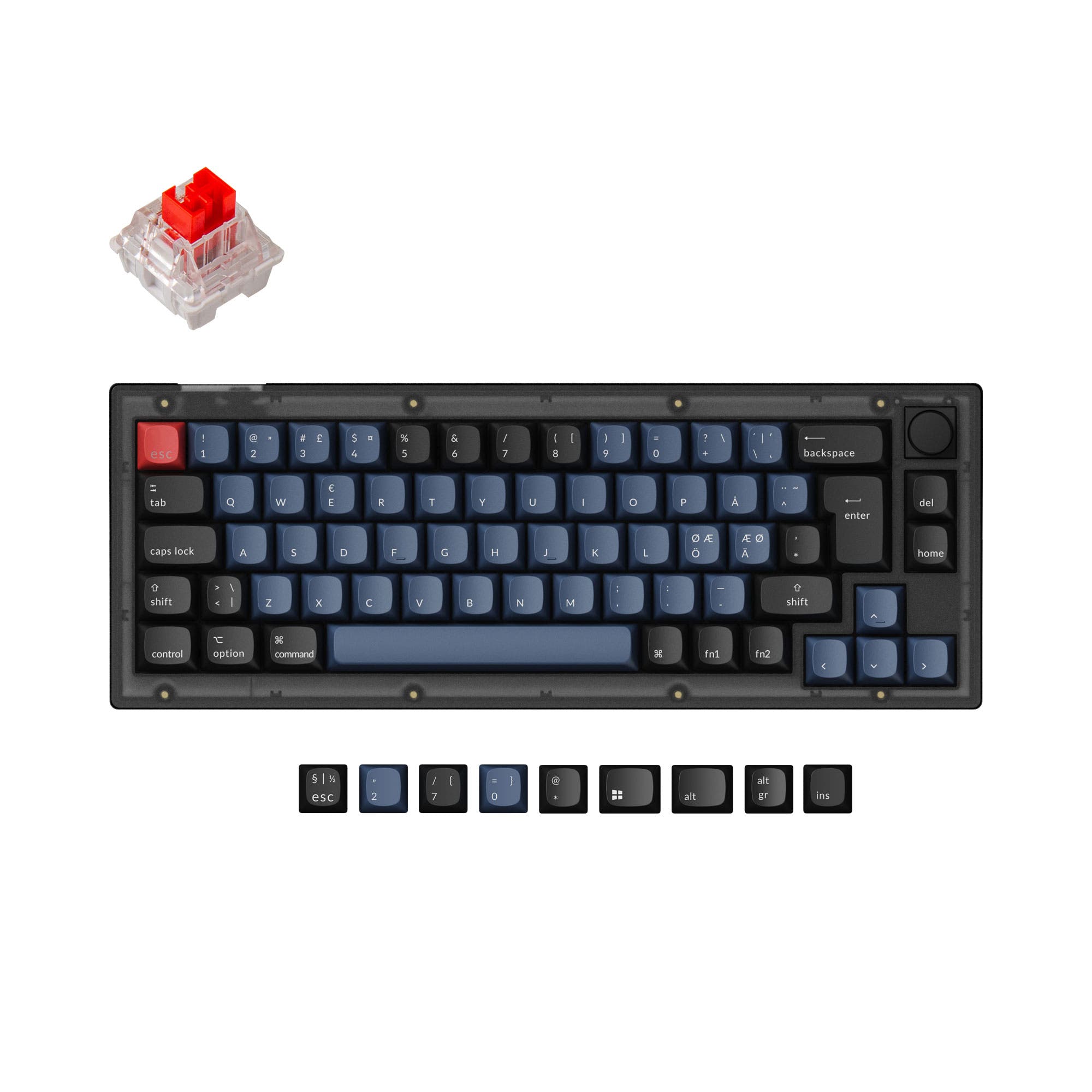
- Compact 65% layout saves desk space while retaining arrow keys and a knob option.
- Lower price point makes it an excellent entry point for modding and experimenting with custom configurations.
- South-facing LEDs. Shine-through legends stay dark, and some sculpted keycaps can clip the LED.
- 65% layout. No function row and no numpad.
The Keychron V1 Ultra is the better choice for users who need wireless performance with elite 8K polling for gaming and office use. The Keychron V2 serves those who want a compact, wired board for modding on a budget. Your final decision depends on whether wireless freedom and a quieter, more cushioned typing feel outweigh the V2's lower cost and barebones flexibility.
The differences that matter
Skip the 40-row spec sheet. These are the specs that change how each board feels, sounds, and fits your desk.
Keychron V1 Ultra
Keychron V2
Layout size
75%
65%
Connection
Bluetooth, 2.4 GHz, Wired
Wired
Wireless for several devices and wired for lower latency
Max polling rate
8,000 Hz
1,000 Hz
Higher polling helps competitive FPS and does nothing for typing
Switch options
Linear, Tactile
Clicky, Linear, Tactile
Mount style
Gasket Mount
Plate Mount, Tray Mount
- Keychron V1 Ultra
- Keychron V2
- Performance
- 9168
- Build quality
- 8487
- Productivity
- 9896
- Customizability
- 9499
- Portability
- 7975
- Hot-swappable
- Case material: ABS, Plastic
- Knob
- QMK
- VIA
- Sound dampening
What will you mostly use it for?
The V1 Ultra wins in Gaming, Office, Travel, and Content Creation due to its wireless 8K performance, gasket mount comfort, and larger battery. The V2 takes the edge in Modding thanks to its lower price and barebones availability. For Programming, both boards tie because each offers the same powerful QMK/VIA remapping and hot-swap flexibility, differing only in layout size.
Pick the Keychron V1 Ultra
- Features an 8000 Hz polling rate in both wired and 2.4 GHz wireless modes for extremely low input lag.
- Offers 2.4 GHz wireless connectivity for a stable, low-latency connection without cable clutter.
- Includes a 4000mAh battery that provides up to 660 hours of use on a single charge (backlight off).
What owners say
Ratings and quotes collected from verified store reviews, including the critical ones.
Keychron V1 Ultra
1 owner reviews
“Keychron has the best keyboard for keyboard enthusiasts. This is my 3rd and I have no notes. Exactly what I wanted, versatility, thockiness, and portability.”
Keychron V2
17 owner reviews
“Was looking for a good budget board to customize and this keyboard was great! Good price and high quality materials as well as fast shipping. Love it.”
Keychron V1 Ultra vs V2 specs
Every tracked spec, side by side. Rows marked with a dot differ between the boards.
12 of 27 specs differ
Keychron V1 Ultra
Keychron V2
Switch options
Hot-swappable
Mount style
Sound dampening
Screw-in stabilizers
Layout size
Layout standard
Ergonomics
Knob
Display
Media keys
Connection
Max polling rate
Battery
USB-C
Case material
Plate material
Keycaps
Weight
Dimensions
Typing angle
Backlight
QMK
VIA
N-key rollover
Mac & Windows
Released
ISO layouts by store
Which stores sell ISO-DE, UK, and the other regional layouts.
Keychron V1 Ultra
Keychron (DE)
ISO-DE, ISO-FR, ISO-ES
In stockDoes not ship to you
Keychron V2
Input Gear
ISO-DE
In stockShips to you
Keychron
ISO-DE, ISO-UK, ISO-FR, ISO-ES
In stockShips to you
Keychron (DE)
ISO-DE, ISO-UK, ISO-FR, ISO-ES
In stockDoes not ship to you
Compare prices
Live prices from the stores we track, cheapest in-stock offer first.
Prices in USD are converted to your currency and can change at any time. KeebFinder may earn a commission when you buy through these links, at no extra cost to you.
Lowest price across stores, Amazon excluded.




Keychron V1 Ultra vs V2: your questions
The Keychron V1 Ultra supports an 8000 Hz polling rate in both wired and 2.4 GHz wireless modes, as confirmed by the vendor. The Keychron V2 is limited to a 1000 Hz polling rate.
Yes, the V1 Ultra supports a 2.4 GHz wireless connection with an 8000 Hz polling rate, which is designed for low-latency competitive gaming. It also offers Bluetooth 5.3 for connecting to multiple devices.
Yes, the Keychron V2 is a strong modding platform. It is available as a barebones kit, uses a tray mount design with a steel plate, and features hot-swappable sockets for 3-pin and 5-pin switches. Many user reviews praise its sound profile and customization potential.
The V1 Ultra may offer a better typing experience for many users due to its gasket mount design and multiple foam layers (including Sound Absorbing Foam and EPDM Foam), which reduce resonance and produce a softer feel. The V2 uses a tray mount with a steel plate, resulting in a firmer response.
Yes, the V1 Ultra comes with a system toggle and includes an additional set of keycaps for both macOS and Windows, allowing you to save two different layouts. The vendor states it is compatible with macOS, Windows, and Linux.
The fully assembled Keychron V2 comes with pre-lubed Keychron K Pro switches, available in Red (linear), Blue (clicky), and Brown (tactile) options. The barebones version does not include switches.
Yes, the Keychron V2 uses a standard MX-style stem and comes with double-shot OSA PBT keycaps. You can easily replace them with any third-party MX-compatible keycap set.
The V1 Ultra is more portable for mobile use because it supports wireless connections (2.4 GHz and Bluetooth 5.3) and has a large 4000mAh battery for extended use. However, the V2 is smaller in layout (65% vs 75%) and lighter on paper per its dimensions, but both are compact plastic keyboards.
Yes, the Keychron V2 offers a knob version that can be programmed via QMK/VIA or the Keychron Launcher web app. You can assign functions like volume, zoom, or macros to the aluminum rotary encoder.
Both the Keychron V1 Ultra and Keychron V2 use screw-in PCB stabilizers. The vendor notes that the V2 also supports third-party screw-in PCB stabilizers for further customization.
Yes, the V1 Ultra features south-facing RGB LED backlighting with per-key RGB and Mix RGB modes. It offers over 22 backlight settings, including a static white option, and can be customized via the Keychron Launcher web app.
Not sold on either?


Still torn?
Answer a few quick questions and the keyboard finder ranks 2,000+ boards by how you will actually use yours.